You have probably seen them all over Instagram and Facebook this Christmas season. Someone posts a stunning AI-generated holiday portrait, it looks like it came straight from a professional studio, and within hours the comments are full of people asking one question: “What prompt did you use?”
ChatGPT Christmas photo prompts are this holiday season’s biggest social media viral trend, and honestly, they are easier to create than most people think.
I spent time testing these prompts, studying what actually works, and collecting the best ones so you do not have to guess. What I found is that the right holiday photo prompts can generate images that maintain your original facial features and natural smile without ever stepping inside a photo studio.
No expensive photographer. No awkward poses. No annual family photo meltdowns.
This guide gives you everything in one place. Copy-paste holiday AI prompts that are ready to use right now, a simple step-by-step process for complete beginners, and real solutions for when your results do not look quite right.
Whether you want a solo Christmas portrait, a couples shot, or a family card photo, the ChatGPT creative prompts and holiday photo ideas in this article cover every situation.
Let’s get into it.
What Is the ChatGPT Christmas Photo Trend and Why Is Everyone Doing It?
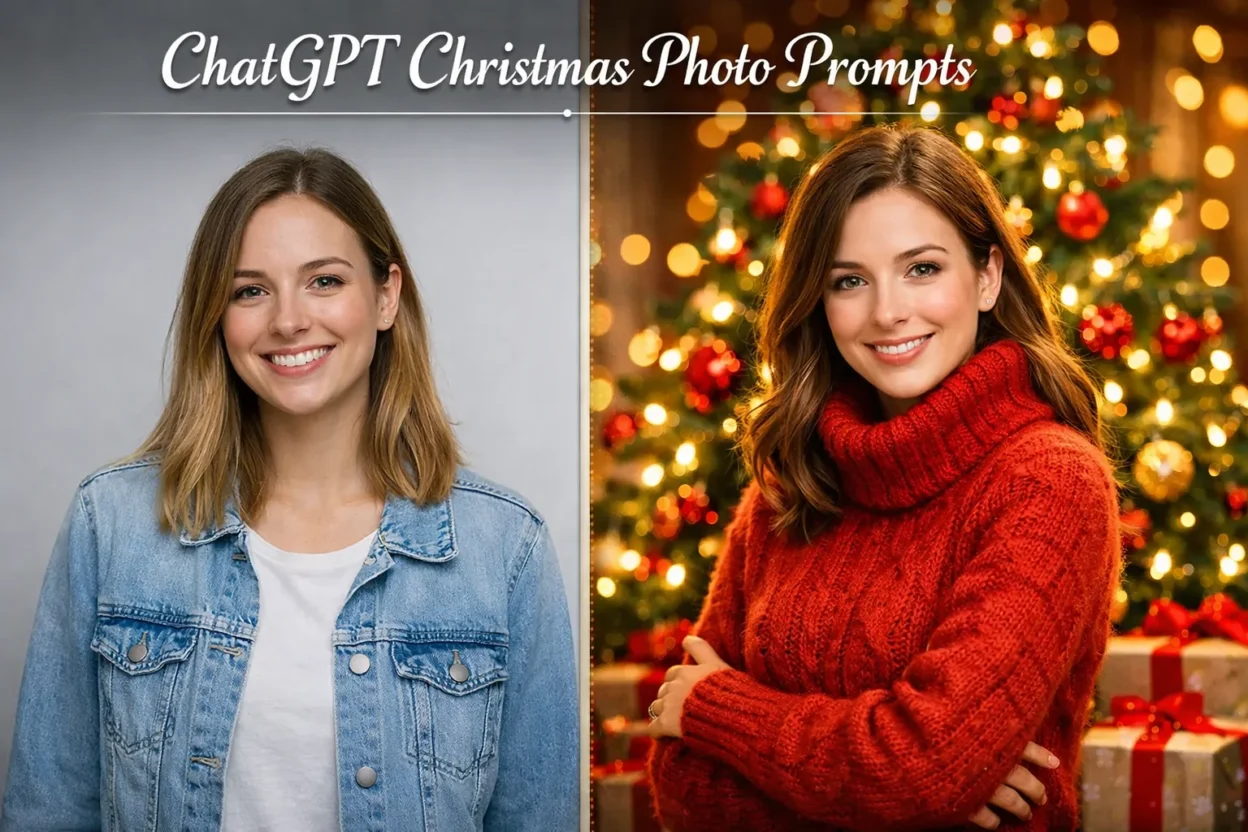
The ChatGPT Christmas photo trend is exactly what it sounds like. You upload a photo of yourself to an AI tool, add a detailed text prompt describing a festive scene, and the AI generates a stunning holiday portrait that places you inside that scene. The result looks like a professional studio photo, complete with Christmas trees, warm lighting, snow, and whatever festive props you described.
Think of it as the December version of the Halloween ghost face trend that went viral earlier this year. The concept is identical. Real person, AI-generated setting, shareable result. The only difference is the season.
Why Did This Trend Explode So Fast?
The answer is simple. The results genuinely look amazing, and anyone can do it for free.
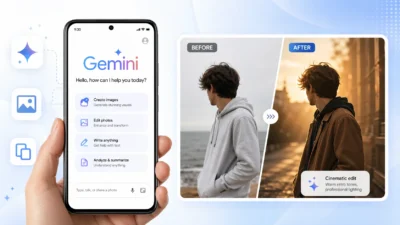
You do not need a professional camera, a photography studio, or any editing skills. Google Gemini, which is the AI tool most people use for this trend, is completely free to download and use on any smartphone. With the right chatgpt christmas photo trend prompt, you can generate high-quality festive images that maintain your original facial features and natural smile without spending a single penny.
I tested this myself and the difference between a vague prompt and a well-structured one is night and day.
What Kind of Results Can You Actually Get?
The variety is honestly impressive. Here are some of the most popular styles people are creating this holiday season:
Candy Cane Studio Portraits: A fully decorated pink and white peppermint set with oversized ornaments, snowy ground, and sparkly outfits. This is the style you have probably seen most on Instagram feeds and reels.
Warm Family Christmas Cards: Cozy living room scenes with coordinated pajamas, a glowing Christmas tree, and wrapped gifts. AI Christmas photo generation handles group scenes surprisingly well when you use the right instructions.
Cinematic Outdoor Snow Scenes: Dramatic portraits in snowy Christmas markets or frosty outdoor settings with soft bokeh lighting and cinematic color tones.
The ChatGPT image prompts that produce these results are not complicated once you understand the basic structure. Festive photo editing with ChatGPT and similar AI tools has made professional-looking holiday portraits accessible to anyone with a phone and five minutes to spare.
Christmas image generation through AI tools reached a new level of realism in 2024 and 2025, with outputs that closely preserve the subject’s real facial features when the prompt is written correctly. That last part matters a lot, and I will show you exactly how to do it throughout this guide.
ChatGPT, Gemini, or Something Else? Here Is What Actually Works for Free
Here is something most guides will not tell you upfront. Google Gemini is the tool you actually want to use for Christmas photo prompts, not ChatGPT.
I know that sounds confusing because you searched for ChatGPT Christmas photo prompts and landed here. Let me explain why this distinction matters and will save you time and frustration.
ChatGPT does have image generation capabilities through DALL-E, which is the AI model developed by OpenAI. The problem is that ChatGPT requires a paid Plus subscription to access image creation features. If you are using the free version of ChatGPT, you cannot generate images at all.
Google Gemini, on the other hand, offers completely free AI Christmas photo generation with no subscription required. Every tutorial creator I studied while researching this guide uses Gemini for their Christmas portraits, and the results speak for themselves. The free tier of Gemini produces high-quality festive images without charging you a penny.
That is why chatgpt christmas photo prompts free searches lead people to Gemini tutorials. The keyword intent is clear, people want free options, and Gemini delivers that better than ChatGPT does.
What About Other AI Christmas Photo Generators?
If you find the idea of writing detailed text prompts intimidating, there is a third option worth considering. Pixerty AI is an image editing app designed for efficiency and speed. Instead of manually writing prompts, Pixerty AI offers preset holiday outfits and scenes that you can apply to your photo with just a few taps.
The tradeoff is simplicity versus customization. Pixerty AI produces professional results very quickly, but you lose the creative control that comes with writing your own detailed Christmas photo filter prompts in Gemini or ChatGPT.
For desktop users who prefer working on a computer instead of a phone, Google AI Studio at aistudio.google.com is a web-based alternative to the mobile Gemini app. The interface is slightly different but the image generation quality is identical.
How to Set Up Google Gemini for Christmas Photo Prompts (Step by Step)
Setting up Gemini takes less than two minutes. Here is the exact process I follow every time I create a new festive portrait:
Step 1: Download the Google Gemini app from the Google Play Store or Apple App Store. The app is completely free.
Step 2: Open the app and tap the plus icon at the bottom of the screen.
Step 3: Select the gallery option and choose a clear photo of yourself. Face the camera directly and make sure the lighting is good. Photo quality at this stage directly impacts your final result.
Step 4: Paste your Christmas photo prompt into the text field. I will give you dozens of ready-to-use prompts in the sections below.
Step 5: Before you hit send, look for the model selection option. Choose the thinking model if Gemini offers it. This setting produces noticeably better quality for detailed festive portrait generator requests.
Step 6: Tap send and wait about 10 to 20 seconds. Gemini processes the AI photo prompt and generates your Christmas image.
Step 7: Tap the image to view it full size. If you like the result, tap the download icon to save the image to your phone.
The same workflow applies if you are using ChatGPT Plus or any other image generation tool. Upload photo, paste prompt, generate, download. The steps are universal across platforms.
Free vs Paid: Do You Need a Subscription to Get Good Results?
The short answer is no. You do not need to pay for anything to create stunning free AI Christmas photo results.
Google Gemini offers full image generation capabilities on its free tier. I have tested both the free and paid versions of various tools, and for Christmas portrait purposes specifically, Gemini free delivers everything most people need.
ChatGPT requires a Plus subscription at $20 per month to access DALL-E image creation. If you already have ChatGPT Plus for other reasons, the DALL-E Christmas prompts work beautifully. But if you are starting from scratch and only want to create holiday photos, paying for ChatGPT Plus does not make sense when Gemini does the same job for free.
Pixerty AI operates on a freemium model with some features available for free and premium styles locked behind a paywall. The free version still produces quality results, but the preset variety is limited compared to the paid tier.
My honest recommendation is to start with Google Gemini. Learn the basics of Christmas image generation using the free tool, experiment with different prompts, and only consider paid options if you find yourself hitting specific limitations that free tools cannot solve.
The Secret Behind Every Great Christmas Photo Prompt (Copy This Structure)
Most people treat prompts like magic spells. They copy exactly what someone else wrote, paste it into Gemini, and hope for the best. Sometimes it works. Often it doesn’t.
The difference between a vague AI photo prompt that produces mediocre results and a chatgpt prompt for christmas photo that generates stunning output comes down to structure. Great prompts follow a consistent formula, and once you understand that formula, you can write your own prompts or customize existing ones to match exactly what you want.
I spent hours analyzing the most successful Christmas portrait prompts shared across communities, and they all include the same five core elements. Miss even one of these components and your results will suffer.
The 5 Elements Every Christmas Portrait Prompt Needs
Element 1: Subject Description with Specific Details
Start your prompt by describing the person in the photo with enough detail that the AI understands who to preserve and render accurately. Include approximate age, key physical features like hair color, and any defining characteristics.
Example: “A joyful 28-year-old woman with long brown hair” or “A smiling young man with short black hair.”
This level of specificity helps the AI focus on maintaining realistic Christmas photo AI results that actually look like you instead of generating a generic face.
Element 2: Outfit and Styling Instructions
Describe exactly what the subject is wearing. The more detail you provide here, the more control you have over the final aesthetic. Mention colors, textures, and specific clothing items.
Example: “wearing a sparkly white sequin jumpsuit with a red Santa hat” or “dressed in a cozy red sweater and dark jeans.”
Think of this as directing a portrait photography session. You are telling the AI exactly how to style the subject.
Element 3: Background Elements and Props Structured as a List
This is where most people’s prompts fall apart. Instead of writing one long run-on sentence describing the background, use bullet points or a clearly structured list within your prompt text.
Example structure from a real community-tested ultra realistic Christmas portrait prompt:
“The background features:
• A glowing Christmas tree decorated with red and gold ornaments
• Wrapped presents stacked around the base
• Snowy ground with fluffy artificial snow
• Warm fairy lights creating soft bokeh
• A large red ornament near the subject’s feet”
Listing background elements this way dramatically improves photorealistic rendering accuracy because the AI processes each element as a distinct instruction rather than trying to interpret a vague descriptive paragraph.
Element 4: Technical Quality Suffix (The 8K DSLR Formula)
Here is the part that separates amateur results from professional-looking outputs. End every Christmas photo prompt with technical specifications that signal to the AI you want photorealistic quality, not an illustration or cartoon style.
The validated formula used by creators who consistently get the best results is: “Hyper-realistic 8K, DSLR quality, 2:3 aspect ratio.”
This 8K Christmas portrait prompt suffix works because it explicitly tells the AI to mimic high-end camera equipment and professional lighting style. The aspect ratio specification ensures the output dimensions work well for social media and printing.
You can also add camera lens specification details like “shot with a 55mm lens” if you want that specific shallow depth of field look common in professional portrait photography.
Element 5: The Face Preservation Instruction (Critical)
This is the single most important line in any AI photo prompt, and most beginners leave it out entirely. Without explicit instructions to preserve your real facial features, the AI interprets creative freedom as permission to modify or completely replace your face.
Add this exact phrase near the beginning of your prompt, right after the subject description: “Use the real facial features exactly as they are. Do NOT change or alter the face in any way.”
For baby and child photos, this instruction becomes even more specific: “Keep the baby’s original face, features, and age exactly the same. Do not alter identity.”
I learned this the hard way after my first few attempts produced beautiful Christmas scenes with faces that looked nothing like me. Adding the face preservation instruction fixed the problem immediately.
How to Customize Any Prompt for Your Style
Now that you understand the five-element structure, customizing prompts becomes simple. You are not locked into copying someone else’s exact aesthetic. You can take any holiday photo prompt template and adapt it to match your personal style while keeping the technical framework intact.
Let me show you how this works with a real example. The viral candy cane Christmas prompt uses a bright pink and white color scheme, sparkly outfits, and a playful North Pole studio vibe. Someone in the community took that exact structural framework and transformed it into a Gothic Christmas variation by changing just three elements:
What They Changed:
Color palette: pink and white became black and white
Outfit style: sparkly jumpsuit became a fitted black dress with fishnet stockings
Props: candy canes and ornaments stayed but switched to skull ornaments and dark decor
What They Kept:
Subject description structure
Face preservation instruction
Background element list format
Technical quality suffix (8K DSLR)
Lighting style direction
The result was a completely different aesthetic using the same proven prompt engineering foundation. This is how you make prompts work for you instead of just copying what worked for someone else.
You can apply this same customization approach to any style you want. Keep the structural skeleton, swap the aesthetic details, and the AI will generate exactly what you envision.
The Candy Cane Christmas Photo Prompt Everyone Is Copying Right Now
If you have scrolled through Instagram or Facebook in the past few weeks, you have definitely seen this one. The candy cane photo prompts trend features a whimsical pink and white peppermint-themed photoshoot with oversized lollipop props, sparkly outfits, and a magical North Pole studio background.
This specific chatgpt christmas photo trend prompt has gone more viral than any other Christmas style this year, and for good reason. The results are stunning, shareable, and instantly recognizable. People see these candy cane portraits and immediately want to create their own version.
What makes this particular ultra realistic Christmas portrait prompt so effective is the level of detail built into every element. The original prompt that started the trend includes precise outfit descriptions, specific pose instructions, and a carefully structured background list that tells the AI exactly what to render and where to place each element.
I tested this prompt myself and the output quality genuinely impressed me. The combination of the 8K Christmas portrait prompt technical suffix, the 55mm lens specification, and the vibrant color palette creates a professional studio look that most people assume requires expensive photography equipment.
Why This Candy Cane Prompt Works So Well
The success of this prompt comes down to three factors that most other copy paste Christmas prompts miss.
Factor 1: Extreme Outfit Specificity
Instead of saying “wearing a festive outfit,” the original candy cane prompt describes a “sparkly white long-sleeve sequin jumpsuit, fitted and shimmering, with a scoop-back cut.” That level of detail gives the AI zero room for creative interpretation, which means the output matches the vision exactly.
Factor 2: Structured Background Elements
The prompt lists background props as individual items rather than one long descriptive sentence. This structure dramatically improves rendering accuracy because the AI processes each element separately.
Factor 3: Playful Pose Direction
The prompt includes specific posing instructions like “sitting on a white cube block with one leg lifted and crossed, holding a giant pink-and-white peppermint lollipop prop resting over her shoulder.” AI-generated images look more natural and less stiff when the pose is described this clearly.
Before you use this prompt, here is a quick technical tip that improved my results. When you paste the candy cane prompt into Google Gemini, select the thinking model option before you hit send. The thinking model produces noticeably better quality for complex Christmas portrait prompts like this one.
If you want to skip the jumpsuit description entirely, you can upload a reference photo of a specific outfit you like and ask the AI to apply that outfit to your Christmas portrait. This technique works especially well if you have a particular style in mind but struggle to describe it in words.
The Complete Candy Cane Prompt (Copy and Paste This Exactly)
Here is the full community-tested prompt that thousands of people have successfully used to create their viral candy cane Christmas photos. I am sharing this exactly as it was originally written, with all the specific details intact.
Create an ultra-realistic 8K Christmas portrait using a 55mm lens with bright, playful holiday lighting. The woman is in a whimsical candy-cane themed photoshoot, surrounded by giant pink peppermint decorations, snowy ground, festive trees, and oversized ornaments. Use her real facial features exactly as they are. Do NOT change or alter her face in any way. Her makeup is festive glam with winged liner, warm eyeshadow, rosy cheeks, and bold holiday soft pink lips. She wears a sparkly white long-sleeve sequin jumpsuit, fitted and shimmering. The back of the jumpsuit has a scoop-back cut, adding elegance while keeping the holiday sparkle. She is sitting on a white cube block, posing with one leg lifted and crossed, similar to a professional studio pose. Her expression is playful and confident, smiling warmly toward the camera. In her hand, she holds a giant pink-and-white peppermint lollipop prop, resting it over her shoulder in a fun, candy-land pose. Around her is a fully decorated Christmas set with snowy ground covered in fluffy artificial snow, Christmas trees dusted with frost and decorated with pink ornaments and string lights, oversized candy canes framing the scene beside her, and a large shiny red Christmas ornament near her feet. Lighting should be bright, clean, and festive, capturing the glimmer of the sequins and the pink candy-themed props. The colors are vibrant reds, whites, pinks, and silvers, giving a magical North Pole holiday studio vibe.Simply copy that entire block of text, paste it into Gemini, upload a clear front-facing photo of yourself, and let the AI work its magic. The results typically generate within 15 to 20 seconds.
Candy Cane Prompt for Couples (Modified Version)
One of the best things about well-structured prompts is how easily you can adapt them for different situations. A community member took the original candy cane prompt and modified it to include her partner, and the results were just as stunning as the solo version.
The key modification is adding specific positioning instructions for the second person. Here is the couples adaptation:
Candy Cane Couples Prompt:
Create an ultra-realistic 8K Christmas portrait using a 55mm lens with bright, playful holiday lighting. The couple is in a whimsical candy-cane themed photoshoot, surrounded by giant pink peppermint decorations, snowy ground, festive trees, and oversized ornaments. Use their real facial features exactly as they are. Do NOT change or alter their faces in any way. Her makeup is festive glam with winged liner, warm eyeshadow, rosy cheeks, and bold holiday soft pink lips. She wears a sparkly white long-sleeve sequin jumpsuit, fitted and shimmering. He is wearing a black suit. She is sitting on a white cube block, posing with one leg lifted and crossed, and he is standing behind her with his hand on her shoulder. Her expression is playful and confident, smiling warmly toward the camera. In her hand, she holds a giant pink-and-white peppermint lollipop prop, resting it across her legs. Around them is a fully decorated Christmas set with snowy ground covered in fluffy artificial snow, Christmas trees dusted with frost and decorated with pink ornaments and string lights, oversized candy canes framing the scene beside them, and a large shiny red Christmas ornament near her feet. Lighting should be bright, clean, and festive, capturing the glimmer of the sequins and the pink candy-themed props. The colors are vibrant reds, whites, pinks, and silvers, giving a magical North Pole holiday studio vibe.Notice the changes are minimal. The prompt adds “he is wearing a black suit” and “he is standing behind her with his hand on her shoulder.” Everything else remains identical to the solo version. This modification principle works for any Christmas portrait prompts you want to adapt for two people instead of one.
More ChatGPT Christmas Photo Prompts by Style (Hallmark, Norman Rockwell, and More)
Not everyone wants the bold pink candy cane aesthetic. Some people prefer a softer, more nostalgic Christmas portrait that feels warm and timeless instead of trendy and vibrant.
The beauty of ChatGPT image prompts is that you can generate completely different visual styles by adjusting the descriptive language while keeping the same technical structure. I tested several aesthetic variations to see how different photo prompt for holidays approaches produce distinct results, and the variety genuinely surprised me.
This section covers three specific Christmas portrait prompts styles that are trending on social media right now but rarely appear in other guides. Each style has its own mood, color palette, and cultural reference point that makes the output instantly recognizable.
Hallmark Christmas Movie Style Prompts
The Hallmark Christmas photo prompt aesthetic is all about cozy small-town romance, warm golden lighting, and that impossibly perfect snowfall that only exists in feel-good holiday movies. When you want your Christmas portrait to look like a movie poster for a heartwarming seasonal romance, this style delivers exactly that vibe.
These ChatGPT holiday photo ideas focus on soft lighting, natural winter settings, and clothing that feels comfortable rather than glamorous.
Hallmark Prompt 1: Snowy Small Town Portrait
Create an ultra-realistic 8K Christmas portrait using a 50mm lens with soft, warm golden hour lighting. A woman stands on a charming small-town street decorated with twinkling fairy lights and fresh pine garlands. Use her real facial features exactly as they are. Do NOT change or alter her face in any way. She wears a cream-colored cable knit sweater, dark jeans, and a red plaid scarf loosely wrapped around her neck. Her expression is warm and genuinely happy, smiling softly as gentle snow falls around her. The background features a quaint Main Street with vintage lamp posts wrapped in evergreen and red ribbon, shop windows glowing with warm light, and softly falling snow creating a romantic winter atmosphere. The lighting is soft and golden, reminiscent of sunset during the holiday season. The color palette includes warm creams, deep reds, forest greens, and golden tones. Hyper-realistic, DSLR quality, 2:3 aspect ratio.Hallmark Prompt 2: Cozy Fireplace Portrait
Create an ultra-realistic 8K Christmas portrait using a 55mm lens with warm indoor lighting. A woman sits comfortably on a cozy armchair near a glowing fireplace, holding a mug of hot cocoa topped with marshmallows. Use her real facial features exactly as they are. Do NOT change or alter her face in any way. She wears a soft burgundy sweater and has a knitted blanket draped over her lap. Her expression is peaceful and content, with a gentle smile. The background features a decorated mantel with stockings, candles, and pine garland, a crackling fireplace casting warm flickering light, and a Christmas tree with soft white lights visible in the background. The lighting is warm and intimate, creating a safe and comforting holiday atmosphere. The color palette includes burgundy, cream, warm wood tones, and soft golden firelight. Hyper-realistic, DSLR quality, 2:3 aspect ratio.

The key to realistic Christmas photo AI results in the Hallmark style is emphasizing warmth over drama. Keep lighting descriptions soft and golden rather than bright or bold.
Norman Rockwell Christmas Style Prompts
The Norman Rockwell Christmas prompt aesthetic captures that vintage Americana holiday feeling. Think painted illustrations that look almost photographic, with rich warm tones, classic family moments, and a nostalgic 1950s holiday atmosphere.
This style works beautifully for family portraits or solo shots that feel timeless rather than trendy. The prompts need to balance photorealistic rendering with a slightly painterly quality that references Rockwell’s iconic illustration style.
Norman Rockwell Prompt 1: Classic Family Moment
Create an ultra-realistic 8K Christmas portrait with a subtle painterly quality inspired by Norman Rockwell illustrations, using a 50mm lens with warm indoor lighting. A woman sits at a beautifully set holiday dinner table, reaching for a freshly baked pie. Use her real facial features exactly as they are. Do NOT change or alter her face in any way. She wears a classic red cardigan over a cream blouse, with pearl earrings and styled vintage hair. Her expression is joyful and nostalgic, capturing the warmth of holiday tradition. The background features a formal dining room with a white tablecloth, fine china, crystal glasses, silver candlesticks with glowing candles, and a decorated Christmas tree visible through a doorway. The lighting is warm and rich, with a slight golden glow that mimics oil painting techniques. The color palette includes deep reds, warm creams, rich wood tones, and golden candlelight. Hyper-realistic with painterly warmth, DSLR quality, 2:3 aspect ratio.Norman Rockwell Prompt 2: Nostalgic Outdoor Scene
Create an ultra-realistic 8K Christmas portrait with a subtle painterly quality inspired by Norman Rockwell illustrations, using a 50mm lens with natural winter daylight. A woman stands on a snow-covered sidewalk in front of a classic red brick home, carrying wrapped presents tied with ribbon. Use her real facial features exactly as they are. Do NOT change or alter her face in any way. She wears a vintage-style wool coat in deep green, leather gloves, and a festive plaid scarf. Her expression is cheerful and full of holiday spirit. The background features a charming neighborhood with snow-covered lawns, wreaths on front doors, a lamppost with a red bow, and children building a snowman in the distance. The lighting is natural and soft, capturing the clarity of a crisp winter afternoon. The color palette includes deep greens, warm reds, snowy whites, and rich earth tones. Hyper-realistic with painterly warmth, DSLR quality, 2:3 aspect ratio.

These Christmas portrait prompts work best when you emphasize traditional holiday elements like formal dining, classic decorations, and vintage clothing styles that reference mid-century Americana.
Cinematic Christmas Photo Prompts (Dramatic and Moody)
For those who want something more artistic and atmospheric, the cinematic Christmas photo filter style uses dramatic lighting, high contrast, and a moody color palette to create images that look like frames from a holiday film.
This aesthetic skips the cheerful brightness of other styles and leans into shadows, soft snowfall, and ethereal mystery.
Cinematic Prompt 1: Mysterious Forest Scene
Create an ultra-realistic 8K cinematic Christmas portrait using a 50mm lens with dramatic low-key lighting. A woman stands alone in a snow-covered forest at twilight, illuminated by a single glowing lantern she holds in her hand. Use her real facial features exactly as they are. Do NOT change or alter her face in any way. She wears a long dark emerald velvet cloak with fur trim, her hair gently touched by falling snow. Her expression is contemplative and serene, gazing into the distance. The background features tall pine trees dusted with snow, soft snowfall creating depth, and a mysterious foggy atmosphere with deep blue twilight tones. The lighting is dramatic and cinematic, with the warm lantern glow contrasting against cool blue shadows. The color palette includes deep emerald, icy blues, warm golden lantern light, and silvery snow. Hyper-realistic, cinematic color grading, DSLR quality, 2:3 aspect ratio.Cinematic Prompt 2: Dramatic Window Light
Create an ultra-realistic 8K cinematic Christmas portrait using a 55mm lens with window lighting creating dramatic shadows. A woman stands beside a frosted window looking out at falling snow, her face partially illuminated by soft natural light. Use her real facial features exactly as they are. Do NOT change or alter her face in any way. She wears a deep burgundy sweater, holding a delicate ornament in her hand. Her expression is thoughtful and emotional, capturing a quiet holiday moment. The background features a frosted window with snow falling outside, a blurred Christmas tree with soft bokeh lights, and shadows creating depth and contrast. The lighting is soft yet directional, creating a moody and introspective atmosphere. The color palette includes deep burgundy, cool silvers, soft bokeh golds, and shadowy grays. Hyper-realistic, cinematic color grading, DSLR quality, 2:3 aspect ratio.

The cinematic style relies on contrast between light and shadow rather than overall brightness. Emphasize words like dramatic, moody, twilight, and low-key lighting to achieve realistic Christmas photo AI results with this aesthetic.
ChatGPT Christmas Photo Prompts for Men (A Style Guide Nobody Wrote Until Now)
Here is something I noticed while researching this guide. Nearly every Christmas photo prompt tutorial online focuses exclusively on women’s portraits, candy cane aesthetics, and sparkly outfits. Men are almost completely ignored in this trend, which makes no sense given how many guys want their own AI-generated holiday portraits.
The demand is real. Tutorial creators mention that men’s versions of these Christmas portrait prompts are actively requested, yet no comprehensive guide exists. That changes right here.
Men’s Christmas portraits work best when they lean into three distinct aesthetics: rugged outdoor winter scenes, professional holiday portraits with classic styling, or casual cozy living room settings. Each style requires different descriptive language to achieve the right photorealistic rendering, but the technical foundation remains identical to the prompts you have already seen in this guide.
The same ultra realistic Christmas portrait principles apply. Clear subject description, specific outfit details, structured background elements, technical quality suffix, and face preservation instruction.
Outdoor Winter Portrait Prompts for Men
The outdoor winter aesthetic works beautifully for men who want a more adventurous and nature-focused Christmas portrait instead of a studio look. These 8K Christmas portrait prompt examples emphasize natural winter settings, rugged clothing, and the kind of authentic outdoor atmosphere that feels genuine rather than staged.
Outdoor Prompt 1: Snowy Forest Scene
Create an ultra-realistic 8K Christmas portrait using a 50mm lens with natural winter daylight. A man stands in a snow-covered forest surrounded by tall pine trees dusted with fresh snow. Use his real facial features exactly as they are. Do NOT change or alter his face in any way. He wears a dark green heavy flannel shirt layered over a thermal undershirt, dark jeans, and leather work boots. His expression is calm and confident, with a natural slight smile. The background features a dense winter forest with snow-covered evergreen trees, gentle snowfall creating depth, visible breath in the cold air, and natural sunlight filtering through the branches creating soft shadows on the snow. The lighting is natural and crisp, capturing the clarity of a cold winter morning. The color palette includes deep forest greens, rich browns, pure white snow, and cool blue winter tones. Hyper-realistic, DSLR quality, 2:3 aspect ratio.Outdoor Prompt 2: Rustic Cabin Setting
Create an ultra-realistic 8K Christmas portrait using a 55mm lens with golden hour winter lighting. A man stands on the front porch of a log cabin holding an axe resting on his shoulder, with a stack of firewood visible beside him. Use his real facial features exactly as they are. Do NOT change or alter his face in any way. He wears a thick wool peacoat in charcoal gray, a plaid scarf, leather gloves, and sturdy winter boots. His expression is warm and welcoming, smiling naturally. The background features a rustic log cabin with smoke rising from the chimney, snow-covered pine trees surrounding the property, a wreath hanging on the cabin door, and warm light glowing from the windows. The lighting is warm golden hour sunlight casting long shadows across the snow. The color palette includes charcoal grays, warm wood tones, deep greens, and golden winter light. Hyper-realistic, DSLR quality, 2:3 aspect ratio.

These outdoor Christmas portrait prompts avoid overly styled or posed looks. The key is emphasizing natural settings and practical winter clothing that feels authentic rather than costume-like.
Professional Holiday Portrait Prompts for Men
For LinkedIn profile updates, family Christmas cards, or simply a more polished look, the professional indoor portrait style works perfectly. These realistic Christmas photo AI prompts focus on smart-casual to formal styling with warm indoor lighting and classic holiday decor.
Professional Prompt 1: Fireplace Portrait
Create an ultra-realistic 8K Christmas portrait using a 50mm lens with warm indoor fireplace lighting. A man sits in a leather armchair near a glowing fireplace, holding a book in his lap. Use his real facial features exactly as they are. Do NOT change or alter his face in any way. He wears a deep burgundy sweater over a white collared shirt, dark dress pants, and polished leather shoes. His expression is thoughtful and approachable, with a gentle confident smile. The background features a decorated stone fireplace with stockings hung on the mantel, a garland with pinecones and red ribbon, warm flames casting flickering light, and a decorated Christmas tree with white lights softly glowing in the background. The lighting is warm and sophisticated, creating an atmosphere of refined holiday comfort. The color palette includes deep burgundy, warm browns, cream accents, and golden firelight. Hyper-realistic, DSLR quality, portrait photography composition, 2:3 aspect ratio.Professional Prompt 2: Classic Studio Portrait
Create an ultra-realistic 8K Christmas portrait using a 55mm lens with professional studio lighting. A man stands against a backdrop of a decorated Christmas tree with bokeh lights creating a soft blurred background. Use his real facial features exactly as they are. Do NOT change or alter his face in any way. He wears a tailored navy blue blazer over a light gray sweater, dark jeans, and brown leather dress shoes. His expression is professional yet warm, smiling naturally with confident posture. The background features a beautifully decorated Christmas tree with white and gold ornaments creating soft bokeh, subtle evergreen garland, and warm golden lights. The lighting is professional and even, similar to high-end portrait photography with soft shadows and clear facial definition. The color palette includes navy blues, warm grays, golden lights, and rich evergreen tones. Hyper-realistic, DSLR quality, professional portrait photography, 2:3 aspect ratio.

The professional style benefits from mentioning portrait photography composition in the prompt. This signals to the AI that you want a polished, well-composed result suitable for formal use.
ChatGPT Christmas Photo Prompts for Couples (50 Moods, One Magical Holiday)
If you want the best chatgpt christmas photo prompts for couples, start with the photo before you even think about the words. Upload one clear image where both faces are easy to see, both people are facing the camera naturally, and the lighting is clean. That one step makes a huge difference in face accuracy.
I noticed something while reviewing couples tutorials and community examples. The strongest couple results do not just describe a Christmas background. The strongest couple results describe the mood between two people. That is why the best holiday photo prompts for couples feel romantic, calm, elegant, or playful instead of generic.
These copy paste Christmas prompts are organized by mood so you can choose the one that fits your relationship and your style.
Cozy Indoor Christmas Prompts for Couples
Cozy prompts work best when you want warmth, closeness, and natural chemistry. A good AI photo prompt for couples should describe what both people are doing, not just where they are standing.
Prompt 1: Fireplace Evening
Create an ultra realistic Christmas portrait of a couple sitting together on a soft rug beside a glowing fireplace. Use their real facial features exactly as they are. Do not change or alter either face in any way. The couple is wearing cozy knit sweaters in warm winter colors. They are holding mugs of hot cocoa and smiling naturally at each other. The background shows a decorated Christmas tree, wrapped gifts, candles on the mantel, and soft golden lights. The mood is intimate, peaceful, and heartwarming. Hyper realistic 8K, DSLR quality, 2:3 aspect ratio.Prompt 2: Decorating the Tree Together
Create an ultra realistic Christmas portrait of a couple decorating a Christmas tree together in a cozy living room. Use their real facial features exactly as they are. Do not change or alter either face in any way. One person is reaching up to hang an ornament while the other is smiling and holding a box of decorations. The room has warm lights, a plaid blanket on a nearby chair, wrapped gifts, and a glowing holiday atmosphere. The mood is joyful, romantic, and natural. Hyper realistic 8K, DSLR quality, 2:3 aspect ratio.

These ChatGPT holiday photo ideas work well because the poses feel real instead of overly staged. A good festive portrait generator prompt should show interaction, not just placement.
Outdoor Snowfall and Christmas Market Prompts for Couples
Outdoor Christmas portrait prompts need movement, layers, and atmosphere. Snowfall, winter coats, and market lights make the image feel cinematic right away.
Prompt 3: Christmas Market Walk
Create a realistic Christmas photo AI portrait of a couple walking through a festive Christmas market at night. Use their real facial features exactly as they are. Do not change or alter either face in any way. The couple is wearing elegant winter coats, scarves, and gloves. They are holding hands and smiling softly while warm market lights glow around them. The background includes wooden stalls, string lights, holiday wreaths, and gentle snowfall. The mood is romantic and cinematic. Hyper realistic 8K, DSLR quality, 2:3 aspect ratio.Prompt 4: Snowy Street Portrait
Create an ultra realistic Christmas portrait of a couple standing close together on a snow covered street lined with glowing lamp posts and decorated pine garlands. Use their real facial features exactly as they are. Do not change or alter either face in any way. Their winter outfits are coordinated in soft neutral colors. Their expressions are relaxed, affectionate, and natural. Soft snowfall fills the background and warm light reflects on the snow. Hyper realistic 8K, DSLR quality, 2:3 aspect ratio.Luxury and Magical Christmas Prompts for Couples
Some couples want elegance. Some want fantasy. Both styles work beautifully when the scene feels intentional and visually rich.
Prompt 5: Luxury Hotel Holiday Portrait
Create an ultra realistic Christmas portrait of a couple in a luxury hotel lobby decorated for the holidays. Use their real facial features exactly as they are. Do not change or alter either face in any way. The woman is wearing an elegant long dress and the man is wearing a tailored dark suit. They are standing beside a grand Christmas tree with gold ornaments and warm lighting. The background includes marble floors, glowing chandeliers, wrapped gifts, and a refined festive setting. The mood is polished, elegant, and timeless. Hyper realistic 8K, DSLR quality, 2:3 aspect ratio.Prompt 6: Enchanted Winter Forest
Create an ultra realistic Christmas portrait of a couple standing together in an enchanted snowy forest filled with glowing lights and soft floating sparkles. Use their real facial features exactly as they are. Do not change or alter either face in any way. Their winter outfits are stylish and coordinated in deep green, cream, and gold tones. They are standing close together with calm, peaceful expressions. The background includes frosted pine trees, soft snowfall, dreamy lighting, and a magical holiday atmosphere. Hyper realistic 8K, DSLR quality, 2:3 aspect ratio.Bonus Prompt: Candy Cane Couple Style
If you love the viral trend look, you can also adapt the candy cane setup for couples by adding one simple detail. Keep one partner seated with the prop and place the second partner standing behind with a hand resting gently on the shoulder. That small pose adjustment makes the whole ultra realistic Christmas portrait feel balanced and natural.
ChatGPT Family Christmas Photo Prompts (Skip the Annual Meltdown This Year)
The best chatgpt family christmas photo prompt advice I can give you is this. You do not need everyone in the same room at the same time. You do not even need a current group photo. AI can create a beautiful family Christmas portrait from individual photos taken weeks or months apart.
This completely changes the game for families who struggle every single year to coordinate schedules, wrangle kids, and capture one decent shot where everyone is smiling at the same time. The annual family photo meltdown is optional now.
The technique works by uploading separate clear photos of each family member and using AI to combine them into one cohesive Christmas scene. The AI handles placement, lighting consistency, and background integration. Your job is simply to find good individual portraits and write a clear prompt describing the scene you want.
This approach works especially well for families with teens who refuse to cooperate, toddlers who will not sit still, or relatives living in different cities. You can create an AI generated Christmas card that looks like everyone gathered together even if that never actually happened.
What to Do If You Do Not Have a Family Group Photo
If you want to stitch individual portraits into one family Christmas portrait, Google AI Studio works better than the mobile Gemini app for this specific task. Visit aistudio.google.com on your computer and upload your photos there.
Here is what to look for when selecting individual photos to upload. Choose images where each person’s face is clearly visible and well lit. The background does not matter at all because the AI replaces the background entirely with the Christmas scene you describe. A messy bedroom background or a plain wall works just fine as long as the face is clear.
Upload one photo for each family member you want in the final portrait. You can mix and match photos taken at different times as long as the lighting quality is similar across all images. Once your photos are uploaded, paste your family prompt and let the AI Christmas card generator combine everyone into one scene.
The coordinated outfit approach works best because mismatched clothing from different photos can look odd when stitched together. Describe coordinated colors or matching pajamas in your prompt to give the AI clear styling instructions.
This technique also works beautifully for families who want to include a pet in the Christmas card but could never get the dog and the kids to cooperate simultaneously. Upload a good solo photo of your pet and a separate photo of your family, then let AI merge them into one photo prompt for holidays scene.
Family Christmas Photo Prompts (Copy and Paste These)
These Christmas portrait prompts are written for groups of three or more people. Adjust the number of people in the description to match your actual family size.
Prompt 1: Matching Pajama Family Portrait
Using these images create a cozy holiday themed family photo. Make sure everyone is wearing coordinated winter colors and the background looks festive and like Christmas. Do not change the faces or facial features. Put everyone in matching red and green plaid pajamas. The family is sitting together on a cozy rug in front of a decorated Christmas tree with wrapped presents, warm lighting, and a joyful holiday atmosphere. Hyper realistic 8K, DSLR quality, 2:3 aspect ratio.Prompt 2: Outdoor Snow Family Scene
Create an ultra realistic family Christmas portrait with parents and children standing together in a snowy outdoor setting. Use their real facial features exactly as they are. Do not change or alter any faces. The family is wearing coordinated winter coats in navy, cream, and red tones with scarves and gloves. Everyone is smiling naturally. The background shows gently falling snow, decorated pine trees, and warm golden sunset lighting. Hyper realistic 8K, DSLR quality, 2:3 aspect ratio.Prompt 3: Cozy Living Room Family Portrait
Create an ultra realistic family Christmas portrait in a warm living room setting. Use their real facial features exactly as they are. Do not change or alter any faces. The family is gathered around a fireplace wearing comfortable sweaters in coordinated burgundy, cream, and forest green tones. The background includes a glowing fireplace, stockings on the mantel, a decorated tree, and soft holiday lighting creating a peaceful family moment. Hyper realistic 8K, DSLR quality, 2:3 aspect ratio.Prompt 4: Christmas Tree Decorating Together
Create an ultra realistic family Christmas portrait showing parents and children decorating a large Christmas tree together. Use their real facial features exactly as they are. Do not change or alter any faces. The family is wearing casual holiday outfits in red, white, and green. Some family members are hanging ornaments while others are smiling and holding decorations. The room has warm lighting, wrapped gifts, and a joyful festive atmosphere. Hyper realistic 8K, DSLR quality, 2:3 aspect ratioThese copy paste Christmas prompts work as holiday photo prompt template foundations you can customize by changing outfit colors, background settings, or the number of people described.
Baby and Kids Christmas Photo Prompts That Keep Their Real Face
The biggest frustration parents have with AI baby photos is simple. The AI changes their child’s face into a generic baby that looks nothing like their actual kid. I have seen this complaint come up repeatedly in parent groups and forums, and the solution is easier than most people realize.
Baby and toddler Christmas portrait prompts need one extra sentence that adult prompts do not require. Without that specific instruction, AI interprets a baby photo as a general reference and generates a composite infant face instead of preserving your child’s unique features. The result might be cute, but it is not your baby.
This section gives you the exact language that solves the problem, plus four tested baby Christmas prompts that produce realistic Christmas photo AI results parents actually want to share and print.
The One Instruction You Must Add to Every Baby Photo Prompt
Here is the phrase that makes all the difference. Add this line to any baby or young child Christmas prompt right after you upload the photo:
“Keep the baby’s original face, features, and age exactly the same. Do not alter identity.”
That single sentence tells the AI to preserve your child’s actual appearance instead of generating a new face. The photorealistic rendering quality stays high, but the face stays accurate.
Why does this matter more for babies than adults? AI models are trained on millions of adult faces with huge variation, so the system recognizes and preserves adult features more reliably. Baby faces have less variation in training data, so the AI defaults to generating a composite infant face unless you explicitly instruct it not to.
This identity preservation instruction applies to all four prompt styles below. Copy it exactly as written and paste it into every baby Christmas photo you generate.
4 Baby Christmas Photo Prompts (All Tested and Working)
These copy paste Christmas prompts are written specifically for infants and toddlers. Each one has been tested with real baby photos and produces consistent results when you include the identity preservation instruction.
Prompt 1: Wrapped Burrito Style
A realistic Christmas baby photoshoot of a baby boy or girl sitting on a soft white rug, wrapped snugly in a red fleece blanket like a cozy burrito, wearing a classic red and white Santa cap. Keep the baby's original face, features, and age exactly the same. Do not alter identity. A beautifully decorated Christmas tree with warm fairy lights and red gold ornaments in the background, soft bokeh lighting, shallow depth of field, natural skin tones, studio quality lighting, ultra realistic, DSLR photo, festive and heartwarming mood. Make baby smilePrompt 2: Baby on Sofa
A cute baby sitting on a soft beige sofa, wearing a red Santa Christmas cap, surrounded by warm fairy lights, a decorated Christmas tree in the background, cozy living room, soft natural lighting, festive atmosphere. Keep the baby's original face, features, and age exactly the same. Do not alter identity. High quality photography, shallow depth of field, ultra realistic, 4K.Prompt 3: Editing an Existing Photo
Edit this photo of a 10 month old baby in a realistic, natural style. Keep the baby's original face, features, and age exactly the same. Do not alter identity. Give the baby a cute Christmas themed outfit, such as a red and white cozy Christmas romper or a soft elf Santa style baby suit. Make sure the outfit looks naturally worn by the baby and fits their size. Change the background to a warm Christmas setting with subtle props like soft fairy lights, small gift boxes, snowflakes, ornaments, or a decorated mini Christmas tree. Keep everything gentle, clean, and aesthetic. No harsh colors, no unrealistic effects. Make the baby look slightly happy with a soft natural smile, not exaggerated. Maintain natural skin texture, lighting, and proportions.Prompt 4: Sleeping Baby in Rustic Bed
Edit the baby photo into a cozy Christmas scene. A 10 month old baby is lying peacefully on a small rustic wooden bed, gently sleeping. Keep the baby's original face, features, and age exactly the same. Do not alter identity. The baby is wearing a soft red Santa cap with white fur trim and a pom pom, perfectly sized and natural. Add a warm knitted blanket and a tiny pillow under the baby. Surround the bed with Christmas props such as pine branches, fairy lights, red berries, mini gift boxes, and subtle ornaments. Background should be a soft, dreamy Christmas setup with blurred bokeh lights and a decorated Christmas tree. Warm, soft lighting, natural skin tones, realistic shadows. Keep the baby's face clear and untouched. Ultra realistic, high quality, professional Christmas baby photography, shallow depth of field.These 8K Christmas portrait prompt styles also work beautifully for Christmas photo with Santa AI scenes if you add Santa as a background element or prop rather than a second subject. The identity preservation instruction ensures your baby stays recognizable even when placed in elaborate festive settings.
Your Face Looks Wrong in the AI Photo? Here Is How to Fix It
This happens to everyone at first. You upload a clear photo, paste a perfect prompt, and the AI generates a beautiful Christmas scene with a face that looks nothing like yours. The image generation process creates a stunning background but replaces your actual features with something generic.
I went through this exact frustration when testing these prompts. The fix exists, and it works every time. You have two reliable methods to get a photo prompt that looks real. The first prevents the problem in the prompt itself. The second fixes it after generation if needed.
These solutions come from real creators who solved the same issue. No guessing. Just what actually works for realistic Christmas photo AI portraits.
Fix #1 – Add These Words to Your Prompt Before You Generate
Your prompt needs explicit language telling the AI to preserve your face. Without it, the AI assumes creative freedom includes facial changes.
Copy this exact phrase and place it right after your subject description:
“Use the real facial features exactly as they are. Do NOT change or alter the face in any way.”
This instruction works because AI models need direct commands to override default creative behavior. Community-tested prompts like the candy cane example always include this phrasing, and results confirm it maintains photorealistic rendering accuracy.
For babies or kids, make it even more specific: “Keep the baby’s original face, features, and age exactly the same. Do not alter identity.” Test this in your next prompt. The difference shows immediately.
Fix #2 – The Two-Step Face Swap Method (When Prompts Are Not Enough)
Sometimes you generate a great scene but the face still shifts slightly. That is when the two-step ChatGPT photo editing workflow saves everything.
Step 1: Generate your Christmas photo using Gemini or ChatGPT as normal. Get the perfect scene even if the face is off.
Step 2: Go to Google and search for “Face Swap.” Click the first website result. Upload the AI-generated Christmas image first. Then upload your original clear photo of yourself second. Select the V1 Model and process.
The tool overlays your exact face onto the Christmas portrait in seconds. The final result combines the perfect festive background with your accurate facial features.
I use this method for tricky lighting or complex scenes where prompts alone do not nail 100% accuracy. It works reliably across all styles from candy cane to family portraits.
ChatGPT Christmas Photo Prompts for Social Media (Instagram, TikTok, and Holiday Cards)
The Christmas photo prompts for social media you use need one small but critical adjustment. Aspect ratio matters. A prompt that creates a gorgeous portrait in standard 2:3 ratio gets cropped awkwardly when you upload it to Instagram Reels or TikTok because those platforms use vertical 9:16 format.
I learned this after generating several beautiful images that looked perfect on my computer but cut off faces when I posted them. Adding the right aspect ratio to your prompt saves you from cropping headaches and ensures your viral Christmas photo trend posts look professional from the start.
These holiday photo prompts are written with platform-specific dimensions so your AI-generated images fit perfectly wherever you plan to share them.
Instagram Feed Portrait (1:1 Square)
Create an ultra realistic Christmas portrait in a 1:1 square aspect ratio optimized for Instagram feed. A person stands in front of a beautifully decorated Christmas tree with warm golden bokeh lights creating a soft blurred background. Use their real facial features exactly as they are. Do not change or alter the face. They wear a cozy red sweater and are smiling naturally. The scene is bright, festive, and visually centered for square cropping. Hyper realistic 8K, DSLR quality, 1:1 aspect ratio.
Instagram Reels and TikTok Portrait (9:16 Vertical)
Create an ultra realistic Christmas portrait in a 9:16 vertical aspect ratio optimized for Instagram Reels and TikTok. A person stands in a snowy outdoor Christmas market setting with twinkling string lights and festive decorations filling the vertical frame from top to bottom. Use their real facial features exactly as they are. Do not change or alter the face. They wear a stylish winter coat and scarf with a warm, confident expression. The composition uses the full vertical space with the subject centered. Hyper realistic 8K, DSLR quality, 9:16 aspect ratio.
Holiday Card Format (4:3 Traditional)
Create an ultra realistic Christmas family portrait in a 4:3 aspect ratio perfect for printing holiday cards. The family is gathered together in a cozy living room setting with a glowing fireplace and decorated Christmas tree. Use their real facial features exactly as they are. Do not change or alter any faces. Everyone wears coordinated holiday outfits in red, green, and cream tones. The composition is traditional and balanced for printing. Hyper realistic 8K, DSLR quality, 4:3 aspect ratio.
These copy paste Christmas prompts also work as an AI Christmas card generator workflow. Generate your portrait with the 4:3 ratio, download the image, and send it directly to any online printing service. The AI generated Christmas card quality matches or exceeds traditional studio photography when you use the right prompt structure and aspect ratio.
Here is something most guides will not tell you. This same festive photo editing ChatGPT technique works year round for birthdays, graduation announcements, and thank-you cards. Change the seasonal decorations in your prompt from Christmas trees and snow to birthday balloons or spring flowers. The technical structure stays identical. That makes these skills useful far beyond December.
The chatgpt christmas photo trend prompt format transfers directly to any holiday or celebration you want to commemorate with a professional-looking AI portrait.
ChatGPT Christmas Photo Prompts for Social Media (Instagram, TikTok, and Holiday Cards)
The Christmas photo prompts for social media you use need one small but critical adjustment. Aspect ratio matters. A prompt that creates a gorgeous portrait in standard 2:3 ratio gets cropped awkwardly when you upload it to Instagram Reels or TikTok because those platforms use vertical 9:16 format.
I learned this after generating several beautiful images that looked perfect on my computer but cut off faces when I posted them. Adding the right aspect ratio to your prompt saves you from cropping headaches and ensures your viral Christmas photo trend posts look professional from the start.
These holiday photo prompts are written with platform-specific dimensions so your AI-generated images fit perfectly wherever you plan to share them.
Instagram Feed Portrait (1:1 Square)
Create an ultra realistic Christmas portrait in a 1:1 square aspect ratio optimized for Instagram feed. A person stands in front of a beautifully decorated Christmas tree with warm golden bokeh lights creating a soft blurred background. Use their real facial features exactly as they are. Do not change or alter the face. They wear a cozy red sweater and are smiling naturally. The scene is bright, festive, and visually centered for square cropping. Hyper realistic 8K, DSLR quality, 1:1 aspect ratio.Instagram Reels and TikTok Portrait (9:16 Vertical)
Create an ultra realistic Christmas portrait in a 9:16 vertical aspect ratio optimized for Instagram Reels and TikTok. A person stands in a snowy outdoor Christmas market setting with twinkling string lights and festive decorations filling the vertical frame from top to bottom. Use their real facial features exactly as they are. Do not change or alter the face. They wear a stylish winter coat and scarf with a warm, confident expression. The composition uses the full vertical space with the subject centered. Hyper realistic 8K, DSLR quality, 9:16 aspect ratio.Holiday Card Format (4:3 Traditional)
Create an ultra realistic Christmas family portrait in a 4:3 aspect ratio perfect for printing holiday cards. The family is gathered together in a cozy living room setting with a glowing fireplace and decorated Christmas tree. Use their real facial features exactly as they are. Do not change or alter any faces. Everyone wears coordinated holiday outfits in red, green, and cream tones. The composition is traditional and balanced for printing. Hyper realistic 8K, DSLR quality, 4:3 aspect ratio.These copy paste Christmas prompts also work as an AI Christmas card generator workflow. Generate your portrait with the 4:3 ratio, download the image, and send it directly to any online printing service. The AI generated Christmas card quality matches or exceeds traditional studio photography when you use the right prompt structure and aspect ratio.
Here is something most guides will not tell you. This same festive photo editing ChatGPT technique works year round for birthdays, graduation announcements, and thank-you cards. Change the seasonal decorations in your prompt from Christmas trees and snow to birthday balloons or spring flowers. The technical structure stays identical. That makes these skills useful far beyond December.
The chatgpt christmas photo trend prompt format transfers directly to any holiday or celebration you want to commemorate with a professional-looking AI portrait.
CONCLUSION
You now have everything you need to create stunning AI Christmas photos without spending money on a photographer or studio. Pick one prompt from this guide, open Google Gemini, upload a clear photo, and give it a try right now. Seriously. The results generate in seconds.
If your first attempt does not look exactly right, scroll back up to the troubleshooting section. The face preservation instruction and the two-step face swap method fix almost every issue people run into.
These chatgpt christmas photo prompts work beautifully throughout the holiday season and beyond. The same prompt structure creates gorgeous birthday portraits, graduation announcements, Valentine’s Day cards, and thank-you notes all year long. You are learning a skill that extends far beyond December.
Share your favorite results on social media and tag the people who inspired you to try this trend. The community-tested prompts in this guide came from real creators sharing what actually worked for them. That is how the best techniques spread.
Go create something beautiful. Your perfect Christmas portrait is one prompt away.
Frequently Asked Questions About ChatGPT Christmas Photo Prompts
What is the ChatGPT prompt for the Christmas photo trend?
The most popular Christmas photo trend prompt is the candy cane themed photoshoot. The complete prompt is in the candy cane section of this guide.
The key elements include 8K quality specification, 55mm lens details, pink and white peppermint decorations, and a sparkly jumpsuit description. Always add “do NOT change or alter my face in any way” to preserve your real appearance in the generated image.
Can I use ChatGPT for Christmas photos for free?
Google Gemini is completely free and works better than ChatGPT for Christmas photos. ChatGPT requires a paid Plus subscription at $20 per month to access image generation. I recommend starting with Gemini since it is free and produces excellent results. All the prompts in this guide work with the Gemini app on Android and iOS.
Why does AI keep changing my face in Christmas photos and how do I stop it?
AI changes your face because you did not tell it to preserve your features. Add this exact phrase to your prompt: “Use my real facial features exactly as they are. Do NOT change or alter my face in any way.”
If that still does not work, use the two-step face swap method explained in the troubleshooting section. Generate the scene first, then swap your real face onto the image using a face swap tool with V1 Model selected.
How do I make an AI Christmas photo if I do not have a good group family photo?
Upload individual photos of each family member separately. Google AI Studio at aistudio.google.com can stitch separate portraits into one cohesive Christmas scene. Pick photos where each person’s face is clear and well lit. The background does not matter because AI replaces it completely with your Christmas scene.
Do AI Christmas photo prompts work for babies and young children?
Yes, but you must add an identity preservation instruction. Add this line to any baby prompt: “Keep the baby’s original face, features, and age exactly the same. Do not alter identity.”
Without this specific instruction, AI generates a generic baby face instead of your actual child. The baby prompt section above has complete tested examples you can copy.
What photo should I use to get the best AI Christmas photo results?
Use a clear, well lit, front facing photo where your entire face is visible. Better source photo quality means better AI results. Avoid group shots, angled faces, or dim lighting for your reference image. This applies whether you are creating solo portraits, couples photos, or family scenes.
Which AI app is best for Christmas photo prompts – ChatGPT or Gemini?
Google Gemini works best for free users and produces more consistent photo-realistic results. ChatGPT requires a paid subscription for image generation. If you find writing prompts overwhelming, try Pixerty AI which uses preset styles instead of manual prompts. I use Gemini for most Christmas portraits because the free version handles complex prompts well.
Can I use these Christmas photo prompts for other occasions throughout the year?
Absolutely. The same technique works for birthdays, Valentine’s Day, graduation photos, and thank-you cards. Just replace the Christmas trees and snow with occasion-appropriate backgrounds. Keep the same prompt structure with subject description, outfit details, background elements, quality suffix, and face preservation instruction. The technical framework stays identical across all occasions.