
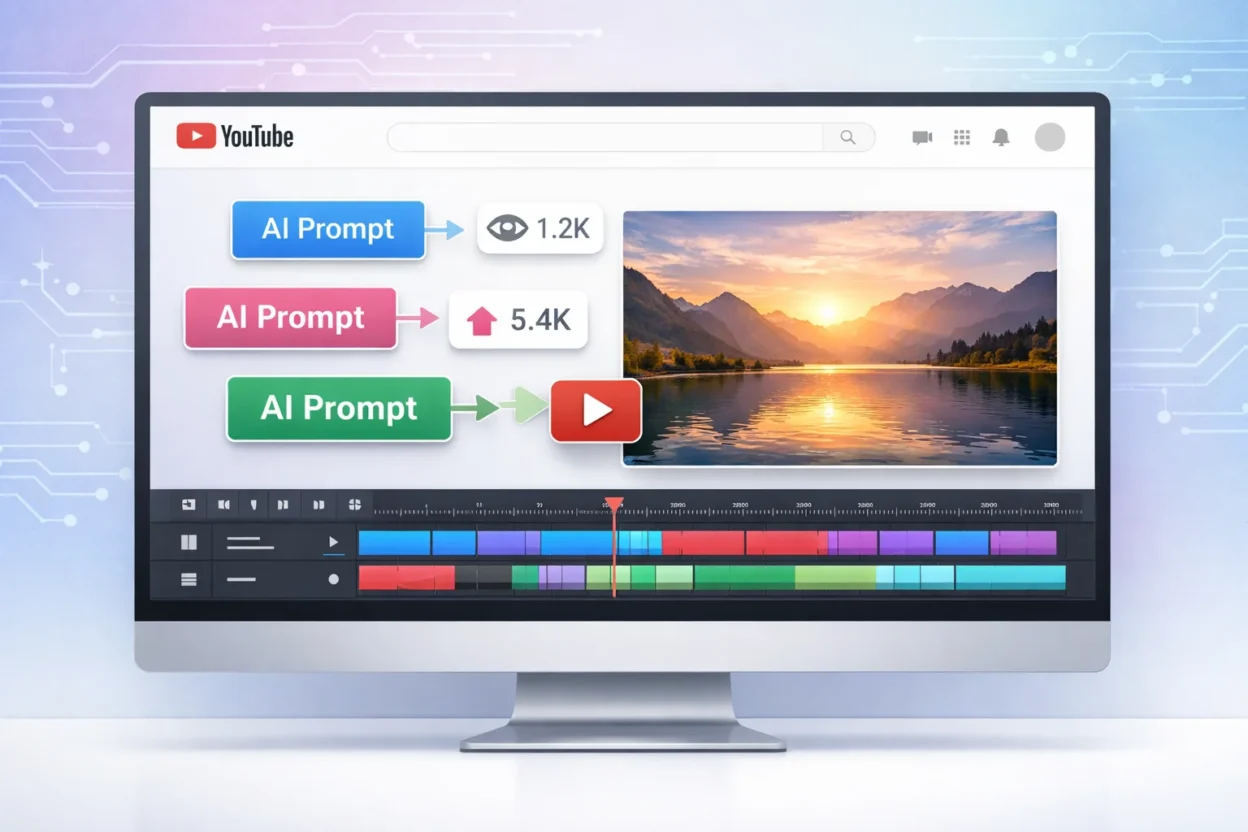
You spend an hour writing what feels like a solid AI prompt. You hit generate. And what comes back looks like every other AI video you have seen this week. Same generic visuals. Same forgettable pacing. Same hook that makes nobody stop scrolling.
I know that feeling well. The problem is almost never the AI tool you are using. The real issue is the prompt structure sitting behind it.
An AI prompt for creating viral videos on YouTube is not just a sentence you type into a text box. It is a set of specific instructions that tells the AI exactly what emotional trigger to open with, what viewer problem to address, what visual action to show, and how to close the loop before someone swipes away. When those elements are missing or vague, the AI fills the gaps with whatever looks average. And average does not go viral.
In this article I am going to share 12 copy-paste AI prompts for creating viral YouTube videos, organized by video type and channel niche so you can grab the right one for your content immediately. More importantly, I will show you the formula behind each prompt so you understand what makes it work and how to customize it for your own channel.
This is not about chasing views obsessively or burning yourself out brainstorming content ideas every week. It is about building a repeatable system that takes the guesswork out of AI video creation and gives you a reliable starting point every single time you sit down to create.
What Makes a YouTube Video Go Viral? (It Is Not What Most Creators Think)
Viral videos are not lucky accidents. They are the result of specific psychological triggers that make people stop scrolling, stay watching, and hit the share button. When you understand these triggers, you can build them directly into your AI prompts instead of hoping the algorithm finds your content interesting.
I have seen creators chase viral content for months without understanding the viral content mechanics at work behind every video that actually takes off. The truth is that virality follows patterns, and those patterns can be written into the prompts you give your AI tool.
The 3 Psychological Triggers Behind Every Viral Video
The first trigger is the pattern interrupt. Your video needs to show something visually unexpected in the first three seconds that breaks the pattern of what someone expects to see while scrolling. This is where hook psychology comes into play. A strong hook is not just an interesting title. It is a visual or conceptual surprise that stops the thumb mid swipe.
The second trigger is emotional resonance. A creator with over 256 million views and eight years of experience on YouTube put it perfectly when he said to keep an eye on what is striking the emotional chords of the world at the time. Videos go viral when they tap into what people are already feeling, whether that is frustration, hope, curiosity, or relief.
The third trigger is social currency. People share videos that make them look informed, funny, or helpful to their own audience. When your video gives someone something valuable to share, you turn every viewer into a potential distribution channel. Your AI prompt should define what shareable insight or takeaway the video delivers at the end.
What the YouTube Algorithm Actually Rewards (Watch Time vs Views)
The YouTube algorithm does not prioritize videos with the most views. The algorithm prioritizes videos that keep people on the platform the longest. Watch time and viewer retention are the metrics that determine whether YouTube pushes your video to more people or buries it.
This is why a viral YouTube video strategy cannot rely only on a strong hook. If your prompt creates a compelling opening but no payoff, viewers click away after 10 seconds. The algorithm sees that drop and stops recommending the video. A complete AI prompt includes both the hook to start the watch and the payoff structure to keep viewers watching until the end.
Why Your AI Video Prompts Are Producing Boring Videos (And the Real Fix)
Most AI video prompts fail because they skip the one thing that actually drives viewer behavior: the problem the viewer is trying to solve. When your prompt does not define what frustration, question, or goal the viewer has, the AI generates visually correct content that feels empty and forgettable.
I have tested this dozens of times. A vague prompt like “create a video about morning routines” will give you a perfectly rendered video that nobody watches past five seconds. The AI video generation tool does exactly what you asked, but what you asked for was not connected to any real viewer need.
Here are the three most common reasons why AI video prompts fail and the fix for each one.
Failure 1: You did not tell the AI what viewer problem to solve.
The fix is to start every prompt with a single sentence defining the viewer’s frustration or question. Example: “The viewer struggles to wake up early and wants a simple system that works.”
Failure 2: You used a general purpose AI with no understanding of viral video structure.
The fix is to add explicit instructions about pacing, hook type, and payoff structure. General AI tools like ChatGPT are excellent at generating text, but they do not understand short form video pacing or retention mechanics unless you build those instructions into the prompt.
Failure 3: Your prompt was either too vague or overloaded with unnecessary detail.
The fix is to be specific about visual actions and emotions but brief everywhere else. Too broad inputs create generic outputs. When you tell the AI to “show someone being productive,” the AI guesses. When you say “close up shot of hands writing the first item on a to do list, morning sunlight from the left,” the AI has something concrete to build.
Before and After: What a Weak Prompt vs. a Strong Prompt Actually Looks Like
Let me show you the difference with a real example.
Weak prompt:
“Create a viral video about productivity tips.”
Strong prompt:
“Create a 45 second YouTube Short in 9:16 format. The viewer feels overwhelmed by their daily task list and wants one simple method to regain control. Hook in first 3 seconds: close up of a cluttered desk with a hand slamming it flat in frustration. Text overlay: Stop doing this. Seconds 3 to 20: show the same hand writing only 3 items on a blank page while voiceover explains the 3 task rule. Seconds 20 to 40: before and after split screen, chaotic desk on left, organized desk on right. Payoff at 40 to 45 seconds: the person exhales in relief, camera zooms out to show calm workspace. Mood: relatable, hopeful, slightly humorous.”
The strong prompt includes six elements the weak prompt lacks. It defines the viewer problem. It specifies the hook type and exact timing. It describes visual actions the AI can render. It states the payoff. It sets the mood. It clarifies the platform format.
Each of those elements is something prompt engineering for video requires if you want output that feels intentional instead of random.
Why Asking ChatGPT for a Viral Script Usually Does Not Work
ChatGPT and similar tools are amazing at generating coherent, grammatically correct text. But general purpose AI models have no built in understanding of what makes a YouTube video retain viewers or trigger shares.
A ChatGPT prompt for YouTube video scripts will give you well structured sentences. What the output will not give you automatically is a hook designed to stop a scroll, pacing beats that match viewer attention spans, or a payoff structure that closes the emotional loop.
The difference between a general AI and a video focused approach is focus and format. General tools give you anything if you know how to ask for it. Video specific prompts give you the structure, timing, and emotional arc a viral video actually needs. You can absolutely use ChatGPT or Gemini for this work, but you need to add the viral content mechanics manually into your instructions.
The Viral Video Prompt Formula (What Every Effective Prompt Has in Common)
Every viral video formula for YouTube follows the same underlying structure, and your AI video generator prompt needs to mirror that structure if you want output that performs. I have broken down hundreds of viral videos and successful AI prompts, and the pattern is consistent. There are six building blocks that every effective prompt contains.
Building Block 1: Subject and Setting
Tell the AI exactly what or who appears in the video and where the action takes place. Example: “A person sitting at a messy kitchen table early morning” gives the AI something concrete to visualize.
Building Block 2: Viewer Problem to Solve
Define the frustration, question, or goal your viewer has in one clear sentence. This is what makes the video feel relevant instead of random. The AI uses this context to shape the emotional tone of the entire output.
Building Block 3: Hook Type
Specify which hook approach the video should use in the first three seconds. Without this instruction, the AI defaults to generic openings that do not stop anyone from scrolling.
Building Block 4: Visual Action Sequence
Describe what physically happens on screen using scene by scene visual directions. Professional creators structure their prompts with this level of detail because vague descriptions produce vague video. Tell the AI what the hands do, where the camera focuses, and what moves across the frame.
Building Block 5: Payoff or Transformation
State what resolution, answer, or result the viewer receives by the end. This closes the emotional loop the hook opened. Without a payoff instruction, the AI generates a video that trails off instead of landing.
Building Block 6: Platform Format Constraints
Include aspect ratio, video length, and platform name. A YouTube Short in 9:16 vertical format requires different visual composition than a 16:9 horizontal long form video. When you skip this detail, the AI guesses and often guesses wrong.
Skipping even one of these six elements weakens the output noticeably. Prompt engineering for video is about giving the AI enough structured information to make intentional creative decisions instead of filling gaps randomly.
Video Hook Writing for YouTube: 5 Hook Types That Keep Viewers Watching
The YouTube hook formula you choose determines whether someone watches past the first three seconds or scrolls immediately. Here are the five hook types I use most often in prompts and how to write each one.
Pattern Interrupt Hook: Show something visually unexpected that breaks the scroll pattern.
Prompt example: “Camera zooms into a phone screen showing 47 unread emails, then the hand throws the phone into a drawer and slams it shut.”
Question Hook: Open with a question the viewer desperately wants answered.
Prompt example: “Text overlay appears asking: Why do you wake up tired even after 8 hours of sleep? Camera shows person rubbing eyes in frustration.”
Transformation Reveal Hook: Show the end result first, then rewind to explain how.
Prompt example: “Split screen showing cluttered desk on left, organized minimal desk on right. Text: I fixed this in 10 minutes.”
Curiosity Gap Hook: Reference something specific without explaining it yet.
Prompt example: “Close up of hands holding a simple notebook. Voiceover: This one habit doubled my productivity and I almost ignored it.”
Warning Hook: Tell the viewer to stop doing something common.
Prompt example: “Text overlay: Stop starting your day like this. Camera shows person immediately checking phone after alarm goes off.”
Each hook type triggers different hook psychology, but all five share one thing in common. They create an immediate question in the viewer’s mind that can only be answered by continuing to watch. That question creates the hook and retention rate connection every viral video depends on.
Video Script Structure: What Your AI Prompt Should Always Include
The video script structure your prompt creates determines whether YouTube pushes your content or buries it. Viewer retention and watch time are the metrics the algorithm actually rewards, so your prompt needs to build retention into the pacing from the start.
For YouTube Shorts, the structure is: hook in seconds 0 to 3, build the stakes or deepen the problem in seconds 3 to 10, deliver the payoff or transformation in seconds 10 to 50, and close the loop in the final seconds by connecting back to the hook.
For long form videos, the timing stretches but the rhythm stays the same. Hook in the first 10 seconds, build tension or deliver value steadily through the middle, deliver the main payoff two thirds of the way through, and use the final third to reinforce the takeaway and prompt the next action.
When I write an AI video generator prompt, I include timing instructions for each beat. Example: “Seconds 0 to 3: show the problem visually. Seconds 3 to 15: explain why the common solution fails. Seconds 15 to 40: demonstrate the better method step by step. Seconds 40 to 50: show the result and restate the key takeaway.”
This level of structure feels excessive until you see the difference in output quality. Prompts without timing produce videos that meander. Prompts with clear timing beats produce videos that feel intentionally paced.
How Prompt Length Affects AI Output Quality
Too short and your prompt produces generic output. Too long and the AI starts ignoring parts of your instructions or blending details together incorrectly. The sweet spot for prompt engineering for video sits between 75 and 200 words depending on video complexity.
Be specific where specificity matters. Visual actions, emotions, hook type, and payoff need precise language. Be brief everywhere else. You do not need to describe every transition or background detail. The AI fills reasonable gaps well when the core structure is clear.
I have tested prompts at different lengths dozens of times. A 40 word prompt gives me visually accurate but emotionally flat video. A 250 word prompt gives me output that misses key instructions because the AI weighted some details over others unpredictably. A 120 word prompt that front loads the most important elements gives me the best results consistently.
12 AI Prompts for Creating Viral YouTube Videos (Copy, Paste, and Customize)
Here are the copy paste video prompt templates I use most often when creating content. Each template follows the six building block structure from the previous section and includes all the elements your AI script generator for YouTube needs to produce focused output.
I have organized these templates by video format first, then by content approach. This makes it easier to grab the right template for your specific situation without scrolling through irrelevant options. Each template includes a note about which AI tool handles that particular prompt style best.
Simply copy the template that matches your content goal, replace the bracketed placeholders with your specific details, and paste the completed prompt into your chosen AI tool. The templates are designed to work immediately while giving you clear places to customize for your niche and audience.
YouTube Shorts Templates (Under 60 Seconds)
These short form video AI prompts are optimized for the vertical format and rapid pacing that YouTube Shorts requires. Each template builds hook, stakes, and payoff into a 30 to 60 second structure.
Template 1: Before/After Transformation Short
Create a 45-second YouTube Short optimized for 9:16 vertical format targeting viewers experiencing [SPECIFIC PROBLEM] who desire [SPECIFIC MEASURABLE RESULT].

Visual Structure & Timing:

Hook (0-3 seconds): Open with high-contrast split screen composition. Left side displays [MESSY/PROBLEMATIC SITUATION] with intentionally poor lighting and cluttered framing. Right side showcases [ORGANIZED/IDEAL SITUATION] with clean, well-lit composition. Overlay bold, sans-serif text reading "Stop living like this" in white with black outline for maximum readability. Include subtle zoom-in motion to create visual tension.

Problem Identification (3-15 seconds): Transition to intimate close-up shots of [SPECIFIC ACTION/INTERVENTION]. Use shallow depth of field to focus viewer attention. Provide clear, conversational voiceover explaining the single pivotal change that creates transformation. Maintain eye-level camera angles to build connection. Include 2-3 quick cuts showing different angles of the same action.

Solution Demonstration (15-40 seconds): Present step-by-step methodology using overhead shots, side angles, and detail close-ups. Break down [THE METHOD] into 3-4 digestible micro-steps, spending 6-8 seconds per step. Use consistent lighting and maintain visual continuity. Include on-screen text callouts for each step number. Employ smooth transitions between steps using match cuts or simple fades.

Resolution & Emotional Payoff (40-45 seconds): Return to opening split screen format, now showing complete transformation. Capture authentic moment of relief/satisfaction with medium shot of person taking deep, visible exhale. Add subtle uplifting background music swell. Include brief text overlay with clear call-to-action.

Technical Specifications: Ensure all text uses high contrast ratios for mobile viewing. Maintain consistent color grading throughout. Keep audio levels balanced between voiceover, ambient sound, and music. Frame all shots with safe zones accounting for mobile interface elements.

Engagement Optimization: Structure content to maximize watch time and encourage saves/shares by making the transformation genuinely valuable and easily replicable.
Best for: Runway, Kling AI
Template 2: Pattern Interrupt Warning Short
Create a 30-second YouTube Short optimized for 9:16 vertical format targeting viewers unconsciously engaging in [SPECIFIC HARMFUL BEHAVIOR] without recognizing [QUANTIFIABLE NEGATIVE CONSEQUENCE].

Visual Structure & Timing:

Urgent Hook (0-3 seconds): Open with extreme macro close-up of hands performing [WRONG ACTION], shot at 60fps for crisp detail. Introduce intentional handheld camera shake (2-3Hz frequency) to create visceral unease. Overlay aggressive red text "STOP doing this" using bold, condensed typeface with subtle drop shadow. Include sharp sound effect or record scratch to amplify pattern interrupt. Frame hands to fill 80% of screen real estate for maximum impact.

Problem Amplification (3-12 seconds): Execute rapid-fire montage using 1-2 second cuts showcasing [WHY METHOD FAILS]. Employ dramatic push-in zoom (3x magnification) on [PROBLEM RESULT] at 8-second mark. Use desaturated color grading with high contrast to emphasize negativity. Include subtle red color cast in shadows. Layer in tense, building audio - either staccato music or escalating sound design. Show 3-4 different failure scenarios to establish pattern credibility.

Solution Presentation (12-25 seconds): Transition to calm, controlled cinematography using fluid gimbal movements or locked-off tripod shots. Demonstrate [CORRECT METHOD] with consistent, warm lighting and natural color temperature (3200-5600K). Use medium shots transitioning to detail close-ups for clarity. Maintain 3-4 second shot lengths for comprehension. Include clean, instructional voiceover with confident, authoritative tone. Show method from 2-3 different angles for complete understanding.

Impact Validation (25-30 seconds): Present split-screen or quick-cut comparison mimicking viral "before/after" format. Left side shows previous poor results, right side displays improved outcomes. Overlay bold text "[SPECIFIC NUMBER]x better results" using contrasting color (green or blue) against red from opening. Include brief testimonial element or measurable proof point. End with subtle upward camera movement to suggest improvement and progress.

Technical Specifications: Maintain consistent audio levels with voiceover at -12dB, music/SFX at -18dB. Use high-contrast text overlays (minimum 4.5:1 ratio) for accessibility. Employ motion graphics sparingly to avoid overwhelming mobile viewers. Include 10% safe margins for mobile interface elements.

Psychological Optimization: Structure content to trigger loss aversion in first half, then provide clear path to gain in second half. Use authoritative language patterns and social proof indicators to maximize behavior change potential
Best for: Pika, Sora
Template 3: Curiosity Gap Reveal Short
Create a 50-second YouTube Short optimized for 9:16 vertical format targeting viewers frustrated with [SPECIFIC CHALLENGE] who have exhausted [COMMON SOLUTION SET] without achieving desired outcomes.

Visual Structure & Timing:

Mystery Hook (0-3 seconds): Open with extreme close-up of [MYSTERIOUS OBJECT/ACTION] using shallow depth of field (f/1.4-2.8) to obscure context while highlighting key element. Position object to occupy center 60% of frame with intentionally ambiguous background. Overlay intriguing text "This [SIMPLE THING] changed everything" using clean, modern typeface with subtle animation (fade-in or typewriter effect). Include gentle focus pull or slow reveal to build anticipation. Capture at golden hour or use warm, soft lighting to create positive emotional association.

Problem Immersion (3-20 seconds): Transition to first-person POV shots and over-shoulder angles to create viewer identification. Show [THE PROBLEM] through handheld camera work suggesting frustration and instability. Capture authentic frustrated expressions using medium close-ups at eye level. Document 2-3 failed attempts using quick cuts (3-4 seconds each) with slightly desaturated color grading. Include ambient audio of sighs, groans, or environmental sounds that reinforce struggle. Use downward camera angles subtly to psychologically reinforce the challenge.

Solution Architecture (20-45 seconds): Execute dramatic reveal using smooth camera movement (slider or gimbal) transitioning from mystery to clarity. Demonstrate [UNEXPECTED SOLUTION] through methodical step-by-step visual breakdown using overhead shots, side profiles, and detail macro photography. Allocate 5-6 seconds per major step with seamless transitions. Employ bright, even lighting with natural color temperature to suggest clarity and understanding. Include clean instructional voiceover with measured pacing. Use on-screen graphics or arrows to highlight critical action points. Maintain consistent framing to build visual rhythm.

Satisfaction Payoff (45-50 seconds): Capture [FINAL RESULT] using wide-to-medium shot progression showing complete transformation. Film genuine satisfaction moment with natural lighting emphasizing positive facial expressions. Include authentic smile captured at 60fps for smooth slow-motion option. Use subtle upward camera movement or gentle zoom-out to suggest elevation and achievement. Layer in soft, uplifting background music with natural ambient sound.

Technical Specifications: Maintain visual continuity through consistent color grading with slight warmth boost (+200K) in solution/result segments. Keep text overlays readable with 70% opacity background bars when necessary. Balance audio mix: voiceover at -10dB, ambient sound at -20dB, music at -22dB. Include subtle motion graphics to guide attention without overwhelming mobile viewing experience.

Psychological Optimization: Structure narrative arc to maximize curiosity gap tension, then provide satisfying resolution that triggers dopamine release. Use pattern recognition and social proof elements to increase shareability and save rates
Best for: VEED, Luma AI
Template 4: Satisfaction ASMR Loop Short
Create a 40-second YouTube Short optimized for 9:16 vertical format targeting viewers seeking [STRESS RELIEF/SENSORY SATISFACTION] who are drawn to [REPETITIVE, MEDITATIVE VISUAL EXPERIENCES]. Content designed for maximum relaxation response and repeat viewing behavior.

Visual Structure & Timing:

Immediate Sensory Hook (0-3 seconds): Open with extreme macro close-up (100mm+ lens equivalent) of [SATISFYING ACTION INITIATION] captured at 120fps for potential slow-motion smoothness. Frame action to fill 85% of screen with shallow depth of field (f/2.0-2.8) creating natural vignetting effect. Eliminate all dialogue and human voices. Layer gentle ambient soundscape at -15dB: soft environmental tones, subtle white noise, or natural textures (paper rustling, water droplets, fabric movement). Use warm, diffused lighting (2700-3200K) to promote relaxation response.

Hypnotic Rhythm Section (3-35 seconds): Execute continuous, unbroken sequence of [RHYTHMIC, SATISFYING VISUAL ACTIONS] using locked-off tripod or fluid gimbal for absolute stability. Maintain consistent 2-3 second action cycles to establish meditative rhythm. Employ soft, even lighting setup with minimal shadows - consider ring light or large softbox for uniform illumination. Focus intensively on tactile textures: surface details, material interactions, smooth transitions between states. Capture multiple angles of same action: overhead, 45-degree, extreme close-up detail shots. Use seamless loop editing techniques to create infinite-feeling repetition. Color grade with slight saturation boost (+10-15%) and gentle warm cast for visual comfort.

Satisfying Resolution (35-40 seconds): Present definitive completion moment of [FINAL ACTION] with enhanced audio emphasis - subtle volume increase or isolated sound effect. Execute slow, controlled zoom-out (3-second duration) revealing full context while maintaining focus on completed result. Introduce calming text overlay '[PEACEFUL MESSAGE]' using soft, rounded typeface (Avenir, Circular, or similar) in muted color palette. Position text in lower third with 15% opacity background for readability without disruption. Include gentle fade-to-black or hold on final frame for 1-2 seconds.

Technical Specifications: Maintain pristine audio quality with minimal compression. Record ambient sound at 48kHz/24-bit for rich texture. Use consistent white balance throughout to prevent color temperature shifts. Employ subtle motion blur reduction for crisp detail in repetitive movements. Ensure all visual elements remain within mobile-safe viewing area (10% margins). Apply gentle noise reduction in post-production for clean, professional finish.

Sensory Optimization: Structure visual rhythm to align with natural breathing patterns (4-6 second cycles). Use golden ratio composition principles for subconsciously pleasing framing. Incorporate biophilic elements (natural textures, organic shapes) when possible to enhance stress-relief response. Design content for infinite replay value through seamless loop potential.

Engagement Psychology: Target parasympathetic nervous system activation through consistent, predictable visual patterns. Optimize for high completion rates and repeat views by avoiding jarring transitions or unexpected elements. Include subtle visual cues that encourage saving/sharing for future stress relief sessions
Best for: Runway, Stable Video
Long-Form YouTube Video Templates (5 to 15 Minutes)
These video script prompt templates account for the longer attention span and deeper value expectation of traditional YouTube videos. Each template includes natural break points for maintaining engagement throughout extended content.
Template 5: Tutorial How-To Long-Form
Create a 10-minute YouTube video optimized for 16:9 landscape format targeting viewers seeking to master [SPECIFIC SKILL] who are frustrated by tutorials that are either oversimplified for beginners or assume advanced prerequisite knowledge.

Content Architecture & Timing:

Compelling Hook & Problem Identification (0-15 seconds): Open with dynamic showcase of [IMPRESSIVE END RESULT] using multiple camera angles and quick cuts (2-3 second segments). Immediately contrast with authentic [RELATABLE STARTING STRUGGLE] showing genuine frustration or confusion. Use split-screen or rapid transition to emphasize transformation potential. Include confident voiceover: "By the end of this video, you'll go from [current state] to [desired outcome]." Employ upbeat background music with clear audio levels (voiceover at -12dB, music at -20dB).

Foundation & Methodology Introduction (1:00-3:00): Systematically deconstruct [WHY COMMON METHODS FAIL] using visual examples, screen recordings, or demonstration footage. Present 2-3 specific failure scenarios with clear explanations. Transition to introducing [YOUR SYSTEMATIC APPROACH] with on-screen graphics showing the overall framework. Use consistent branding elements and clean typography for method visualization. Include personal credibility indicators without excessive self-promotion. Maintain conversational tone while establishing expertise.

Core Demonstration Sequence (3:00-7:00): Execute comprehensive step-by-step demonstration with [CLEAR VISUAL MARKERS] for each phase transition. Use consistent camera angles: wide shot for context, medium shot for action, close-up for detail work. Implement on-screen graphics package: step numbers, progress indicators, key point callouts. Allocate 45-60 seconds per major step depending on complexity. Include [COMMON MISTAKES TO AVOID] as integrated warnings with visual examples of what not to do. Use color-coding or visual cues to distinguish between correct and incorrect techniques. Maintain steady pacing with natural pauses for comprehension.

Advanced Application & Problem-Solving (7:00-9:00): Present [TROUBLESHOOTING TIPS] addressing 3-4 most frequent issues viewers encounter. Use real-world scenarios and authentic problem-solving demonstrations. Show [VARIATIONS FOR DIFFERENT SITUATIONS] with clear context for when to apply each approach. Include decision-making frameworks to help viewers choose appropriate methods. Use comparison charts or side-by-side demonstrations for clarity. Address skill level adaptations and progressive difficulty options.

Consolidation & Next Steps (9:00-10:00): Deliver concise recap of [THREE KEY STEPS] using visual summary graphics and reinforcement demonstrations. Present compelling [BEFORE AND AFTER RESULTS] with measurable improvements or clear visual progress. Include authentic testimonial elements if available. Provide clear call-to-action for [NEXT LOGICAL STEP] - whether advanced tutorial, related skill, or community engagement. End with specific, actionable homework assignment or practice recommendation.

Production Specifications:

Visual Standards: Maintain consistent lighting setup with key light, fill light, and background separation. Use 1080p minimum resolution with 24fps for cinematic feel or 30fps for crisp motion. Employ color grading for professional consistency and brand alignment. Include multiple camera angles or screen recordings as appropriate for skill demonstration.

Audio Excellence: Record high-quality voiceover using directional microphone with minimal room tone. Layer appropriate background music that supports without competing. Include subtle sound effects for transitions and emphasis points. Maintain consistent audio levels throughout with professional mixing standards.

Engagement Optimization: Structure content with natural retention hooks every 90-120 seconds. Include interactive elements: pause prompts, reflection questions, or practice challenges. Use pattern interrupts to maintain attention: camera angle changes, graphic overlays, or demonstration variations. Design thumbnail and title for maximum click-through rate while accurately representing content value.

Educational Psychology: Apply spaced repetition principles by revisiting key concepts in different contexts. Use multiple learning modalities: visual demonstration, auditory explanation, and kinesthetic practice suggestions. Include metacognitive elements helping viewers understand their own learning process and skill development progression.

Post-Production Workflow: Optimize for ChatGPT script generation by including detailed scene descriptions, timing markers, and technical specifications. Structure content for efficient manual editing with clear cut points, transition suggestions, and graphic placement indicators. Include SEO optimization elements: keyword integration, chapter markers, and description templates
Best for: ChatGPT script generation + manual video editing
Template 6: Documentary Style Investigation
Create an 8-minute YouTube video optimized for 16:9 landscape format targeting intellectually curious viewers seeking comprehensive analysis of [FASCINATING TOPIC] beyond superficial mainstream coverage that provides [INCOMPLETE/MISLEADING INFORMATION].

Narrative Structure & Timing:

Compelling Mystery Opening (0-20 seconds): Launch with provocative [INTRIGUING QUESTION] using cinematic establishing shots and atmospheric B-roll footage. Employ dramatic documentary-style music with building tension (orchestral swells, minor keys, or ambient drones). Use professional voiceover with authoritative yet accessible tone. Include compelling visual hooks: archival footage, mysterious documents, or striking imagery that immediately signals depth and credibility. Implement quick-cut montage of key evidence glimpses without revealing conclusions. End hook with cliffhanger statement: "What you're about to discover challenges everything you thought you knew about [TOPIC]."

Foundation & Context Building (1:00-2:00): Systematically establish [CONVENTIONAL WISDOM] using authoritative presentation techniques. Include mainstream media clips, official statements, or widely accepted expert opinions with proper attribution. Use clean, professional graphics showing statistics, timelines, or commonly cited facts. Employ neutral documentary tone while presenting standard narrative. Include "talking head" style segments with credible sources supporting conventional view. Use visual metaphors or analogies to make complex topics accessible. Establish why this conventional understanding matters and who benefits from maintaining it.

Evidence Contradiction Phase (2:00-5:00): Present [CONTRADICTORY EVIDENCE] through investigative journalism techniques. Conduct interview-style segments with alternative experts, whistleblowers, or overlooked authorities using professional lighting and audio setup. Analyze primary source documents with close-up shots, highlighting key passages or data points. Use split-screen comparisons between official claims and contradicting evidence. Include archival research footage, freedom of information documents, or leaked materials with proper verification. Employ investigative graphics: timelines, connection maps, or data visualizations that reveal patterns. Maintain journalistic objectivity while building compelling case for alternative interpretation.

Revelation & Analysis (5:00-7:00): Unveil [REAL EXPLANATION] through systematic presentation of [SUPPORTING RESEARCH] and [EXPERT PERSPECTIVES]. Feature credentialed experts in extended interview segments with proper identification graphics. Present peer-reviewed studies, academic research, or scientific data using clear visual aids. Include international perspectives or cross-cultural analysis to broaden understanding. Use documentary-style recreations or animations to illustrate complex concepts. Address potential counterarguments preemptively with evidence-based responses. Connect disparate pieces of evidence into coherent alternative narrative using logical progression and clear causation chains.

Synthesis & Impact Assessment (7:00-8:00): Deliver comprehensive summary of [KEY INSIGHTS] using compelling visual recap montage. Connect findings to [LARGER IMPLICATIONS] for society, policy, or individual understanding. Present actionable takeaways viewers can apply or investigate further. Include thought-provoking questions that encourage [VIEWER DISCUSSION] and critical thinking. Provide additional resources: books, studies, or credible sources for deeper investigation. End with call-to-action encouraging respectful debate and continued research. Include subtle invitation to subscribe for similar investigative content.

Production Specifications:

Visual Excellence: Employ documentary cinematography standards with multiple camera angles, professional lighting setups, and cinematic B-roll sequences. Use color grading that enhances credibility: slightly desaturated palette with warm highlights for interviews, cooler tones for analytical segments. Include archival footage integration with proper aspect ratio handling and quality enhancement. Implement smooth transitions between segments using documentary-style cuts, fades, or graphic overlays.

Audio Mastery: Record high-quality interviews using lavalier microphones and controlled acoustic environments. Layer atmospheric music that supports narrative without overwhelming dialogue. Include ambient sound design that enhances immersion: paper rustling during document analysis, keyboard typing during research segments. Maintain consistent audio levels with professional mixing standards throughout all segments.

Credibility Framework: Include comprehensive source citations using on-screen graphics and description links. Verify all claims through multiple independent sources before inclusion. Present balanced perspective while maintaining investigative rigor. Use fact-checking protocols and clearly distinguish between verified facts and reasonable speculation. Include disclaimer about ongoing research and evolving understanding of complex topics.

Engagement Architecture: Structure content with natural retention hooks every 90 seconds through revelation pacing and visual variety. Include interactive elements: pause-and-think moments, document examination challenges, or prediction opportunities. Use pattern interrupts through format changes: interviews to analysis to archival footage. Design thumbnail and title for maximum intrigue while maintaining accuracy and avoiding clickbait sensationalism.

Educational Psychology: Apply investigative learning principles by modeling critical thinking processes and source evaluation techniques. Include metacognitive elements helping viewers develop their own research and analysis skills. Use scaffolded complexity building from simple concepts to nuanced understanding. Encourage healthy skepticism while providing tools for independent verification and continued learning.

Ethical Standards: Maintain journalistic integrity through balanced reporting, proper attribution, and transparent methodology. Respect privacy and safety of sources while maximizing transparency. Avoid conspiracy theory rhetoric while encouraging legitimate questioning of official narratives. Present uncertainty honestly and distinguish between established facts and emerging theories requiring further investigation
Best for: Descript + AI voice cloning
Template 7: Authority Listicle Long-Form
Create a 12-minute YouTube video optimized for 16:9 landscape format targeting professionals and serious learners seeking [COMPREHENSIVE INFORMATION] about [COMPLEX TOPIC] who demand [ACTIONABLE INSIGHTS] beyond superficial content commonly available online.

Content Architecture & Timing:

Authority Hook & Value Promise (0-10 seconds): Open with confident, specific promise: "[EXACT NUMBER] [VALUABLE INSIGHTS] that will [DELIVER QUANTIFIABLE BENEFIT] in [SPECIFIC TIMEFRAME]." Use dynamic visual montage showcasing end results or transformation examples. Include personal credibility indicator without excessive self-promotion: years of experience, notable achievements, or unique perspective. Employ professional backdrop and lighting that reinforces expertise. Use authoritative yet approachable tone with clear articulation. Include compelling statistic or surprising fact that immediately demonstrates depth of knowledge.

Context & Differentiation Establishment (0:10-2:00): Systematically explain [WHY THIS TOPIC MATTERS NOW] using current market conditions, recent developments, or emerging challenges. Present compelling data points, industry trends, or case studies that establish urgency and relevance. Clearly articulate [WHAT MAKES THIS LIST DIFFERENT] from existing content through unique methodology, exclusive insights, or comprehensive approach. Include brief overview of research process, sources consulted, or testing methodology used. Address common frustrations with existing information and position this content as definitive solution. Use professional graphics showing framework or methodology overview.

Core Content Delivery Sequence (2:00-10:00): Present each [INSIGHT/TIP/METHOD] using structured 60-90 second segments with consistent formatting. Begin each item with clear numerical identifier and compelling headline. Include [REAL EXAMPLES] using specific case studies, company names, or documented results with proper attribution. Share [PERSONAL EXPERIENCE] through authentic storytelling that demonstrates practical application and lessons learned. Provide [PRACTICAL APPLICATION STEPS] with specific, actionable instructions viewers can implement immediately.

Individual Segment Structure:

Introduction (10-15 seconds): Clear statement of insight with compelling hook
Explanation (20-30 seconds): Detailed breakdown of concept with supporting evidence
Example (15-25 seconds): Real-world application with specific details and outcomes
Application (15-25 seconds): Step-by-step implementation guidance with clear instructions
Transition (5-10 seconds): Smooth connection to next insight with anticipation building
Strategic Prioritization & Implementation (10:00-12:00): Rank [TOP 3 MOST IMPORTANT ITEMS] based on impact potential, ease of implementation, or foundational importance. Provide clear rationale for prioritization using objective criteria. Present [IMPLEMENTATION TIMELINE] with realistic phases: immediate actions (0-7 days), short-term goals (1-4 weeks), and long-term objectives (1-6 months). Include potential obstacles and mitigation strategies for each phase. Offer [ADDITIONAL RESOURCES] including books, tools, courses, or communities for continued learning. End with specific next action step viewers should take within 24 hours.

Production Specifications:

Visual Authority: Employ professional studio setup with consistent lighting, clean background, and high-quality camera work. Use multiple camera angles: primary talking head shot, over-shoulder for screen sharing, and wide shot for dynamic presentation. Include comprehensive graphics package: numbered lists, progress indicators, comparison charts, and implementation timelines. Integrate screen recordings, case study visuals, or relevant B-roll footage to support each point. Maintain consistent branding elements throughout all visual components.

Content Depth Standards: Research each insight thoroughly using primary sources, industry reports, and expert interviews. Include specific metrics, percentages, or quantifiable results wherever possible. Cite credible sources and provide verification methods for claims made. Address potential counterarguments or limitations honestly. Include recent developments or updates that affect traditional approaches to the topic.

Engagement Optimization: Structure content with natural retention hooks every 90-120 seconds through revelation pacing and value delivery. Include interactive elements: reflection questions, pause-and-implement moments, or self-assessment opportunities. Use pattern interrupts through visual changes, tone shifts, or format variations. Design content for note-taking with clear verbal and visual cues for key takeaways.

Authority Building Elements: Demonstrate deep subject matter expertise through nuanced understanding, industry terminology, and insider perspectives. Include references to advanced concepts, emerging trends, or cutting-edge research. Share exclusive insights from personal network, proprietary research, or unique experiences. Address sophisticated audience questions and concerns proactively.

Practical Application Focus: Ensure every insight includes specific, measurable actions viewers can take immediately. Provide templates, frameworks, or checklists when appropriate. Include troubleshooting guidance for common implementation challenges. Address different skill levels or starting points within the target audience. Offer modification suggestions for various contexts or constraints.

Educational Psychology: Apply adult learning principles through problem-based learning, real-world application, and progressive skill building. Use spaced repetition by revisiting key concepts in different contexts throughout the video. Include metacognitive elements helping viewers understand how to continue learning and developing expertise independently. Encourage critical thinking and adaptation rather than blind following of prescribed methods.

Professional Standards: Maintain high production values that reflect expertise and attention to detail. Use professional language while remaining accessible to target audience. Include proper disclaimers about results, individual circumstances, or professional advice limitations. Respect intellectual property and provide proper attribution for all sources and influences.

Long-Term Value Creation: Design content for evergreen relevance with timeless principles and adaptable strategies. Include update mechanisms or version control for evolving best practices. Create foundation for follow-up content, advanced tutorials, or specialized deep-dives. Build community engagement through thoughtful questions and discussion prompts that extend learning beyond the video
Best for: Jasper AI script + stock footage
Template 8: Personal Story Arc Experience
Create a 15-minute YouTube video optimized for 16:9 landscape format targeting viewers experiencing [SIMILAR CHALLENGE TO YOUR STORY] who seek [HOPE AND PRACTICAL GUIDANCE] from someone with authentic lived experience and proven transformation results.

Narrative Structure & Timing:

Credibility & Transformation Hook (0-30 seconds): Open with compelling [CREDIBLE TRANSFORMATION] showcase using split-screen or before/after visual comparison that immediately demonstrates authentic change. Include specific, measurable results with timestamps or documentation to establish credibility. Use confident but humble tone acknowledging the journey's difficulty while proving transformation is possible. Include brief personal identifier that creates immediate connection with target audience. Present transformation as achievable rather than miraculous, setting realistic expectations. End hook with empathetic statement: "If you're struggling with [CHALLENGE], I want to share exactly how I went from [BEFORE STATE] to [AFTER STATE]."

Origin Story & Catalyst Moment (1:00-4:00): Share [STARTING POINT STORY] with vulnerable authenticity, including specific details that create emotional resonance without oversharing. Describe the environmental, emotional, and practical circumstances that led to the challenge. Include [SPECIFIC MOMENT] of realization when [CHANGE BECAME NECESSARY] using vivid storytelling techniques: sensory details, emotional state, and exact thoughts or conversations. Explain the internal and external pressures that made status quo unsustainable. Address common misconceptions about the challenge and normalize the struggle. Use relatable language that validates viewer's current experience while building hope for change.

Journey Documentation & Learning Process (4:00-10:00): Present chronological progression through [SOLUTION PROCESS] using structured storytelling with clear timeline markers. Include [FAILURES AND LESSONS LEARNED] with specific examples of what didn't work and why, demonstrating resilience and learning mindset. Share emotional ups and downs authentically, including moments of doubt, frustration, or wanting to quit. Document decision-making process for each major pivot or strategy change. Include support systems, resources, or people who helped along the way. Address financial, time, or other practical constraints faced during the journey. Use visual aids: photos, documents, or recreations to illustrate key moments and maintain engagement.

Breakthrough & Methodology Development (10:00-13:00): Describe [BREAKTHROUGH MOMENT] with specific details about what changed, when it happened, and how you recognized the shift. Explain [SYSTEMATIC METHOD] you developed through trial and error, presenting it as learnable framework rather than personal magic. Include the thinking process behind method development and how you tested and refined approaches. Address why this method worked when others failed, including personal insights about mindset, timing, or circumstances. Present method with clear steps while acknowledging individual adaptation needs. Include metrics or evidence that demonstrate method effectiveness beyond personal anecdote.

Application & Immediate Action (13:00-15:00): Connect [YOUR LESSONS] to [VIEWER'S SITUATION] through empathetic understanding and practical translation. Address common differences in circumstances while maintaining core principle applicability. Provide [FIRST STEP] they can take today with specific, low-barrier action that builds momentum. Include realistic timeline expectations and early milestone indicators. Address potential obstacles or resistance they might encounter in first week. Offer encouragement while maintaining honesty about effort required. End with clear next action and invitation for continued engagement or support.

Production Specifications:

Authentic Visual Storytelling: Use intimate camera work with close-ups during emotional moments and wider shots during explanatory segments. Include authentic documentation: photos, videos, or artifacts from your journey that prove authenticity. Employ natural lighting and settings that reflect your personality and story context. Use minimal but effective graphics to support timeline, method explanation, or key statistics. Maintain consistent visual quality while preserving authentic, non-corporate feel.

Emotional Authenticity: Record in emotional state that matches content - don't fake vulnerability or manufacture emotion. Include natural pauses, genuine reactions, and authentic speech patterns. Use conversational tone that feels like talking to a trusted friend rather than presenting to audience. Allow appropriate emotion without overwhelming the practical guidance. Include moments of levity or humor where natural to your personality and story.

Credibility Documentation: Include specific dates, locations, or verifiable details that establish story authenticity. Show rather than tell transformation through evidence: photos, documents, testimonials, or measurable results. Address potential skepticism proactively by acknowledging what might seem unbelievable. Include references to other people who witnessed or supported your journey. Provide context for claims and avoid exaggeration or embellishment.

Educational Integration: Weave practical insights throughout personal narrative rather than separating story from lessons. Include research, expert opinions, or additional resources that supported your journey. Explain the "why" behind what worked, not just the "what" and "how." Address different learning styles by including visual, auditory, and kinesthetic elements. Connect personal experience to broader principles or established methodologies.

Audience Connection Strategy: Use inclusive language that acknowledges diverse starting points and circumstances. Address common fears, doubts, or limiting beliefs your audience likely shares. Include validation for their current struggle while maintaining hope for change. Use "you" language that speaks directly to individual viewer rather than general audience. Anticipate and address questions or objections they might have about your story or method.

Vulnerability Balance: Share personal details that serve the audience's learning and hope without oversharing for shock value. Include failures and mistakes that provide learning value rather than just dramatic effect. Maintain dignity while being honest about low points or embarrassing moments. Focus on growth and learning rather than dwelling on past pain. Model healthy processing of difficult experiences.

Practical Application Framework: Present your method as adaptable framework rather than rigid prescription. Include modification suggestions for different circumstances, resources, or personalities. Address common implementation challenges based on your experience helping others. Provide troubleshooting guidance for when the method doesn't work immediately. Include realistic expectations about timeline, effort, and potential setbacks.

Community Building Elements: Create sense of shared journey and mutual support rather than guru-follower dynamic. Encourage viewers to share their own experiences and progress. Include ways for audience to connect with each other and continue learning. Position yourself as guide who's walked the path rather than expert with all answers. Invite feedback, questions, and ongoing dialogue about the transformation process.

Long-Term Value Creation: Design content that viewers will return to during their own journey for encouragement and guidance. Include timeless principles that remain relevant regardless of changing circumstances. Create foundation for follow-up content addressing advanced challenges or different aspects of transformation. Build authentic relationship with audience based on shared experience and mutual growth.

Psychological Safety Framework: Create environment where viewers feel safe to acknowledge their struggles without judgment. Address shame, guilt, or self-criticism that often accompanies the challenge. Model self-compassion and realistic expectations throughout the narrative. Include permission-giving language that allows viewers to start where they are. Normalize setbacks and non-linear progress as part of the transformation process.

Engagement Optimization: Structure story with natural cliffhangers and revelation points to maintain attention throughout 15-minute duration. Include interactive elements: reflection questions, pause-and-journal moments, or self-assessment opportunities. Use pattern interrupts through emotional shifts, visual changes, or format variations. Design content for multiple viewing sessions with clear chapter breaks and recap elements.

Ethical Storytelling Standards: Maintain honesty about timeline, effort required, and individual results variation. Avoid oversimplifying complex challenges or presenting single solution as universal cure. Include appropriate disclaimers about professional help, medical advice, or individual circumstances. Respect privacy of others mentioned in your story while maintaining narrative authenticity. Focus on empowerment rather than dependency creation
Best for: Personal smartphone recording + CapCut AI editing
AI Prompts for Faceless YouTube Channels
These templates create engaging content without requiring an on camera presenter. Each faceless YouTube channel AI prompt specifies visual style and content delivery method that works without showing the creator.
Template 9: B-Roll Voiceover Educational
Create a 7-minute YouTube video optimized for 16:9 landscape format targeting visual learners seeking to understand [COMPLEX TOPIC] through immersive demonstration rather than traditional lecture-style presentation. Content designed for maximum comprehension through strategic visual storytelling.

Visual Narrative Structure & Timing:

Compelling Visual Hook & Question Framework (0-1:00): Open with [COMPELLING QUESTION] about [TOPIC RELEVANCE] delivered through confident, authoritative voiceover while showcasing intriguing visual preview montage. Use dynamic B-roll footage that immediately demonstrates the topic's real-world applications or consequences. Include surprising statistics, counterintuitive examples, or thought-provoking scenarios that challenge viewer assumptions. Employ cinematic techniques: smooth camera movements, compelling compositions, and professional color grading to establish production quality. End hook with promise of visual revelation: "By the end of this video, you'll see [TOPIC] in a completely different way."

Misconception Deconstruction (1:00-2:00): Establish [COMMON MISCONCEPTION] through carefully selected [ILLUSTRATIVE B-ROLL FOOTAGE] that visually represents flawed thinking or outdated approaches. Use split-screen comparisons, before/after scenarios, or side-by-side demonstrations to highlight misconceptions. Include real-world examples of misconception consequences through news footage, case studies, or documented failures. Employ visual metaphors that make abstract concepts tangible and memorable. Use subtle visual cues like color coding, graphic overlays, or animation to guide viewer attention to key misconception elements. Maintain empathetic tone acknowledging why misconceptions persist while building case for better understanding.

Core Concept Demonstration (2:00-5:00): Present [CORE CONCEPT] through comprehensive [HANDS-ON VISUALS] using multiple demonstration methods and perspectives. Include detailed [SCREEN RECORDINGS] with clear cursor movements, highlighted interface elements, and step-by-step progression markers. Showcase [REAL WORLD EXAMPLES] through location shooting, case study documentation, or expert demonstrations. Use macro photography for detailed processes, time-lapse for extended procedures, and slow-motion for complex actions. Employ consistent visual language: color schemes, graphic styles, and transition techniques that reinforce learning. Include multiple angles and perspectives to accommodate different learning preferences and ensure complete understanding.

Objection Addressing & Evidence Presentation (5:00-6:00): Systematically address [COMMON OBJECTIONS] using [EVIDENCE-BASED VISUALS] that provide compelling counterarguments. Include scientific studies through data visualization, expert demonstrations, or research facility footage. Use comparison charts, statistical graphics, or infographic-style presentations to make evidence accessible. Include testimonials or case studies through interview footage, before/after documentation, or success story montages. Address cost, time, complexity, or effectiveness concerns through practical demonstrations and real-world applications. Maintain objective tone while building compelling case for concept adoption.

Synthesis & Action Motivation (6:00-7:00): Summarize [KEY TAKEAWAY] through [MEMORABLE VISUAL METAPHOR] that crystallizes the entire concept into single, powerful image or demonstration. Use creative visual storytelling: animation sequences, artistic representations, or symbolic imagery that makes abstract concepts concrete. Include clear text overlay with [CALL TO ACTION] using readable typography, appropriate timing, and strategic placement. Provide specific next steps viewers can take immediately to apply or explore the concept further. End with visual callback to opening question, showing how understanding has evolved through the journey.

Production Specifications:

Visual Excellence Standards: Employ professional cinematography with consistent lighting, stable camera work, and thoughtful composition throughout all B-roll footage. Use high-quality equipment for macro shots, screen recordings, and detailed demonstrations. Maintain visual continuity through color grading, exposure consistency, and stylistic coherence. Include multiple camera angles for complex demonstrations and smooth transitions between different visual elements. Ensure all text overlays, graphics, and animations meet accessibility standards for mobile viewing.

Audio Design Architecture: Record professional voiceover using high-quality microphone in acoustically treated environment. Maintain consistent audio levels with voiceover at -12dB and background music/ambient sound at -20dB. Include subtle sound design elements that enhance visual demonstrations without overwhelming narration. Use ambient audio from B-roll footage when it adds to understanding or immersion. Employ music that supports learning mood: instrumental, non-distracting, and emotionally appropriate for educational content.

Educational Visualization: Design graphics and animations that clarify rather than decorate, using clear visual hierarchy and intuitive information design. Include progress indicators, step numbers, or visual roadmaps that help viewers track their learning journey. Use consistent iconography, color coding, and visual metaphors throughout the video. Employ data visualization techniques for statistics, comparisons, or complex relationships. Include captions or text overlays for key terms, important statistics, or critical takeaways.

Engagement Optimization: Structure visual content with natural retention hooks every 60-90 seconds through revelation pacing and visual variety. Include interactive visual elements: pause-worthy graphics, detailed demonstrations worth rewatching, or complex visuals that reward close attention. Use pattern interrupts through format changes: close-ups to wide shots, real footage to animations, demonstrations to explanations. Design content for note-taking with clear visual and auditory cues for important information.

Cognitive Load Management: Present information at appropriate pacing for visual processing, allowing sufficient time for complex visuals to be understood. Use progressive disclosure techniques, revealing information in logical sequence rather than overwhelming with simultaneous details. Include visual breathing room between complex concepts and smooth transitions that don't jar attention. Balance information density with visual appeal, ensuring educational value doesn't compromise watchability.

Accessibility Integration: Include clear, readable text overlays for key information that supports rather than repeats voiceover content. Use high contrast ratios for all text elements and ensure graphics remain clear at mobile viewing sizes. Include visual descriptions within voiceover for complex demonstrations that might not be clear to all viewers. Design content that works effectively with closed captions and screen readers.

Visual Storytelling Techniques: Employ narrative arc through visual progression, building complexity and understanding throughout the video duration. Use visual foreshadowing in opening montage that pays off during detailed explanations. Include visual callbacks and references that reinforce learning and create cohesive viewing experience. Use metaphorical thinking through visual analogies that make complex concepts accessible and memorable.

Technical Production Standards: Ensure all screen recordings use appropriate resolution, clear interface visibility, and smooth cursor movements. Include proper lighting for all hands-on demonstrations with minimal shadows and clear detail visibility. Use stabilization for handheld footage and smooth gimbal movements for dynamic shots. Maintain consistent frame rates appropriate for content type: 24fps for cinematic feel, 30fps for standard content, 60fps for slow-motion capabilities.

Learning Reinforcement Strategy: Design visuals that support multiple learning modalities: visual demonstrations for visual learners, step-by-step processes for kinesthetic learners, and clear explanations for auditory learners. Include summary graphics that can serve as reference materials for future review. Use repetition through visual callbacks and concept reinforcement without redundancy. Create visual anchors that help viewers remember and apply concepts after viewing.

Content Verification Framework: Ensure all visual demonstrations are accurate, up-to-date, and properly representative of concepts being taught. Include fact-checking for all statistics, studies, or expert claims presented visually. Use authentic examples rather than staged demonstrations when possible. Provide visual evidence for all claims made and avoid misleading or oversimplified representations of complex topics
Best for: InVideo with AI voiceover
Template 10: Animated Explainer Concept
Create a 6-minute animated YouTube video optimized for 16:9 landscape format targeting viewers struggling to grasp [ABSTRACT CONCEPT] who require [VISUAL BREAKDOWN] with [SIMPLE EXPLANATIONS] delivered through engaging character-driven narrative and sophisticated visual design.

Animation Structure & Timing:

Character Introduction & Problem Establishment (0-1:00): Open with [RELATABLE CHARACTER] designed with universal appeal and clear emotional expressiveness facing [COMMON PROBLEM] that immediately resonates with target audience. Use character design that avoids demographic specificity while maintaining relatability through body language, facial expressions, and situational context. Establish problem through visual storytelling: frustrated expressions, failed attempts, or overwhelming circumstances shown through dynamic animation sequences. Include environmental details that reinforce problem context and create immersive world. Use smooth character animation with appealing art style that balances professionalism with approachability. End sequence with character's moment of realization or determination to find solution.

Traditional Solution Failure Analysis (1:00-2:00): Demonstrate [WHY TRADITIONAL SOLUTIONS FAIL] through [VISUAL METAPHORS] that transform abstract concepts into concrete, understandable imagery. Use metaphorical thinking: represent complex systems as machines, relationships as bridges, or processes as journeys. Include multiple failure scenarios through quick montage sequences showing different approaches and their limitations. Employ visual humor and relatable frustrations that maintain engagement while educating. Use consistent visual language with color coding, symbolic representations, and recurring motifs that build conceptual understanding. Include cause-and-effect animations that clearly show relationship between actions and outcomes.

Framework Introduction & Conceptual Architecture (2:00-4:00): Present [NEW FRAMEWORK] through [ANIMATED DIAGRAMS] that progressively build complexity while maintaining clarity and visual appeal. Use [STEP BY STEP VISUAL PROGRESSION] with smooth transitions, clear sequencing, and logical information hierarchy. Employ sophisticated animation techniques: morphing shapes, building diagrams, or revealing layers that show framework development. Include interactive-style elements where character discovers or builds framework components. Use consistent design system with unified color palette, typography, and iconography that reinforces learning. Include visual anchors and reference points that help viewers track progress through complex information.

Practical Application Demonstration (4:00-5:00): Show [PRACTICAL APPLICATION] through [CHARACTER SUCCESS STORY] that demonstrates framework implementation in realistic scenario. Use narrative arc showing character applying learned principles with initial challenges, breakthrough moments, and ultimate success. Include specific examples of framework application with detailed visual representation of each step. Use split-screen or comparison techniques showing before/after states or alternative approaches. Include emotional journey showing character's growing confidence and competence. Use visual celebration of success that reinforces positive outcomes and motivates viewer application.

Synthesis & Implementation Guide (5:00-6:00): Deliver [VISUAL SUMMARY] of [KEY PRINCIPLES] through comprehensive graphic design that serves as standalone reference material. Include [IMPLEMENTATION STEPS] through animated text sequences with clear typography, appropriate pacing, and visual hierarchy. Use infographic-style presentation with icons, bullet points, and visual organizers that support retention and future reference. Include character providing encouragement or guidance for implementation. End with clear call-to-action and visual reminder of transformation potential.

Animation Production Specifications:

Visual Design Standards: Develop cohesive art style that balances educational clarity with visual appeal, using clean lines, appropriate color psychology, and consistent character design. Employ professional animation principles: squash and stretch, anticipation, staging, and timing that create engaging viewing experience. Use color theory strategically: warm colors for positive concepts, cool colors for challenges, and consistent color coding for framework elements. Include visual accessibility considerations with high contrast ratios and clear visual hierarchy.

Character Development Framework: Design main character with universal relatability through body language, expressions, and reactions rather than demographic specifics. Include supporting characters or elements that represent different perspectives or applications. Use character arc that mirrors viewer's learning journey from confusion to understanding to application. Include emotional authenticity through genuine reactions, appropriate frustrations, and realistic learning progression.

Educational Animation Techniques: Use progressive disclosure animation where complex concepts build gradually rather than appearing simultaneously. Include visual emphasis techniques: highlighting, zooming, or isolation that direct attention to key information. Use metaphorical consistency throughout video with recurring visual themes and symbolic representations. Include memory aids through visual mnemonics, repeated motifs, or symbolic anchors that support retention.

Technical Animation Standards: Maintain smooth frame rates appropriate for content type with consistent timing and professional easing curves. Use efficient animation techniques that maintain quality while supporting reasonable production timelines. Include proper file optimization for YouTube delivery with appropriate compression and quality settings. Use professional animation software capabilities for complex sequences while maintaining visual consistency.

Engagement Optimization: Structure animation with natural retention hooks every 45-60 seconds through visual surprises, character developments, or concept revelations. Include visual variety through different animation styles: 2D character animation, motion graphics, infographic sequences, and metaphorical representations. Use pattern interrupts through pace changes, visual style shifts, or perspective alterations. Design content for multiple viewing sessions with clear visual chapters and memorable transition points.

Educational Psychology Integration: Apply cognitive load theory through appropriate information pacing and visual organization that doesn't overwhelm processing capacity. Use dual coding theory by combining visual and verbal information in complementary rather than redundant ways. Include scaffolding techniques where complex concepts build on simpler foundations through visual progression. Use elaborative rehearsal through visual repetition and concept reinforcement in different contexts.

Accessibility & Inclusion: Design animations that work effectively with closed captions and audio descriptions for accessibility compliance. Use clear visual communication that doesn't rely solely on color coding or audio cues for important information. Include cultural sensitivity in character design, scenarios, and examples that avoid stereotypes or exclusionary representations. Design content that accommodates different learning speeds through clear pacing and logical progression.

Production Workflow Optimization: Structure animation project with efficient asset management, reusable elements, and modular design that supports revision and updates. Include style guides and asset libraries that maintain consistency across production team. Use professional project management techniques with clear milestones, review processes, and quality control standards. Include version control and backup systems that protect against production delays or technical issues.

Conceptual Clarity Framework: Ensure all visual metaphors accurately represent intended concepts without misleading or oversimplifying complex topics. Include expert review processes for educational accuracy and conceptual integrity. Use clear visual hierarchy that guides attention and supports understanding rather than creating confusion. Include testing protocols with target audience representatives to verify comprehension and engagement effectiveness.

Brand Integration & Consistency: Develop visual identity that supports educational goals while maintaining professional presentation and potential series continuity. Use consistent design elements that could support follow-up content or expanded educational series. Include subtle branding that enhances rather than distracts from educational content. Design assets that could be repurposed for supplementary materials or extended learning resources
Best for: Vyond, Animoto with AI scripts
Template 11: Screen Recording Tutorial Process
Create a 9-minute YouTube video optimized for 16:9 landscape format featuring high-quality screen recording designed for viewers seeking to master [SPECIFIC SOFTWARE PROCESS] who are frustrated by [EXISTING TUTORIALS BEING CONFUSING] or [OUTDATED] and require clear, current, step-by-step guidance.

Screen Recording Structure & Timing:

Professional Setup & Orientation (0-1:00): Begin with [CLEAN DESKTOP] using organized file structure, hidden distractions, and professional wallpaper that doesn't compete with interface elements. Use high-resolution recording (1920x1080 minimum) with crisp text rendering and clear interface visibility. Position cursor at [STARTING POINT] with deliberate, smooth movements that telegraph intention before action. Include brief audio introduction explaining what will be accomplished, software version being used, and any prerequisites. Use consistent cursor highlighting through software tools or post-production effects that make cursor clearly visible without being distracting. Establish professional tone with confident, clear narration that builds credibility immediately.

Foundation & Basic Setup (1:00-3:00): Demonstrate [BASIC SETUP] through [CLEAR CURSOR MOVEMENTS] with intentional pacing that allows viewers to follow along in real-time. Include [TEXT CALLOUTS] for each significant click using professional graphics with readable fonts, appropriate timing, and strategic placement that doesn't obscure interface elements. Use consistent visual language for callouts: color coding for different action types, numbered sequences for multi-step processes, and highlighting for important interface elements. Include keyboard shortcuts with on-screen display showing key combinations. Address common setup variations or alternative paths that accommodate different user configurations or preferences.

Complete Process Walkthrough (3:00-7:00): Execute comprehensive [COMPLETE PROCESS] demonstration with methodical step-by-step progression that maintains logical flow and clear causation. [PAUSE AT DECISION POINTS] to explain [REASONING] behind choices, alternative options available, and consequences of different selections. Use zoom-in techniques for detailed interface work and zoom-out for context and overview. Include multiple camera angles or picture-in-picture when beneficial for understanding. Address timing considerations, processing delays, or system requirements that affect workflow. Use consistent narration pacing with natural pauses that allow information processing without rushing or dragging.

Troubleshooting & Problem Resolution (7:00-8:00): Present [COMMON TROUBLESHOOTING] scenarios through realistic problem recreation and systematic [SOLUTIONS] demonstration. Include error message handling, interface problems, compatibility issues, or performance concerns that users frequently encounter. Use split-screen or comparison techniques showing problem state versus corrected state. Include diagnostic thinking process explaining how to identify problem sources and systematic approaches to resolution. Address prevention strategies and best practices that minimize future issues. Use empathetic tone acknowledging frustration while providing confident solutions.

Consolidation & Resource Provision (8:00-9:00): Deliver [QUICK RECAP] of [ESSENTIAL STEPS] through visual summary with key screenshots, numbered sequences, and critical decision points highlighted. Include [DOWNLOADABLE RESOURCE] reference with templates, checklists, or supplementary materials mentioned in description. Use clean graphic design for summary that serves as standalone reference. Include next steps for advanced techniques or related processes. Provide clear call-to-action for questions, feedback, or additional tutorial requests.

Technical Production Specifications:

Recording Quality Standards: Use professional screen recording software with lossless capture, consistent frame rates (30fps minimum), and high bitrate settings that maintain interface clarity. Ensure text remains crisp and readable at various playback qualities. Use appropriate compression settings for YouTube optimization while preserving detail visibility. Include cursor highlighting that enhances visibility without creating distraction or visual clutter. Maintain consistent audio levels with clear narration free from background noise or technical artifacts.

Visual Enhancement Techniques: Implement strategic zoom effects for detailed interface work using smooth transitions and appropriate magnification levels. Use callout graphics with professional design: consistent typography, readable fonts, appropriate contrast ratios, and strategic timing. Include progress indicators showing completion status or current step within overall process. Use highlighting techniques that draw attention without obscuring interface elements: colored overlays, animated borders, or subtle glow effects.

Audio Production Excellence: Record high-quality narration using professional microphone in acoustically treated environment with consistent levels throughout recording. Use clear articulation with appropriate pacing that matches on-screen actions. Include natural pauses that allow viewers to process information or catch up with demonstrated actions. Avoid filler words, excessive repetition, or unclear explanations that create confusion. Include subtle background music during intro/outro that doesn't compete with instructional content.

Educational Optimization: Structure content with clear learning objectives and logical progression from simple to complex concepts. Use scaffolding techniques where advanced features build on previously demonstrated basics. Include multiple learning modalities: visual demonstration, auditory explanation, and kinesthetic practice opportunities. Address different skill levels through modification suggestions and alternative approaches. Use spaced repetition by revisiting key concepts in different contexts throughout the tutorial.

Accessibility Integration: Include clear, descriptive narration that explains visual actions for users who might have difficulty seeing interface details. Use high contrast highlighting and callouts that remain visible for users with visual impairments. Include keyboard navigation alternatives for mouse-dependent actions when available. Design content that works effectively with closed captions and screen readers. Use clear, jargon-free language that accommodates users with varying technical backgrounds.

Engagement Maintenance: Structure tutorial with natural retention hooks every 90-120 seconds through completion milestones, problem-solving moments, or technique revelations. Include interactive elements: pause prompts for practice, reflection questions, or self-assessment opportunities. Use pattern interrupts through perspective changes, zoom levels, or explanation depth variations. Design content for note-taking with clear verbal and visual cues for important information.

Version Control & Currency: Include software version information, recording date, and update notifications for content that might become outdated. Use interface elements and features that remain consistent across software versions when possible. Include alternative approaches for different software versions or operating systems. Address common version-specific issues or interface changes that might affect tutorial applicability.

Professional Presentation Standards: Maintain organized desktop environment with relevant files easily accessible and distracting elements hidden or minimized. Use consistent window sizing and positioning that optimizes screen real estate and maintains visual clarity. Include professional cursor behavior with deliberate movements, appropriate click timing, and clear action telegraphing. Use consistent interface themes or settings that enhance visibility and reduce visual distractions.

Error Prevention & Recovery: Include best practices for avoiding common mistakes during process execution. Demonstrate recovery techniques for when things go wrong during the process. Address system requirements, compatibility issues, or environmental factors that affect success. Include backup strategies or alternative approaches when primary method encounters problems. Use preventive guidance that helps users avoid frustration and build confidence.

Resource Integration & Follow-up: Provide comprehensive supplementary materials including downloadable templates, checklists, or reference guides mentioned during tutorial. Include links to related tutorials, advanced techniques, or prerequisite knowledge. Create foundation for follow-up content addressing advanced features or specialized applications. Include community engagement opportunities for questions, troubleshooting, or shared learning experiences
Best for: Camtasia + AI script planning
Template 12: Text on Screen Narrative Journey
Create a 5-minute YouTube video optimized for 16:9 landscape format utilizing sophisticated text overlay design and curated background visuals to deliver profound emotional support for viewers experiencing [EMOTIONAL STRUGGLE] who seek [INSPIRATIONAL PERSPECTIVE] through [POWERFUL STORYTELLING] that creates lasting impact and personal transformation.

Visual Narrative Structure & Timing:

Compelling Visual Hook & Contemplative Opening (0-1:00): Launch with [STRIKING BACKGROUND IMAGE] featuring high-resolution, emotionally resonant photography that immediately establishes mood and connection. Use cinematic composition with rule of thirds, leading lines, or compelling focal points that draw viewer attention. Present [THOUGHT PROVOKING QUESTION] through large, impactful text using professional typography with appropriate font weight, letter spacing, and visual hierarchy. Employ text animation that feels organic: gentle fade-ins, subtle movement, or elegant reveals that enhance rather than distract from message. Include ambient audio or subtle sound design that supports emotional tone without overwhelming contemplative space. Use color psychology strategically with warm, inviting tones that create psychological safety and openness.

Challenge Recognition & Validation (1:00-2:00): Present [RELATABLE CHALLENGE] through carefully crafted [TEXT STATEMENTS] that acknowledge viewer's struggle with empathy and understanding. Layer text over [RELEVANT VISUALS] that metaphorically represent emotional states: stormy skies for turmoil, empty roads for loneliness, or cluttered spaces for overwhelm. Use typography that reflects emotional weight: heavier fonts for difficult truths, lighter weights for hope. Include text pacing that allows emotional processing with appropriate pause lengths between statements. Use visual metaphors that make abstract emotions concrete and universally understandable. Address common feelings of isolation by normalizing struggle and validating emotional experience.

Wisdom Delivery & Perspective Transformation (2:00-4:00): Share [WISDOM/INSIGHT] through [SHORT, POWERFUL SENTENCES] that deliver maximum impact with minimal words, using economy of language that respects viewer's emotional state. Implement [SMOOTH TRANSITIONS] between [MEANINGFUL BACKGROUNDS] using professional techniques: crossfades, morphing, or seamless blends that maintain visual flow. Use background progression that mirrors emotional journey from darkness to light, chaos to calm, or isolation to connection. Include text treatments that evolve with message: growing bolder with confidence, becoming warmer with hope, or gaining movement with momentum. Use visual symbolism consistently: sunrise for new beginnings, bridges for connection, or mountains for strength and perspective.

Uplifting Resolution & Empowerment (4:00-5:00): Deliver [UPLIFTING CONCLUSION] through crescendo of positive messaging that builds emotional momentum toward hope and action. Present [CALL TO ACTION TEXT] using clear, actionable language that provides specific next steps without overwhelming vulnerable viewers. Layer [INSPIRATIONAL MUSIC] that builds gradually to [HOPEFUL ENDING] using professional audio mixing that supports without overpowering text content. Use final background imagery that represents transformation, possibility, or renewed strength. Include text animation that suggests forward movement, growth, or positive change. End with memorable visual and textual combination that viewers will remember and return to during difficult moments.

Production Specifications:

Typography Excellence: Select font families that balance readability with emotional resonance, avoiding overly decorative or clinical typefaces. Use consistent typographic hierarchy with primary text for main messages, secondary text for supporting thoughts, and accent text for emphasis. Implement appropriate text sizing for mobile viewing with minimum 24pt equivalent for body text and larger sizing for impact statements. Use letter spacing, line height, and text alignment that enhances readability and emotional impact. Include text contrast ratios that meet accessibility standards while maintaining aesthetic appeal.

Visual Curation Standards: Source high-quality background imagery with appropriate licensing for commercial use, focusing on authentic rather than stock-feeling photography. Use consistent visual style with unified color grading, saturation levels, and contrast that creates cohesive viewing experience. Include diverse visual representations that avoid cultural bias or exclusionary imagery. Use aspect ratio consistency and proper resolution for crisp display across devices. Employ visual storytelling techniques where background progression supports narrative arc.

Audio Design Architecture: Layer ambient soundscapes that enhance emotional journey without competing with internal reflection time. Use music selection that builds appropriately from contemplative opening through hopeful conclusion with natural crescendo points. Include subtle sound effects or audio textures that support visual transitions and emotional beats. Maintain professional audio levels with music at -18dB to allow for contemplative space. Use audio that accommodates different cultural backgrounds and personal preferences.

Emotional Journey Mapping: Structure content with clear emotional progression from acknowledgment through understanding to empowerment and action. Use pacing that respects viewer's emotional processing needs with appropriate pause lengths and breathing room. Include validation points that acknowledge difficulty while building toward hope. Address potential emotional triggers with sensitivity while maintaining authentic message delivery. Use language patterns that promote self-compassion and realistic expectations.

Accessibility & Inclusion: Design text overlays that work effectively for viewers with visual impairments using high contrast ratios and clear typography. Include content that speaks to diverse backgrounds, experiences, and emotional challenges without assuming specific circumstances. Use inclusive language that avoids gender, cultural, or socioeconomic assumptions. Design visual metaphors that translate across different cultural contexts and personal experiences.

Engagement Optimization: Structure content with natural emotional beats that maintain attention through genuine connection rather than artificial stimulation. Include memorable phrases or concepts that viewers will want to revisit or share with others. Use visual and textual elements that encourage screenshot sharing or quote extraction for social media. Design content for multiple viewing sessions with different emotional needs: immediate comfort, ongoing support, or motivation building.

Therapeutic Sensitivity: Use language and imagery that supports mental health without providing clinical advice or oversimplifying complex emotional challenges. Include appropriate disclaimers about professional help when addressing serious emotional struggles. Use empowering rather than dependent language that builds viewer's internal resources and resilience. Address common cognitive distortions or negative thought patterns with gentle reframing techniques.

Visual Storytelling Techniques: Employ metaphorical consistency where visual elements reinforce textual messages through symbolic representation. Use color psychology progression that mirrors emotional journey from darker, muted tones to brighter, more saturated colors. Include visual anchors that create memorable associations between images and empowering messages. Use composition techniques that guide eye movement and support text readability.

Production Workflow Optimization: Create efficient asset management system for high-quality background images, typography resources, and audio elements. Use professional video editing software with appropriate text animation capabilities and color grading tools. Include quality control processes for text accuracy, timing, and emotional appropriateness. Use rendering settings optimized for YouTube delivery with appropriate compression and quality balance.

Long-term Impact Design: Create content that maintains relevance and emotional support value over time rather than addressing only current trends or temporary challenges. Include timeless wisdom and universal human experiences that transcend specific circumstances. Design visual and textual elements that could support series development or related content creation. Use messaging that builds viewer's long-term emotional resilience and coping strategies rather than providing only temporary comfort.

Community Building Elements: Include subtle encouragement for viewers to share their own experiences or support others facing similar challenges. Use language that creates sense of shared humanity and mutual support rather than isolation. Include calls to action that promote positive community engagement and mutual encouragement. Design content that could facilitate meaningful discussions about emotional growth and resilience building
Best for: Canva video editor + AI writing assistance
How to Write AI Prompts for YouTube Shorts (The Rules Are Different from Long-Form)
Writing AI prompts for YouTube Shorts requires a completely different approach than long form videos. You have 10 to 60 seconds to grab attention, deliver value, and create a satisfying conclusion. Every element of your short form video AI prompt must account for this compressed timeframe and the unique viewing behavior of mobile users.
The YouTube Shorts algorithm in 2025 prioritizes viewer retention within the first five seconds more aggressively than traditional YouTube videos. If someone swipes away in the first three seconds, the algorithm assumes your content failed and stops showing the Short to new viewers. This makes your opening hook instruction the most critical part of any YouTube Shorts prompt template.
Mobile viewers consume Shorts differently than desktop YouTube videos. They watch while multitasking, often with sound off, and they expect immediate visual payoff. Your AI prompt must specify visual elements that work without audio and deliver satisfaction quickly rather than building suspense over several minutes.
The vertical 9:16 format also changes what visual compositions work. Wide landscape shots that look good in long form videos appear cramped and unclear in the vertical Shorts format. Your prompt should specify close ups, vertical movements, and compositions that fill the narrow frame effectively.
The Second-by-Second Blueprint for a Scroll-Stopping Short
The YouTube Shorts viral formula follows a tight timing structure that maps directly to viewer attention patterns. Here is the second by second breakdown I use in every Shorts prompt.
Seconds 0 to 3: Pattern Interrupt Hook
Your prompt must specify a visual surprise or unexpected element that appears immediately. Example prompt element: “Open with extreme close up of hands snapping a pencil in half, camera shakes slightly.”
Seconds 3 to 8: Raise Stakes or Deepen Problem
Build tension or establish why the viewer should care. Example prompt element: “Cut to wide shot showing desk covered in broken pencils, person holding head in frustration.”
Seconds 8 to 45: Deliver Transformation or Solution
Present the method, reveal, or payoff that resolves the opening tension. Example prompt element: “Demonstrate the three-step pencil grip technique with clear hand positioning, camera zooms in on proper finger placement.”
Seconds 45 to 60: Close Loop and Reinforce
Connect back to the opening hook while showing the positive outcome. Example prompt element: “Return to close up of hands, this time writing smoothly, person smiles with satisfaction.”
This timing structure directly affects viewer retention because each beat serves a specific psychological function. The YouTube Shorts algorithm rewards videos that maintain viewer attention through all four beats rather than losing viewers during the middle delivery section.
3 Shorts Prompt Elements That Most Creators Leave Out
Most creators write YouTube Shorts prompts like miniature long form videos, but three specific elements separate effective Shorts prompts from ineffective ones.
Element 1: 9:16 Aspect Ratio Specification
Always include “create in 9:16 vertical format” in your prompt. AI video tools default to horizontal landscape unless specifically instructed otherwise. Shorts that appear horizontally oriented perform poorly because they look awkward in the vertical feed.
Element 2: Visual-Only Assumption
Write your prompt assuming many viewers will watch without sound. Include “text overlay shows [key message]” and “visual demonstration without relying on dialogue” instructions. This accounts for mobile viewing behavior where users often scroll with audio muted.
Element 3: Visible Payoff Requirement
Specify that the transformation or result must be visually obvious, not just described. Instead of prompting “explain the benefit,” write “show before and after comparison” or “demonstrate visible improvement.” Shorts viewers want to see change happen, not hear about change happening.
The Smarter Way to Use Viral Videos as Your Prompt Inspiration
Instead of starting from scratch every time, I use existing viral videos as the foundation for my AI prompts. This viral YouTube video strategy works because successful videos already prove what hooks, pacing, and payoffs resonate with real audiences. Your job becomes modeling proven structure rather than guessing what might work.
Professional content creators rarely reinvent the wheel for each new project. I find I rarely need to be completely original when creating content. My usual method is to find existing viral videos in my niche, extract their successful elements, and use those patterns to guide my AI prompt structure.
This approach taps into the viral content mechanics that already work. When you model a video with 2 million views, you are modeling something the YouTube algorithm and real viewers have already validated. The AI uses that successful structure as a template while adapting the content to match your unique voice and topic.
The key is extracting structure, not copying content. You want the timing beats, the hook approach, the problem setup, and the payoff style. The actual words, visuals, and specific examples become completely your own through the AI generation process.
Step-by-Step: From Viral Reference Video to Your Own AI Prompt in 10 Minutes
Here is the exact process I use to turn any viral video into a personalized AI prompt for my own content.
Step 1: Find a viral video in your niche with over 500,000 views that matches your target video length and format.
Step 2: Extract the basic structure. Note the hook type, how they introduce the problem, what solution they provide, and how they close the loop.
Step 3: Use this ChatGPT prompt for YouTube video creation, replacing the bracketed sections with your details:
“You are an expert YouTube content strategist. I want to create a video about [YOUR TOPIC] using the same structure and style as this reference video. Reference video structure: [PASTE THE STRUCTURE YOU NOTED]. From my previous successful content, my tone is [DESCRIBE YOUR TONE]. Create a complete video script that follows the reference structure but uses my topic and maintains my authentic voice.”
Step 4: Review the AI output and customize any elements that do not feel authentic to your brand or audience.
This process gives you the proven framework of viral content while ensuring the final result sounds uniquely like you. The AI handles the adaptation work while you benefit from structure that already works.
How Your AI Prompt Affects YouTube Retention (And What to Do About It)
Your AI prompt structure directly determines your YouTube video retention metrics. When you write a prompt with a weak hook instruction, the AI generates a visually boring opening that causes viewers to click away within the first 10 seconds. When you specify a strong hook with clear visual action, the AI creates compelling opening moments that hold attention longer.
I have tracked this connection across dozens of videos. YouTube video retention with AI prompts follows predictable patterns based on three specific prompt elements. Hook strength affects your average view duration in the first 30 seconds. Payoff clarity determines whether viewers watch until the end. Visual consistency influences whether people rewatch or share your content.
The YouTube algorithm and watch time connection means these retention improvements translate directly into better reach. Videos with higher viewer retention get pushed to more people because YouTube interprets sustained watching as content quality. Your prompt quality becomes a direct factor in your algorithmic performance.
This is why templates matter less than understanding the retention mechanics behind each prompt element. When you know which parts of your prompt affect which retention metrics, you can troubleshoot underperforming videos by adjusting specific prompt components rather than starting over completely.
The Direct Link Between Your Prompt’s Hook and Your Retention Rate
The hook section of your AI prompt determines whether viewers stay or leave in the crucial first 30 seconds. A generic hook instruction like “start with an interesting opening” produces generic visual content that fails to interrupt the scroll pattern. The hook and retention rate connection is immediate and measurable.
Specific hook instructions create specific visual results that hold attention. Instead of “create an engaging opening,” write “extreme close up of hands crushing a crumpled paper ball, camera shakes slightly, text overlay appears: Stop doing this.” The AI generates a precise visual moment that breaks scroll patterns and creates immediate viewer curiosity.
I have tested this difference repeatedly. Videos generated from vague hook prompts average 15 to 25 second watch times. Videos from specific hook prompts with clear visual actions average 45 to 60 second watch times, even when the total content quality remains similar. The prompt specificity directly affects viewer retention because specific prompts create visually compelling moments that generic prompts cannot produce.
The first 30 seconds of retention also affect how YouTube classifies your video for future recommendations. Strong early retention signals tell the algorithm your content successfully captures audience attention, leading to broader distribution.
Writing Your Thumbnail and Title Prompts to Match the Video (CTR Optimization)
Your video thumbnail prompt AI strategy should mirror your video content prompts to maximize click through rate and maintain viewer expectations. When you generate a video with a specific hook using AI, create the thumbnail concept using the same hook elements to ensure visual consistency.
Mismatched thumbnails create high impressions but low click through rates because viewers see one promise in the thumbnail and receive different content in the video. This mismatch also hurts retention because viewers feel misled and exit early, sending negative signals to the YouTube algorithm.
I use this thumbnail matching prompt after generating video content: “Create a thumbnail concept that matches this video hook: [paste your video hook description]. The thumbnail should visually preview the same pattern interrupt, emotional tone, and visual elements that open the video.” This alignment ensures your packaging accurately represents your content, leading to better CTR and retention metrics working together.
Which AI Tools Actually Work With These Prompts (Free and Paid Options)
The key to effective AI video creation tools is understanding which tool handles which type of prompt best. I have tested most of the popular options, and the biggest mistake beginners make is trying to use one tool for everything. Each AI video tool comparison shows clear strengths and limitations that affect which prompts work well.
AI tools fall into three distinct categories, and most creators need tools from at least two categories to create complete videos. Script generators handle text creation. Video generators turn prompts into visual content. Hybrid tools combine editing features with AI assistance.
Script Generation Tools: ChatGPT, Gemini, and Claude excel at turning your video concept into written scripts. These AI script generators for YouTube work best with detailed prompts that include viewer problems, hook types, and timing structures. Free options include ChatGPT’s basic tier and Gemini’s free access.
Text to Video Generation Tools: Sora, Kling AI, VEED, and Runway convert text prompts directly into video footage. Sora video prompts and Kling AI prompts handle complex scenes well but have 10 to 60 second length limitations. VEED offers more editing features but costs more. Runway provides the highest visual quality for professional projects.
Hybrid Editing Tools: CapCut with AI features and InVideo combine traditional editing with AI assistance. CapCut is completely free and handles automatic transcription well. InVideo provides the most features but costs more, while MindVideo offers the best cost performance ratio according to user testing.
For viral AI video prompt free options, start with ChatGPT free tier for scripts and CapCut for editing. Most video generation tools offer limited free trials but require paid plans for regular use.
AI Script Generators vs AI Video Generators: Which Do You Need First?
Most creators should start with script generation before moving to video generation. A ChatGPT prompt for YouTube video creation costs nothing and helps you refine your concept before investing in video generation tools.
YouTube video script with AI development lets you test different approaches, timing structures, and hook types without generating actual footage. Once you have a script that feels right, input the refined concept into video generation tools for better results and fewer wasted generations.
The workflow I recommend is: concept development with script AI, then video generation, then hybrid editing for final touches. This progression saves money and produces better end results than jumping directly to video generation.
Text to Video AI Prompts: Setting Up Your Input Correctly
Text to video AI prompt success depends on proper setup before you hit generate. Always specify aspect ratio first (9:16 for Shorts, 16:9 for long form), then motion speed (slow, normal, or fast), then visual style (realistic, cinematic, or stylized).
Most video generation tools have 10 to 60 second length limits, so structure your Sora video prompts and Kling AI prompts accordingly. For longer content, break your concept into multiple short generations that you can edit together using CapCut or similar tools.
Common setup mistakes include forgetting aspect ratio specification, using too many characters in the prompt, and expecting the AI to handle complex hand movements or face close ups reliably. Work around these limitations by keeping visual actions simple and focusing on shots that these tools handle well.
When Your AI Video Looks Wrong: Common Failures and One-Line Fixes
AI video generation produces predictable failure patterns that can be fixed with specific prompt adjustments. I have generated hundreds of AI videos and encountered the same visual problems repeatedly. The good news is that most AI video failures happen because the prompt lacks specific instructions, not because the AI tool is broken.
Understanding these failure patterns saves time and money. Instead of regenerating videos multiple times hoping for better results, you can diagnose the problem and fix it at the prompt level. Most content creators waste generations on trial and error when targeted prompt adjustments would solve the issue immediately.
The reality is that AI video quality depends heavily on the generator’s capabilities, and you cannot make AI videos look perfectly realistic if the tool itself has limitations. However, you can work around most common failures by adding specific instructions that guide the AI away from problem areas.
Fix List: 6 AI Video Problems and the Prompt Adjustments That Solve Them
Problem 1: Flickering or unstable video
Fix: Add “steady camera shot, no motion blur, locked exposure” to your prompt. This tells the AI to prioritize visual stability over dynamic camera movement.
Problem 2: Camera drifting or random movement
Fix: Specify “tripod mounted camera, no camera movement, static shot” in your prompt engineering for video instructions. Most AI tools default to adding subtle movement that often looks unnatural.
Problem 3: Broken hands or fingers
Fix: Either write “hands not visible in frame” or “wide shot showing full body, no hand close-ups” in your prompt. AI video generation consistently struggles with finger details and hand positioning.
Problem 4: Plastic or uncanny appearance
Fix: Add “natural skin texture, cinematic grain, soft lighting” to your prompt. This helps the AI avoid the overly smooth, artificial look that makes people appear fake.
Problem 5: Repeated faces or identical characters
Fix: Include “diverse cast, no recurring faces, different people in each scene” in your prompt. This prevents the AI from using the same face template throughout the video.
Problem 6: Wrong physical actions or movements
Fix: Describe actions using simple physics rather than activity names. Instead of “person doing yoga,” write “person sitting cross-legged on floor, arms raised above head, breathing slowly.” The AI understands basic movements better than complex activity concepts.
Can AI-Generated YouTube Videos Be Monetized? What You Need to Know Before Uploading
Yes, AI-generated YouTube videos can be monetized, but YouTube monetization AI content requires meeting specific disclosure and quality standards. Some channels are currently generating income using AI tools and uploading AI content successfully, but the key is following YouTube’s guidelines properly from the start.
YouTube requires creators to disclose when content contains AI-generated material that could be mistaken for real people or events. The AI-generated content YouTube policy focuses on transparency, not prohibition. You must check the “altered or synthetic content” box when uploading and provide clear disclosure if your video uses AI-generated voices, realistic-looking people, or depicts real events that never happened.
What qualifies for monetization? Original AI-generated content that follows all standard YouTube policies, including community guidelines and advertiser-friendly content rules. The video must not look like fake news, must follow YouTube guidelines, and must not promote inappropriate content. Google AdSense for YouTube works normally with properly disclosed AI content.
What gets rejected? Copy-pasted scripts to generate AI content videos are usually blocked by YouTube’s algorithm or moderators. The platform can detect when multiple channels use identical or nearly identical scripts, even when the visuals differ. This is the biggest risk most creators overlook.
My recommendation is to always customize AI-generated scripts significantly, add your own perspective and examples, and never upload content that could mislead viewers about real events or people. Focus on educational, entertainment, or tutorial content where AI generation adds value rather than trying to deceive anyone about the content’s origin.
The bottom line is that transparent, original AI-generated YouTube videos can absolutely earn revenue through YouTube’s Partner Program when they meet the same quality and policy standards as any other content.
Frequently Asked Questions About AI Prompts for YouTube Videos
Why does the same AI prompt produce different results every time?
AI video generators use probabilistic models that intentionally create unique output each time. This variation is a feature, not a bug. To get more consistent results, add specific style anchors like “cinematic lighting, warm color palette, steady camera” to your prompt. If your AI tool supports seed numbers, use the same seed to lock in visual consistency across generations
Can I use these AI video prompts for free?
Yes, most AI video tools offer free tiers with limitations. ChatGPT’s free version works perfectly for script prompts. For video generation, tools like VEED, Kling AI, and InVideo provide limited free access through daily credits or watermarked outputs. I recommend testing different tools with their free options to see which responds best to your prompt style before upgrading to paid plans.
Can AI-generated YouTube videos qualify for monetization?
Yes, but you must disclose AI-generated content that could be mistaken for real people or events. YouTube requires checking the “altered content” box when uploading. The content must follow standard monetization policies and avoid misleading viewers. Never use copy-pasted scripts from other creators, as YouTube’s algorithm detects duplicate content and may demonetize your channel.
How long should an AI video prompt actually be?
For video generation tools, 50 to 150 words is optimal. This length allows you to specify subject, hook type, visual actions, and format constraints without overwhelming the AI. For script generation using ChatGPT or Gemini, prompts can be longer because text models handle detailed instructions better than video generation models.
Does adding “make it go viral” in the prompt actually help?
No, generic instructions like “make it viral” have zero effect on AI output. The AI has no mechanism for predicting virality. Instead, specify structural elements that correlate with viral performance: clear viewer problem, specific hook type, defined payoff, and retention-optimized pacing. Focus on concrete visual and emotional elements rather than aspirational outcomes.
What is the best AI prompt for YouTube Shorts specifically?
The best Shorts prompt specifies vertical 9:16 format, under 60 seconds, front-loaded hook in the first 3 seconds, and single clear transformation. Include “no complex dialogue” since many Shorts are watched muted. Check Section 4 above for complete copy-paste Shorts templates that include all these elements.