Why AI Writing Is Drowning in Adverbs (And Why It Feels “Off”)
There is a moment most people recognize instantly. You read a piece of AI-generated content and something feels wrong. The information is technically correct. The sentences are grammatically fine. But the whole thing reads like it was written by someone who learned English from a legal document.
That feeling has a name. And it usually starts with adverbs.
When I first started editing AI-generated content, I noticed the same patterns showing up again and again. Words like “significantly,” “rapidly,” “carefully,” and “seamlessly” appeared in nearly every paragraph.
The writing was not bad exactly. It was just bloated. Every sentence felt padded, like the AI was trying to sound thorough by adding more words instead of better words.
Andy O’Brien from AI Copy Lab describes this feeling perfectly. He says readers often feel “a little icky” when they encounter these phrases because the writing does not resonate on a human level. That reaction is not random. It is a signal that something in the writing is off.
So why does this keep happening?
Large language models are trained to predict the most statistically likely next word in a sequence. Adverbs like “very,” “quite,” “extremely,” and “truly” appear constantly in formal writing across the internet. So when a large language model generates text, adverbs become its default way of adding emphasis and qualification.
The model is not choosing these words thoughtfully. It is choosing them because they appear frequently in its training data.
The result is AI writing fluff. Sentences that could say something directly instead say it with three extra qualifiers attached. “The team worked quickly and efficiently to significantly improve the overall quality of the project.” A human writer would just say “the team improved the project.”
The stakes here are higher than you might think.
Research analyzed by AI content creator AI Samson found a measurable spike in phrases like “I rise to speak” and “not merely but” in UK Parliamentary speeches after ChatGPT became widely available. The patterns AI writing leaves behind are now showing up in public record.
One Pakistani news outlet accidentally published a ChatGPT prompt at the end of a live article where the AI asked the editor whether they wanted a snappier version of the text. These are not edge cases. They are what happens when AI-generated content goes out without proper editing.
The fix starts with understanding what unnecessary adverbs actually do to your writing and which specific words are the biggest offenders.
What Adverbs Do to AI Writing Clarity
An unnecessary adverb is one that adds length without adding meaning.
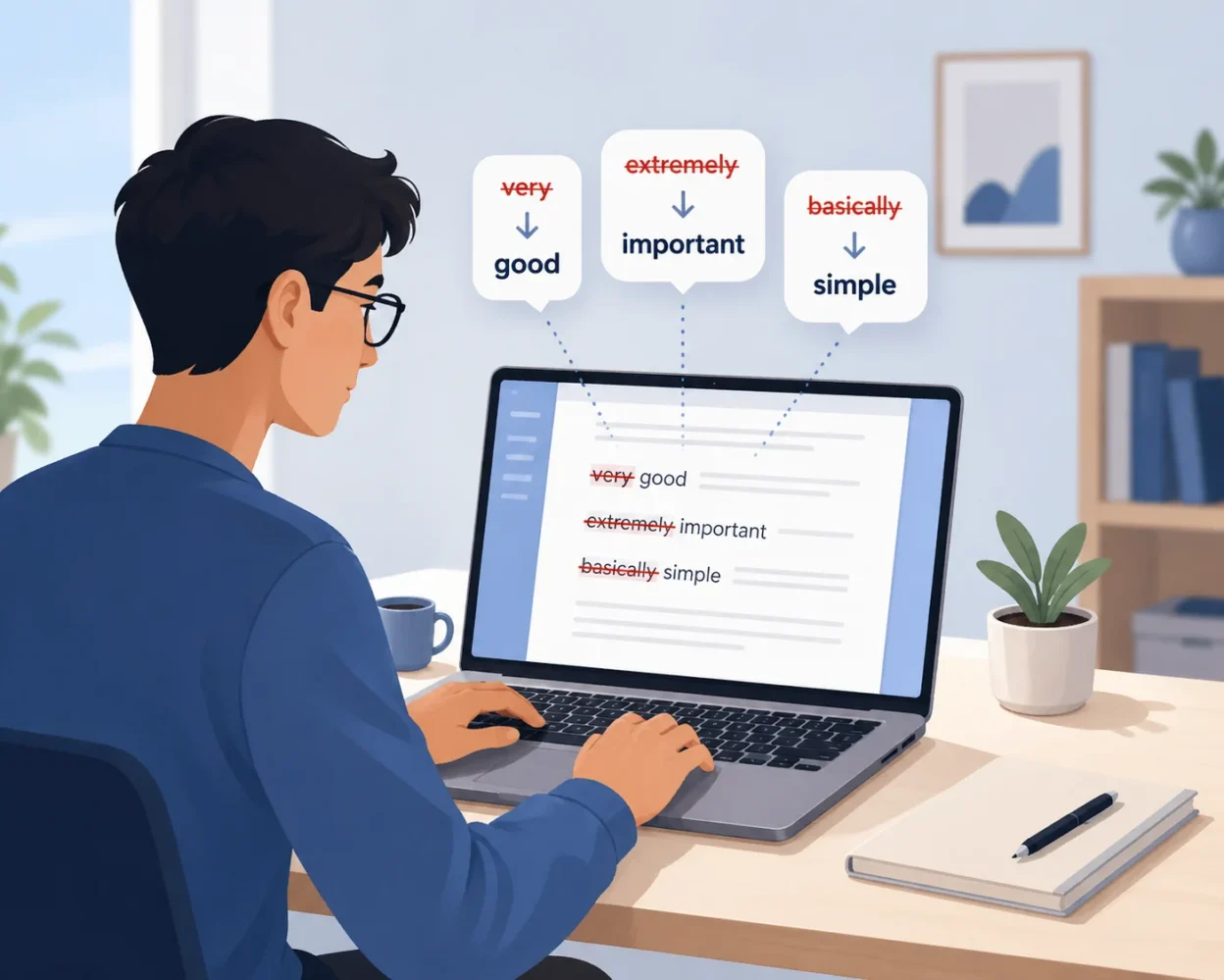
Writing clarity suffers when adverbs substitute for precision. Instead of choosing a stronger verb, the AI attaches a modifier to a weak one. “Ran quickly” becomes “sprinted.” “Spoke softly” becomes “whispered.” When you replace weak verb and adverb combinations with a single strong verb, every sentence gets sharper and more direct.
Not every adverb is the enemy. Some adverbs genuinely change the meaning of a sentence in a way that no single verb can replace. “She almost left” means something different from “she left.” That adverb is earning its place.
The ones doing damage are the filler words that circle around an idea without adding to it. Words like “very,” “truly,” “basically,” “generally,” and “essentially” almost never add meaning. They just add length. Anik Singal, who builds these guidelines into every custom prompt he uses, puts it simply: minimize excessive adjectives and adverbs. Rely on strong nouns and verbs to carry the weight instead.
Here is a quick test you can apply to any adverb you find in AI text. Ask yourself: if you remove this word, does the sentence lose meaning? If the answer is no, cut it. If the answer is yes, keep it but consider whether a stronger verb might do the job better.
The Specific Words That Give Away AI Authorship
Ryan Doser from AI Insider Tips references a study that tracked the most frequently appearing words in AI-generated content. The list is specific and worth knowing by heart because these are the words that train readers to recognize AI writing instantly.
The most common single-word offenders are:
Words that signal AI authorship at a glance
Delve, tapestry, vibrant, landscape, realm, embark, excels, vital, comprehensive, intricate, pivotal, moreover, arguably, notably.
You will see “delve” used where a human would simply write “look at” or “explore.” You will see “tapestry” used as a metaphor for almost anything involving complexity. “Vibrant” appears attached to communities, cultures, and ecosystems with near-mechanical regularity.
Beyond single words, there are full phrases that function as AI writing detection signals on their own:
Phrases that reveal AI-generated text
“Dive into” as an opener. “It is important to note.” “It is worth considering.” “Delving into the intricacies of.” “At the end of the day.” These phrases appear so consistently in AI outputs that a single scan of a paragraph can confirm AI involvement.
The reason these specific words cluster in AI outputs is that they appear frequently in formal published writing, which makes up a large portion of what large language models are trained on.
Natural language processing models learn to associate these words with authoritative-sounding text. So they reach for them by default, even when a simpler word would communicate the idea more clearly.
Knowing this list is the first step. The next step is building a prompt that actively blocks these words from appearing in your AI output at all. That is exactly what the next section covers.
The AI Prompt to Remove Excessive Adverbs: Copy, Paste, Done
Here is the honest truth about most advice on this topic. Articles tell you to “avoid adverbs” and “write more clearly” but they never give you the actual tool to make it happen. You end up back at square one, staring at AI output stuffed with “seamlessly,” “significantly,” and “meticulously” and wondering what to do next.
This section fixes that. The AI prompt below is the one I use to remove adverbs from writing before anything I publish goes live. Copy it, paste it into ChatGPT before your text, and watch the difference.
The Adverb Assassin Prompt (Full Version)
An AI prompt to remove excessive adverbs from text is a set of specific written instructions you give to ChatGPT or another AI tool that forces the model to strip adverb clutter, replace weak verb combinations with stronger alternatives, and return clean, direct prose instead of padded filler.
Here is the prompt. Copy everything inside the box exactly as written.
Act as a professional editor with a strict no-filler policy. Rewrite any text I provide using these non-negotiable rules:

ADVERB ELIMINATION:
Remove all unnecessary adverbs, particularly "-ly" words like: quickly, carefully, seamlessly, significantly, truly, essentially, basically, really, very, extremely, incredibly, particularly, especially, actually, literally, definitely, absolutely, completely, totally, utterly, clearly, obviously, simply, merely, just, perhaps, possibly, probably, certainly, generally, specifically, practically, virtually, and relatively. Keep an adverb only if removing it fundamentally alters the sentence's meaning.

VERB STRENGTHENING:
Replace weak verb + adverb combinations with single, powerful verbs. Examples:

"walked slowly" → "trudged" or "plodded"
"spoke loudly" → "shouted" or "yelled"
"worked quickly" → "rushed" or "raced"
"looked carefully" → "examined" or "scrutinized"
"said quietly" → "whispered" or "murmured"
BANNED WORDS (never use):
delve, tapestry, vibrant, landscape, realm, embark, excels, vital, comprehensive, intricate, pivotal, moreover, arguably, notably, transformative, synergistic, game-changer, leverage, robust, ecosystem, cutting-edge, groundbreaking, innovative, holistic, paradigm, revolutionary, state-of-the-art, best-in-class, world-class, unprecedented, unparalleled, mission-critical, strategic, actionable, or impactful.

BANNED PHRASES (never use):
"it is important to note," "it is worth considering," "at the end of the day," "dive into," "deep dive," "drill down," "circle back," "touch base," "move the needle," "think outside the box," "low-hanging fruit," "on the same page," or "take it to the next level."

STRUCTURE REQUIREMENTS:

Use active voice exclusively
Address readers as "you" when natural
Never use em dashes (—) to connect sentences; use periods or rewrite
Never open with formal introductions that restate the topic; start with the first substantive point
Keep sentences short and focused—one idea per sentence
Cut any sentence that adds length without adding substance
Eliminate hedging language ("might," "could potentially," "seems to")
Remove redundant phrases ("past history," "future plans," "end result")
OUTPUT FORMAT:
Provide only the rewritten text. No preamble, no explanation, no meta-commentary about the edits made

Here is the text to rewrite: [PASTE YOUR TEXT HERE]
Paste your AI-generated content in place of the bracketed placeholder at the end and send the prompt. That is all there is to it.
What Each Part of the Prompt Actually Does
Understanding why each instruction exists helps you adapt the prompt to your own needs instead of just copying it blindly. Here is what each element is doing and why it matters.
“Remove all unnecessary adverbs, especially words ending in ly”
This targets the single most common AI writing pattern. Large language models attach adverbs like “carefully,” “seamlessly,” and “significantly” to weak verbs because adverbs appear constantly in formal text used for training. Telling the AI to cut them forces a rewrite that is almost always sharper.
“Replace weak verb and adverb combinations with a single strong verb”
This is where clear and direct prose actually comes from. Strong verb replacement is not just about removing words. It is about upgrading the quality of the verb doing the work. “Moved quickly” is two words doing one job. “Sprinted” is one word doing the job better. Anik Singal builds this principle into every custom instruction he uses for his own ChatGPT workflow, because active voice writing depends on strong verbs carrying the load rather than weak verbs leaning on modifiers.
“Do not use the following words”
Ryan Doser from AI Insider Tips recommends formatting this part of any ChatGPT editing prompt as an explicit ban list with exact words listed. The reason specificity matters here is that general instructions like “avoid robotic language” are too vague for a language model to act on reliably. Listing exact words gives the model a clear rule it can apply without interpretation.
“Do not use the em dash to connect sentences”
AI Samson documented the em dash as one of the clearest structural signals of AI-generated content. ChatGPT connects thoughts with the em dash constantly. Adding this single instruction to your prompt removes one of the most recognizable AI writing tells in one step.
“Do not open with a formal introduction”
AI models default to restating the topic in the opening line. “In this section, we will explore…” is the classic example. Banning formal introductions forces the rewritten content to start with substance rather than preamble.
“Write in active voice and address the reader as you”
Active voice writing moves the subject of the sentence to the front and puts the action on the verb where it belongs. Passive constructions like “the results were analyzed by the team” become “the team analyzed the results.” The shift sounds more direct, more confident, and more human every time.
Before and After: Same Text, Two Versions
Reading about the difference is one thing. Seeing it is another. Here is the same paragraph run through ChatGPT without the prompt and then with it applied.
Before (raw AI output)
The team worked extremely diligently to carefully analyze the significantly complex data sets and subsequently delivered a comprehensive report that was truly remarkable in its intricate detail and overall quality.
After (prompt applied)
The team analyzed the data sets and delivered a detailed report that impressed the client.
The before version uses nine modifiers across one sentence. Every adjective and adverb in that sentence adds length and subtracts confidence. The after version says the same thing in thirteen words and sounds like a real person wrote it.
That is the gap an AI prompt to remove excessive adverbs from text closes in a single pass. Writing clarity does not come from adding more words to explain what you mean. It comes from choosing words precise enough that the extras become unnecessary.
One more thing worth noting. The prompt works best when you paste it fresh before each piece of text you want cleaned. In the next section I cover how to set this up permanently so you never have to paste the prompt manually again.
ChatGPT Prompt to Remove Filler Words Beyond Just Adverbs
A ChatGPT prompt to remove filler words is a companion instruction set you add to your editing workflow that targets bloated transition phrases, corporate jargon, and empty qualifiers that AI outputs alongside adverbs. These filler words add syllables and formality without adding substance.
I learned this the hard way after fixing adverbs in my AI-generated content only to find the writing still sounded stiff and promotional. The problem was not just the adverbs. It was phrases like “take it to the next level” and “revolutionize the way you work” that made every paragraph sound like a sales pitch instead of actual information.
Andy O’Brien from AI Copy Lab calls these patterns “dead giveaways” for AI-generated content. He noticed specific phrases appearing in his own ChatGPT outputs over and over again. Phrases like “say goodbye to X and say hello to Y” showed up so frequently that readers started feeling uncomfortable even when the rest of the content was solid. AI writing cleanup is not complete until you address these corporate clichés alongside the adverbs.
Here is what belongs on your personal blacklist and how to build a custom negative prompt that blocks filler words from showing up in the first place.
The Filler Phrase Blacklist (Add These to Every Prompt)
These are the most common filler words in AI writing, organized by category so you can spot them quickly in any draft. Copy this list directly into your ChatGPT writing prompts or save it in a document you reference every time you edit AI output.
Corporate jargon that sounds promotional instead of informative
Game changer. Revolutionary. Transformative. Synergistic. Thought-provoking. Cutting edge. Best in class. Innovative solution. Industry leading. World class.
Transition words AI uses constantly but humans avoid
However. Furthermore. Consequently. Therefore. Additionally. Moreover. Nevertheless. In addition to this. It should be noted that.
Anik Singal specifically recommends banning transition words like “however,” “furthermore,” and “consequently” in custom prompts because they make every sentence sound like the opening line of a research paper. Real conversational writing uses “but,” “and,” or “so” instead. Those shorter alternatives feel natural and move the reader forward without adding formality.
Empty phrases that circle around a point without landing on it
Take it to the next level. Say goodbye to X and say hello to Y. At the end of the day. When all is said and done. The fact of the matter is. It goes without saying. For all intents and purposes. To be perfectly honest.
Andy O’Brien built his personal exclusion list by reading his own AI outputs and noting which phrases made him cringe when he saw them repeated. “Take it to the next level” appeared in nearly every marketing-related ChatGPT response he generated. “Revolutionize” showed up in technical content where “improve” or “change” would have been clearer and more honest.
Qualifiers that add no meaning and eliminate redundant words
Very. Quite. Extremely. Truly. Essentially. Basically. Literally. Actually. Generally. Relatively.
These qualifiers appear when AI writing tries to hedge or emphasize but ends up doing neither. “Very important” is not stronger than “critical.” “Quite difficult” is not clearer than “hard.” Cutting qualifiers forces you to choose a word precise enough to stand on its own.
AI Samson includes corporate cliché words like “game-changer,” “transformative,” and “synergistic” in his forbidden list because those words have become markers of AI-generated promotional content. They appear so often in marketing copy used for training large language models that ChatGPT reaches for them automatically whenever a topic touches business or technology.
How to Write Your Own Negative Prompt in 2 Minutes
You do not need to rely only on my list. Building your own custom negative prompt based on patterns you see in your specific AI outputs produces better results because every user, topic, and writing style triggers slightly different AI habits.
Here is the process Andy O’Brien recommends. It takes two minutes and improves every time you repeat it.
Step one: generate three pieces of content on your usual topic using ChatGPT
Ask ChatGPT to write three different paragraphs or sections related to whatever subject you normally cover. Do not apply any cleanup prompts yet. You want raw unfiltered output so you can see the model’s default patterns.
Step two: read all three outputs and highlight any word or phrase that appears more than once
Repetition is the signal. If “seamlessly integrates” shows up in two of the three outputs, add it to your list. If “it is important to note” appears as a transition in all three, that phrase goes on the blacklist immediately.
Step three: write a simple instruction sentence banning those exact words and phrases
Format your instruction like this: “Do not use the following words or phrases in any output: [list every repeated word and phrase you found].”
Paste that sentence at the end of any prompt you send to ChatGPT. The AI editor prompt you just created will block those specific patterns from appearing in future responses. Update the list every few weeks as you notice new repetitive patterns emerging in your content.
This process works because you are teaching the model to avoid your personal AI writing fingerprint rather than following a generic list someone else built. Your forbidden phrase list becomes a living document that grows smarter the more you use it.
If you want a passive voice removal prompt built into this same system, add one more instruction to the negative prompt: “Rewrite all passive voice sentences into active voice.” That single line converts “the report was written by the team” into “the team wrote the report” automatically during the same cleanup pass.
3 Prompts for 3 Different Situations (Pick the Right One)
Not every piece of content needs the same level of editing. A single social media caption does not need the same cleanup process as a 2,000-word blog post. Using the wrong AI text editing prompts for the situation wastes time and often makes the output worse instead of better.
I keep three different ChatGPT editing prompts saved in a document I reference daily. Each one serves a specific purpose. One is fast and surgical for quick fixes. One strips everything down to the absolute essentials for clarity. One runs a two-step cleanup that catches patterns the first pass misses.
Here is when to use each one and the exact wording for all three so you can copy them directly.
Prompt 1: The Quick Adverb Sweep (For Single Paragraphs)
Use this prompt when you need to clean up a short piece of text fast without rewriting the entire structure. This works best for social media posts, email introductions, product descriptions, or any passage under 200 words where you just need to remove adverbs from writing and tighten the language without changing the core message.
If you also need help generating that social content from scratch, there is a full set of AI prompts built for social media posts that covers the creation side of the workflow
Remove all unnecessary adverbs from the text below. Replace weak verb + adverb combinations with single, stronger verbs where possible.

Rules:

Do not alter sentence structure, order, or overall content
Do not add new information or ideas
Only remove filler adverbs and strengthen verbs
Preserve all nouns, key adjectives, and technical terms exactly as written
Keep the original tone and style
Maintain the same number of sentences unless combining creates clarity
If an adverb is essential to meaning (e.g., "not," "never," "only"), keep it
Focus especially on removing "-ly" adverbs: quickly, slowly, carefully, easily, clearly, simply, really, very, extremely, particularly, especially, significantly, actually, literally, truly, essentially, basically, completely, totally, certainly, probably, possibly, obviously, apparently, seemingly
Strong verb replacements (examples):

"walked slowly" → "trudged" or "plodded"
"spoke loudly" → "shouted"
"ate quickly" → "devoured" or "gulped"
"looked carefully" → "examined" or "inspected"
"moved quietly" → "crept" or "slipped"
"thought deeply" → "pondered" or "contemplated"
"worked hard" → "labored" or "toiled"
What to preserve:

Original word choice (except weak verbs being strengthened)
Sentence breaks and paragraph structure
Technical terminology and proper nouns
The author's voice and intent
Output only the edited text—no explanations, no commentary, no list of changes made.

Here is the text:

[PASTE YOUR TEXT HERE]
This is the Andy O’Brien approach. He uses a follow-up negative prompt after generating initial content instead of rebuilding everything from scratch. The instruction is narrow and specific so ChatGPT makes surgical edits rather than rewriting the whole paragraph in a different voice.
I use this version when I generate a LinkedIn post or email subject line with ChatGPT and the output has one or two obvious adverbs cluttering an otherwise solid sentence. Paste the prompt, get the cleaned version, and move on. The whole process takes fifteen seconds.
Prompt 2: The Hemingway Engine (For Crisp, Active Writing)
The Hemingway editing style is built on three principles: short sentences, active voice, and zero unnecessary words. This prompt applies those rules to any AI-generated content and returns clear and direct prose that sounds confident and grounded instead of formal and padded.
Use this version for blog posts, articles, landing pages, and any content where clarity and readability matter more than length or formality.
Rewrite the following text using Ernest Hemingway's principles of clear, powerful prose.

SENTENCE STRUCTURE:

Use short, punchy sentences with one clear idea each
Write in active voice exclusively—no passive constructions
Vary sentence length strategically for rhythm, but favor brevity
Cut ruthlessly—every word must earn its place
WORD CHOICE:

Remove all unnecessary adverbs, especially "-ly" words: quickly, carefully, clearly, simply, really, very, extremely, particularly, especially, significantly, actually, literally, truly, essentially, basically, completely, totally, certainly, probably, obviously
Replace weak verbs with precise, muscular alternatives:
"went quickly" → "raced" or "sprinted"
"said angrily" → "snapped" or "barked"
"looked at" → "studied," "examined," or "watched"
"got" → "earned," "seized," "grabbed," or "received"
Choose concrete nouns over abstract concepts
Use simple, direct language over flowery descriptions
ELIMINATE THESE ELEMENTS:

Corporate jargon: leverage, synergy, paradigm, ecosystem, holistic, robust, scalable, actionable, impactful, cutting-edge, best-in-class
Filler phrases: "in order to," "due to the fact that," "it should be noted that," "for the purpose of," "in terms of"
Formal transitions: however, furthermore, moreover, nevertheless, consequently, therefore, in addition, on the other hand
Generic sentence starters: "There are many," "It is important to," "One of the key"
Rules of three constructions
Forced analogies or metaphors that don't add meaning
TONE AND STYLE:

Write with sharp wit and personality—no corporate blandness
Be direct and grounded—say what you mean
Show confidence without arrogance
Use natural human speech patterns, not textbook formality
Include subtle humor where appropriate
Avoid hedging language: "might," "could," "seems to," "appears to"
PRESERVATION REQUIREMENTS:

Keep the original meaning and key information intact
Maintain any necessary technical terms or specific data
Preserve the logical flow of ideas
Output only the rewritten text—no introduction, no explanation of changes made.

Here is the text:

[PASTE YOUR TEXT HERE]
AI Samson calls this the Human Prime Prompt because the instruction “write like a human with sharp wit, no generic sentence structures, no rules of three, no filler analogies” forces ChatGPT out of its default formal tone and into something that reads more like actual conversation.
The phrase “keep it grounded and direct” is doing most of the work in that instruction. Grounded language relies on concrete nouns and observable actions instead of abstract concepts and vague qualifiers.
I use this Hemingway-style prompt for any piece of content I plan to publish under my name where word choice improvement AI cleanup makes the difference between content that sounds like me and content that sounds like a chatbot filling space.
Prompt 3: The Reflection Technique (For Full Document Cleanup)
This is a two-step process where you first generate your content, then ask ChatGPT to analyze what it just wrote for AI-sounding patterns and rewrite itself. The Reflection Technique works because AI can often spot its own tells when you explicitly ask it to look for them.
Use this method for long-form content like guides, white papers, or any piece over 1,000 words where you want the deepest possible cleanup and you have time to run two passes instead of one.
Step one: generate your content normally using whatever prompt you prefer
Let ChatGPT write the full draft without any cleanup instructions yet.
Step two: paste this follow-up prompt immediately after the content appears.
Analyze the text you just wrote for AI-generated patterns and rewrite it to sound authentically human.

SCAN FOR THESE AI TELLS:

Overused Words/Phrases:

Excessive adverbs: particularly, specifically, effectively, seamlessly, significantly, truly, really, certainly, clearly, obviously, essentially, basically, ultimately, ultimately, generally, typically, often, usually
Corporate buzzwords: leverage, robust, comprehensive, holistic, strategic, innovative, cutting-edge, state-of-the-art, game-changing, transformative, paradigm, ecosystem, synergy, scalable, actionable, impactful, optimize, maximize, streamline, facilitate
Filler transitions: "It's important to note," "Furthermore," "Moreover," "Additionally," "In conclusion," "To summarize," "On the other hand," "However," "Nevertheless," "That said," "In other words," "In essence"
Formal academic language: "one might consider," "it can be argued," "research indicates," "studies show," "experts suggest"
Structural Patterns:

Overuse of em dashes (—) connecting ideas
Repetitive sentence beginnings ("The key is," "This allows," "By doing this")
Generic three-part lists everywhere
Formal introductions that restate the obvious
Paragraph openers that announce what's coming: "There are several ways," "The following factors," "Key considerations include"
Hedging language: "may," "might," "could potentially," "seems to," "appears to," "tends to"
Tone Issues:

Overly polished, sanitized language with no personality
Academic distance instead of conversational warmth
Missing contractions, idioms, and natural speech patterns
No humor, personal touches, or authentic voice
Vague abstractions instead of concrete examples
REWRITING INSTRUCTIONS:

Use natural contractions (don't, won't, can't, you'll)
Include conversational elements: "Look," "Here's the thing," "Think about it"
Add personality through word choice and phrasing
Use concrete examples instead of abstract concepts
Vary sentence structure naturally—short punchy sentences mixed with longer flowing ones
Write like you're explaining this to a friend over coffee
Include subtle opinions, preferences, or gentle humor where appropriate
Use active voice and direct address ("you")
Replace formal vocabulary with everyday language
Cut unnecessary qualifiers and hedging
Output the rewritten version only—no analysis, no commentary, no explanation of changes made
AI Samson discovered this technique by accident when he asked ChatGPT to critique its own output and noticed the model started identifying patterns he had missed during manual editing. The rewritten version after the reflection step often feels more natural than anything a single-pass cleanup produces.
Prompt engineering for editing is not about finding one perfect universal instruction. Different content types need different approaches. A quick social post needs the surgical adverb removal from Prompt 1. A blog post benefits from the Hemingway clarity rules in Prompt 2. A long-form guide deserves the two-step reflection process in Prompt 3.
Save all three prompts somewhere you can access them quickly. I keep mine in a text file on my desktop labeled “AI editor prompt library” so I never have to rewrite the instructions from memory.
Pick the version that matches what you are working on right now and the cleanup happens in one paste instead of ten manual edits.
How to Make AI Sound More Human: The System Behind the Prompts
Learning how to make AI sound more human is not about memorizing a list of banned words. It is about understanding the underlying principles that separate human writing from machine-generated text and then building those principles into a repeatable system you use every time you work with ChatGPT.
The prompts in the earlier sections work because they enforce specific rules. But if you understand why those rules exist, you can adapt them to any writing situation without needing a new prompt for every project. The system is more valuable than any single prompt.
Here is what I learned after a year of testing different approaches to improve AI generated text. Human writing has rhythm, imperfection, and personality. AI writing defaults to polished, formal, and safe. The gap between the two closes when you intentionally tell the AI to break some of its own rules.
AI Samson puts it clearly. Users must harness and curate AI rather than letting the tool run on default settings. Default ChatGPT sounds like a corporate press release because that tone appears frequently in its training data. Changing the output requires active instruction, not passive hope that the next generation will magically sound better.
The Counterintuitive Trick: Tell AI to Be Slightly Imperfect
Perfect grammar, flawless sentence structure, and zero stylistic quirks are actually signals that a human did not write the text. Real people write with minor inconsistencies. We start sentences with “and” or “but” even though English teachers discouraged it. We use sentence fragments for emphasis. We ask rhetorical questions mid-paragraph to keep the reader engaged.
AI content that sounds human includes these controlled imperfections on purpose.
Anik Singal discovered this principle while building custom instructions for his own ChatGPT workflow. He noticed that when he told the AI to write perfectly, the output felt sterile and lifeless. When he added the instruction “include occasional conversational elements or minor imperfections,” the writing immediately felt warmer and more relatable.
Here is how to apply this technique. Add one line to any prompt you use: “Write in a conversational tone with occasional sentence fragments, rhetorical questions, or informal phrasing where it feels natural.”
That single instruction gives ChatGPT permission to break its default formality rules. The result is text that reads less like a textbook and more like someone explaining an idea across a table.
One warning. Do not confuse imperfection with sloppiness. You are not asking the AI to write poorly. You are asking the AI to write the way real people actually communicate when they are being clear and direct instead of performing for an academic audience.
To humanize AI text effectively, you also need to eliminate anything that announces the content came from a machine. Anik Singal calls this the golden rule: never let the AI mention that it is an AI.
Any sentence that starts with “as an AI language model” or “I cannot provide personal opinions” destroys trust instantly. Add this to every custom instruction: “Never mention that you are an AI or refer to yourself as a language model.
How to Make AI Write in YOUR Voice Specifically
Generic human-sounding writing is better than robotic writing, but the best outcome is AI writing that sounds like you specifically. This level of AI writing style improvement requires one extra step most people skip entirely.
Give ChatGPT a sample of your own writing and ask the tool to analyze your personal style.
Here is the exact process Anik Singal uses. Copy three or four paragraphs you wrote yourself without AI assistance. Paste them into ChatGPT with this prompt: “Analyze the writing style in the text below.
Describe the tone, sentence structure, word choice, and any patterns you notice. Then write a set of instructions I can use in future prompts to make you write in this same style.”
ChatGPT will return a style guide based on your actual voice. Save that style guide and paste it into your Custom Instructions or include it at the top of any new chat session where you want content that matches how you naturally write.
I tested this method with my own blog posts and the difference was immediate. The AI stopped using phrases I would never say and started matching the rhythm and pacing I use when I write manually. Word choice improvement AI delivers happens automatically once the model has a reference point for what your voice actually sounds like.
Why AI Writing Sounds Too Formal (And the Fast Fix)
If your AI writing sounds too formal, the problem usually comes down to three specific patterns: passive voice, third-person framing, and long complex sentences.
Passive voice buries the subject and makes every sentence feel distant. “The report was written by the team” puts the action before the actor.
Flipping that sentence to active voice puts the team first: “The team wrote the report.” Active voice writing moves faster and sounds more confident because the reader knows who is doing what without needing to parse grammar.
Third-person framing keeps the reader at arm’s length. “One might consider the benefits of this approach” sounds academic and detached.
Switching to direct address changes the tone completely: “You should consider the benefits of this approach.” Addressing the reader as “you” creates immediacy and pulls the reader into the conversation instead of making them an observer.
Long sentences pile multiple ideas into a single structure and force the reader to hold too much information at once before reaching the period. Breaking long sentences into shorter ones improves writing clarity instantly.
Here are the three fastest fixes you can apply to any AI-generated content right now. First, add this instruction to your prompt: “Write in active voice and address the reader directly as you.” Second, add this: “Use short sentences with one main idea per sentence.” Third, add this: “Skip formal introductions and get to the first real point immediately.”
Those three rules together solve most formality problems in a single editing pass. You can combine all three into a single passive voice removal prompt if you want a reusable instruction: “Rewrite this text in active voice with short direct sentences. Address the reader as you and remove any formal introductory phrases.”
Tighten writing with AI by enforcing structure rules the model will not follow unless you explicitly ask. ChatGPT defaults to formal because formal writing dominates published text on the internet. Changing that default requires clear instructions every time until you set up a permanent system in the next section.
It’s Not Just Adverbs: Remove These AI Tells From Your Text Too
Removing adverbs fixes one layer of the problem. But AI-generated content has structural tells that survive even after you strip every “significantly” and “seamlessly” from the text. These patterns show up in sentence structure, punctuation choices, and formatting habits that large language models repeat so consistently that trained readers spot them within seconds.
To remove AI tells from text completely, you need to address the full set of signals beyond word choice alone. AI writing detection tools and human editors alike look for these structural patterns as confirmation that a machine wrote the content.
I started noticing these tells after editing hundreds of ChatGPT outputs. Even when the word choice was clean, something still felt off. The sentences connected in predictable ways. The rhythm was too steady. The formatting followed rules no human writer actually follows.
AI Samson analyzed real-world examples of AI content published accidentally or intentionally in news outlets, government communications, and social media from public figures.
What he found was a set of structural fingerprints that appear across all of these outputs regardless of topic or tone. Fixing these patterns requires intentional prompt engineering and careful AI generated content editing at the structure level, not just the word level.
Here are the two biggest structural tells that adverb removal alone will not touch.
The EM Dash Problem Nobody Talks About
ChatGPT has a specific addiction to the em dash symbol. The em dash is the long hyphen that connects two independent clauses within a single sentence. It looks like this: “The team finished the project on time — and the client was impressed.”
Human writers use the em dash occasionally for emphasis or to insert a quick aside. ChatGPT uses the em dash constantly because the symbol appears frequently in formal published writing, and the model learned to associate em dashes with polished professional tone.
AI Samson documented this pattern by analyzing a tweet from Keir Starmer’s official government account.
The tweet used the em dash structure to connect two ideas: “We are securing our borders — and building a stronger economy.” That sentence structure is a hallmark of AI-generated text. A human communications team writing that tweet would have used a period or the word “and” without the punctuation flourish.
Research into UK Parliamentary speeches after ChatGPT became widely available showed a measurable increase in em dash usage in transcripts. The pattern is now visible in public record because political staffers are using AI tools to draft speeches without editing the structural tells out of the final version.
Here is the fix. Add this single line to any cleanup prompt you use: “Do not use the em dash symbol to connect sentences. Use a period or rewrite the sentence instead.”
That instruction forces ChatGPT to break its default habit and connect ideas the way human writers actually do. The result is text that flows more naturally and does not trip AI writing detection systems that flag punctuation patterns as a signal.
If you want to go further on this specific problem, there is a full prompt dedicated to removing em dashes and en dashes that handles this fix on its own
Triplets and the “Not Just X, But Y” Pattern
AI loves the Rule of Three. The model structures ideas in sets of three items because triplets create rhythm and feel complete. You will see phrases like “clarity, consistency, and convenience” or “faster, smarter, and more efficient” in almost every piece of AI-generated marketing copy.
The triplet pattern is not wrong. Humans use it too. But ChatGPT uses triplets so reliably and so frequently that the pattern itself becomes a tell. When every benefit list has exactly three items and every description groups features into trios, the repetition stands out.
The second structural tell AI Samson identified is the pivot phrase “not just X, but Y.” ChatGPT uses this structure to add emphasis by framing an idea as exceeding expectations. “It’s not just fast, it’s revolutionary.” “This is not merely a tool, but a complete solution.”
Parliamentary speech analysis showed a spike in the phrase “not merely but” after ChatGPT’s release. The pattern appeared in formal speeches where politicians were emphasizing policy achievements. The tell is not the phrase itself but the frequency and predictability of its use. Human speechwriters vary their emphasis techniques. AI defaults to this single structure repeatedly.
Here is how to reduce AI writing patterns like triplets and pivot phrases. Add these two instructions to your prompts: “Avoid the Rule of Three. Vary the number of items in any list instead of defaulting to three.” And: “Do not use the phrase structure ‘not just X but Y’ or ‘not merely X but Y.'”
Those two bans force the model out of its most predictable structural habits and into more natural variation. Combined with adverb removal and em dash elimination, these fixes address the majority of signals that mark text as AI-generated at the structural level.
Set It Once: How to Add These Prompts to ChatGPT and Claude Permanently
Pasting the same cleanup prompt before every piece of content you generate gets old fast. The smarter approach is setting up your instructions once at the system level so every chat session automatically follows your rules without needing to re-enter them manually.
Both ChatGPT and Claude AI offer built-in features that let you save permanent instructions the model follows across all future conversations. Once you configure these settings, your content editing workflow becomes automatic. You generate content and the AI applies your adverb removal rules, forbidden word bans, and structural cleanup instructions by default.
I set this up six months ago and have not pasted a manual cleanup prompt since. Every output I get from ChatGPT already has my style rules baked in because the instructions live at the account level rather than the conversation level. The time savings add up quickly when you are generating multiple pieces of content per week.
Here is how to configure permanent instructions on each platform depending on which tool you use.
ChatGPT Custom Instructions Setup (Free and Plus Users)
ChatGPT Custom Instructions is a feature available to both free and paid users that lets you define two types of permanent rules. The first box asks what ChatGPT should know about you. The second box asks how ChatGPT should respond. Both inputs stay active across every new chat session you start.
Anik Singal uses Custom Instructions as the foundation of his entire content generation system. He loads his writing style preferences, forbidden word lists, and tone guidelines into the response section so ChatGPT never defaults to robotic formal output.
Here is the step-by-step process to set this up right now.
Step one: open ChatGPT and click your profile icon in the bottom left corner
Look for the menu that appears when you click your name or profile picture.
Step two: select Settings, then click Customize ChatGPT
You will see two text boxes. The first is labeled “What would you like ChatGPT to know about you to provide better responses?” The second is labeled “How would you like ChatGPT to respond?”
Step three: paste your permanent writing rules into the second box
Leave the first box empty or add context about your work if relevant. In the second box, paste instructions like this:
Write in active voice throughout. Address the reader as "you." Use short, punchy sentences with one clear idea each. Remove all unnecessary adverbs, especially "-ly" words.

BANNED WORDS (never use):
delve, tapestry, vibrant, landscape, realm, embark, excels, vital, comprehensive, intricate, pivotal, moreover, arguably, notably, transformative, synergistic, game-changer, leverage, robust, ecosystem, cutting-edge, groundbreaking, innovative, holistic, paradigm, revolutionary, strategic, actionable, impactful, seamless, optimize, maximize, streamline, facilitate, enhance, elevate, empower, enable, drive, foster, cultivate, harness, unlock, unleash

BANNED PHRASES (never use):

"not just X but Y" structures
"not only X but also Y" constructions
Rule of Three patterns (avoid listing three items repeatedly)
"It's important to note"
"Furthermore," "Moreover," "Additionally"
"In conclusion," "To summarize," "In essence"
"One might argue," "It could be said"
"The key is," "The bottom line is"
"At the end of the day"
"Moving forward," "Going forward"
"That said," "With that in mind"
Any mention of being an AI, language model, or assistant
STRUCTURAL RULES:

Never use em dashes (—) to connect sentences; use periods instead
Skip formal introductions that restate the topic
Start with your first substantive point immediately
Avoid hedging language: "might," "could," "seems to," "appears to," "tends to"
Don't announce what you're about to explain: "There are several reasons," "The following factors"
Cut redundant phrases: "past history," "future plans," "end result," "final outcome"
TONE REQUIREMENTS:

Write conversationally, like explaining to a friend
Use contractions naturally: don't, won't, can't, you'll
Include concrete examples over abstract concepts
Show personality through word choice
Vary sentence length for natural rhythm
Replace weak verbs with strong, specific alternatives
Choose simple words over complex ones when meaning stays clear
OUTPUT ONLY THE REQUESTED CONTENT—no preamble, no meta-commentary about following these rules
Step four: save the settings and start a new chat
Your Custom Instructions now apply to every conversation you have with ChatGPT moving forward. You do not need to repeat these rules in individual prompts unless you want to override them temporarily for a specific project.
This is the fastest and most accessible method for setting up permanent prompt engineering rules in ChatGPT. It works on free accounts and paid accounts with zero difference in functionality.
Custom GPT Setup for ChatGPT Plus Users
If you subscribe to ChatGPT Plus, you have access to Custom GPTs, which are personalized versions of ChatGPT you configure once and reuse anytime. A Custom GPT can have its own instructions, knowledge files, and capabilities separate from the main ChatGPT interface.
Ryan Doser calls the instruction section of a Custom GPT the “Secret Sauce” because this is where you load your most detailed banned word lists and style rules without cluttering the Custom Instructions field that applies to all of your ChatGPT conversations.
Step one: go to the ChatGPT interface and click Explore GPTs in the sidebar
Look for the option to create a new Custom GPT. ChatGPT will walk you through a setup process.
Step two: name your Custom GPT something like Writing Cleanup Assistant
Give the Custom GPT a clear name so you remember what it does when you return to it later.
Step three: paste your full instruction set into the Instructions section
This is where you add the complete forbidden word list, structural rules, and any other cleanup guidelines you want the model to follow automatically. You can paste longer and more detailed instructions here than you would in standard Custom Instructions because this Custom GPT only activates when you choose to use it.
Step four: save the Custom GPT and use it whenever you need content cleaned
Whenever you want to apply these rules, start a conversation with your custom Writing Cleanup Assistant instead of the default ChatGPT. Every output will follow your saved instructions without needing to re-enter them.
Custom GPTs give you more flexibility than Custom Instructions because you can create multiple versions for different tasks. One Custom GPT might focus only on adverb removal. Another might apply the full Hemingway Engine ruleset. You choose which set of rules to apply based on the project.
Claude Projects Setup (Claude Pro Users)
Claude AI offers a similar feature called Projects for users with a Claude Pro subscription. Projects let you define custom instructions and upload reference files that Claude remembers across all conversations within that specific project.
Ryan Doser tested the same forbidden word approach in Claude Projects and confirmed the system works just as reliably as ChatGPT Custom Instructions. The setup process is nearly identical.
Step one: open Claude and create a new Project
Click the Projects tab in the sidebar and select the option to start a new project. Name the project something descriptive like Content Editing Workflow.
Step two: add your custom instructions to the Project Instructions field
Paste the same set of rules you would use in ChatGPT: active voice, short sentences, forbidden word bans, structural tell removal, and tone guidelines. Claude applies these instructions to every message you send within this project.
Step three: start conversations inside the project instead of the main Claude chat
Whenever you generate content you want cleaned automatically, open your Content Editing Workflow project and work inside that space. Claude follows your saved rules without needing manual prompts.
Claude Projects also let you upload writing samples or style guides as reference documents. If you want Claude to match your personal voice, upload a few of your own articles and tell Claude to reference those files when generating new content. This creates a more personalized content editing workflow than generic instructions alone.
Google Gemini does not yet offer a comparable Custom Instructions feature as of early 2025, but the platform may add this functionality in future updates. For now, ChatGPT and Claude are the two platforms where permanent system-level instructions are fully supported.
One alternative worth mentioning is Kappa, a third-party AI writing tool that Ryan Doser tested. Kappa costs around $13 per month and includes content manipulation presets where you can define phrase replacements and forbidden word lists that apply automatically across all outputs.
If you prefer using a dedicated tool over configuring ChatGPT or Claude manually, Kappa offers a ready-made solution with less setup required. For a broader look at which AI tools worth using in your content workflow are actually worth your time, that list covers free options across multiple use cases.
If you prefer using a dedicated tool over configuring ChatGPT or Claude manually, Kappa offers a ready-made solution with less setup required. For a broader look at which [AI tools worth using in your content workflow] are actually worth your time, that list covers free options across multiple use cases
Build a Forbidden Words List That Gets Smarter Over Time
A generic banned word list works as a starting point, but the real power comes from building your own personalized forbidden words list based on patterns you spot in your specific AI outputs. Every user, topic, and writing style triggers slightly different AI habits.
The phrases ChatGPT uses when you write about marketing are different from the ones it uses when you write about technology or education.
Your forbidden words list should evolve as AI models update and as you notice new repetitive patterns emerging in your own content editing workflow. Ryan Doser recommends treating this list as a living document you revisit and expand every few weeks rather than a one-time setup you never touch again.
I keep my forbidden words list in a Google Doc I update whenever I catch a new pattern showing up repeatedly. The list started with maybe ten words when I first built my AI prompt to remove excessive adverbs from text.
Six months later, the list has over forty entries because I keep finding new phrases my AI defaults to when generating content in my niche.
Andy O’Brien follows the same approach. He noticed specific phrases appearing in his own ChatGPT outputs that were not on any generic banned word list he found online.
Phrases like “take it to the next level,” “revolutionize,” and “say goodbye to X and say hello to Y” showed up constantly in marketing copy he generated. Those patterns were personal to his use case. Adding them to his custom exclusion list immediately improved the quality of every output he generated after that.
The process of building and updating this list takes less time than you think. You do not need to analyze thousands of words. A quick five-minute audit of your recent AI content is enough to identify the most obvious patterns worth banning.
How to Spot Patterns in Your Own AI Output (A 5-Minute Audit)
Here is the fastest way to identify which words and phrases your AI repeats most often so you can add them to your personal banned list and reduce adverb overuse along with other filler patterns.
Step one: copy three recent pieces of AI-generated content you created
Pull up the last three blog posts, social media captions, emails, or articles you generated with ChatGPT or Claude. Do not apply any cleanup prompts to these pieces yet. You want raw unedited output so the patterns are visible.
Step two: paste all three pieces into a single document and read them back to back
Reading your AI outputs together makes repetition easier to spot than reading them individually days apart. Look for words that appear in more than one piece. Look for sentence structures that feel identical across multiple paragraphs even when the topic changes.
Step three: highlight every word or phrase that appears more than once
If “seamlessly” shows up in two of the three pieces, highlight it. If all three pieces use the phrase “it is important to note,” add that to your list. Repetition is the signal. Any word or phrase appearing multiple times across different outputs is a candidate for your forbidden list.
Step four: add the repeated words and phrases to a running document
Start a simple text file or Google Doc titled “My AI Forbidden Words.” List every repeated word and phrase you found during the audit. This document becomes your personal reference for AI generated content editing moving forward.
Step five: paste the updated forbidden list into your Custom Instructions or prompts
Take the phrases you just identified and add them to the “do not use” section of your ChatGPT Custom Instructions, Custom GPT, or Claude Project. The next time you generate content, the AI will avoid those specific patterns automatically because you taught the model to recognize your personal writing fingerprint.
Repeat this audit every month or whenever you notice your AI outputs starting to feel repetitive again. AI models update regularly. ChatGPT in January does not write exactly the same way ChatGPT writes in June. New patterns emerge as the models change. Your forbidden words list needs to evolve alongside those updates to stay effective.
Word choice improvement AI happens when you move from relying on someone else’s generic banned word list to building one that reflects your actual usage patterns. The investment is five minutes per month. The payoff is cleaner, sharper, more human-sounding content every single time you generate a new piece.
Mistakes People Make When Trying to Clean Up AI Writing
The biggest mistake people make when trying to improve AI generated text is treating AI writing cleanup as a one-time copy-paste fix instead of a system they need to understand and apply thoughtfully. Prompts work, but only when you use them correctly and know which situations call for which approach.
I see the same errors repeated constantly. Someone discovers a cleanup prompt, applies it to everything without adjustment, and ends up with writing that sounds worse than the original AI output because they removed too much or focused on the wrong problems.
AI Samson describes this as the difference between harnessing AI and passively accepting whatever the tool generates on default settings.
Ryan Doser points to the baseline mistake: accepting raw AI output without any filtering at all. That Pakistani news outlet that accidentally published a ChatGPT prompt at the end of a live article is the extreme example of what happens when you skip human review entirely.
But smaller versions of that mistake happen every day when people hit generate, copy the text, and publish without reading what the AI actually wrote.
Here are the specific errors that undermine AI writing cleanup efforts and how to avoid each one.
Don’t Remove Every Adverb: Some Are Doing Real Work
Not all adverbs are unnecessary adverbs. Some adverbs change the meaning of a sentence in ways that no single strong verb can replace. Removing these adverbs breaks the sentence instead of improving it.
“She almost left” means something fundamentally different from “she left.” The adverb “almost” is doing real work. It describes an action that nearly happened but did not. You cannot replace “almost left” with a single stronger verb without losing that specific meaning.
The same is true for adverbs that express frequency, degree, or manner when no clearer alternative exists. “He rarely complains” is more precise than “he complains infrequently” and far better than inventing a clumsy verb substitute that does not exist in natural English.
Here is the test I use to decide whether an adverb stays or goes. Ask yourself three questions before you delete any adverb from AI-generated content.
Question one: does removing this adverb change the core meaning of the sentence?
If the answer is yes, keep the adverb. Meaning always trumps word count.
Question two: can I replace the verb and adverb combination with a single stronger verb?
If “walked slowly” can become “trudged” or “strolled,” make the replacement. If no single verb captures the same meaning, leave the adverb in place.
Question three: is this adverb adding emphasis or just adding syllables?
Words like “very,” “quite,” “extremely,” and “truly” almost never add real emphasis. They just make sentences longer. These are the first adverbs to cut because removing them tightens the writing without losing anything meaningful.
The goal is not to strip every adverb from your content and call it clean. The goal is to remove AI writing fluff while keeping the words that actually earn their place. Weak verbs paired with filler adverbs get replaced. Strong verbs with meaningful modifiers stay exactly where they are.
Another common mistake is focusing entirely on word-level edits while ignoring structural problems. You can remove every adverb and banned word from a piece of AI content and still end up with text that feels robotic if the sentence structures follow predictable AI patterns like em dash overuse, triplet lists, and formal pivot phrases.
Effective AI writing cleanup addresses both the words and the way those words connect to each other.
Finally, people waste time re-pasting the same cleanup prompt into every new chat session instead of setting up Custom Instructions or a Custom GPT once and letting the system handle repetitive edits automatically.
If you find yourself copying the same filler words ban list before every piece of content you generate, you are doing extra work the platform can automate for you in under two minutes of setup time.
Why AI Cleanup Still Needs a Human Pass at the End
No prompt, Custom Instruction, or cleanup system replaces a human reading the final content before it goes live. Prompts reduce the problem significantly. They do not eliminate it completely.
AI Samson puts this plainly. AI is a powerful tool, but users must harness and curate the output rather than letting the tool run on default settings. The prompts and systems in this article handle the mechanical layer of AI writing cleanup. The human layer is still your responsibility, and skipping it creates real risk.
The Pakistani news outlet that published a ChatGPT prompt at the end of a live article is the most public example of what happens when no human reads the final output. The editor accepted the AI generated content without review and the mistake went live in front of their entire audience. That kind of error damages credibility in a way that takes months to recover from.
A human pass does not mean rewriting everything. It means spending three to five minutes reading the cleaned content out loud before you publish it.
Reading content aloud is the fastest AI writing detection method available to you. Your ear catches problems your eye skips. If you stumble over a sentence while reading it aloud, that sentence needs editing.
If a paragraph sounds like a presentation rather than a conversation, the tone is still too formal. If you find yourself rushing through a section because it feels repetitive, something in that section needs to be cut.
Here is what to look for during the final human pass to keep the review focused and efficient.
Check the opening line
AI still defaults to restating the topic in the first sentence even after cleanup prompts. If the article opens with “In this article, we will explore…” the cleanup missed the introduction. Replace the opening with the first real point immediately.
Check for sentences that still feel padded
A good cleanup prompt removes most AI writing fluff, but some filler phrases survive. If a sentence contains words you would cut in conversation, cut them on the page too. Writing clarity comes from removing every word that does not earn its place.
Check the overall rhythm
Human writing has natural variation in sentence length. Some sentences are short. Others are longer and carry more detail before the period arrives. If every sentence in a paragraph runs to a similar length, the rhythm is still AI patterned. Break the monotony by splitting one long sentence or combining two short ones.
Check that the content sounds like you
This is the part no prompt can fully automate. Anik Singal recommends combining custom instructions with personal writing style analysis precisely because the system still needs a human refinement layer. Even after ChatGPT applies your saved instructions, the output reflects a version of your voice rather than your actual voice. The final human pass is where you close that gap.
Your role in the content editing workflow is not to generate and publish. Your role is to generate, clean, review, and refine. The prompts in this article handle the cleaning. The reviewing and refining belong to you.
Concise writing from AI is achievable with the right instructions. Content that genuinely sounds like a person wrote it requires a human to confirm the job is done before anyone else reads it. That final check is the difference between content that builds trust and content that quietly signals to every reader that a machine did the work.
Frequently Asked Questions
What is the best AI prompt to remove excessive adverbs from text?
The most effective AI prompt to remove excessive adverbs from text instructs ChatGPT to eliminate all unnecessary adverbs ending in “ly,” replace weak verb and adverb combinations with single strong verbs, and ban a specific list of overused words like “delve,” “vibrant,” and “pivotal.” The full copy-paste version of this prompt is in Section 2 of this article under the Adverb Assassin heading. Paste your text at the end of the prompt and send it as a single message.
Does this work on Claude, or only ChatGPT?
These prompts work on both ChatGPT and Claude. Claude AI responds just as well to explicit word ban instructions as ChatGPT does. If you use Claude Pro, add your forbidden words list to the Custom Instructions field inside a Claude Project and the rules apply automatically to every conversation in that project. If you use the free version of Claude, paste the full prompt at the start of each new chat session before you paste your content.
Should I remove ALL adverbs from AI text?
No. Remove only unnecessary adverbs, not every adverb in the text. An adverb is unnecessary when you can replace the verb and adverb combination with a single stronger verb, or when removing the adverb changes nothing about the meaning. An adverb is necessary when no single verb captures the same meaning and removing the word would make the sentence less accurate. The quick test: ask whether a stronger verb exists that replaces both words. If yes, use the stronger verb and drop the adverb. If no clear alternative exists, keep the adverb where it is.
How do I stop ChatGPT from using words like “delve” and “furthermore”?
Add a forbidden words list to ChatGPT Custom Instructions so the ban applies automatically to every conversation. Open ChatGPT, click your profile icon, select Settings, then choose Customize ChatGPT. In the response preferences box, write: “Do not use the following words in any output:” and list every word you want banned. If you need an immediate fix without changing your settings, paste the same instruction at the very start of your next chat session before you paste any content.
Is there a free way to do this, or do I need ChatGPT Plus?
You do not need ChatGPT Plus to remove AI adverbs and filler words from your content. Free ChatGPT users can paste a full forbidden words prompt at the start of any new chat session and get the same cleanup results as paid users. The only difference is convenience. ChatGPT Plus users can save the instructions permanently inside a Custom GPT so the rules apply automatically without pasting anything manually. Both methods produce the same quality of output.
What is the Reflection Technique for AI writing cleanup?
The Reflection Technique is a two-step editing process where you first generate your content normally, then immediately send a second prompt asking ChatGPT to analyze what it just wrote for AI-sounding patterns and rewrite the content to remove them.
The second prompt reads: “Analyze the text you just wrote for AI-sounding tells including excessive adverbs, corporate jargon, filler transitions, formal introductions, and repetitive sentence structures.
Rewrite it to sound less robotic and more like a real person explaining the topic.” AI Samson developed this technique after discovering that ChatGPT identifies patterns in its own output more accurately when explicitly asked to look for them.
The rewritten version after the reflection step typically sounds more natural than a single-pass cleanup produces.
How often should I update my AI forbidden words list?
Update your forbidden words list whenever you notice a new pattern appearing repeatedly in your AI outputs. For most people who generate content regularly, a monthly review is enough to catch new patterns before they become habits.
AI models update frequently and each update can introduce new default phrases that were not part of the previous version’s patterns.
Andy O’Brien recommends reading your own outputs attentively after every few pieces of content you generate so new repetitive patterns get spotted and added to your exclusion list quickly. Ryan Doser puts it simply: the list is never truly finished because the AI keeps changing.