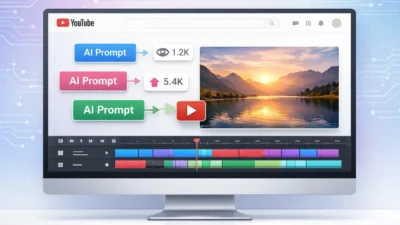

What Makes an AI Prompt for Expert Web Development Different
I used to type things like “build me a login page with React” and wonder why the output looked like a first-year student’s homework assignment. The code worked, barely, but it had no error handling, no TypeScript types, no loading states, and certainly no thought about security. I kept blaming the AI. Then I realized the problem was me.
The truth is, the quality of your output has almost nothing to do with which AI tool you use. It has everything to do with how you write your prompt.
There is a massive gap between a basic AI prompt and an ai prompt for expert web development. A basic prompt tells the AI what to build. An expert prompt tells the AI who to be, what constraints to respect, what stack to use, what quality standard to meet, and exactly what the output should look like. That gap in structure is the entire difference between getting demo-quality code and getting something you can actually ship.
Structure Is What Separates Beginner Prompts from Expert Ones
Think of it this way. If you hired a junior developer and said “build me a login page,” you would get something that technically works. But if you hired a senior engineer and gave them a proper brief covering the tech stack, authentication method, error handling requirements, and accessibility standards, you would get something production-ready.
Your AI coding assistant works exactly the same way. It is not a mind reader. It is a pattern-matching system that generates output based on the inputs you give it. The more structured your input, the more structured and expert its output.
Microsoft discovered this at scale. Teams using structured prompting frameworks were three times more productive than teams using casual, unstructured prompts. Not because they had access to better AI models. Because they gave the AI better instructions.
The Anthropic Engineers Already Figured This Out
Here is something that stopped me when I first heard it. Engineers at Anthropic, the company that builds Claude, write up to 90% of their code using their own AI tool. But they do not just type requests and hope for the best. They treat it like briefing a junior engineer. Every prompt has a clear role, a defined task, specific constraints, and an expected output format.
That approach is what makes AI assisted coding genuinely useful instead of just occasionally impressive.
When I started applying the same mindset to my own web development workflow AI, my output quality changed overnight. Not because I was prompting a different model. Because I stopped writing casual one-liners and started writing structured briefs.
What an Expert Prompt Actually Contains
A basic prompt looks like this: “Create a contact form in React.”
An expert prompt looks like this: “Act as a senior React developer. I am building a Next.js 15 app using TypeScript and Tailwind CSS. Create a contact form component with full client-side validation using React Hook Form, Zod schema validation, a loading state during submission, an error boundary, and accessible labels that meet WCAG 2.1 AA standards. Output the full component file with JSDoc comments and a brief explanation of your validation approach.”
Both prompts ask for a contact form. Only one of them will give you something you can actually use in a real project without spending an hour fixing it.
That structure is what the rest of this article is about. I will walk you through the exact framework I use, ten copy-paste templates organized by task type, and the design and workflow techniques that no other guide covers. By the time you finish reading, developer productivity with AI will feel completely different from what you are used to.
Why Most AI Prompts for Web Development Give You Mediocre Results
I spent three weeks frustrated with AI before I admitted the real problem. I kept thinking the tool was broken. The code it produced was shallow, full of gaps, and needed so much manual fixing that I wondered if AI was even saving me any time at all.
Then I watched a developer who was getting genuinely impressive results from the exact same tool I was using. Same AI. Completely different output. The only difference was how he wrote his prompts.
Understanding why ai prompts for web development fail is the most important thing you can do before touching another template or tutorial. Because if you fix the root cause, everything else gets better immediately.
The 5 Mistakes That Are Killing Your AI Output Quality
I have made all five of these mistakes. Some of them I made for months before I noticed the pattern. Here is what they look like and how to fix each one.
Mistake 1: Being Too Vague
A vague prompt gives you a vague answer. Every single time. When you type “create a dashboard component,” the AI has no idea what framework you are using, what data it should display, what the visual style should be, or what quality standard to meet. It fills in every blank with its most generic assumption.
The fix is specificity. Tell the AI your stack, your constraints, and your expected output format before asking for anything.
Mistake 2: One-Shot Complex Requests
This one caused me real pain. I would ask AI to refactor an entire authentication flow in a single prompt. What came back was always missing something. Sometimes it skipped functions entirely. Sometimes it introduced subtle bugs in code that looked fine at first glance.
When you give an AI too much to handle at once, it does not slow down and think harder. It pattern-matches faster and produces shallower output. Large refactor requests are where AI programming assistant prompts fail most visibly. Break complex tasks into smaller steps and handle them one at a time.
Mistake 3: Assigning No Role
AI does not automatically know it should think like a senior developer. Without a role, it defaults to a generic helpful assistant voice. That produces generic helpful code. Mediocre, safe, unfocused output that no senior engineer would actually write.
Assigning a specific role changes the entire character of the response. “Act as a senior full-stack engineer with 10 years of experience in Next.js and TypeScript” produces noticeably different code than no role at all.
Mistake 4: Excessive Politeness
This one surprised me when I first heard it, but it is completely true in practice. When you write “Could you please, if it is not too much trouble, help me with a component that might display some user data,” the AI treats the filler words as part of the instruction. It focuses on being gentle rather than being precise.
Be direct. Write instructions, not requests. “Create a user profile component” outperforms “Could you possibly create a user profile component” every time.
Mistake 5: No Output Format Specification
If you do not tell AI what the output should look like, it chooses for you. Sometimes it gives you a full file. Sometimes a snippet. Sometimes a wall of explanation with a tiny code block buried halfway down. Specifying the output format eliminates this unpredictability entirely. Tell it exactly what you want: a single component file, TypeScript only, with JSDoc comments, and no explanation unless you ask for one.
Fixing these five mistakes alone will transform your code generation prompts from frustrating to genuinely useful. Developer productivity tools AI work well when you give them structured inputs. They are not broken. They are just waiting for you to be more specific.
The One Thing You Must Do Before Writing Any Prompt
I learned this one from watching a developer build a full SaaS application live in one session. Before he wrote a single AI prompt, he spent 20 minutes sketching out the layout of the app. Not a polished Figma design. Just a rough map of what the pages were, what components lived where, and how the navigation would flow.
At the time I thought he was wasting time. By the end of the session I understood exactly why he did it.
Without that sketch, the web development workflow AI goes in circles. You prompt for a header component, then realize you need a sidebar, then decide the navigation should work differently, then ask AI to restructure everything. Each change pulls in a new direction and the AI happily obliges every time. The result is a codebase that feels like it was designed by five different people who never talked to each other.
A design prototype, even a five-minute rough sketch, answers the question “where does this button go?” before you start prompting. It also answers where the forms live, how the routing works, and what data each component needs to display. Once those decisions are made, your prompts become far more specific because you know exactly what you are building.
This is one of the most practical AI pair programming techniques I have added to my workflow. Spend a few minutes planning before you spend hours prompting. The AI will reward you with consistent, focused output instead of scattered code that keeps needing to be reorganized.
The pattern is simple. Sketch first. Prompt second. Iterate third. That order matters more than any individual prompt technique.
How to Write an AI Prompt for Web Development That Gets Expert Results
Most guides on this topic just hand you a list of prompts and call it a day. That approach misses the point entirely. If you only copy prompts without understanding what makes them work, you will be stuck every time you face a task that is not on the list.
What I want to share here is the actual framework behind every good prompt I write. Once you understand the structure, you can build your own expert-level AI programming assistant prompts for any task, any stack, and any project you work on.
This is the part of prompt engineering for web developers that nobody really teaches clearly. So let me do that now.
The Five-Box Framework: A Formula That Works Every Time
After testing dozens of approaches, the structure I keep coming back to is what I call the Five-Box framework. It has five parts and every single part pulls weight. Remove one and the output quality drops in a way you will immediately notice.
Here are the five boxes:
Box 1: Role
This is role prompting in practice. You tell the AI who it should be before it writes a single line. Not just “a developer” but something specific like “a senior full-stack engineer with 8 years of experience in React and TypeScript.” The more specific the character, the more expert the output. AI models are excellent at adopting personas. When you give them a detailed role, they generate output that matches the knowledge, tone, and decision-making style of that role.
Box 2: Task
This is the action. Start with a clear verb. Build. Create. Refactor. Review. Optimize. One task per prompt. If you need three things done, write three prompts. The task box should be one or two sentences at most.
Box 3: Context
This is where you set the stage. Tell the AI about your project. What framework are you using? What does the existing codebase look like? Who is the end user? What problem does this feature solve? Context prevents the AI from making assumptions, and those assumptions are almost always what produces generic output.
Box 4: Constraints
This is where you set the rules. Specify what the AI must include and what it must avoid. Should it use TypeScript strictly? Avoid any third-party libraries? Follow a specific naming convention? Keep the component under a certain number of lines? Constraints are what turn a decent AI prompt into a precise one.
Box 5: Output Format
Tell the AI exactly what to give you. A single component file. A numbered list. A table with three specific columns. Code only with no explanation. Or code followed by a brief architectural note. Without this box, you get whatever format the AI feels like using that day. With it, you get exactly what you need.
Here is how this looks in practice. A basic prompt might be: “Create a login form in React.”
The same request through the Five-Box framework looks like this:
“Act as a senior React developer with deep TypeScript experience. Create a login form component for a Next.js 15 application. The app uses Tailwind CSS for styling and React Hook Form for form management. The form must include email and password fields with client-side validation, a loading state during submission, and accessible labels following WCAG 2.1 AA guidelines. Do not use any additional libraries beyond what is already specified. Output a single TypeScript component file only.”
Same request. Completely different output. The second prompt produces something close to production-ready on the first attempt. The first prompt produces something you will spend an hour fixing.
This is the foundation of good AI prompt templates for developers. Once this structure becomes natural to you, writing effective prompts takes about thirty seconds longer than writing bad ones. The return on that thirty seconds is enormous.
Adding the Performance and Example Boxes for Expert-Level Output
The Five-Box framework already puts you ahead of most developers. But there are two more components that push output quality from good to genuinely expert. Most people skip both of them because they feel optional. They are not.
Box 6: Performance Standards
This is where you define what quality actually means for this specific output. “Production-ready” means different things to different people, so be explicit. Tell the AI your quality bar. Some examples of what this looks like in practice:
- No console errors or warnings in the final output
- All functions must include error handling and fallback states
- Code must pass TypeScript strict mode without any type assertions
- Accessibility must meet WCAG 2.1 AA at minimum
- No unnecessary re-renders in React components
When you include performance standards in your code generation prompts, the AI treats them as a checklist it must satisfy before considering the task complete. Without these standards, it considers the task complete the moment the code compiles.
Box 7: Example
This is the box that most developers never think to include, and it is one of the most powerful things you can add to any prompt. You show the AI what “good” looks like before asking it to produce something.
This does not have to be complicated. It can be a short snippet of code that follows your team’s conventions. It can be a description of a similar component from your existing codebase. It can even be a pattern from a well-known open source project that matches the quality level you want.
When you provide an example, the AI does not have to guess at your standard. It can analyze the example, identify the patterns you value, and replicate them in the new output. The difference in quality is immediate and obvious.
I started including examples in my prompts after seeing a demonstration where someone provided a sample report format alongside their request for an analysis. The AI produced an output that matched the depth, structure, and formatting of the sample almost perfectly. Without the sample, the same request produced something much shallower.
The same principle works directly in web development. If you show the AI one well-structured component from your codebase as an example, every component it generates from that point will feel like it belongs in the same project.
Together these seven boxes give you a complete framework for writing AI prompt templates that consistently produce expert results. You do not need a new tool. You do not need a better model. You need a better structure. This is it.
10 Expert AI Prompt Templates for Web Development (Copy-Paste Ready)
Here is where everything from the previous sections becomes practical. I have organized ten expert-level templates into three focused categories so you can go directly to the task type you need without reading through material that does not apply to your current work.
This is not a flat numbered list where template 3 has nothing to do with template 4. Each category covers a specific layer of the development stack and the templates within it build on each other logically.
The three categories are:
Frontend Development (Templates 1 to 4) covers React components, Tailwind layouts, design-to-code conversion, and JavaScript with performance constraints. If you build user interfaces, start here.
Backend, APIs, and System Design (Templates 5 to 7) covers REST API development, database schema generation with Prisma, and architecture trade-off analysis. These are the full stack developer AI prompts I reach for most often when working on the server side of a project.
Debugging, Code Review, and Security (Templates 8 to 10) covers the rubber duck debugging approach, OWASP-focused security review, and performance refactoring with complexity analysis required. These templates are the ones I return to most frequently because they handle the reactive work that consumes so much development time.
How to Adapt These Templates to Your Own Stack
Every template in this section follows the Seven-Box framework I covered earlier. Role, Task, Context, Constraints, Output Format, Performance Standards, and Example. Each box is filled in with a realistic default that works for most projects.
When you use these as web app AI prompt templates, you only need to change three things to make them your own. Replace the framework references with your actual stack. Adjust the constraints to match your project conventions. And optionally add a short example from your existing codebase in the Example box.
That is the entire adaptation process. The structure stays the same. The content inside each box changes to reflect your project.
One principle I picked up from watching a developer build a full SaaS application using only AI prompts stuck with me. The goal is not casual vague prompting where you type something rough and hope for the best. The goal is precise instruction. The developer who gets professional-grade output from AI is not the one with the best tool. It is the one with the clearest brief.
These AI prompt templates for developers are designed to be clear briefs from the start. Use them as written, adapt the stack details to your project, and you will notice the quality difference in your very first response.
The templates start in the next section with frontend development.
AI Prompt Templates for Frontend Development (Templates 1–4)
Frontend work is where most developers first start using AI assistance, and it is also where the quality gap between basic and expert prompts is most visible. A poorly structured frontend development AI prompt gives you something that renders but looks generic, has no accessibility consideration, and needs significant rework before it fits into a real codebase.
The four templates in this section cover the frontend tasks I use AI for most often. Each one is built on the Seven-Box framework and ready to copy directly into your AI tool of choice. Swap the stack details for your own and they work immediately.
Template 1: React Component with Full Structure and Error Handling
This is the React component AI prompt I use as my starting point for almost every new UI component. The key difference from a basic prompt is that it specifies TypeScript types, loading state, error handling, and JSDoc documentation upfront. Without those requirements, AI defaults to the simplest possible version of the component and leaves you to add everything else manually.
One important detail I learned from watching a production build in real time: if you are working with React 19, you need to explicitly tell your AI tool to use the React 19 use hook instead of useEffect for data fetching. Otherwise it defaults to the older pattern every time, because that is what the majority of its training data contains.
Here is the full template:
Role
You are a senior React developer with 8+ years of experience specializing in TypeScript, React 19, Next.js 15, and modern component architecture. You follow SOLID principles, accessibility standards (WCAG 2.1 AA), and React best practices.

Task
Create a production-ready user profile card component that:

Fetches user data from a provided API endpoint using React 19's use hook
Displays user information in a card format
Handles loading, error, and success states elegantly
Integrates seamlessly with Shadcn UI design patterns
Context
Project Stack:

Framework: Next.js 15 (App Router)
Language: TypeScript (strict mode)
Styling: Tailwind CSS
UI Library: Shadcn UI
React Version: 19
Usage Environment:

Location: Dashboard layout with responsive grid
Display: Multiple cards shown side by side (responsive: 1 column mobile, 2-3 columns tablet/desktop)
Data Source: REST API endpoint (to be provided)
API Response Structure:

TypeScript

{
  name: string
  avatarUrl: string
  role: string
  lastActive: string // ISO 8601 timestamp
}
Constraints
Required:
✅ Use React 19's use hook for data fetching (no useEffect, useSWR, or React Query)
✅ Strict TypeScript interfaces for all props and API responses (no any or unknown)
✅ Loading state must use Shadcn UI skeleton components
✅ Error boundary with user-friendly, actionable error messages
✅ Only use: React 19, Next.js 15, TypeScript, Tailwind CSS, Shadcn UI
Prohibited:
❌ No external data-fetching libraries (axios, SWR, React Query, etc.)
❌ No type assertions (as, !, any)
❌ No console warnings or TypeScript errors
❌ No inline styles or CSS modules
Accessibility Requirements
Proper semantic HTML structure
ARIA labels for all interactive and informational elements
Keyboard navigation support (tab order, focus states)
Screen reader announcements for state changes (loading, error, success)
Focus management for error states
Minimum touch target size of 44x44px for interactive elements
Output Format
Deliver a single, self-contained TypeScript file containing:

File header: Brief description of component purpose
Type definitions: All TypeScript interfaces and types at the top
Component code: With JSDoc comments above:
Each exported function/component
Complex logic blocks
Each prop interface
No additional explanations unless explicitly requested
File naming: UserProfileCard.tsx
Performance Standards
Quality Checklist:
 Zero TypeScript errors in strict mode
 Zero console warnings
 Zero type assertions or any types
 All accessibility checks pass (eslint-plugin-jsx-a11y)
 Proper semantic HTML (validated structure)
 Keyboard navigation fully functional
 Screen reader tested (minimum: describe behavior)
 Loading skeleton matches final card dimensions
 Error state provides recovery action (retry button)
Code Quality:
Follow functional component patterns
Use descriptive variable/function names
Maintain single responsibility per function
Keep component under 200 lines if possible
Use Tailwind utility classes efficiently (no arbitrary values unless necessary)
Expected Deliverable Structure
TypeScript

// Brief component description
// Interfaces and types
// Error boundary component (if separate)
// Loading skeleton component (if separate)
// Main UserProfileCard component with JSDoc
// Export statement
Additional Instruction: Provide only the code. Wait for my API endpoint and any specific customization requests before generating.
What this structure does is eliminate every assumption the AI would otherwise make. It knows the framework, the data shape, the state requirements, the accessibility standard, and the output format. The result is a component that fits into a real project on the first attempt.
Template 2: Tailwind CSS Layout with Responsive Design
This Tailwind CSS AI prompt addresses one of the most common frustrations developers have with AI-generated layouts. Without explicit color and style constraints, Tailwind-based AI output almost always defaults to indigo and purple tones. This happens because those were Tailwind’s default theme colors when the framework first became widely adopted. AI models trained on millions of Tailwind projects absorbed that aesthetic as the standard.
The fix is simple: specify your palette and tell the AI explicitly to avoid generic color defaults.
Role
You are a senior frontend developer with 10+ years of experience specializing in:

Tailwind CSS utility-first architecture and design systems
Semantic HTML5 and accessibility standards (WCAG 2.1 AA/AAA)
Responsive design patterns and mobile-first methodology
SaaS marketing page optimization and conversion-focused layouts
Task
Build a production-ready, responsive two-column feature section layout for a SaaS marketing page that:

Presents product features in a visually compelling, conversion-optimized format
Maintains perfect visual hierarchy and readability across all devices
Adheres to accessibility standards and semantic HTML best practices
Implements a cohesive slate and emerald color palette
Context
Project Stack:

Framework: Next.js 15 (App Router)
Styling: Tailwind CSS v3.x
Output: Static HTML section (no client-side JavaScript)
Design System:

Primary Colors: Slate (neutral) + Emerald (accent/CTA)
Prohibited Colors: Indigo, purple, blue (any shade)
Typography Hierarchy: Clear distinction between headline, body, and supporting text
Layout Structure:

Left Column Content (Primary):
Headline - H2 level, attention-grabbing
Description - Short paragraph (2-3 sentences)
Feature List - 3-5 items with icons
CTA Button - Primary action (emerald themed)
Right Column Content (Supporting):
Image Area - Placeholder for product screenshot/illustration
Should complement but not overshadow left column content
Constraints
Required Technologies:
✅ Semantic HTML5 elements only (<section>, <header>, <article>, <ul>, etc.)
✅ Tailwind CSS utility classes exclusively (v3.x syntax)
✅ No custom CSS, inline styles, or style tags
✅ No JavaScript or client-side interactivity
Responsive Breakpoints:
Define explicit behavior at these exact breakpoints:

Device	Width	Layout Behavior
Mobile	375px (sm)	Single column, stacked (image below content)
Tablet	768px (md)	Two columns begin, adjusted spacing
Desktop	1280px (xl)	Full two-column with optimal white space
Use Tailwind's arbitrary values for 375px if needed: @media (min-width: 375px)

Accessibility Requirements (WCAG 2.1 AA):
Color Contrast:
Normal text (< 18px): Minimum 4.5:1 contrast ratio
Large text (≥ 18px or bold ≥ 14px): Minimum 3:1 contrast ratio
Interactive elements: Minimum 3:1 against background
All text on slate backgrounds must pass contrast checks
Emerald CTA button must have sufficient contrast for text
Semantic & Interactive Standards:
 Proper heading hierarchy (h2 → h3 if needed, no skipping levels)
 List elements use <ul> + <li> markup
 Button uses <button> or <a> with proper role
 Focus states visible on all interactive elements (min 2px outline)
 Focus indicator contrast ratio ≥ 3:1
 Touch targets minimum 44x44px (mobile)
 Descriptive alt text placeholders for images (e.g., alt="[Describe product dashboard interface]")
Design Constraints:
❌ No indigo (blue-purple) shades
❌ No purple variants
❌ No blue of any kind
✅ Slate for neutrals (slate-50 to slate-900)
✅ Emerald for accents (emerald-50 to emerald-900)
✅ Optional: Gray, zinc, or neutral for additional neutrals
Output Format
Provide a single, complete HTML section block with:

Semantic <section> wrapper with appropriate ARIA landmarks

Container structure using Tailwind's container/max-width utilities

Responsive grid/flex layout with proper breakpoint modifiers

Comment annotations for major layout sections:

HTML

<!-- Feature Section: Two-Column Layout -->
<!-- Left Column: Content -->
<!-- Right Column: Image -->
Placeholder content:

Generic but realistic headline
Sample description text
3-4 feature list items with icon placeholders
CTA button with sample text
Image placeholder with descriptive alt
No additional explanations unless requested

Performance Standards
Quality Checklist:
Visual/Design:
 Mobile-first responsive design (test at 375px, 768px, 1280px)
 Consistent spacing scale (use Tailwind's spacing tokens)
 Proper typography scale (text-sm, text-base, text-lg, etc.)
 Vertical rhythm maintained across breakpoints
 Image aspect ratio preserved across devices
Accessibility:
 All contrast ratios pass WCAG 2.1 AA (verify with tool)
 Focus states clearly visible (use focus:ring-2, focus:outline-offset-2)
 Semantic HTML validates (W3C validator)
 Screen reader friendly (test mental model)
 Keyboard navigable (logical tab order)
Code Quality:
 Clean, readable class organization
 Consistent Tailwind class ordering (layout → spacing → typography → colors → effects)
 No redundant or conflicting utilities
 Proper use of Tailwind's responsive prefixes (sm:, md:, lg:, xl:)
 Maximum 15-20 classes per element (maintain readability)
Icon Placeholder Approach:
Since no JavaScript/custom CSS is allowed, use one of:

Option A: Unicode/emoji placeholders (✓, ⚡, 🚀)
Option B: Tailwind CSS icon font integration comment (e.g., <!-- Icon: Heroicons check-circle -->)
Option C: SVG inline with proper ARIA labels
Specify your preference or choose the most semantic option.

Expected Deliverable Structure
HTML

<!-- Section: Feature Showcase -->
<section class="..." aria-labelledby="feature-headline">
  <div class="container...">
    <!-- Two-column grid -->
    <div class="grid...">

      <!-- Left Column: Content -->
      <div class="...">
        <h2 id="feature-headline" class="...">Headline</h2>
        <p class="...">Description</p>

        <!-- Feature List -->
        <ul class="..." role="list">
          <li class="...">
            <!-- Icon --> Feature item
          </li>
        </ul>

        <!-- CTA Button -->
        <a href="#" class="..." role="button">Call to Action</a>
      </div>

      <!-- Right Column: Image -->
      <div class="...">
        <img src="..." alt="..." class="..." />
      </div>

    </div>
  </div>
</section>
Additional Instruction: Provide only the HTML code with Tailwind classes. Include brief comments for major sections. Wait for any specific content, feature list items, or design adjustments before generating
This CSS generation prompt consistently produces clean, responsive web design layouts that do not look like every other AI-generated page. The color specification alone makes a significant visible difference in the output.
Template 3: Website Design AI Prompt (Design-to-Code)
This is one of the most powerful frontend development AI prompts I have added to my workflow. The concept came from a professional designer who charges between five and ten thousand dollars for premium landing pages and now builds them in a fraction of the time using AI. His key insight was that AI has extensive design knowledge it almost never applies without being prompted with the right vocabulary.
When you write a website design AI prompt using specific design terms, the quality of the output changes immediately. Terms like Bento layout, Glassmorphism, progressive blur, and sticky header are not just descriptive words. They are signals that tell the AI to draw on design knowledge it holds but does not use by default.
Adding a brand reference takes this even further. Specifying “in the style of Linear” or “in the style of a modern developer tools product” gives the AI a concrete visual target rather than a vague aesthetic description.
Role
You are a senior UI developer and design engineer with 12+ years of experience specializing in:

Premium SaaS product design (Linear, Vercel, Raycast, Arc aesthetic)
Modern web design systems with emphasis on dark mode interfaces
Micro-interactions and motion design that enhance UX without distraction
Glassmorphism, neumorphism, and contemporary UI patterns
Conversion-optimized landing page architecture for B2B SaaS products
Task
Design and build a premium, conversion-focused hero section for an AI productivity SaaS landing page that:

Immediately communicates product value to time-conscious professionals
Establishes brand credibility through sophisticated visual design
Creates emotional resonance with the target audience through modern aesthetics
Drives primary conversion action (signup/demo request)
Stands out from generic SaaS landing pages through unique visual treatments
Context
Product Information
Name: Flowdesk
Category: AI-powered task management and productivity platform
Primary Value Proposition: Intelligent automation for remote team collaboration

Target Audience Profile:

Age Range: 25-45 years old
Professional Level: Mid to senior-level knowledge workers, team leads, project managers
Tech Proficiency: High (early adopters, comfortable with modern tools)
Pain Points: Context switching, meeting overload, asynchronous collaboration challenges
Psychographics: Value efficiency, appreciate good design, willing to pay for quality tools
Design Direction & Aesthetic References
Primary Inspiration: Linear's design language

Clean, purposeful minimalism
Sophisticated dark mode treatment
Subtle gradients and lighting effects
Premium feel without over-decoration
Focus on typography and white space
Color Palette:

Primary Neutral: Slate gray spectrum (slate-900 to slate-50)
Accent/Brand: Electric blue (custom or cyan/sky/blue-500 range)
Background: Deep slate/near-black (slate-950, slate-900)
Highlights: Bright electric blue for CTAs and accents
Secondary Accents: Optional subtle purples or teals for gradients (if enhancing electric blue)
Visual Mood: Premium, futuristic, intelligent, trustworthy, energetic yet calm

Constraints
Required Elements & Hierarchy:
Primary Headline

Bold, attention-commanding typography
Should communicate core value in 5-8 words
Visual emphasis through size, weight, and background effect
Include the subtle animated gradient OR progressive blur background effect
Subheading

Two lines maximum
Clarifies value proposition and target audience
Softer visual weight than headline
Complements but doesn't compete with headline
Primary CTA Button

Single, prominent call-to-action
Action-oriented copy (e.g., "Start Free Trial", "Get Early Access")
Electric blue accent color
Must stand out as the primary conversion point
Bento-Style Feature Highlight Grid

Position: Below headline/CTA area
Style: Asymmetric grid layout (Bento box pattern)
Content: 3-5 key feature highlights or product benefits
Visual treatment: Cards with varying sizes/emphasis
Glassmorphism Treatment

Apply to: All card elements in Bento grid
Effect: Frosted glass appearance (backdrop-blur, semi-transparent backgrounds)
Must maintain readability and WCAG AA contrast
Animated Background Element

Subtle gradient animation OR progressive blur behind headline
Must be performant (CSS-only, no heavy JavaScript)
Should enhance, not distract from content
Must respect prefers-reduced-motion accessibility preference
Prohibited Patterns:
❌ Stock-looking symmetric 3-column feature grids
❌ Generic hero layouts (centered text + image right)
❌ Overused gradients (rainbow, neon pink/purple/blue)
❌ Clipart-style illustrations
❌ Rounded button styles that look "Web 2.0"
❌ Distracting animations or particle effects
Technical Requirements:
✅ HTML5 semantic elements
✅ Tailwind CSS v3.x utility classes exclusively
✅ CSS-only animations (no JavaScript for motion)
✅ Fully responsive (mobile-first approach)
✅ No horizontal scroll on any viewport size
✅ Proper prefers-reduced-motion media query implementation
Accessibility & Performance Requirements
Responsive Breakpoints:
Viewport	Width	Layout Behavior
Mobile	320px - 639px	Single column, stacked layout, reduced animation
Tablet	640px - 1023px	Adjusted Bento grid (2 columns), scaled typography
Desktop	1024px - 1279px	Full Bento layout, optimal spacing
Large Desktop	1280px+	Max container width, generous white space
Specific Requirements:

No horizontal scroll at 320px viewport width
Touch targets minimum 44x44px on mobile
Typography scales proportionally across breakpoints
Bento grid reflows gracefully (no broken layouts)
Motion & Animation Standards:
CSS

/* Required pattern for all animations */
@media (prefers-reduced-motion: reduce) {
  /* Disable or significantly reduce all animations */
  /* Maintain layout integrity without motion */
}
Animation Guidelines:

Duration: 0.3s - 1.5s maximum for any transition
Easing: Use natural curves (ease-in-out, cubic-bezier)
Trigger: Automatic on page load or on-scroll (intersection observer pattern acceptable)
Fallback: Static state must look intentional, not broken
Performance: 60fps target, use transform and opacity only for animations
Accessibility Checklist:
 Color contrast ≥ 4.5:1 for body text on dark backgrounds
 Color contrast ≥ 3:1 for large text (headline) and interactive elements
 Glassmorphism cards maintain readability (test contrast through blur)
 Focus states visible on CTA button (2px+ outline with sufficient contrast)
 Semantic heading hierarchy (h1 for headline)
 Alt text for any decorative images (or use aria-hidden="true")
 prefers-reduced-motion honored for all animations
Output Format
Provide a single, complete HTML section with:

1. Document Structure:
HTML

<!-- Flowdesk Hero Section: Premium Dark Mode Landing -->
<section class="..." aria-label="Hero">
  <!-- Background effects layer -->

  <!-- Content container -->

  <!-- Bento feature grid -->
</section>
2. Comment Annotations:
Place explanatory comments above each major block:

HTML

<!-- Design Intent: Animated gradient provides depth and draws eye to headline -->
<!-- Design Intent: Glassmorphic cards create premium feel and visual hierarchy -->
3. Inline Tailwind Configuration (if needed):
If using custom colors beyond default Tailwind palette, include a comment block showing the extended config:

HTML

<!--
Tailwind Config Extension Required:
colors: {
  'electric-blue': '#0066FF',
}
-->
4. CSS Animation Block:
Include a <style> tag ONLY for:

Keyframe animations for gradient/blur effects
prefers-reduced-motion media query overrides
Any complex animations not achievable with Tailwind utilities alone
Keep this minimal - prefer Tailwind's animation utilities when possible.

5. Content Placeholders:
Use realistic, context-appropriate placeholder content:

Headline: Product-focused, benefit-driven (not "Lorem Ipsum")
Subheading: Specific to AI task management value prop
Features: Actual feature names (e.g., "AI Meeting Summaries", "Smart Task Prioritization")
CTA: Action-oriented button text
Performance Standards
Visual Quality Checklist:
 Design feels unique and premium (not template-derived)
 Dark mode implementation is sophisticated (not just inverted colors)
 Electric blue accent creates strong visual hierarchy
 Glassmorphism enhances rather than obscures content
 Typography hierarchy is immediately clear
 Bento grid layout is asymmetric and visually interesting
 White space is generous and purposeful
 Overall aesthetic matches Linear's quality level
Technical Quality Checklist:
 Valid HTML5 (passes W3C validator)
 No horizontal scroll at 320px width
 Animations run at 60fps (smooth, no jank)
 prefers-reduced-motion properly implemented
 All images have appropriate alt text or aria-hidden
 CTA button has clear focus state
 Section is fully keyboard navigable
 No console errors or warnings
 Tailwind classes follow logical grouping (layout → spacing → colors → effects)
Code Quality:
 Clean, readable class organization
 Commented design intent for non-obvious choices
 Minimal custom CSS (use Tailwind utilities first)
 Semantic HTML element choices
 Consistent spacing scale
 Maximum 20-25 classes per element (maintain readability)
Expected Deliverable Structure
HTML

<!--
Flowdesk Hero Section
Design System: Dark mode, Linear-inspired, Electric Blue accent
Features: Animated gradient headline, Glassmorphic Bento grid
-->

<style>
  /* Keyframe animations */
  /* prefers-reduced-motion overrides */
</style>

<section class="relative min-h-screen bg-slate-950 overflow-hidden" aria-label="Hero">

  <!-- Design Intent: Subtle animated gradient backdrop creates depth -->
  <div class="absolute...">
    <!-- Gradient animation element -->
  </div>

  <!-- Design Intent: Main content container with proper max-width and centering -->
  <div class="relative container mx-auto px-4...">

    <!-- Headline with background effect -->
    <h1 class="...">
      Flowdesk Product Headline
    </h1>

    <!-- Subheading -->
    <p class="...">
      Two-line value proposition...
    </p>

    <!-- CTA Button -->
    <button class="...">
      Primary Action
    </button>

    <!-- Design Intent: Asymmetric Bento grid showcases features with varied visual weight -->
    <div class="grid...">

      <!-- Glassmorphic feature cards -->
      <div class="backdrop-blur-lg bg-white/5...">
        Feature 1
      </div>

      <!-- Additional cards with varied sizes -->

    </div>

  </div>

</section>
Additional Instructions:

Provide only the HTML/CSS code with design intent comments
Optimize for visual impact while maintaining accessibility
Ensure the design feels distinctly "Flowdesk" while following Linear's aesthetic principles
Wait for any specific feature content, CTA copy, or design adjustments before generating
Optional Add-ons (mention if desired):

Screenshot/product mockup placeholder in hero area
Social proof elements (user count, company logos)
Secondary CTA option
Scroll indicator/animation
This web development workflow AI prompt produces output that looks intentional and polished rather than generic. The design vocabulary does the heavy lifting that vague style descriptions never can.
Template 4: JavaScript Feature with Performance Constraints
This JavaScript AI coding prompt is the one I use when I need a function or algorithm that has to be efficient and not just functional. The critical addition here is requiring the AI to explain the time complexity of its solution. That single requirement changes how the AI approaches the problem.
When AI knows it must justify the complexity of what it writes, it stops taking the first pattern-matched approach and actually considers the efficiency of the solution. I have seen this produce measurably better output on sorting, filtering, and data transformation tasks.
You are a senior JavaScript engineer with 10+ years of experience specializing in:

High-performance client-side JavaScript optimization and profiling
Algorithmic complexity analysis and Big O notation
Browser performance engineering (V8 optimization, main thread management, Web Workers)
Large-scale data processing in memory-constrained environments
Production-grade defensive programming and error handling
You have deep expertise in:

JavaScript engine internals (V8, SpiderMonkey, JavaScriptCore)
Array manipulation performance characteristics
Memory-efficient data processing patterns
Browser rendering pipeline and main thread blocking prevention
Task
Write a production-ready, performance-optimized JavaScript function that:

Filters a large array of user objects based on active status
Applies a multi-criteria sort (primary: lastActive descending, secondary: name alphabetically)
Executes efficiently on datasets up to 50,000 records
Prevents main thread blocking and maintains responsive UI
Handles edge cases gracefully without runtime errors
Success Criteria:

Function executes in <50ms for 10,000 items on modern browsers
Zero runtime errors on malformed or edge-case data
Code is maintainable and clearly documents performance trade-offs
Context
Data Structure Specification
Input: Array of user objects with the following TypeScript-equivalent schema:

JavaScript

{
  id: number | string,        // Unique identifier (may be numeric or UUID string)
  name: string,               // User's display name (may be empty, null, or undefined)
  role: string,               // User role (e.g., "admin", "user", "guest")
  lastActive: string,         // ISO 8601 date string (e.g., "2024-01-15T10:30:00Z")
  isActive: boolean           // Active status flag (may be null or undefined in malformed data)
}
Example Data:

JavaScript

const users = [
  { id: 1, name: "Alice Johnson", role: "admin", lastActive: "2024-01-15T10:30:00Z", isActive: true },
  { id: 2, name: "Bob Smith", role: "user", lastActive: "2024-01-14T08:20:00Z", isActive: false },
  { id: 3, name: "Alice Chen", role: "user", lastActive: "2024-01-15T10:30:00Z", isActive: true },
  // ... up to 50,000 records
];
Dataset Characteristics
Expected Size: Up to 50,000 user objects
Test Benchmark Size: 10,000 items (must complete in <50ms)
Memory Constraints: Client-side browser environment (typical 50-100MB heap available)
Execution Environment: Modern evergreen browsers (Chrome 90+, Firefox 88+, Safari 14+, Edge 90+)
Data Quality: May contain null/undefined values, missing properties, invalid date strings
Processing Requirements
Step 1: Filter

Include only users where isActive === true
Handle cases where isActive is null, undefined, or missing (treat as inactive)
Step 2: Sort (Multi-Criteria)

Primary Sort: lastActive in descending order (most recent first)
Invalid or missing dates should sort to the end
Secondary Sort: name in ascending alphabetical order (A→Z)
Case-insensitive comparison
Null/undefined names should sort to the end
Tie-breaker when lastActive timestamps are identical
Expected Output Order Example:

JavaScript

[
  { name: "Alice Chen", lastActive: "2024-01-15T10:30:00Z", isActive: true },    // Same date, "Alice Chen" before "Alice Johnson"
  { name: "Alice Johnson", lastActive: "2024-01-15T10:30:00Z", isActive: true },
  { name: "Charlie Davis", lastActive: "2024-01-14T15:45:00Z", isActive: true },
  // ... continues in descending lastActive, then ascending name
]
Constraints
Technical Requirements
Mandatory:
✅ Pure vanilla JavaScript (ES6+ syntax allowed)
✅ No external libraries (no Lodash, Underscore, Ramda, etc.)
✅ Avoid O(n²) nested loops (no filter inside sort, no manual nested iteration)
✅ Defensive programming: Handle all edge cases without throwing errors
✅ Non-mutating by default: Do not modify the original array unless explicitly acceptable (specify in your approach)
Prohibited:
❌ No external dependencies or imports
❌ No use of eval() or Function() constructor
❌ No reliance on global state or side effects
❌ No unhandled exceptions for malformed data
Edge Cases to Handle
Data Quality Issues:

Empty array input: [] → should return []
Null/undefined input: null or undefined → should handle gracefully (return [] or throw documented error)
Null values in properties:
isActive: null → treat as false
name: null or name: undefined → sort to end, don't crash
lastActive: null or invalid date string → sort to end
Missing properties:
Object missing isActive field → treat as inactive
Object missing name or lastActive → handle gracefully
Invalid date strings:
lastActive: "invalid" → treat as epoch or sort to end
lastActive: "" → handle without error
Performance Edge Cases:

Arrays with all inactive users (heavy filter)
Arrays with identical timestamps (heavy secondary sort)
Arrays with 50,000 identical objects
Performance Constraints
Benchmarking Requirements:

Target Environment: Chrome 120+ on modern desktop (2020+ CPU)
Measurement Method: performance.now() timing
Success Threshold: <50ms for 10,000 items (average over 10 runs)
Acceptable Range: <100ms for 25,000 items, <200ms for 50,000 items
Main Thread Blocking:

For datasets >10,000 items, consider and document if Web Workers or requestIdleCallback patterns would be beneficial
If main thread blocking is unavoidable, document the threshold and recommend alternatives
Output Format
Provide the following in order:

1. Function Implementation
JavaScript

/**
 * [Comprehensive JSDoc comment]
 * @param {Array<Object>} users - Array of user objects to filter and sort
 * @returns {Array<Object>} Filtered and sorted array of active users
 * @throws {TypeError} [If applicable, document what errors are thrown]
 *
 * @example
 * const users = [{ id: 1, name: "Alice", isActive: true, lastActive: "2024-01-15T10:00:00Z" }];
 * const result = filterAndSortUsers(users);
 */
function filterAndSortUsers(users) {
  // Implementation
}
JSDoc Requirements:

Full parameter and return type descriptions
At least one practical usage example
Any thrown errors documented
Performance characteristics noted
Edge case handling behavior
2. Time Complexity Analysis
Provide a plain-language explanation in the following format:

Markdown

## Time Complexity Analysis

**Overall Complexity:** O(???)

### Breakdown by Operation:

1. **Filtering (isActive === true):**
   - Complexity: O(n)
   - Explanation: [Why this complexity, what operations contribute]

2. **Sorting (multi-criteria):**
   - Complexity: O(n log n)
   - Explanation: [Browser's sort algorithm (typically Timsort), comparison function cost]

3. **Total Combined:**
   - Complexity: O(n log n)
   - Explanation: [Why the dominant term determines overall complexity]

### Real-World Performance Implications:
- 10,000 items: ~XX ms (measured)
- 50,000 items: ~XX ms (estimated)
- Bottleneck: [Identify the slowest operation]
3. Trade-offs and Optimization Decisions
Provide a brief section explaining:

Markdown

## Implementation Trade-offs

### Approach Chosen:
[Describe the algorithmic approach - single-pass filter + in-place sort, etc.]

### Trade-offs Made:

**1. [Trade-off Name]**
- **Decision:** [What you chose to do]
- **Benefit:** [Performance/memory/readability gain]
- **Cost:** [What was sacrificed]
- **Rationale:** [Why this was the right choice for this use case]

**2. [Next trade-off]**
...

### Alternative Approaches Considered:
- **Approach A:** [Brief description] - Rejected because [reason]
- **Approach B:** [Brief description] - Would be better if [conditions]

### When to Use Alternatives:
- If dataset exceeds 50,000 items → Consider [Web Worker pattern/pagination/virtual scrolling]
- If UI responsiveness is critical → Consider [debouncing/requestIdleCallback]
- If memory is constrained → Consider [streaming/chunking approach]
4. Optional: Performance Testing Code
Include a simple benchmark harness (optional but recommended):

JavaScript

// Performance test harness
function benchmarkFilterAndSort(size = 10000) {
  // Generate test data
  // Run function 10 times
  // Report average execution time
}
Performance Standards
Quality Checklist
Correctness:
 Filters correctly (only isActive: true included)
 Primary sort correct (descending by lastActive)
 Secondary sort correct (ascending by name, case-insensitive)
 Handles empty array without error
 Handles null/undefined input gracefully
 Handles malformed objects without throwing
 Handles invalid date strings without throwing
 Handles missing properties without throwing
Performance:
 <50ms for 10,000 items (measured with performance.now())
 No O(n²) nested loops
 Efficient comparison function (minimal work per comparison)
 No unnecessary array copies or allocations
 Memory-efficient (doesn't create excessive intermediate arrays)
Code Quality:
 Clear, descriptive variable names
 Comprehensive JSDoc documentation
 Single Responsibility Principle followed
 No magic numbers or unexplained constants
 Edge case handling is explicit and documented
 Code is readable and maintainable
Documentation:
 Big O notation clearly stated
 Time complexity explanation in plain language
 Trade-offs explicitly documented
 Alternative approaches mentioned
 Performance implications explained for different dataset sizes
Optimization Techniques to Consider
Document if you use any of these patterns:

Array Method Chaining:

array.filter().sort() - Two passes, creates intermediate array
Consider: single-pass approach if measurably faster
Sort Comparison Optimization:

Pre-compute expensive operations (date parsing)
Cache computed values (Schwartzian transform pattern)
Minimize work inside comparison function
Memory Patterns:

In-place mutation vs. immutable copy (document choice)
Intermediate array allocation trade-offs
Date Handling:

new Date() vs. direct string comparison
Caching parsed dates
Expected Deliverable Structure
JavaScript

/**
 * Filters active users and sorts them by last active date (descending)
 * and name (ascending) as a secondary sort.
 *
 * Performance characteristics:
 * - Time complexity: O(n log n)
 * - Space complexity: O(n)
 * - Benchmark: <50ms for 10,000 items on modern browsers
 *
 * @param {Array<Object>} users - Array of user objects to process
 * @returns {Array<Object>} Filtered and sorted array of active users
 *
 * @example
 * const users = [
 *   { id: 1, name: "Alice", isActive: true, lastActive: "2024-01-15T10:00:00Z", role: "admin" },
 *   { id: 2, name: "Bob", isActive: false, lastActive: "2024-01-14T08:00:00Z", role: "user" }
 * ];
 * const result = filterAndSortUsers(users);
 * // Returns: [{ id: 1, name: "Alice", ... }]
 */
function filterAndSortUsers(users) {
  // Guard clause for edge cases

  // Filter active users

  // Multi-criteria sort

  // Return result
}

// Time Complexity Analysis
// [Detailed explanation as specified above]

// Trade-offs and Implementation Decisions
// [Detailed explanation as specified above]

// Optional: Benchmark harness
Additional Instructions:

Provide only the JavaScript code and analysis sections specified above
Prioritize performance while maintaining readability
If multiple valid approaches exist with similar performance, choose the most maintainable
Document any browser-specific optimizations or caveats
Wait for any specific performance targets, additional constraints, or dataset characteristics before generating
Optional Enhancements (specify if desired):

Implement with Web Worker pattern for >25,000 items
Add memoization for repeated calls with same data
Include TypeScript type definitions
Add configurable sort directions (ascending/descending toggles)
Support additional filter criteria
Requiring the performance optimization AI prompt to include a complexity explanation forces genuine analysis rather than surface-level code generation. The output you get is something you can actually reason about and defend in a code review.
AI Prompt Templates for Backend, APIs, and System Design (Templates 5–7)
Backend work is where prompt quality matters most. A poorly structured frontend prompt gives you ugly code. A poorly structured backend prompt gives you code that looks fine but has missing authentication, no input validation, and error handling that exposes more than it should. The cost of a bad backend prompt is much higher than the cost of a bad frontend one.
These three full stack developer AI prompts cover the backend tasks that come up most frequently in real projects. They are built from the same Seven-Box framework as the frontend templates. The difference is that backend prompts require even more specificity around security, data integrity, and architectural decisions.
The single most important lesson I took from watching a developer build a complete SaaS application from scratch using only AI prompts was this: specify your entire tech stack in every backend prompt. Not just the main framework. Every relevant tool, library, and service. The output quality difference between “build me an API endpoint” and a prompt that names Next.js 15, TypeScript, Prisma, PostgreSQL, Clerk, and Zod is not subtle. It is the difference between a demo and something you can ship.
Template 5: REST API Development with Authentication and Documentation
This is the API development with AI prompt I use whenever I am building a new route that handles user data. The baseline requirements I include are authentication verification, Zod input validation, structured error responses, and JSDoc documentation. Without specifying all of these, the AI produces a functional endpoint that would never pass a real code review.
The validation library matters more than most people realize. Specifying Zod by name produces type-safe validation that integrates cleanly with TypeScript. Leaving it unspecified gives you ad hoc validation that might work but has no consistency with the rest of your codebase.
Role
You are a senior backend engineer with 12+ years of experience specializing in:

Enterprise-grade REST API design following OpenAPI/HTTP specification standards
TypeScript strict mode development with advanced type safety patterns
Node.js security best practices (OWASP Top 10, authentication/authorization, input validation)
Production database operations with Prisma ORM and PostgreSQL optimization
Modern authentication patterns (JWT, session management, RBAC)
Error handling architectures and observability in distributed systems
You have deep expertise in:

Next.js 13+ App Router server-side patterns and route handlers
Clerk authentication integration and session management
Zod schema validation and type inference
Defensive programming and fault-tolerant API design
Database transaction management and connection pooling
Security vulnerabilities (SQL injection, XSS, CSRF, file upload attacks)
Task
Build a production-ready, secure POST endpoint for file upload metadata that:

Accepts and validates file metadata from authenticated clients
Enforces strict authentication and authorization checks
Validates all input with detailed, actionable error messages
Safely stores metadata in PostgreSQL via Prisma ORM
Returns structured, consistent JSON responses
Handles all error cases gracefully without exposing sensitive information
Follows REST API best practices and HTTP specification standards
Success Criteria:

Zero unhandled exceptions under any input conditions
Authentication verified before any business logic execution
All inputs validated with clear, user-friendly error messages
Database operations are atomic and properly error-handled
Response format is consistent across success and error cases
TypeScript compilation succeeds with strict: true and no any types
Security vulnerabilities eliminated (validated against OWASP guidelines)
Context
Tech Stack Specification
Framework: Next.js 15 (App Router)
Runtime: Node.js 18+ (with native fetch and Web APIs)
Language: TypeScript 5.x (strict mode)
Authentication: Clerk (session-based authentication)
Database ORM: Prisma 5.x
Database: PostgreSQL 14+
Validation: Zod 3.x

Endpoint Specification
HTTP Method: POST
Route Path: /api/uploads/metadata (or specify your preferred route structure)
Content-Type: application/json
Authentication: Required (Clerk session token)

Request Payload Schema
Expected JSON Body:

TypeScript

{
  fileName: string,           // Original filename with extension (e.g., "document.pdf")
  fileSize: number,           // Size in bytes (positive integer, e.g., 2048576 for 2MB)
  fileType: string,           // MIME type (e.g., "application/pdf", "image/png")
  description?: string        // Optional user-provided description (max length TBD)
}
Validation Requirements:

fileName:

Required, non-empty string
Max length: 255 characters
Must contain valid filename characters (no path traversal: ../, absolute paths)
Should preserve extension for later processing
fileSize:

Required, positive integer
Min: 1 byte
Max: 104,857,600 bytes (100 MB) - adjust based on your requirements
Must be exact byte count (no decimals)
fileType:

Required, valid MIME type string
Must match pattern: type/subtype (e.g., image/jpeg, application/pdf)
Whitelist acceptable MIME types (document types, images, etc.)
Reject executable types (.exe, application/x-msdownload, etc.)
description:

Optional string
Max length: 500 characters (or your preferred limit)
Sanitize to prevent XSS if displayed in UI later
Empty string should be treated as null or undefined
Database Schema (Prisma)
Assumed Prisma Model:

prisma

model FileMetadata {
  id          String   @id @default(cuid())
  userId      String   // Clerk user ID
  fileName    String
  fileSize    Int
  fileType    String
  description String?
  publicUrl   String?  // Generated or assigned after storage
  createdAt   DateTime @default(now())
  updatedAt   DateTime @updatedAt

  @@index([userId])
  @@index([createdAt])
}
Note: Adjust field names if your schema differs, but document assumptions clearly.

Response Specification
Success Response (201 Created)
JSON

{
  "success": true,
  "data": {
    "id": "clxxx123456789",
    "publicUrl": "https://storage.example.com/files/clxxx123456789/document.pdf",
    "createdAt": "2024-01-15T10:30:00.000Z"
  }
}
Error Response Format (4xx/5xx)
JSON

{
  "success": false,
  "error": {
    "code": "VALIDATION_ERROR",
    "message": "Invalid file size: must be between 1 and 104857600 bytes",
    "field": "fileSize",          // Optional: specify which field caused error
    "timestamp": "2024-01-15T10:30:00.000Z"
  }
}
Error Code Standards:

VALIDATION_ERROR - Input validation failed (400)
UNAUTHORIZED - No valid session/token (401)
FORBIDDEN - User lacks permission (403)
DATABASE_ERROR - Database operation failed (500)
INTERNAL_ERROR - Unexpected server error (500)
Authentication Flow
Clerk Integration Pattern:

Extract session from request headers using Clerk's auth() helper
Verify session validity (non-null userId)
Reject request immediately if unauthenticated (before validation)
Use userId to associate metadata record with authenticated user
Expected Clerk Usage:

TypeScript

import { auth } from '@clerk/nextjs';

// In route handler
const { userId } = auth();
if (!userId) {
  // Return 401 Unauthorized
}
Public URL Generation
Requirements:

Generate a unique, public-facing URL for the file metadata record
Format: https://{storage-domain}/files/{recordId}/{fileName}
May be a placeholder if actual file storage happens asynchronously
Should be deterministic and reproducible from record ID
Example Implementation Approaches:

Option A: Construct URL from environment variable base + record ID + filename
Option B: Store URL pattern template and populate with record data
Option C: Use CDN/storage service URL if integrated
Document your approach in code comments.

Constraints
Mandatory Requirements
Input Validation (Zod):
✅ Use Zod for all request body validation
✅ Define explicit, user-friendly error messages for each validation rule
✅ Validate MIME type against whitelist (security requirement)
✅ Validate filename against path traversal attacks
✅ Validate file size within acceptable range
✅ Return first validation error encountered (or all errors - specify preference)
Authentication & Authorization:
✅ Verify Clerk session at the very start of the handler (before any other logic)
✅ Return 401 Unauthorized if no valid session
✅ Extract userId from Clerk session
✅ Associate database record with authenticated userId
Database Operations:
✅ Wrap all Prisma calls in try-catch blocks
✅ Handle unique constraint violations gracefully (if applicable)
✅ Log errors with sufficient context for debugging (without exposing to client)
✅ Use Prisma's type-safe query methods (no raw SQL unless necessary)
✅ Consider using database transactions if multiple operations occur
Error Handling:
✅ Return consistent JSON error structure across all error cases
✅ Use appropriate HTTP status codes (400, 401, 500, etc.)
✅ Never expose stack traces or internal error details to client
✅ Log detailed error information server-side for debugging
✅ Handle Zod validation errors specifically (extract field-level messages)
✅ Handle Prisma errors specifically (database connection, constraint violations)
TypeScript Requirements:
✅ Strict mode enabled (strict: true in tsconfig.json)
✅ No any types (use unknown if type is truly unknown, then narrow)
✅ No type assertions (as, !) unless absolutely necessary and documented
✅ Infer types from Zod schemas using z.infer<typeof schema>
✅ Properly type all function parameters and return values
✅ Use Prisma-generated types for database models
REST & HTTP Standards:
✅ POST method for resource creation
✅ Return 201 Created on successful creation
✅ Return 400 Bad Request for validation errors
✅ Return 401 Unauthorized for authentication failures
✅ Return 500 Internal Server Error for server failures
✅ Include Location header with created resource URL (optional but recommended)
✅ Use proper JSON content-type headers
Prohibited Patterns:
❌ No unhandled promise rejections
❌ No synchronous blocking operations (e.g., fs.readFileSync, crypto.randomBytes)
❌ No business logic execution before authentication check
❌ No exposing internal error messages to client responses
❌ No SQL injection vulnerabilities (use Prisma parameterized queries only)
❌ No acceptance of executable file types (.exe, .sh, .bat, etc.)
❌ No path traversal in filename handling
Security Requirements
OWASP Top 10 Considerations
1. Authentication & Session Management:

Verify Clerk session on every request
Never trust client-provided user IDs (always use session-derived userId)
Handle expired/invalid sessions gracefully
2. Input Validation:

Validate all inputs against strict schemas
Whitelist acceptable MIME types (reject dangerous types)
Sanitize filename to prevent path traversal (../, absolute paths)
Validate file size limits to prevent DoS via large uploads
3. Error Handling:

Never expose stack traces or internal paths
Log errors server-side with request context
Return generic error messages for internal failures
4. Database Security:

Use Prisma's parameterized queries (no raw SQL with user input)
Implement proper indexing for userId queries
Handle connection pool exhaustion gracefully
5. Rate Limiting Considerations:

Document if rate limiting should be applied (e.g., max 100 uploads/hour per user)
Consider implementing if this is a production endpoint
File Type Whitelist (Example)
Acceptable MIME Types:

Documents: application/pdf, application/msword, application/vnd.openxmlformats-officedocument.wordprocessingml.document
Images: image/jpeg, image/png, image/gif, image/webp
Text: text/plain, text/csv
Rejected MIME Types:

Executables: application/x-msdownload, application/x-executable
Scripts: application/javascript, text/javascript
Archives (unless needed): application/zip, application/x-tar
Adjust based on your application's requirements.

Output Format
Provide a single, complete Next.js route handler file with the following structure:

File Structure:
TypeScript

// File: app/api/uploads/metadata/route.ts

import { NextRequest, NextResponse } from 'next/server';
import { auth } from '@clerk/nextjs';
import { z } from 'zod';
import { prisma } from '@/lib/prisma'; // Adjust import path to your Prisma client

/**
 * [Comprehensive JSDoc comment for the request body schema]
 */
const fileMetadataSchema = z.object({
  // Zod schema definition with error messages
});

/**
 * [JSDoc for helper function if needed]
 */
function generatePublicUrl(recordId: string, fileName: string): string {
  // Implementation
}

/**
 * [JSDoc for error response helper]
 */
function createErrorResponse(/* params */) {
  // Implementation
}

/**
 * POST /api/uploads/metadata
 *
 * Creates a new file upload metadata record for the authenticated user.
 *
 * @param request - Next.js request object containing JSON body
 * @returns JSON response with created record or error details
 *
 * @example
 * // Request body
 * {
 *   "fileName": "document.pdf",
 *   "fileSize": 2048576,
 *   "fileType": "application/pdf",
 *   "description": "Q4 financial report"
 * }
 *
 * // Success response (201)
 * {
 *   "success": true,
 *   "data": {
 *     "id": "clxxx123",
 *     "publicUrl": "https://storage.example.com/files/clxxx123/document.pdf",
 *     "createdAt": "2024-01-15T10:30:00.000Z"
 *   }
 * }
 */
export async function POST(request: NextRequest) {
  // 1. Authentication check

  // 2. Request body parsing and validation

  // 3. Database operation with error handling

  // 4. Response construction
}
JSDoc Requirements:
For Main Handler (POST function):

Summary of endpoint purpose
Full parameter descriptions
Return type and structure
At least one example request/response
List of possible error responses
For Helper Functions:

Purpose and responsibility
Parameter types and descriptions
Return value description
Any side effects or important behavior
For Schemas:

Description of what the schema validates
Field-level documentation if complex
Code Organization:
Imports - All external dependencies
Constants - Environment variables, configuration (e.g., max file size)
Zod Schemas - Request validation schemas with error messages
Helper Functions - URL generation, error response builders, etc.
Main Route Handler - The exported POST function
No code outside function scope - All logic encapsulated
Performance Standards
Quality Checklist
Functionality:
 Accepts valid file metadata and creates database record
 Returns 201 with correct response structure on success
 Rejects unauthenticated requests with 401
 Validates all required fields with Zod
 Handles missing/malformed JSON body gracefully (400 error)
 Validates MIME type against whitelist
 Prevents path traversal in filename
 Generates correct public URL
 Associates record with authenticated userId
Error Handling:
 All database operations wrapped in try-catch
 Zod validation errors caught and formatted
 Prisma errors caught and logged without exposing details
 Unhandled exceptions caught by top-level try-catch
 All errors return consistent JSON error structure
 Server-side logging includes sufficient debugging context
 No stack traces or internal paths exposed to client
Security:
 Authentication checked before any business logic
 Input validated against strict schema
 File type whitelist enforced
 Filename sanitized against path traversal
 File size limited to prevent DoS
 No SQL injection vulnerabilities
 No exposed sensitive error information
TypeScript:
 Compiles with strict: true and no errors
 No any types used
 Type assertions avoided or documented
 Zod types properly inferred
 Prisma types properly used
 All functions have explicit return types
Performance:
 No blocking synchronous operations
 Database queries optimized (single query if possible)
 No unnecessary data fetched from database
 Response time <200ms for successful requests (excluding network latency)
 Proper error handling doesn't add significant latency
Code Quality:
 Clear, descriptive variable/function names
 Single Responsibility Principle followed
 DRY - no repeated error handling logic
 Consistent code formatting
 JSDoc comments comprehensive and accurate
 Magic values extracted to named constants
Performance Targets
Successful Request Execution Time:

Authentication check: <10ms
Request parsing + validation: <20ms
Database insert: <50ms (depends on network to DB)
Response construction: <10ms
Total target: <100ms (excluding client network latency)
Error Handling Overhead:

Validation errors should return immediately (<20ms)
Authentication errors should return immediately (<10ms)
No Blocking Operations:

All I/O must be asynchronous (database, file system if used, external APIs)
No CPU-intensive synchronous operations in request handler
Expected Deliverable Structure
TypeScript

// File: app/api/uploads/metadata/route.ts
//
// POST endpoint for creating file upload metadata records.
// Handles authentication, validation, and database persistence.
//
// Security: Validates MIME types, file sizes, and prevents path traversal.
// Performance: Async operations only, optimized single database query.

import { NextRequest, NextResponse } from 'next/server';
import { auth } from '@clerk/nextjs';
import { z } from 'zod';
import { prisma } from '@/lib/prisma';

// Configuration constants
const MAX_FILE_SIZE = 104_857_600; // 100 MB in bytes
const ALLOWED_MIME_TYPES = [
  'application/pdf',
  'image/jpeg',
  'image/png',
  // ... additional types
] as const;

/**
 * Zod schema for validating file metadata upload requests.
 * Enforces file size limits, MIME type whitelist, and filename safety.
 */
const fileMetadataSchema = z.object({
  fileName: z
    .string()
    .min(1, 'File name is required')
    .max(255, 'File name must not exceed 255 characters')
    .refine(
      (name) => !name.includes('..') && !name.startsWith('/'),
      'Invalid file name: path traversal detected'
    ),

  fileSize: z
    .number()
    .int('File size must be an integer')
    .positive('File size must be greater than zero')
    .max(MAX_FILE_SIZE, `File size must not exceed ${MAX_FILE_SIZE} bytes`),

  fileType: z
    .string()
    .regex(/^[a-z]+\/[a-z0-9\-\+\.]+$/, 'Invalid MIME type format')
    .refine(
      (type) => ALLOWED_MIME_TYPES.includes(type as any),
      'File type not allowed'
    ),

  description: z
    .string()
    .max(500, 'Description must not exceed 500 characters')
    .optional()
    .transform((val) => val?.trim() || null),
});

type FileMetadataInput = z.infer<typeof fileMetadataSchema>;

/**
 * Generates a public access URL for the uploaded file metadata.
 *
 * @param recordId - Unique database record identifier
 * @param fileName - Original filename with extension
 * @returns Fully qualified public URL
 */
function generatePublicUrl(recordId: string, fileName: string): string {
  const baseUrl = process.env.NEXT_PUBLIC_STORAGE_URL || 'https://storage.example.com';
  const encodedFileName = encodeURIComponent(fileName);
  return `${baseUrl}/files/${recordId}/${encodedFileName}`;
}

/**
 * Creates a standardized error response object.
 *
 * @param code - Application-specific error code
 * @param message - User-friendly error message
 * @param status - HTTP status code
 * @param field - Optional field name that caused the error
 * @returns NextResponse with error JSON body
 */
function createErrorResponse(
  code: string,
  message: string,
  status: number,
  field?: string
): NextResponse {
  return NextResponse.json(
    {
      success: false,
      error: {
        code,
        message,
        ...(field && { field }),
        timestamp: new Date().toISOString(),
      },
    },
    { status }
  );
}

/**
 * POST /api/uploads/metadata
 *
 * Creates a new file upload metadata record for authenticated users.
 * Validates input, checks authentication, stores metadata in PostgreSQL,
 * and returns the created record with a public access URL.
 *
 * @param request - Next.js request object with JSON body
 * @returns JSON response with created metadata or error details
 *
 * @example
 * // Request
 * POST /api/uploads/metadata
 * {
 *   "fileName": "report.pdf",
 *   "fileSize": 2048576,
 *   "fileType": "application/pdf",
 *   "description": "Monthly report"
 * }
 *
 * // Success Response (201)
 * {
 *   "success": true,
 *   "data": {
 *     "id": "clxxx123",
 *     "publicUrl": "https://storage.example.com/files/clxxx123/report.pdf",
 *     "createdAt": "2024-01-15T10:30:00.000Z"
 *   }
 * }
 *
 * // Error Response (400)
 * {
 *   "success": false,
 *   "error": {
 *     "code": "VALIDATION_ERROR",
 *     "message": "File size must not exceed 104857600 bytes",
 *     "field": "fileSize",
 *     "timestamp": "2024-01-15T10:30:00.000Z"
 *   }
 * }
 */
export async function POST(request: NextRequest): Promise<NextResponse> {
  try {
    // 1. Authentication: Verify Clerk session before processing
    const { userId } = auth();

    if (!userId) {
      return createErrorResponse(
        'UNAUTHORIZED',
        'Authentication required',
        401
      );
    }

    // 2. Parse and validate request body
    let body: unknown;

    try {
      body = await request.json();
    } catch (parseError) {
      return createErrorResponse(
        'VALIDATION_ERROR',
        'Invalid JSON in request body',
        400
      );
    }

    const validationResult = fileMetadataSchema.safeParse(body);

    if (!validationResult.success) {
      const firstError = validationResult.error.errors[0];
      return createErrorResponse(
        'VALIDATION_ERROR',
        firstError.message,
        400,
        firstError.path[0]?.toString()
      );
    }

    const { fileName, fileSize, fileType, description } = validationResult.data;

    // 3. Database operation: Create metadata record
    let metadata;

    try {
      metadata = await prisma.fileMetadata.create({
        data: {
          userId,
          fileName,
          fileSize,
          fileType,
          description,
          publicUrl: '', // Temporarily empty, will update after getting ID
        },
        select: {
          id: true,
          createdAt: true,
        },
      });
    } catch (dbError) {
      // Log error server-side with context
      console.error('Database error creating file metadata:', {
        error: dbError,
        userId,
        fileName,
      });

      return createErrorResponse(
        'DATABASE_ERROR',
        'Failed to save file metadata',
        500
      );
    }

    // 4. Generate public URL and update record
    const publicUrl = generatePublicUrl(metadata.id, fileName);

    try {
      await prisma.fileMetadata.update({
        where: { id: metadata.id },
        data: { publicUrl },
      });
    } catch (updateError) {
      console.error('Failed to update publicUrl:', updateError);
      // Continue anyway - we have the record created
    }

    // 5. Return success response
    return NextResponse.json(
      {
        success: true,
        data: {
          id: metadata.id,
          publicUrl,
          createdAt: metadata.createdAt.toISOString(),
        },
      },
      {
        status: 201,
        headers: {
          'Location': `/api/uploads/metadata/${metadata.id}`,
        },
      }
    );

  } catch (error) {
    // Catch-all for unexpected errors
    console.error('Unexpected error in POST /api/uploads/metadata:', error);

    return createErrorResponse(
      'INTERNAL_ERROR',
      'An unexpected error occurred',
      500
    );
  }
}
Additional Instructions:

Provide only the complete TypeScript route handler file as shown above
All logic must be contained within the file (no external utility imports except specified libraries)
Include comprehensive JSDoc comments as demonstrated
No additional explanation outside code comments
Ensure all edge cases are handled within try-catch blocks
Wait for any specific adjustments to validation rules, database schema, or response format before generating
Optional Enhancements (specify if desired):

Include GET handler for retrieving metadata by ID
Add DELETE handler for removing metadata
Implement request rate limiting
Add file type-specific validation (e.g., image dimension limits)
Include database transaction for multi-step operations
Add logging/observability integration (e.g., Sentry, DataDog)
This REST API prompt produces a handler that a senior developer would recognize as following real engineering standards rather than tutorial-level patterns. The Zod validation and Clerk authentication specifications alone eliminate most of the manual work you would otherwise do after the AI generates the first draft.
Template 6: Database Schema with Prisma and Relationships
Database schema generation is one of the highest-value things you can ask an AI to do, and also one of the easiest to get wrong. A vague schema prompt gives you a flat list of models with no thought about relationships, indexes, or constraints. A structured prompt gives you a schema you can actually run in production.
The critical detail in this template is specifying the entity relationships explicitly. When I left this out in early experiments, the AI created models that had no foreign keys and no concept of how the data connected. When I specified the relationships, the output included proper Prisma relation syntax, cascade rules, and appropriate indexes on frequently queried fields.
Role
You are a senior database architect with 15+ years of experience specializing in:

Enterprise-scale relational database design with emphasis on normalization, referential integrity, and query optimization
Prisma ORM architecture for production applications (v4+/v5+)
PostgreSQL performance tuning including indexing strategies, query planning, partitioning, and connection pooling
Data modeling patterns for SaaS applications with multi-tenancy, RBAC, and audit trails
Database security best practices including encryption at rest, row-level security, and compliance (GDPR, SOC 2)
You have deep expertise in:

Prisma schema design patterns and best practices
PostgreSQL-specific features (JSONB, full-text search, partitioning, extensions)
Index optimization for complex query patterns
Cascade behaviors and referential integrity constraints
Database migration strategies for zero-downtime deployments
Query performance analysis and N+1 problem prevention
Storage optimization and data archival strategies
Task
Design and implement a production-ready, scalable Prisma schema for a file sharing application that:

Models user accounts with storage quota tracking and enforcement
Manages file uploads with comprehensive metadata
Supports secure, trackable shareable link generation
Tracks download/access analytics
Maintains referential integrity through proper relationships
Optimizes for common query patterns (user file listings, link validation, quota checks)
Prevents data orphaning through cascade rules
Supports future extensibility (permissions, teams, expiration dates)
Success Criteria:

Schema compiles without errors in Prisma
All indexes necessary for common queries are defined
Cascade delete behaviors prevent orphaned records
No unnecessary nullable fields (explicit intent for all optionals)
Storage quota can be efficiently queried and enforced
Link access tracking supports high-concurrency scenarios
Schema supports pagination, sorting, and filtering efficiently
Context
Application Overview
Application Type: SaaS file sharing and collaboration platform
Primary Use Cases:

Users upload files and store them securely
Users generate shareable links for specific files (public or time-limited)
Track download/access metrics per shared link
Enforce per-user storage quotas
List and manage user's files efficiently
Soft delete or permanent deletion with cascade cleanup
Target Scale:

Users: 10,000 - 1,000,000+ registered users
Files per user: Average 50-500 files
Total files: Millions of records
Shared links: Multiple links per file possible
Access tracking: High read volume on popular links
Core Domain Entities
1. User
Purpose: Represents registered application users with authentication and storage management.

Attributes:

Identity:

id - Primary key (UUID or CUID preferred for distributed systems)
email - Unique, required (indexed for login lookups)
name - Full display name (optional or required - specify preference)
Storage Management:

storageQuota - Maximum allowed storage in bytes (e.g., 5GB = 5,368,709,120)
storageUsed - Current storage consumption in bytes (updated on file upload/delete)
Metadata:

createdAt - Account creation timestamp
updatedAt - Last profile modification timestamp
Authentication: (Optional - document if handled externally)

passwordHash - If self-managed auth
emailVerified - Email verification status
OR note if using Clerk/Auth0/NextAuth
Business Rules:

Email must be unique across all users
Storage used cannot exceed storage quota (enforced at application layer)
Deleting a user must cascade delete all their files and shared links
2. File
Purpose: Represents uploaded files with metadata for storage, retrieval, and sharing.

Attributes:

Identity:

id - Primary key (UUID/CUID)
userId - Foreign key to User (owner of the file)
File Information:

originalName - User-provided filename (e.g., "Q4 Report.pdf")
storedName - System-generated unique filename for storage (e.g., "abc123-uuid.pdf")
mimeType - MIME type string (e.g., "application/pdf", "image/png")
size - File size in bytes (exact, used for quota calculations)
Storage Reference:

storagePath - Path/key in storage system (S3, local filesystem, etc.)
OR storageUrl - Full URL if using CDN (optional field)
Metadata:

uploadedAt - Timestamp when file was uploaded (use for sorting)
createdAt - Record creation timestamp
updatedAt - Last modification timestamp
Soft Delete (Optional):

deletedAt - Nullable timestamp for soft delete pattern
If implemented, add index for queries filtering out deleted files
Business Rules:

Each file belongs to exactly one user
File size contributes to user's storageUsed
originalName preserves user's filename; storedName prevents collisions
Deleting a file must cascade delete all associated shared links
Files must be indexed by userId for efficient "user's files" queries
Files should be indexed by uploadedAt for chronological sorting
3. SharedLink
Purpose: Represents shareable URLs for files with access tracking and optional expiration.

Attributes:

Identity:

id - Primary key (UUID/CUID)
fileId - Foreign key to File (which file is being shared)
token - Unique, URL-safe token string (indexed for link lookups)
Access Control:

expiresAt - Optional expiration timestamp (null = never expires)
password - Optional password hash for protected links
maxDownloads - Optional limit on number of downloads (null = unlimited)
Analytics:

accessCount - Number of times link has been accessed (incremented on each view/download)
lastAccessedAt - Timestamp of most recent access (nullable until first access)
Metadata:

createdAt - Link creation timestamp
updatedAt - Last modification timestamp (updates when access count increments)
Ownership (Optional but Recommended):

createdBy - Foreign key to User who created the link (may differ from file owner if sharing is delegated)
Business Rules:

Each shared link references exactly one file
A file can have multiple active shared links
Token must be unique across all links (indexed for O(1) lookup)
Deleting a file must cascade delete all its shared links
accessCount must be incremented atomically to prevent race conditions
Expired links (expiresAt < now) should be filtered in queries
Database Technology
DBMS: PostgreSQL 14+ (specify version if using specific features)
ORM: Prisma 5.x
Connection Pooling: PgBouncer recommended for production (note in comments if applicable)
Extensions Used: None required (note if using uuid-ossp, pg_trgm, etc.)

Query Patterns to Optimize
High-Frequency Queries:

Get user's files sorted by upload date (descending):

SQL

-- Must use index on (userId, uploadedAt DESC)
SELECT * FROM File WHERE userId = ? ORDER BY uploadedAt DESC LIMIT 20;
Validate shared link token:

SQL

-- Must use unique index on token
SELECT * FROM SharedLink WHERE token = ? AND (expiresAt IS NULL OR expiresAt > NOW());
Check user's storage quota:

SQL

-- Should be fast lookup by primary key
SELECT storageUsed, storageQuota FROM User WHERE id = ?;
Get all links for a file:

SQL

-- Must use index on fileId
SELECT * FROM SharedLink WHERE fileId = ?;
Increment access count atomically:

SQL

-- Prisma atomic update
UPDATE SharedLink SET accessCount = accessCount + 1, lastAccessedAt = NOW() WHERE id = ?;
Optimization Requirements:

All above queries must execute without full table scans
Pagination queries must use indexed columns
User file listings should support cursor-based pagination
Constraints
Mandatory Requirements
Prisma Schema Syntax:
✅ Valid schema.prisma syntax (Prisma 4+/5+ compatible)
✅ Include datasource db block pointing to PostgreSQL
✅ Include generator client block for Prisma Client
✅ Use proper Prisma field types (String, Int, BigInt, DateTime, Boolean)
✅ No raw SQL or custom types outside Prisma's type system
Indexing Strategy:
✅ Required Indexes:

File.userId - For user's file queries (composite index preferred: userId, uploadedAt)
SharedLink.fileId - For file's links queries
SharedLink.token - Unique index for link validation (must be unique)
User.email - Unique index for authentication lookups
✅ Recommended Additional Indexes:

File(userId, uploadedAt) - Composite for sorted user file listings
SharedLink(expiresAt) - For cleanup jobs removing expired links
SharedLink(createdBy) - If tracking link creator
Cascade Delete Rules:
✅ User → File: onDelete: Cascade

Deleting a user removes all their uploaded files
✅ File → SharedLink: onDelete: Cascade

Deleting a file removes all associated shared links
✅ User → SharedLink (if createdBy field exists): onDelete: SetNull or Cascade

Decide based on whether link history should persist
Timestamp Management:
✅ Every model must have createdAt DateTime @default(now())
✅ Every model must have updatedAt DateTime @updatedAt
✅ Use @updatedAt directive for automatic timestamp updates
✅ Additional domain-specific timestamps (e.g., uploadedAt, lastAccessedAt) as needed
Field Nullability:
✅ Non-nullable by default unless optionality is required by business logic

✅ Explicitly nullable fields must have clear justification:

SharedLink.expiresAt - Optional expiration (null = never expires)
SharedLink.password - Optional password protection
SharedLink.maxDownloads - Optional download limit
SharedLink.lastAccessedAt - Null until first access
User.name - Decide based on requirements (can be empty string vs null)
✅ Avoid nullable foreign keys unless soft delete pattern requires it

Data Type Considerations:
IDs: Use String @id @default(cuid()) for distributed-friendly IDs, or String @id @default(uuid()) for UUIDs
File sizes: Use BigInt if files can exceed 2GB (PostgreSQL BIGINT)
Storage quota: Use BigInt for quotas >2GB
Access counts: Use Int (sufficient for most use cases) or BigInt for viral links
Email: String @unique with appropriate length validation at application layer
Tokens: String @unique with sufficient entropy (recommend 32+ characters)
Prohibited Patterns:
❌ No raw SQL type definitions (use Prisma native types)
❌ No @db.VarChar without consideration (let Prisma use TEXT for flexibility)
❌ No missing indexes on foreign keys used in WHERE clauses
❌ No cascade rules that could cause unintended data loss
❌ No models without createdAt and updatedAt timestamps
❌ No unclear nullable fields (document intent in comments)
Additional Requirements
Schema Documentation Standards
Model-Level Comments:

prisma

/// Represents registered users with storage quota management.
/// Each user can upload multiple files within their allocated quota.
/// Cascade: Deleting a user removes all files and shared links.
model User {
  // fields
}
Field-Level Comments (for complex fields):

prisma

model File {
  /// System-generated unique filename to prevent collisions in storage.
  /// Example: "7f3e9a1b-4c2d-4e5f-8a9b-1c2d3e4f5a6b.pdf"
  storedName String

  /// Exact file size in bytes. Used to calculate user's storage quota consumption.
  size BigInt
}
Performance Considerations
Index Strategy Notes:

Composite indexes should be ordered by selectivity (most selective first)
For File(userId, uploadedAt), userId is more selective (filters to one user's files)
For time-range queries, consider partial indexes if using soft deletes
Document any indexes needed for future features (full-text search, tags, etc.)
Concurrency Handling:

SharedLink.accessCount must be updated atomically (Prisma handles this with increment())
User.storageUsed should be updated in transactions when adding/removing files
Consider optimistic concurrency control for high-write scenarios
Scalability Considerations:

If File table exceeds 10M rows, consider partitioning by uploadedAt (note in comments)
If shared links have high read volume, consider caching layer (note in comments)
Document any expected indexes for analytics queries (access patterns over time)
Security & Privacy
Data Protection:

User.email should be stored in lowercase for case-insensitive matching
SharedLink.token must be cryptographically random (generated at application layer)
SharedLink.password must be hashed (bcrypt/argon2) - never store plaintext
Consider File.encryptionKey field if implementing end-to-end encryption
GDPR Compliance (if applicable):

User deletion must cascade fully (right to be forgotten)
Consider User.deletedAt for soft delete with data retention period
Document data retention policies in schema comments
Future Extensibility (Optional Enhancements)
Consider Adding (document if included):

File.folderId - For folder organization
File.tags - For categorization (array of strings)
Permission model - For fine-grained sharing controls
Team model - For organizational accounts
AuditLog model - For tracking file access/modifications
FileVersion model - For versioning support
Document Migration Path:
If these features are planned, add comments like:

prisma

model File {
  // TODO: Add folderId for folder organization (Phase 2)
  // TODO: Add tags String[] for categorization (Phase 3)
}
Output Format
Provide a complete, production-ready schema.prisma file with the following structure:

prisma

// ============================================
// Prisma Schema for File Sharing Application
// ============================================
//
// Database: PostgreSQL 14+
// ORM: Prisma 5.x
//
// Core Entities:
// - User: Application users with storage quota management
// - File: Uploaded files with metadata and storage references
// - SharedLink: Shareable URLs with access tracking and expiration
//
// Performance Optimizations:
// - Composite index on File(userId, uploadedAt) for efficient user file listings
// - Unique index on SharedLink.token for O(1) link validation
// - Cascade deletes to maintain referential integrity
//
// Scalability Notes:
// - File table: Consider partitioning by uploadedAt if exceeds 10M rows
// - Access count updates: Use atomic increment to prevent race conditions
// - Storage quota: Enforce at application layer with transactions
//
// ============================================

generator client {
  provider = "prisma-client-js"
  // Optional: previewFeatures = ["fullTextSearch"] for PostgreSQL FTS
}

datasource db {
  provider = "postgresql"
  url      = env("DATABASE_URL")
  // Optional: directUrl for connection pooling with PgBouncer
  // directUrl = env("DIRECT_DATABASE_URL")
}

// ============================================
// Models
// ============================================

/// Represents registered application users with storage quota management.
///
/// Storage quota enforcement:
/// - storageQuota: Maximum allowed storage in bytes (e.g., 5GB = 5,368,709,120)
/// - storageUsed: Current consumption, updated on file upload/delete
///
/// Cascade behavior:
/// - Deleting a user cascades to all Files and SharedLinks
///
/// Indexes:
/// - email: Unique index for authentication lookups
model User {
  id            String   @id @default(cuid())
  email         String   @unique
  name          String?

  /// Maximum storage allowed in bytes. Default: 5GB for free tier.
  storageQuota  BigInt   @default(5368709120)

  /// Current storage consumption in bytes. Updated via transactions on file operations.
  storageUsed   BigInt   @default(0)

  createdAt     DateTime @default(now())
  updatedAt     DateTime @updatedAt

  // Relations
  files         File[]
  sharedLinks   SharedLink[] @relation("LinkCreator")

  @@index([email])
  @@map("users")
}

/// Represents uploaded files with metadata for storage and sharing.
///
/// File naming:
/// - originalName: Preserves user's filename for display
/// - storedName: System-generated unique name to prevent collisions
///
/// Storage tracking:
/// - size: Exact bytes, contributes to User.storageUsed
///
/// Cascade behavior:
/// - Deleting a file cascades to all SharedLinks
/// - Deleting the owner User cascades to this file
///
/// Indexes:
/// - (userId, uploadedAt): Composite index for efficient sorted file listings
/// - uploadedAt: For chronological queries and cleanup jobs
model File {
  id           String   @id @default(cuid())
  userId       String

  /// User-provided original filename (e.g., "Quarterly Report.pdf")
  originalName String

  /// System-generated unique storage filename (e.g., "abc123-uuid.pdf")
  /// Prevents collisions and path traversal attacks
  storedName   String   @unique

  /// MIME type for content-type handling (e.g., "application/pdf")
  mimeType     String

  /// Exact file size in bytes. Used for quota calculations.
  /// Use BigInt to support files >2GB
  size         BigInt

  /// Storage path or key (e.g., "uploads/2024/01/abc123-uuid.pdf")
  /// For S3: bucket key; for local: relative path
  storagePath  String

  /// Timestamp when file was uploaded. Used for sorting user's files.
  uploadedAt   DateTime @default(now())

  createdAt    DateTime @default(now())
  updatedAt    DateTime @updatedAt

  // Relations
  user         User     @relation(fields: [userId], references: [id], onDelete: Cascade)
  sharedLinks  SharedLink[]

  @@index([userId, uploadedAt(sort: Desc)])
  @@index([uploadedAt])
  @@map("files")
}

/// Represents shareable URLs for files with access tracking and optional expiration.
///
/// Access control:
/// - token: Unique URL-safe string for link identification (32+ characters recommended)
/// - expiresAt: Optional expiration (null = permanent link)
/// - password: Optional bcrypt hash for password-protected links
/// - maxDownloads: Optional download limit (null = unlimited)
///
/// Analytics:
/// - accessCount: Incremented atomically on each access
/// - lastAccessedAt: Tracks most recent access for analytics
///
/// Cascade behavior:
/// - Deleting the associated File cascades to this link
/// - Deleting the creator User sets createdBy to null (preserves analytics)
///
/// Indexes:
/// - token: Unique index for O(1) link validation
/// - fileId: For querying all links for a specific file
/// - expiresAt: For cleanup jobs removing expired links
model SharedLink {
  id             String    @id @default(cuid())
  fileId         String

  /// Unique URL-safe token for the shareable link.
  /// Example: "a1b2c3d4e5f6g7h8i9j0k1l2m3n4o5p6"
  /// Generated with cryptographic randomness at application layer.
  token          String    @unique

  /// Optional expiration timestamp. Null = link never expires.
  /// Links with expiresAt < NOW() should be filtered out in queries.
  expiresAt      DateTime?

  /// Optional bcrypt/argon2 hash for password-protected links.
  /// Never store plaintext passwords.
  password       String?

  /// Optional maximum download count. Null = unlimited downloads.
  /// Application layer should enforce: accessCount >= maxDownloads -> deny access
  maxDownloads   Int?

  /// Number of times this link has been accessed.
  /// Updated atomically using Prisma's increment() to prevent race conditions.
  accessCount    Int       @default(0)

  /// Timestamp of most recent access. Null until first access.
  /// Useful for analytics and identifying stale links.
  lastAccessedAt DateTime?

  /// User who created this shared link (may differ from file owner in team scenarios)
  createdBy      String?

  createdAt      DateTime  @default(now())
  updatedAt      DateTime  @updatedAt

  // Relations
  file           File      @relation(fields: [fileId], references: [id], onDelete: Cascade)
  creator        User?     @relation("LinkCreator", fields: [createdBy], references: [id], onDelete: SetNull)

  @@index([token])
  @@index([fileId])
  @@index([expiresAt])
  @@map("shared_links")
}
Additional Files (if requested)
Migration Strategy Comment Block (optional):

prisma

// ============================================
// Migration Notes
// ============================================
//
// Initial setup:
// 1. Run: npx prisma migrate dev --name init
// 2. Run: npx prisma generate
//
// Adding indexes in production:
// - Create indexes CONCURRENTLY to avoid locking
// - Example: CREATE INDEX CONCURRENTLY idx_file_user_upload ON files(user_id, uploaded_at DESC);
//
// Data seeding:
// - See prisma/seed.ts for development data
//
// ============================================
Performance Standards
Quality Checklist
Schema Correctness:
 Compiles without errors with npx prisma validate
 All models have createdAt and updatedAt fields
 All foreign keys have proper @relation directives
 Cascade delete rules prevent orphaned records
 Unique constraints on appropriate fields (email, token, storedName)
Query Performance:
 User's files query uses File(userId, uploadedAt) index
 Shared link validation uses unique token index
 File deletion cascade uses SharedLink(fileId) index
 No queries require full table scans for common operations
 Pagination-friendly (supports cursor-based with indexed fields)
Data Integrity:
 All required fields are non-nullable
 Optional fields have clear business justification for nullability
 Foreign key relationships correctly defined
 Cascade behaviors match business requirements
 No potential for orphaned records
Documentation:
 Each model has descriptive comment explaining purpose
 Complex fields have inline comments
 Cascade behaviors documented
 Index strategy explained
 Future extensibility noted
Production Readiness:
 Uses appropriate data types for scale (BigInt for file sizes/quotas)
 Indexes support high-traffic query patterns
 Connection pooling notes included if using PgBouncer
 Security considerations documented (password hashing, token generation)
 Scalability limits noted (partitioning thresholds, etc.)
Performance Benchmarks
Expected Query Performance (on indexed queries):

User file listing (20 records): <10ms
Shared link validation by token: <5ms
File deletion with cascade: <50ms (depends on # of shared links)
Storage quota check: <5ms
Scalability Thresholds:

File table: Efficient up to 10M rows, consider partitioning beyond
Shared links: Efficient up to 50M rows with proper indexing
Concurrent access count updates: Handle 100+ req/sec per link
Additional Instructions:

Provide only the complete schema.prisma file as shown above
Include all models, indexes, relationships, and cascade rules
Add comprehensive comments explaining design decisions
Ensure schema validates with npx prisma validate
Wait for any specific adjustments to business rules, additional entities, or performance requirements before generating
Optional Enhancements (specify if desired):

Add Team model for organizational accounts
Add Folder model for file organization
Add Permission model for granular access control
Add soft delete pattern with deletedAt timestamps
Add AuditLog model for compliance tracking
Include full-text search setup for file names/descriptions
Specifying the query patterns you need to support is the part most developers skip. When you tell the AI which fields will be filtered and sorted, it includes the right indexes automatically. That is far better than discovering missing indexes when your query times start climbing on a production database.
Template 7: System Design and Architecture Trade-Off Analysis
This is the system design AI prompt I reach for before committing to any architectural decision on a new project. The principle behind it came from a real observation: when you ask AI to recommend an approach, it picks one and defends it. When you ask AI to compare two approaches and analyze the trade-offs, it produces output you can actually use to make an informed decision.
For significant architecture choices, I also use what is called Plan Mode before generating any code. This involves asking the AI to create a full implementation plan with every step written out clearly before writing a single line. You review the plan, ask questions, and approve it before the build begins. This approach eliminates the most common source of wasted AI output, which is code that solves the right problem in the wrong direction.
Role
You are a senior software architect with 15+ years of experience specializing in:

Scalable real-time web application architecture (WebSockets, SSE, long-polling, WebRTC)
Next.js full-stack application design (App Router, API routes, server components, edge functions)
Production deployment and operations for solo developers and small teams with limited DevOps resources
Cost optimization for bootstrapped SaaS products (infrastructure budgeting, serverless economics)
Real-time system design patterns (pub/sub, message queues, connection management, state synchronization)
Pragmatic technology selection balancing technical ideals with real-world constraints
You have deep expertise in:

Next.js 13/14/15 deployment patterns (Vercel, self-hosted, containerized)
WebSocket protocols and managed services (Pusher, Ably, Socket.IO)
Server-Sent Events (SSE) implementation and browser compatibility
PostgreSQL-backed real-time architectures with Prisma
Connection state management and graceful degradation
Solo developer workflows and maintainability considerations
Total Cost of Ownership (TCO) analysis for real-time infrastructure
Task
Conduct a comprehensive, decision-focused architectural analysis comparing two specific real-time notification implementation approaches for a Next.js application. Provide:

Detailed comparison across four critical evaluation criteria
Quantitative cost analysis at two specific user scale milestones
Implementation complexity assessment tailored to solo developer capabilities
Clear, actionable final recommendation with specific reasoning tied to the provided constraints
Success Criteria:

Comparison addresses all four specified criteria with concrete, specific details
Cost estimates are realistic and include breakdown by component (base cost, per-connection, bandwidth)
Complexity assessment accounts for solo developer's time and expertise limitations
Final recommendation is definitive (not "it depends") and directly tied to the stated constraints
Implementation guidance is practical and immediately actionable
All technical claims are accurate and reflect current (2024) state of technologies
Context
Application Specification
Application Type: Project management and collaboration SaaS tool
Tech Stack:

Frontend/Backend: Next.js 15 with App Router
Language: TypeScript (strict mode)
Database: PostgreSQL 14+
ORM: Prisma 5.x
Deployment Target: TBD (likely Vercel or self-hosted VPS - specify if known)
Current Infrastructure: Minimal DevOps setup, no dedicated operations team
Real-Time Requirements:

Notification Event Types:

Task Assignment Notifications

Trigger: User is assigned to a task
Recipient: Assigned user(s)
Frequency: ~10-50 events per active hour (estimated)
Payload: Task ID, title, assigner name, timestamp (~200 bytes JSON)
Comment Notifications

Trigger: Comment added to a followed task
Recipient: All users following the task (1-10 users per task typically)
Frequency: ~20-100 events per active hour (estimated)
Payload: Task ID, commenter name, comment preview, timestamp (~300 bytes JSON)
User Behavior Assumptions:

Average session duration: 30-60 minutes
Concurrent active users (online and idle): 60-70% of total registered base
Peak concurrent users: 80% of average concurrent
Notification engagement: Users expect updates within 5 seconds of event
Scale Milestones
Milestone 1: Launch (Month 0-3)

Total registered users: ~700
Concurrent users (online): ~500 (peak: ~400)
Active connections needing real-time: ~300-400
Daily notification events: ~500-1,000
Milestone 2: Growth Target (Month 12)

Total registered users: ~7,000
Concurrent users (online): ~5,000 (peak: ~4,000)
Active connections needing real-time: ~3,000-4,000
Daily notification events: ~5,000-15,000
Growth Pattern: Steady organic growth, no viral spikes expected

Developer Profile & Constraints
Team Structure:

Solo full-stack developer (you)
DevOps expertise: Basic deployment knowledge (Git, Docker, environment variables)
Not comfortable with: Kubernetes, complex infrastructure-as-code, distributed systems debugging, custom load balancing
Time Constraints:

Must prioritize feature development over infrastructure maintenance
Maximum acceptable infrastructure management: ~2-4 hours per month
On-call availability: Limited (need reliable, self-healing systems)
Skills:

Strong: TypeScript, React, Next.js, REST APIs, Prisma, PostgreSQL
Moderate: WebSockets theory, server deployment, monitoring basics
Weak: Networking, horizontal scaling, complex caching strategies
Budget Constraints:

Bootstrapped product, cost-sensitive
Acceptable infrastructure cost at 500 users: $50-150/month
Acceptable infrastructure cost at 5,000 users: $200-500/month
Prefer predictable pricing over usage-based surprises
Architectural Options to Compare
Option A: Managed WebSocket Service (Pusher/Ably)
Architecture Pattern:

text

[User Browser] <--WebSocket--> [Pusher/Ably] <--API--> [Next.js Backend]
                                                             ↓
                                                     [PostgreSQL + Prisma]
Implementation Approach:

Use Pusher Channels or Ably as managed WebSocket infrastructure
Next.js API routes trigger events on notification-worthy actions (task assignment, comment creation)
Client-side React components subscribe to user-specific channels
Pusher/Ably handles connection management, reconnection, and message delivery
Key Characteristics:

Fully managed service (no server infrastructure to maintain)
Usage-based pricing (connections + messages)
Built-in features: presence channels, connection state, automatic reconnection
Client libraries for JavaScript/TypeScript
Option B: Server-Sent Events (SSE) with Next.js Route Handlers
Architecture Pattern:

text

[User Browser] <--SSE (HTTP long-lived)--> [Next.js Route Handler]
                                                    ↓
                                            [PostgreSQL + Prisma]
                                            [In-memory message queue or polling]
Implementation Approach:

Create Next.js API route that keeps HTTP connection open (GET /api/notifications/stream)
Client establishes EventSource connection on page load
Server holds connections in memory or uses lightweight pub/sub (Redis optional)
When notification occurs, server pushes to relevant open connections
Client reconnects automatically on connection loss (EventSource built-in)
Key Characteristics:

Self-hosted on Next.js server infrastructure
No additional third-party service costs
Requires server to maintain open connections (stateful)
One-way communication (server → client only)
HTTP/2 friendly, simpler than WebSockets
Evaluation Criteria (Comparison Dimensions)
1. Implementation Complexity
Assessment Focus:

Initial setup time: Hours to working prototype
Code complexity: Lines of code, number of files, complexity of logic
Integration points: How many systems/services to integrate
Testing complexity: Ease of local testing and debugging
Learning curve: New concepts/tools to master
Edge cases to handle: Connection drops, server restarts, message ordering
Evaluation Scale:

Low: <8 hours setup, <200 LOC, can test locally easily
Medium: 8-16 hours, 200-500 LOC, requires some infrastructure simulation
High: >16 hours, >500 LOC, complex distributed testing
2. Hosting Cost Analysis
Cost Components to Include:

For Managed WebSocket (Pusher/Ably):

Base monthly fee (if any)
Per-connection costs (concurrent connections)
Message costs (per 1M messages or similar)
Bandwidth/data transfer fees
Calculate total for 500 and 5,000 concurrent users
For SSE (Self-Hosted):

Server hosting costs (Vercel, AWS, DigitalOcean, etc.)
Memory requirements for holding connections
Bandwidth costs (if applicable)
Additional infrastructure (Redis if used)
Calculate total for 500 and 5,000 concurrent users
Provide Specific Pricing:

Use current (2024) pricing from Pusher, Ably, Vercel, or typical VPS costs
Show cost breakdown in table format
Highlight total monthly cost at each milestone
3. Maintenance Overhead (Solo Developer)
Assessment Focus:

Ongoing time commitment: Hours per month for routine maintenance
Monitoring requirements: What must be watched (connection health, error rates)
Common failure modes: What breaks and how often
Fix complexity: How hard to diagnose and resolve issues
Scaling intervention: When manual intervention needed for scaling
Update/upgrade burden: Dependency updates, service migrations
Evaluation Scale:

Low: <2 hrs/month, self-healing, minimal monitoring
Medium: 2-5 hrs/month, occasional manual intervention
High: >5 hrs/month, frequent manual scaling/debugging
4. Failure Handling & Reliability
Assessment Focus:

Connection drop behavior: How system recovers when user loses connection
Server restart impact: What happens when Next.js server restarts
Message delivery guarantees: At-most-once, at-least-once, exactly-once
Offline user handling: How system handles users who reconnect after being offline
Backpressure management: How system handles message surge
Graceful degradation: Fallback when real-time fails
Evaluation Questions:

Does user miss notifications if offline during event?
How quickly does connection re-establish?
Are there built-in retry mechanisms?
What's the failure visibility (can you debug issues)?
Constraints for Recommendation
Hard Requirements (Must-Haves)
✅ Must support 500 concurrent users at launch without requiring infrastructure changes
✅ Must scale to 5,000 users within 12 months with minimal manual intervention
✅ Must be maintainable by a solo developer with basic DevOps skills only
✅ Must fit within specified budget constraints
✅ Must work reliably on Vercel or similar serverless/edge platforms (specify if different deployment target)
✅ Must handle connection drops gracefully with automatic reconnection
Strong Preferences (Nice-to-Haves)
⭐ Lower implementation complexity (faster time to market)
⭐ Predictable, flat-rate pricing over usage-based billing
⭐ Built-in monitoring and debugging tools
⭐ Proven reliability (mature, stable technology)
⭐ Good TypeScript support and documentation
Trade-Off Priorities (Rank in Order)
Developer time savings (maintenance < implementation)
Reliability and uptime (users must receive notifications)
Cost efficiency (within budget constraints)
Scalability (must reach 5,000 users smoothly)
Performance (5-second delivery is acceptable, sub-second not required)
Output Format
Part 1: Structured Comparison Table
Provide a detailed comparison table in Markdown format:

Markdown

| Criterion | Option A: Managed WebSocket (Pusher/Ably) | Option B: SSE with Next.js Route Handlers |
|-----------|-------------------------------------------|------------------------------------------|
| **1. Implementation Complexity** | | |
| Setup Time | [X hours] | [Y hours] |
| Lines of Code (est.) | [~X LOC] | [~Y LOC] |
| Integration Points | [List: e.g., Pusher SDK, API routes, client hooks] | [List: e.g., EventSource API, route handler, etc.] |
| Learning Curve | [Low/Medium/High + brief explanation] | [Low/Medium/High + brief explanation] |
| Local Testing | [Easy/Moderate/Difficult + why] | [Easy/Moderate/Difficult + why] |
| Edge Cases to Handle | [List 3-4 key challenges] | [List 3-4 key challenges] |
| **Overall Complexity** | ⭐⭐⭐ (Low/Medium/High) | ⭐⭐⭐ (Low/Medium/High) |
| | | |
| **2. Hosting Cost Analysis** | | |
| **At 500 Concurrent Users** | | |
| Base Cost | $X/month | $Y/month (or included in Next.js host) |
| Per-Connection Cost | $X/month (500 × $A) | $0 (included in server) |
| Message Cost | $X/month (~1K msgs/day × 30 days) | $0 |
| Infrastructure (server/memory) | Included in managed service | $Y/month (additional RAM/CPU if needed) |
| **Subtotal (500 users)** | **$XX/month** | **$YY/month** |
| | | |
| **At 5,000 Concurrent Users** | | |
| Base Cost | $X/month | $Y/month |
| Per-Connection Cost | $X/month (5,000 × $A) | $0 |
| Message Cost | $X/month (~15K msgs/day × 30 days) | $0 |
| Infrastructure (server/memory) | Included | $Y/month (upgraded server tier) |
| **Subtotal (5,000 users)** | **$XX/month** | **$YY/month** |
| | | |
| **3. Maintenance Overhead** | | |
| Monthly Time Commitment | [X hours - describe tasks] | [Y hours - describe tasks] |
| Monitoring Needs | [What to monitor + tools] | [What to monitor + tools] |
| Common Failures | [List 2-3 + frequency] | [List 2-3 + frequency] |
| Scaling Intervention | [When/how manual action needed] | [When/how manual action needed] |
| Dependency Updates | [SDK updates, breaking changes] | [EventSource polyfills, server updates] |
| **Overall Maintenance** | ⭐⭐⭐ (Low/Medium/High) | ⭐⭐⭐ (Low/Medium/High) |
| | | |
| **4. Failure Handling & Reliability** | | |
| Connection Drop Recovery | [Automatic/Manual + time to reconnect] | [Automatic/Manual + time to reconnect] |
| Server Restart Impact | [What happens to connections/messages] | [What happens to connections/messages] |
| Message Delivery Guarantee | [At-most-once / At-least-once / etc.] | [At-most-once / At-least-once / etc.] |
| Offline User Handling | [How missed notifications are handled] | [How missed notifications are handled] |
| Graceful Degradation | [Fallback mechanism if any] | [Fallback mechanism if any] |
| Built-in Retry Logic | [Yes/No + details] | [Yes/No + details] |
| **Overall Reliability** | ⭐⭐⭐⭐⭐ (1-5 stars) | ⭐⭐⭐⭐⭐ (1-5 stars) |
Table Requirements:

Fill in all cells with specific, concrete information (not "varies" or "depends")
Use actual pricing from current service tiers (include source/date)
Provide numerical estimates where possible (hours, LOC, costs)
Use star ratings (⭐) for at-a-glance comparison
Include brief explanations in brackets where needed
Part 2: Clear, Definitive Recommendation
Provide your recommendation in the following format:

Markdown

## Recommendation: [Option A or Option B]

### Decision Summary
I recommend **[Option A: Managed WebSocket / Option B: SSE]** for your project management tool based on your specific constraints as a solo developer building for 500-5,000 concurrent users.

### Reasoning (Paragraph 1: Constraint Alignment)
[Write 4-6 sentences explaining how the recommended option aligns with the THREE MOST IMPORTANT constraints:
1. Solo developer maintenance burden
2. Budget constraints at both scale milestones
3. Scalability from 500 → 5,000 users

Be specific: reference actual costs, time commitments, and scaling mechanisms from the comparison table.]

### Reasoning (Paragraph 2: Trade-Off Justification)
[Write 4-6 sentences explaining:
1. What you're sacrificing by choosing this option (acknowledge the trade-offs)
2. Why those sacrifices are acceptable given the priorities
3. Specific mitigation strategies for the main downside
4. Why the alternative option fails on a critical constraint

Example: "While Option X has slightly higher costs at 5,000 users ($450/month vs $200/month), this is outweighed by the 10+ hours per month saved in maintenance... The alternative's server management complexity would require skills you don't currently have and would distract from feature development, which is the higher priority at this stage."]

### Implementation Path (Next Steps)
[Provide 3-5 concrete, ordered action items to implement the recommended approach:

1. **[Action]** - [What to do, estimated time]
2. **[Action]** - [What to do, estimated time]
3. **[Action]** - [What to do, estimated time]

Example:
1. **Set up [Service] account** - Create account, configure channels for user-specific notifications (~1 hour)
2. **Implement server-side event triggering** - Add Pusher publish calls to task assignment and comment creation logic (~3 hours)
3. **Build client-side subscription hook** - Create React hook for subscribing to user notifications channel (~2 hours)
4. **Test reconnection behavior** - Simulate network drops and verify automatic recovery (~1 hour)
5. **Deploy to staging** - Test with 10-20 concurrent connections before production (~1 hour)
]

### When to Reconsider This Decision
[Specify 2-3 conditions that would warrant switching approaches:

Example:
- If monthly costs exceed $500 at 5,000 users, consider migrating to self-hosted SSE
- If you hire a DevOps engineer within 12 months, reevaluate Option B's complexity trade-offs
- If notification volume exceeds 50K messages/day, pricing model may become unsustainable
]
Part 3: Additional Context (Optional but Valuable)
Include if helpful:

Alternative Hybrid Approach (if applicable):

Markdown

### Alternative: Hybrid Polling + SSE
[If there's a third option that combines best of both worlds, briefly describe it and why you didn't recommend it as primary, but when it might be worth considering]
Deployment-Specific Notes:

Markdown

### Deployment Considerations
**If deploying to Vercel:**
- [Specific limitations or advantages for each option]
- [Serverless function timeout considerations]
- [Edge function compatibility]

**If self-hosting (VPS/Docker):**
- [Server sizing recommendations]
- [Memory requirements for connection handling]
Performance Standards
Quality Checklist for Response
Comparison Table:
 All cells filled with specific, concrete information
 Cost estimates include current (2024) pricing with sources
 Time estimates are realistic and specific (not ranges like "2-10 hours")
 All four criteria thoroughly addressed
 Star ratings are consistent and justified
 Technical accuracy verified (no outdated information about services)
Recommendation:
 Definitive choice made (not "both have trade-offs, choose based on...")
 Reasoning directly ties to the THREE specific constraints mentioned in context
 Acknowledges trade-offs honestly (doesn't oversell chosen option)
 Provides concrete mitigation strategies for downsides
 Explains why alternative fails on critical constraint
 Implementation path is actionable and time-estimated
 "When to reconsider" section includes specific triggers
Solo Developer Appropriateness:
 Recommended option requires only basic DevOps skills (as specified)
 Maintenance overhead is <4 hours/month (within constraint)
 Implementation doesn't require learning complex new infrastructure concepts
 Monitoring and debugging are straightforward
 Failure recovery is mostly automated
Cost Realism:
 500-user costs are within $50-150/month budget
 5,000-user costs are within $200-500/month budget
 All cost components identified (no hidden fees)
 Pricing sources cited or calculation method explained
Technical Accuracy:
 WebSocket/SSE behavior accurately described
 Pusher/Ably pricing accurately reflected (current tiers)
 Next.js Route Handler capabilities correctly stated
 Serverless platform limitations (Vercel) considered if applicable
 No outdated information (e.g., old EventSource browser support claims)
Additional Instructions
Tone & Style:

Be opinionated and decisive - this is architecture consulting, not academic comparison
Use specific numbers over vague terms ("~4 hours" not "a few hours")
Acknowledge uncertainty when making estimates (e.g., "approximately," "typical range")
Prioritize practical advice over theoretical perfection
Research Requirements:

Use current 2024 pricing for Pusher, Ably, Vercel, and typical VPS costs
If pricing has changed recently, note that in the response
Verify technical claims against current documentation (Next.js 15, EventSource API, Pusher Channels)
What NOT to Do:

❌ Don't provide a wishy-washy "it depends" conclusion without picking one
❌ Don't ignore the solo developer constraint (don't recommend complex infrastructure)
❌ Don't exceed budget constraints in your recommendation
❌ Don't recommend Option A and then say "but Option B is also good if..."
❌ Don't use outdated pricing or technical information
Final Deliverable:
Provide the comparison table, clear recommendation (with 2-paragraph reasoning), implementation path, and "when to reconsider" section. Ensure the recommendation is immediately actionable for a solo developer with basic DevOps skills building a Next.js 15 application
This template works well as a starting point for any AI pair programming techniques session around technical decisions. The explicit request for a final recommendation is important. Without it, AI tends to present both sides equally and leave the decision to you, which is not useful when what you need is an expert opinion based on your actual situation.
These three backend development AI prompts cover the most common scenarios you will face when building server-side functionality. The same Seven-Box structure applies throughout. The more specific your context and constraints, the more production-ready your output will be on the first attempt.
AI Prompt Templates for Debugging, Code Review, and Security (Templates 8–10)
These are the three templates I use more than any other in this collection. Frontend and backend prompts help you build things. Debugging, code review, and security prompts help you fix things, protect things, and make things faster. That reactive work consumes a significant portion of every developer’s week, and AI is genuinely excellent at it when you give it the right structure.
The key insight I want to share before you read these templates is that AI code review prompts and debugging prompts fail for a very specific reason. When you paste broken code and ask “what is wrong with this,” the AI pattern-matches to the most common version of that error it has seen and gives you a confident-sounding answer that may have nothing to do with your actual problem.
The fix is forcing the AI to analyze rather than guess. The templates below do exactly that through specific line-by-line constraints and named vulnerability categories. Debugging with ChatGPT or any AI tool works well when you make the AI slow down, trace through the logic, and explain what it sees before it suggests anything.
Template 8: The Rubber Duck Debugging Prompt
The name comes from a well-known developer technique where you explain your code out loud to a rubber duck on your desk. The act of explaining the code forces you to trace through the logic step by step, and that process almost always surfaces the bug before you finish explaining.
This prompt applies the same principle to AI. Instead of asking the AI to find and fix a bug, you ask it to explain your code back to you line by line while tracking what each variable holds at each point. The AI locates the problem through that explanation process rather than jumping straight to a solution based on pattern recognition.
This approach works because it eliminates the shortcut. Without the line-by-line constraint, AI pattern-matches to the most common error associated with code that looks like yours. With the constraint, it actually reads what you wrote and traces the logic. Those two paths produce very different results.
Role
You are an expert software debugger and code analyst with 15+ years of experience specializing in:

JavaScript and TypeScript runtime behavior including type coercion, scope, closure, and execution context
Systematic debugging methodologies (trace tables, symbolic execution, test-driven debugging)
Logic error identification in business logic, particularly calculation and algorithmic errors
Mental model reconstruction from code to understand programmer intent vs. actual behavior
Root cause analysis using first principles rather than pattern matching
You have deep expertise in:

JavaScript engine internals (V8, SpiderMonkey) and execution order
TypeScript type inference and how types affect runtime behavior
Common off-by-one errors, boundary conditions, and edge cases
Array manipulation methods (map, reduce, filter, forEach) and their side effects
Numerical precision issues (floating-point arithmetic, rounding errors)
Control flow analysis (conditionals, loops, early returns)
Variable mutation tracking and state management bugs
Task
Perform a forensic, step-by-step code analysis to identify the exact point where the code's actual behavior diverges from its intended behavior. Specifically:

Execute a mental trace of the code with a representative test case
Track all variable states at each significant execution step
Compare actual behavior against the specified expected behavior at each decision point
Pinpoint the exact line(s) where the logic error occurs
Explain the root cause of why the code produces incorrect output
Provide a corrected implementation that matches the expected behavior
Success Criteria:

Trace table shows variable values at every significant step (after each assignment, loop iteration, conditional)
Root cause identifies the specific line number and explains the logical error in plain language
Fix addresses only the identified bug without unnecessary refactoring
Analysis is based solely on provided code and expected behavior (no assumptions about intent)
Multiple issues (if present) are identified in execution order
Explanation is clear enough for a junior developer to understand the mistake
Context
Problem Domain: Order Discount Calculation
Business Logic Specification:

You are analyzing a function that calculates the total price for an array of order objects with a tiered discount policy:

Discount Policy (Expected Behavior):

Orders are processed individually
Each order has a quantity and price (price per unit)
Threshold: 10 units
Discount Rate: 15% (0.15)
Discount Application Rules:

If quantity ≤ 10: No discount applied

Total = quantity × price
If quantity > 10: Discount applies only to units above the threshold

First 10 units: Full price (10 × price)
Remaining units: Discounted price ((quantity - 10) × price × 0.85)
Total = (10 × price) + ((quantity - 10) × price × 0.85)
Example Calculation (Expected):

JavaScript

// Order: quantity = 15, price = $10
// First 10 units: 10 × $10 = $100 (full price)
// Next 5 units: 5 × $10 × 0.85 = $42.50 (15% discount)
// Total: $100 + $42.50 = $142.50
Actual Behavior (Bug):
The function appears to apply the 15% discount to all units (not just those above 10), resulting in an incorrect total.

Observed Symptom:

JavaScript

// Order: quantity = 15, price = $10
// Expected: $142.50
// Actual: $127.50 (or some other incorrect value)
// Indicates full quantity is being discounted
Code to Analyze
I will provide the buggy code below (this is a placeholder - you will analyze the actual code I provide):

TypeScript

// [INSERT ACTUAL CODE HERE]
// Example structure (you'll replace this with the real code):
function calculateOrderTotal(orders: Order[]): number {
  let total = 0;

  for (const order of orders) {
    if (order.quantity > 10) {
      // Discount logic here (BUGGY)
      total += order.quantity * order.price * 0.85;
    } else {
      total += order.quantity * order.price;
    }
  }

  return total;
}
Order Type Definition:

TypeScript

interface Order {
  quantity: number;  // Number of units
  price: number;     // Price per unit in dollars
}
Test Case for Walkthrough
Use this test case for your line-by-line trace (unless I provide a different one):

TypeScript

const orders: Order[] = [
  { quantity: 5, price: 10 },   // Below threshold, no discount
  { quantity: 15, price: 10 },  // Above threshold, discount on 5 units
  { quantity: 10, price: 20 },  // Exactly at threshold, no discount
];

// Expected total:
// Order 1: 5 × $10 = $50
// Order 2: (10 × $10) + (5 × $10 × 0.85) = $100 + $42.50 = $142.50
// Order 3: 10 × $20 = $200
// Grand Total: $50 + $142.50 + $200 = $392.50
Constraints
Analysis Requirements
Mandatory Approach:
✅ Complete the full walkthrough BEFORE suggesting any fix
✅ Trace every iteration of loops with variable states
✅ Show intermediate calculations (don't skip arithmetic steps)
✅ Identify the EXACT line number where logic diverges from expected behavior
✅ List multiple issues in execution order if more than one bug exists
✅ Base analysis only on:
The code provided (no assumptions about what's "probably" there)
The expected behavior specification
Standard JavaScript/TypeScript semantics
Prohibited:
❌ Do not suggest fixes before completing the walkthrough
❌ Do not assume missing code (e.g., "this probably calls another function")
❌ Do not pattern-match ("this looks like a common mistake") without proving it in the trace
❌ Do not refactor unrelated code - fix only the identified bug
❌ Do not make vague statements like "the logic is wrong here" without explaining exactly what's wrong
Trace Detail Requirements
For Each Significant Step, Document:

Line number or code segment being executed
Current variable values (all relevant variables in scope)
Evaluation of expressions (show intermediate results)
Control flow decisions (which branch taken and why)
Expected vs. Actual comparison at key points
Example of Required Detail Level:

text

Line 5: if (order.quantity > 10)
  - order.quantity = 15
  - Condition: 15 > 10 → TRUE
  - Execution enters if-block

Line 6: total += order.quantity * order.price * 0.85
  - order.quantity = 15
  - order.price = 10
  - Calculation: 15 × 10 × 0.85 = 127.50
  - total (before): 0
  - total (after): 0 + 127.50 = 127.50

  **DIVERGENCE DETECTED:**
  - Expected: (10 × 10) + (5 × 10 × 0.85) = 142.50
  - Actual: 127.50
  - Difference: Discount applied to all 15 units instead of only 5 units above threshold
Output Format
Structure your response in exactly three sections in this order:

Section 1: Line-by-Line Walkthrough
Format:

Markdown

## Section 1: Line-by-Line Walkthrough

### Test Case
[Restate the test case being traced]

### Initial State
- orders = [...]
- total = 0
- [any other relevant variables]

### Execution Trace

#### Iteration 1: Order { quantity: 5, price: 10 }
**Line X:** [code line]
- [variable states]
- [evaluation steps]
- [result]

**Line Y:** [code line]
- [variable states]
- [evaluation steps]
- [result]

[Continue for all lines in first iteration]

**End of Iteration 1:**
- total = [value]
- Expected total so far: [value]
- ✅ MATCH / ❌ DIVERGENCE: [explanation if mismatch]

---

#### Iteration 2: Order { quantity: 15, price: 10 }
[Same detailed format]

**Line Z:** [code line where divergence occurs]
- [variable states]
- [calculation]
- **🔴 DIVERGENCE POINT:**
  - Expected: [expected calculation and result]
  - Actual: [actual calculation and result]
  - Reason: [brief note on what's wrong]

[Continue through all iterations]

---

### Final State
- total = [actual final value]
- Expected total = [expected final value]
- Difference: [amount off]
Requirements:

Show every loop iteration separately
Display variable values after each assignment
Mark divergence points clearly with 🔴 or similar indicator
Include arithmetic steps (e.g., "15 × 10 = 150, then 150 × 0.85 = 127.50")
Use consistent formatting for readability
Section 2: Root Cause Analysis
Format:

Markdown

## Section 2: Root Cause Analysis

### Bug Location
**Line [X]:** `[exact code from that line]`

### What the Code Does (Actual Behavior)
[Explain in plain language what this line actually computes, step-by-step]

Example:
"This line calculates `order.quantity × order.price × 0.85`, which applies the 15% discount (0.85 multiplier) to the entire quantity of 15 units, resulting in 15 × 10 × 0.85 = 127.50."

### What the Code Should Do (Expected Behavior)
[Explain what the correct logic should be, based on the specification]

Example:
"The code should calculate the cost of the first 10 units at full price (10 × 10 = 100), then add the discounted cost of the remaining 5 units (5 × 10 × 0.85 = 42.50), for a total of 142.50."

### Why the Bug Occurs (Logical Error Explanation)
[Explain the conceptual mistake in the programmer's logic]

Example:
"The bug occurs because the condition `if (order.quantity > 10)` correctly identifies orders that qualify for a discount, but the subsequent calculation applies the discount to all units instead of only the units exceeding the threshold. The code does not separate the calculation into 'threshold units' and 'excess units.'"

### Additional Issues (if any)
[List any other bugs found, following the same format]

**Issue #2 - Line [Y]:** [description]
**Issue #3 - Line [Z]:** [description]
Requirements:

Specify exact line number(s) where the bug exists
Quote the exact code from that line
Explain the error in plain language (avoid jargon)
Clearly distinguish actual vs. expected behavior
If multiple bugs exist, list in execution order (first encountered first)
Section 3: Corrected Code
Format:

Markdown

## Section 3: Fix

### Corrected Implementation

```typescript
// [Provide the corrected function with inline comments explaining the fix]

function calculateOrderTotal(orders: Order[]): number {
  let total = 0;

  for (const order of orders) {
    if (order.quantity > 10) {
      // FIX: Calculate threshold units at full price
      const thresholdCost = 10 * order.price;

      // FIX: Calculate excess units with discount
      const excessUnits = order.quantity - 10;
      const discountedCost = excessUnits * order.price * 0.85;

      total += thresholdCost + discountedCost;
    } else {
      // No discount for orders at or below threshold
      total += order.quantity * order.price;
    }
  }

  return total;
}
Verification with Test Case
TypeScript

// Order 1: quantity = 5, price = 10
// 5 × 10 = 50 ✅

// Order 2: quantity = 15, price = 10
// Threshold: 10 × 10 = 100
// Excess: (15 - 10) × 10 × 0.85 = 5 × 10 × 0.85 = 42.50
// Total: 100 + 42.50 = 142.50 ✅

// Order 3: quantity = 10, price = 20
// 10 × 20 = 200 ✅

// Grand Total: 50 + 142.50 + 200 = 392.50 ✅
Changes Made
Line [X]: [Explain what was changed and why]
Line [Y]: [Explain any other changes]
Why This Fix Works
[Explain how the corrected code now matches the expected behavior]

text


**Requirements:**
- Provide **complete, runnable code** (not just a snippet)
- Include **inline comments** explaining the fix
- **Verify the fix** with the test case (show calculations)
- **Minimize changes** - only fix the bug, don't refactor unnecessarily
- Explain **what changed and why** in plain language

---

## Performance Standards

### Quality Checklist

#### Walkthrough Section:
- [ ] Every line of code is traced in execution order
- [ ] All loop iterations are shown separately with variable states
- [ ] Arithmetic calculations show intermediate steps (e.g., "15 × 10 = 150")
- [ ] Divergence point is clearly marked and explained
- [ ] Expected vs. actual values are compared at key points
- [ ] No assumptions made about code not shown
- [ ] Formatting is consistent and readable

#### Root Cause Section:
- [ ] Exact line number(s) identified
- [ ] Code from that line is quoted verbatim
- [ ] Actual behavior explained in plain language
- [ ] Expected behavior explained in plain language
- [ ] Logical error is clearly articulated (why the programmer's approach is wrong)
- [ ] Multiple issues listed in execution order if applicable
- [ ] No vague statements like "the logic is incorrect" without details

#### Fix Section:
- [ ] Complete, runnable code provided
- [ ] Only the bug is fixed (no unnecessary refactoring)
- [ ] Inline comments explain the fix
- [ ] Verification calculation proves correctness with test case
- [ ] Changes are listed and explained
- [ ] Code follows original style and structure where possible

#### Overall Analysis:
- [ ] Based solely on provided code and specification (no assumptions)
- [ ] No fix suggested before walkthrough is complete
- [ ] Analysis is detailed enough for a junior developer to understand
- [ ] Logical reasoning is sound and follows first principles
- [ ] All claims are supported by traced execution evidence

### Common Pitfalls to Avoid

**❌ Don't Do This:**
- "The calculation is wrong because it should use a different formula" (too vague)
- "This looks like a typical off-by-one error" (pattern matching without proof)
- Skipping iterations: "Iterations 2-5 are similar..." (trace all of them)
- Assuming code: "This probably calls `calculateDiscount()` somewhere" (only analyze what's shown)
- Fixing before tracing: "The bug is on line 6, here's the fix..." (walkthrough first)

**✅ Do This:**
- "Line 6 calculates `15 × 10 × 0.85 = 127.50`, but the expected value is `(10 × 10) + (5 × 10 × 0.85) = 142.50` because only the 5 units above the threshold should be discounted"
- Show every iteration with full variable states
- Prove the bug exists through traced execution
- Complete walkthrough before suggesting any changes

---

## Additional Instructions

**Before You Begin:**
- Wait for me to provide the actual buggy code
- Use the test case I provide, or the default one if none specified
- Ask clarifying questions if the expected behavior is ambiguous

**During Analysis:**
- Think step-by-step as if you're a JavaScript interpreter
- Don't skip steps even if they seem obvious
- Mark the exact moment when actual diverges from expected
- Consider edge cases (quantity = 10, quantity = 11, quantity = 0)

**Tone & Style:**
- Write as if explaining to a colleague during a code review
- Be precise and technical but not condescending
- Use clear, unambiguous language
- Focus on education (help the programmer understand the mistake)

**Final Deliverable Structure:**
[Section 1: Line-by-Line Walkthrough]

Initial state
Iteration-by-iteration trace
Divergence points marked
Final state comparison
[Section 2: Root Cause Analysis]

Bug location (line number + code)
Actual vs. expected behavior
Logical error explanation
Additional issues if any
[Section 3: Fix]

Corrected code with comments
Verification with test case
Change summary
Why it works
text


---

**Now, please provide the buggy code you'd like me to analyze, and I'll perform the complete forensic walkthrough following this methodology.**
The separation of walkthrough, root cause, and fix into three distinct sections is what makes this template so useful. You read the walkthrough and often spot the issue yourself before reaching the root cause section. That understanding makes the fix much easier to evaluate and apply correctly.
Template 9 — Security Code Review Prompt (OWASP Top 10)
Generic security review prompts produce generic security advice. Responses like “make sure to validate user input” and “use parameterized queries” are technically correct but tell you nothing specific about your actual code. They give you the feeling of a security review without the substance of one.
This security review AI prompt changes that by naming the specific vulnerability categories you want the AI to check. When you reference the OWASP Top 10 and name specific risks like cross-site scripting, cross-site request forgery, and injection vulnerabilities, the AI applies that security knowledge directly to your code rather than offering general principles.
I started using this template on every API handler and authentication-related component before shipping. The difference in specificity between this and asking “is my code secure” is significant enough that I consider it a non-negotiable part of my pre-deployment process.
Role
You are a senior application security engineer with 12+ years of specialized experience in:

Web application penetration testing and secure code review for production systems
OWASP Top 10 vulnerability assessment (2021 edition) with deep knowledge of attack vectors and exploits
Authentication and authorization architecture including OAuth2, JWT, session management, and token security
Multi-tenant SaaS security with emphasis on tenant isolation, data segregation, and privilege escalation prevention
TypeScript/JavaScript security patterns specific to Node.js and Next.js environments
Database security including SQL injection, ORM vulnerabilities (Prisma, TypeORM), and query parameterization
Security compliance frameworks (SOC 2, ISO 27001, PCI DSS) and threat modeling
You have extensive expertise in:

Next.js 13/14/15 App Router security considerations and server-side vulnerabilities
Authentication bypass techniques and session hijacking attacks
Input validation and sanitization best practices
Cryptographic operations (hashing, encryption, CSRF tokens)
HTTP security headers (CSP, HSTS, X-Frame-Options, etc.)
Error handling security (information disclosure prevention)
Race conditions and timing attacks in authentication flows
Credential stuffing, brute force, and account enumeration defenses
Task
Conduct a comprehensive, production-grade security code review of an authentication handler implementation. Your analysis must:

Systematically evaluate the code against specific OWASP Top 10 vulnerability categories
Identify all security weaknesses with precise line-level references and exploit scenarios
Assess severity using industry-standard risk ratings (Critical/High/Medium/Low)
Provide actionable remediation with secure code examples for each finding
Validate security controls that are properly implemented and explicitly confirm their adequacy
Deliver a professional security assessment report suitable for executive review and engineering action
Success Criteria:

Every line of code is examined for security implications
All OWASP Top 10 categories relevant to authentication are assessed
Findings include specific line numbers, vulnerability descriptions, and exploit potential
Remediation code is production-ready and follows security best practices
False positives are minimized (only flag actual vulnerabilities)
Report is clear enough for both security and engineering teams to act on
Multi-tenant isolation risks are explicitly evaluated
Context
Application Architecture
Application Type: Multi-tenant SaaS platform
Framework: Next.js 15 with App Router
Language: TypeScript (strict mode assumed)
Runtime: Node.js 18+ (serverless or containerized)

Authentication Flow:

text

[Client] --POST--> [Next.js API Route Handler] --Query--> [Database]
                         ↓                                    ↓
                   [Credential Verification]          [User Record + Tenant Info]
                         ↓
                   [Session Token Generation]
                         ↓
                   [JSON Response with Token]
Request Payload:

TypeScript

POST /api/auth/login
Content-Type: application/json

{
  "email": "user@example.com",
  "password": "userPassword123"
}
Expected Response:

TypeScript

// Success (200 OK)
{
  "success": true,
  "sessionToken": "eyJhbGciOiJIUzI1NiIsInR5cCI6IkpXVCJ9...",
  "user": {
    "id": "user_123",
    "email": "user@example.com",
    "tenantId": "tenant_456"
  }
}

// Failure (401 Unauthorized)
{
  "success": false,
  "error": "Invalid credentials"
}
Multi-Tenant Security Context
Critical Security Requirement: Tenant Isolation

Tenant Data Segregation:

Each user belongs to exactly one tenant organization
User A (Tenant X) must never access data belonging to Tenant Y
Session tokens must bind users to their specific tenant
Database queries must enforce tenant filtering (WHERE tenantId = ?)
Threat Model:

Attacker Goal: Gain unauthorized access to another tenant's data
Attack Vectors:
Authentication bypass (access system without valid credentials)
Credential stuffing/brute force (compromise legitimate accounts)
Session hijacking (steal or forge session tokens)
Tenant ID manipulation (switch tenant context in session)
SQL injection to bypass tenant filtering
Information disclosure (enumerate valid users/emails)
Compliance Considerations:

SOC 2 Type II compliance required
GDPR data protection (EU tenants)
Password storage must follow OWASP guidelines (bcrypt/Argon2)
Session tokens must be cryptographically secure
Code to Review
I will provide the authentication handler code below. You will analyze this code:

TypeScript

// PLACEHOLDER - Replace with actual code to review
// File: app/api/auth/login/route.ts

import { NextRequest, NextResponse } from 'next/server';
import { prisma } from '@/lib/prisma';
import bcrypt from 'bcryptjs';
import jwt from 'jsonwebtoken';

export async function POST(request: NextRequest) {
  const { email, password } = await request.json();

  // Query user from database
  const user = await prisma.user.findUnique({
    where: { email: email },
    include: { tenant: true }
  });

  // Verify password
  if (!user || !bcrypt.compareSync(password, user.passwordHash)) {
    return NextResponse.json(
      { success: false, error: 'Invalid credentials' },
      { status: 401 }
    );
  }

  // Generate session token
  const token = jwt.sign(
    { userId: user.id, tenantId: user.tenantId },
    process.env.JWT_SECRET,
    { expiresIn: '24h' }
  );

  return NextResponse.json({
    success: true,
    sessionToken: token,
    user: {
      id: user.id,
      email: user.email,
      tenantId: user.tenantId
    }
  });
}
Note: Replace the placeholder with the actual code when performing the review.

Constraints
Vulnerability Categories to Assess (Prioritized Order)
Review the code in this exact order, with special attention to multi-tenant isolation:

1. Injection Risks (OWASP A03:2021)
Focus Areas:

SQL Injection (raw queries, ORM misuse, string concatenation in WHERE clauses)
NoSQL Injection (if using MongoDB or similar)
Command Injection (any use of exec, spawn, eval)
LDAP Injection (if LDAP authentication used)
Expression Language Injection
Multi-Tenant Specific:

Can tenantId filtering be bypassed via injection?
Are user inputs properly parameterized in all database queries?
2. Broken Authentication (OWASP A07:2021)
Focus Areas:

Weak password verification (timing attacks, insecure comparison)
Missing rate limiting (brute force protection)
Session token security (predictable tokens, weak signing algorithms)
Credential storage (password hashing algorithm, salt usage)
Account enumeration (different responses for valid vs. invalid users)
Missing password complexity requirements
Insecure session expiration
Token generation randomness
Multi-Tenant Specific:

Does session token include and validate tenantId?
Can a user's token be used to access another tenant's resources?
3. Cross-Site Scripting (XSS) (OWASP A03:2021)
Focus Areas:

Unescaped user input in JSON responses
User-controlled data in error messages
Reflected XSS in any response fields
DOM-based XSS if client-side JavaScript included
Multi-Tenant Specific:

Can attacker inject scripts via email field that get reflected in responses?
4. Insecure Direct Object References (IDOR) (OWASP A01:2021 - Broken Access Control)
Focus Areas:

User ID exposure in responses
Tenant ID manipulation possibilities
Missing authorization checks
Predictable or enumerable identifiers
Multi-Tenant Specific:

Are tenant IDs validated against the authenticated user?
Can an attacker change tenantId in the request to access another tenant?
5. Security Misconfiguration (OWASP A05:2021)
Focus Areas:

Missing security headers (CSP, X-Content-Type-Options, etc.)
Verbose error messages (stack traces, database errors exposed)
Insecure CORS configuration
Unnecessary information disclosure in responses
Missing input validation
Default or weak cryptographic settings
Environment variable exposure
Multi-Tenant Specific:

Are environment variables properly secured (JWT_SECRET)?
Do error messages leak tenant information?
Additional Critical Checks (Implicit in OWASP but Specific to Auth)
6. Cryptographic Failures (OWASP A02:2021)
Weak hashing algorithms (MD5, SHA1 for passwords)
Insufficient bcrypt work factor (< 10 rounds)
Hardcoded secrets
JWT algorithm confusion (HS256 vs RS256 vulnerabilities)
Missing token signature verification
7. Logging and Monitoring Failures (OWASP A09:2021)
No logging of failed login attempts
No alerting on suspicious patterns
Logging sensitive data (passwords in logs)
Severity Rating Criteria
Critical:

Direct authentication bypass
SQL injection allowing data exfiltration or tenant isolation breach
Session token forgery
Remote code execution
High:

Account enumeration enabling targeted attacks
Weak password hashing enabling offline cracking
Missing rate limiting allowing brute force
Information disclosure revealing sensitive tenant data
Broken access control allowing cross-tenant data access
Medium:

Missing security headers (non-exploitable but weakens defense-in-depth)
Verbose error messages (information disclosure without direct exploit)
Timing attacks (theoretical risk but hard to exploit)
Missing CSRF protection (if applicable to login endpoint)
Low:

Suboptimal cryptographic parameters (bcrypt rounds = 10 instead of 12)
Missing logging (reduces incident response capability)
Code quality issues with minor security implications
Review Requirements
Mandatory:

✅ Review every single line of the provided code
✅ Check all five primary vulnerability categories in order
✅ For each category, explicitly state "SAFE" or "AT RISK"
✅ For findings, include:
Specific line number(s) or code block
Vulnerability description with exploit scenario
Severity rating (Critical/High/Medium/Low)
Secure code replacement
✅ Validate multi-tenant isolation in all findings
✅ Provide proof-of-concept exploit (conceptual) for Critical/High findings
Prohibited:

❌ Do not mark a category "SAFE" without checking every relevant line
❌ Do not provide generic security advice unrelated to the actual code
❌ Do not assume security controls exist if not visible in the code
❌ Do not rate severity based on difficulty to exploit alone (also consider impact)
❌ Do not suggest fixes that introduce new vulnerabilities
Output Format
Structure your security assessment report in exactly this format:

Security Code Review Report
Application: Multi-Tenant SaaS Authentication Handler
Framework: Next.js 15 API Route
Reviewed By: [Your Role] Senior Application Security Engineer
Review Date: [Current Date]
Code Reviewed: /app/api/auth/login/route.ts (or actual file path)

Executive Summary
[2-3 sentences summarizing total findings, highest severity issues, and overall security posture]

Risk Level: [Critical / High / Medium / Low]
Total Findings: [X Critical, Y High, Z Medium, W Low]
Recommended Action: [Immediate remediation required / Address high-priority issues / Minor improvements suggested]

Detailed Findings by Category
1. Injection Risks (OWASP A03:2021)
Status: ✅ SAFE / ⚠️ AT RISK

[If SAFE:]
Assessment: The code is protected against injection attacks. All database queries use Prisma ORM's parameterized query builder (findUnique with object-based where clause), which prevents SQL injection. No raw SQL, eval(), or shell command execution is present. User inputs (email, password) are passed as parameters, not concatenated into queries.

[If AT RISK:]

Finding 1.1: SQL Injection via Email Parameter
Severity: 🔴 CRITICAL

Location: Line [X]

TypeScript

// VULNERABLE CODE
const user = await prisma.$executeRaw`SELECT * FROM users WHERE email = '${email}'`;
Vulnerability Description:
The code uses Prisma's $executeRaw with template literal interpolation, which does not sanitize the email parameter. An attacker can inject SQL to bypass authentication or exfiltrate data.

Exploit Scenario:

TypeScript

// Malicious request
POST /api/auth/login
{
  "email": "admin@example.com' OR '1'='1' --",
  "password": "anything"
}

// Results in query:
SELECT * FROM users WHERE email = 'admin@example.com' OR '1'='1' --'
// Returns first user (likely admin), bypassing password check
Multi-Tenant Impact:
Attacker can access any user account across all tenants, completely breaking tenant isolation.

Secure Code Replacement:

TypeScript

// SECURE: Use Prisma's parameterized query builder
const user = await prisma.user.findUnique({
  where: { email: email },  // Automatically parameterized
  include: { tenant: true }
});

// OR if raw SQL necessary, use parameterized queries:
const user = await prisma.$queryRaw`
  SELECT * FROM users WHERE email = ${email}
`; // Prisma automatically parameterizes ${email}
Validation:

Use Prisma's ORM methods (findUnique, findMany, create) which auto-parameterize
If raw SQL required, use $queryRaw (parameterized) not $executeRaw with string concatenation
Never concatenate user input into SQL strings
2. Broken Authentication (OWASP A07:2021)
Status: ✅ SAFE / ⚠️ AT RISK

[Continue same format for each category]

Finding 2.1: [Description]
Severity: [Rating]
Location: Line [X]
[Vulnerable code block]
[Exploit scenario]
[Secure replacement]

3. Cross-Site Scripting (XSS) (OWASP A03:2021)
Status: ✅ SAFE / ⚠️ AT RISK

4. Insecure Direct Object References (IDOR) (OWASP A01:2021)
Status: ✅ SAFE / ⚠️ AT RISK

5. Security Misconfiguration (OWASP A05:2021)
Status: ✅ SAFE / ⚠️ AT RISK

Additional Security Considerations
6. Cryptographic Failures (OWASP A02:2021)
[Brief assessment]

7. Logging & Monitoring (OWASP A09:2021)
[Brief assessment]

Summary of Findings
#	Vulnerability	Category	Severity	Line(s)	Status
1.1	SQL Injection via email parameter	Injection	🔴 Critical	12	Open
2.1	Missing rate limiting (brute force)	Broken Auth	🟠 High	N/A	Open
2.2	Timing attack in password comparison	Broken Auth	🟡 Medium	18	Open
5.1	Missing security headers	Misconfiguration	🟡 Medium	Response	Open
5.2	Verbose error messages	Misconfiguration	🟢 Low	19-22	Open
Total Findings: X Critical, Y High, Z Medium, W Low

Remediation Priorities
Immediate Action Required (Critical/High)
[Finding 1.1] - Fix SQL injection by switching to Prisma ORM methods (Est. 30 min)
[Finding 2.1] - Implement rate limiting with exponential backoff (Est. 2 hours)
Short-Term (Medium)
[Finding 2.2] - Use constant-time comparison for password verification (Est. 15 min)
[Finding 5.1] - Add security headers via Next.js middleware (Est. 1 hour)
Long-Term (Low/Enhancement)
[Finding 5.2] - Standardize error responses to prevent information leakage (Est. 1 hour)
Secure Code Example (Fully Remediated)
TypeScript

// File: app/api/auth/login/route.ts
// All vulnerabilities fixed

import { NextRequest, NextResponse } from 'next/server';
import { prisma } from '@/lib/prisma';
import bcrypt from 'bcryptjs';
import jwt from 'jsonwebtoken';
import { z } from 'zod';
import rateLimit from '@/lib/rateLimit';

// Input validation schema
const loginSchema = z.object({
  email: z.string().email().max(255),
  password: z.string().min(8).max(128),
});

// Rate limiter: 5 attempts per 15 minutes per IP
const limiter = rateLimit({
  interval: 15 * 60 * 1000,
  uniqueTokenPerInterval: 500,
});

export async function POST(request: NextRequest) {
  try {
    // Rate limiting
    const ip = request.ip ?? 'unknown';
    try {
      await limiter.check(5, ip);
    } catch {
      return NextResponse.json(
        { success: false, error: 'Too many attempts. Try again later.' },
        { status: 429 }
      );
    }

    // Parse and validate input
    let body;
    try {
      body = await request.json();
    } catch {
      return NextResponse.json(
        { success: false, error: 'Invalid request format' },
        { status: 400 }
      );
    }

    const validation = loginSchema.safeParse(body);
    if (!validation.success) {
      return NextResponse.json(
        { success: false, error: 'Invalid email or password format' },
        { status: 400 }
      );
    }

    const { email, password } = validation.data;

    // Query user with parameterized ORM query (SQL injection safe)
    const user = await prisma.user.findUnique({
      where: { email: email.toLowerCase() },
      select: {
        id: true,
        email: true,
        passwordHash: true,
        tenantId: true,
        tenant: {
          select: {
            id: true,
            name: true,
          },
        },
      },
    });

    // Constant-time comparison to prevent timing attacks
    const isValidPassword = user
      ? await bcrypt.compare(password, user.passwordHash)
      : await bcrypt.compare(password, '$2a$10$fakeHashToPreventTimingAttack');

    if (!user || !isValidPassword) {
      // Generic error message (no user enumeration)
      return NextResponse.json(
        { success: false, error: 'Invalid credentials' },
        { status: 401 }
      );
    }

    // Generate secure session token with tenant binding
    const token = jwt.sign(
      {
        userId: user.id,
        tenantId: user.tenantId,
        email: user.email,
      },
      process.env.JWT_SECRET!,
      {
        expiresIn: '1h',
        algorithm: 'HS256',
      }
    );

    // Secure response with necessary headers
    const response = NextResponse.json(
      {
        success: true,
        sessionToken: token,
        user: {
          id: user.id,
          email: user.email,
          tenantId: user.tenantId,
        },
      },
      { status: 200 }
    );

    // Security headers
    response.headers.set('X-Content-Type-Options', 'nosniff');
    response.headers.set('X-Frame-Options', 'DENY');
    response.headers.set('X-XSS-Protection', '1; mode=block');

    return response;

  } catch (error) {
    // Log error server-side (don't expose to client)
    console.error('Login error:', error);

    // Generic error response
    return NextResponse.json(
      { success: false, error: 'An error occurred during login' },
      { status: 500 }
    );
  }
}
Testing Recommendations
Penetration Testing:

SQL injection fuzzing on email parameter
Brute force testing to verify rate limiting
Session token manipulation attempts
Cross-tenant access attempts with forged tokens
Automated Scanning:

Run OWASP ZAP or Burp Suite scan
SQLMap against login endpoint
JWT security testing (algorithm confusion, weak secrets)
Code Review:

Review all uses of session token in other endpoints
Verify tenant filtering in all database queries
Check for consistent error handling patterns
Compliance Notes
SOC 2 Requirements:

✅ Encryption in transit (HTTPS assumed)
⚠️ Needs access logging for audit trail
⚠️ Requires multi-factor authentication for compliance
GDPR Considerations:

✅ Password hashing protects user data
⚠️ Need consent tracking for data processing
⚠️ Implement account deletion workflow
End of Report

Performance Standards
Quality Checklist for Report
Completeness:
 All 5 primary vulnerability categories assessed
 Every line of provided code examined
 Each category explicitly marked SAFE or AT RISK
 All findings include line numbers and code snippets
 Exploit scenarios provided for Critical/High findings
 Secure code replacements for all findings
 Multi-tenant isolation considered in all findings
Accuracy:
 No false positives (only real vulnerabilities flagged)
 Severity ratings justified and consistent
 Secure code examples are actually secure (tested logic)
 Technical details are accurate (OWASP references correct)
 Exploit scenarios are realistic and feasible
Actionability:
 Findings are specific enough to locate and fix
 Remediation priorities are clear
 Code examples are copy-paste ready
 Estimated fix times are reasonable
 Summary table enables quick triage
Professionalism:
 Report is suitable for executive review
 Technical depth appropriate for engineering team
 Formatting is consistent and readable
 Language is clear and unambiguous
 No jargon without explanation
Common Pitfalls to Avoid
❌ Don't Do This:

"This code might be vulnerable to SQL injection" (be definitive)
Marking ORM queries as vulnerable without proof of exploit
Rating everything as Critical (use severity appropriately)
Providing fixes that introduce new vulnerabilities
Assuming security controls exist if not in code
✅ Do This:

"Line 12 is vulnerable to SQL injection because it uses string concatenation..."
Distinguish between Prisma's safe methods (findUnique) and unsafe ($executeRaw with interpolation)
Rate based on exploitability AND impact
Test suggested fixes mentally or with code samples
Only assess what's visible in the provided code
Additional Instructions
Before You Begin:

Wait for me to provide the actual authentication handler code
Ask clarifying questions if the code structure is ambiguous
Request additional context if needed (database schema, deployment environment)
During Review:

Assume the code is running in production (no "development mode" allowances)
Consider both technical exploitability and business impact
Think like an attacker: what would you target first?
Validate that Prisma queries are actually parameterized (some methods aren't)
Special Considerations for Next.js 15:

App Router has different security implications than Pages Router
Server Actions may be present (review those separately if included)
Edge runtime has different crypto APIs than Node.js
Environment variables must be prefixed correctly for client/server
Tone & Style:

Professional and objective (not alarmist)
Technical but accessible to non-security engineers
Constructive (focus on solutions, not blame)
Precise (use exact OWASP terminology)
Now, please provide the authentication handler code, and I will perform the comprehensive security review following this enhanced methodology.
The severity rating requirement is what makes this template actionable in practice. When you get a list of findings with Critical, High, Medium, and Low labels, you know immediately what to fix before shipping and what can wait for the next sprint. A flat list of issues with no priority is much harder to act on under a real deadline.
Template 10 — Performance Refactoring with Complexity Explanation Required
This is my go-to code refactoring AI prompt for React components and data processing functions that have started to feel slow. The critical requirement is that the AI must explain the time complexity of both the original code and the refactored version in plain language. That requirement is what makes the output genuinely useful rather than just different.
Without a complexity explanation requirement, AI refactoring prompts produce code that looks cleaner but may not actually perform better. The AI applies stylistic changes, renames variables, and reorganizes the structure without necessarily improving the algorithmic efficiency. Requiring a complexity analysis forces the AI to evaluate what it is actually changing and whether those changes reduce the number of operations the code performs.
I have seen this produce measurably better results on large list rendering, filtering operations, and any component that re-renders frequently in a React application.
Role
You are a senior React performance engineer with 12+ years of experience specializing in:

React rendering optimization (reconciliation, virtual DOM profiling, fiber architecture internals)
JavaScript algorithmic efficiency (Big O analysis, data structure selection, computational complexity reduction)
Browser rendering performance (layout thrashing, paint optimization, composite layer management)
Memory management (heap allocation patterns, garbage collection optimization, memory leak prevention)
Large-scale list rendering (virtualization, windowing, pagination strategies)
Modern React patterns (hooks optimization, concurrent rendering, Suspense, useTransition)
You have deep expertise in:

React DevTools Profiler and Chrome Performance tab analysis
Memoization strategies (useMemo, useCallback, React.memo) and their trade-offs
Re-render prevention techniques (state collocation, composition, context splitting)
Algorithmic optimization (search algorithms, sorting efficiency, filter pipelining)
Code splitting and lazy loading (React.lazy, dynamic imports, bundle analysis)
TypeScript performance patterns (const assertions, type narrowing, generic constraints)
Web Worker integration for heavy computation
Benchmarking and performance measurement (performance.now(), React Profiler API)
Task
Conduct a comprehensive performance analysis and optimization of a React component with large dataset rendering. Your deliverables must include:

Detailed performance audit of the original code with inline annotations identifying every performance bottleneck
Optimized refactored version with inline comments explaining each optimization technique applied
Algorithmic complexity analysis comparing original vs. optimized implementations using Big O notation
Plain-language performance improvement summary quantifying the gains
Validation strategy to ensure correctness is preserved after optimization
Success Criteria:

Eliminate unnecessary re-renders (especially on every keystroke)
Reduce computational complexity of filtering/sorting operations
Apply correct memoization with proper dependency arrays (no stale closures)
Preserve original component interface (props signature unchanged)
Maintain TypeScript strict mode compatibility
Improve time-to-interactive for large datasets (target: <100ms for 2,000 items)
Code is production-ready and follows React best practices
Context
Component Specification
Component Purpose: Filterable, searchable, sortable project list interface

Functional Requirements:

Display: Render a list of project items (up to 2,000 items)
Search: Real-time text search by project name (filter as user types)
Filter: Filter by project status (e.g., "active", "completed", "archived")
Sort: Sort by date (newest/oldest) or alphabetically (A-Z)
Interactivity: Respond to user input without perceived lag
Data Structure:

TypeScript

interface ProjectItem {
  id: string;
  name: string;
  status: 'active' | 'completed' | 'archived';
  createdAt: Date | string; // ISO string or Date object
  description?: string;
  // ... other fields
}

interface ProjectListProps {
  projects: ProjectItem[];
  onProjectClick?: (project: ProjectItem) => void;
  // ... other props (do not change signature)
}
User Interaction Patterns:

Search: User types in search field → Filter list by name match (case-insensitive)
Status filter: User selects status from dropdown → Filter list by status
Sort: User clicks sort button → Toggle between date (desc/asc) and name (A-Z)
Expected behavior: List updates in real-time without noticeable lag
Performance Problems (Current State)
Identified Issues:

Re-render on every keystroke: Component re-renders for each character typed in search field
Full list recalculation: Filtering + sorting runs on entire dataset (2,000 items) every render
Unnecessary recalculation: Filtering/sorting logic runs even when inputs haven't changed
Expensive operations in render: Sorting and filtering happen in render body (not memoized)
Potential stale closures: Event handlers may not be memoized, causing child re-renders
No virtualization: All 2,000 items rendered to DOM (even if only 20 visible)
Performance Impact at Scale (2,000 items):

Each keystroke triggers 2,000-item filter + sort: ~50-200ms
60fps target (16.6ms per frame) missed by 3-12x
Typing feels laggy, search field stutters
Main thread blocked during recalculation
High memory usage (2,000 DOM nodes)
Optimization Goals
Target Metrics:

Keystroke response time: <16ms (60fps)
Filter/sort execution: <50ms for 2,000 items (memoized: ~0ms on cache hit)
Initial render: <200ms for 2,000 items (with virtualization: <100ms)
Memory usage: Reduce DOM node count (virtualization)
Re-render frequency: Only when dependencies actually change
Optimization Techniques to Apply:

✅ Memoization (useMemo for filtered/sorted lists)
✅ Callback memoization (useCallback for event handlers)
✅ Dependency array optimization (minimal, correct dependencies)
✅ Debouncing (optional: delay expensive operations during rapid typing)
✅ Code splitting (if separate heavy modules can be lazy-loaded)
⭐ Virtualization (recommended: react-window or react-virtual for 2,000 items)
✅ Algorithmic improvement (better search/sort algorithms if applicable)
Constraints
Mandatory Requirements
Memoization Rules:
✅ Use useMemo for expensive computed values (filtered list, sorted list)
✅ Use useCallback for event handler functions passed to child components
✅ Use React.memo for child components if they receive stable props
✅ Correct dependency arrays: Include all values used inside memoized function
✅ No stale closures: Ensure callbacks access current state/props
❌ Avoid over-memoization: Don't memoize cheap operations (< 1ms)
Component Interface Constraints:
✅ Preserve props signature: Do not add, remove, or rename props
✅ Maintain behavior: Refactored component must function identically to original
✅ Type safety: Strict TypeScript compliance (no any, no type assertions without justification)
Code Quality Standards:
✅ Production-ready code (no TODOs, console.logs, or placeholders)
✅ Consistent formatting and naming conventions
✅ Comments explain why, not what (code should be self-documenting)
✅ No logic changes (only performance optimizations)
Performance Verification:
✅ Explain how to measure improvement (React Profiler, performance.now())
✅ Provide expected performance gains (e.g., "10x faster on cached renders")
✅ Identify when optimizations provide benefit vs. overhead
Code Splitting Guidance
When to Apply Code Splitting:

Large dependencies only used conditionally (e.g., date formatting library)
Heavy UI components not immediately visible (e.g., export modal)
Third-party libraries that can be lazy-loaded (e.g., charting library)
How to Identify Opportunities:

TypeScript

// Example: Lazy load export functionality
const ExportModal = React.lazy(() => import('./ExportModal'));

// Use with Suspense
{showExport && (
  <Suspense fallback={<div>Loading...</div>}>
    <ExportModal data={filteredProjects} />
  </Suspense>
)}
In This Context:

Identify if any heavy operations (CSV export, complex formatting) can be split
Note bundle size impact (use Webpack Bundle Analyzer or similar)
TypeScript Requirements
Strict Mode Compliance:

TypeScript

// tsconfig.json
{
  "compilerOptions": {
    "strict": true,
    "noImplicitAny": true,
    "strictNullChecks": true,
    // ... other strict flags
  }
}
Type Safety in Optimizations:

useMemo and useCallback return types must be correctly inferred
Dependency arrays must be type-safe (no missing deps that TypeScript would catch)
Event handlers must have correct event types (React.ChangeEvent<HTMLInputElement>)
Output Format
Structure your response in exactly three sections:

Section 1: Original Code with Performance Annotations
Format:

TypeScript

// ORIGINAL CODE (UNOPTIMIZED)
// Performance issues annotated inline

import React, { useState } from 'react';

interface ProjectItem {
  id: string;
  name: string;
  status: 'active' | 'completed' | 'archived';
  createdAt: string;
}

interface ProjectListProps {
  projects: ProjectItem[];
  onProjectClick?: (project: ProjectItem) => void;
}

export function ProjectList({ projects, onProjectClick }: ProjectListProps) {
  const [searchTerm, setSearchTerm] = useState('');
  const [statusFilter, setStatusFilter] = useState<string>('all');
  const [sortBy, setSortBy] = useState<'date' | 'name'>('date');

  // ⚠️ PERFORMANCE ISSUE #1: Runs on EVERY render
  // This filtering logic executes even when projects, searchTerm, and statusFilter haven't changed
  // With 2,000 items, this is ~2,000 iterations per keystroke
  const filteredProjects = projects
    .filter((project) => {
      // ⚠️ PERFORMANCE ISSUE #2: Case-insensitive search is inefficient
      // toLowerCase() creates new string on every iteration
      const matchesSearch = project.name.toLowerCase().includes(searchTerm.toLowerCase());
      const matchesStatus = statusFilter === 'all' || project.status === statusFilter;
      return matchesSearch && matchesStatus;
    });

  // ⚠️ PERFORMANCE ISSUE #3: Sorts AFTER filtering on every render
  // Even if filtered list hasn't changed, sorting runs again
  // Array.sort() is O(n log n) - expensive for large datasets
  const sortedProjects = filteredProjects.sort((a, b) => {
    if (sortBy === 'date') {
      return new Date(b.createdAt).getTime() - new Date(a.createdAt).getTime();
    }
    return a.name.localeCompare(b.name);
  });

  // ⚠️ PERFORMANCE ISSUE #4: Event handler recreated on every render
  // Causes child components to re-render even if project data unchanged
  const handleSearchChange = (e: React.ChangeEvent<HTMLInputElement>) => {
    setSearchTerm(e.target.value); // Triggers re-render on EVERY keystroke
  };

  // ⚠️ PERFORMANCE ISSUE #5: Not memoized, recreated on every render
  const handleStatusChange = (e: React.ChangeEvent<HTMLSelectElement>) => {
    setStatusFilter(e.target.value);
  };

  return (
    <div>
      <input
        type="text"
        value={searchTerm}
        onChange={handleSearchChange} // ⚠️ New function reference each render
        placeholder="Search projects..."
      />

      <select value={statusFilter} onChange={handleStatusChange}>
        <option value="all">All</option>
        <option value="active">Active</option>
        <option value="completed">Completed</option>
        <option value="archived">Archived</option>
      </select>

      <button onClick={() => setSortBy(sortBy === 'date' ? 'name' : 'date')}>
        Sort by: {sortBy}
      </button>

      {/* ⚠️ PERFORMANCE ISSUE #6: Renders ALL items to DOM (no virtualization)
          With 2,000 items, this creates 2,000 DOM nodes even if only 20 visible */}
      <ul>
        {sortedProjects.map((project) => (
          <li key={project.id} onClick={() => onProjectClick?.(project)}>
            {/* ⚠️ PERFORMANCE ISSUE #7: onClick creates new function each render */}
            {project.name} - {project.status}
          </li>
        ))}
      </ul>
    </div>
  );
}

// PERFORMANCE SUMMARY (ORIGINAL):
// - Time complexity: O(n) filter + O(n log n) sort = O(n log n) per render
// - Render frequency: Every keystroke (10-20 renders per second during typing)
// - Total cost: O(n log n) × renders = ~50-200ms per keystroke for 2,000 items
// - DOM nodes: 2,000 (all items rendered)
Requirements for This Section:

✅ Include every line of the original component
✅ Add inline comments with ⚠️ marker for each performance issue
✅ Number issues sequentially (#1, #2, #3...)
✅ Explain why each issue causes performance problems
✅ Quantify impact where possible (e.g., "2,000 iterations per keystroke")
✅ End with performance summary showing time complexity and render frequency
Section 2: Refactored Code with Optimization Explanations
Format:

TypeScript

// REFACTORED CODE (OPTIMIZED)
// Performance optimizations annotated inline

import React, { useState, useMemo, useCallback } from 'react';

interface ProjectItem {
  id: string;
  name: string;
  status: 'active' | 'completed' | 'archived';
  createdAt: string;
}

interface ProjectListProps {
  projects: ProjectItem[];
  onProjectClick?: (project: ProjectItem) => void;
}

export function ProjectList({ projects, onProjectClick }: ProjectListProps) {
  const [searchTerm, setSearchTerm] = useState('');
  const [statusFilter, setStatusFilter] = useState<string>('all');
  const [sortBy, setSortBy] = useState<'date' | 'name'>('date');

  // ✅ OPTIMIZATION #1: Memoize filtered list
  // Only recalculates when projects, searchTerm, or statusFilter change
  // Cache hit (dependencies unchanged): ~0ms
  // Cache miss: O(n) = ~10-20ms for 2,000 items
  const filteredProjects = useMemo(() => {
    // ✅ OPTIMIZATION #2: Pre-lowercase search term once
    // Avoids creating new string on every iteration (was O(n×m), now O(n))
    const searchLower = searchTerm.toLowerCase();

    return projects.filter((project) => {
      const matchesSearch = project.name.toLowerCase().includes(searchLower);
      const matchesStatus = statusFilter === 'all' || project.status === statusFilter;
      return matchesSearch && matchesStatus;
    });
  }, [projects, searchTerm, statusFilter]); // ✅ Correct dependencies (no stale closure)

  // ✅ OPTIMIZATION #3: Memoize sorted list separately
  // Only recalculates when filteredProjects or sortBy changes
  // Separating filter and sort memoization allows independent caching
  const sortedProjects = useMemo(() => {
    // ✅ OPTIMIZATION #4: Avoid mutating original array
    // slice() creates copy, prevents side effects
    return [...filteredProjects].sort((a, b) => {
      if (sortBy === 'date') {
        // ✅ OPTIMIZATION #5: Cache date parsing if possible
        // (For more optimization, could memoize parsed dates)
        return new Date(b.createdAt).getTime() - new Date(a.createdAt).getTime();
      }
      return a.name.localeCompare(b.name);
    });
  }, [filteredProjects, sortBy]); // ✅ Only depends on filtered list and sort criterion

  // ✅ OPTIMIZATION #6: Memoize event handler with useCallback
  // Prevents child re-renders when handler reference doesn't change
  // Dependency array empty because setSearchTerm is stable (from useState)
  const handleSearchChange = useCallback((e: React.ChangeEvent<HTMLInputElement>) => {
    setSearchTerm(e.target.value);
  }, []); // ✅ No dependencies needed (setSearchTerm is stable)

  // ✅ OPTIMIZATION #7: Memoize status change handler
  const handleStatusChange = useCallback((e: React.ChangeEvent<HTMLSelectElement>) => {
    setStatusFilter(e.target.value);
  }, []);

  // ✅ OPTIMIZATION #8: Memoize toggle function
  const toggleSort = useCallback(() => {
    setSortBy((prev) => (prev === 'date' ? 'name' : 'date'));
  }, []); // ✅ Use functional update to avoid dependency on sortBy

  // ✅ OPTIMIZATION #9: Memoize project click handler
  // Prevents recreating function on every render
  const handleProjectClick = useCallback(
    (project: ProjectItem) => {
      onProjectClick?.(project);
    },
    [onProjectClick] // ✅ Depends on onProjectClick prop
  );

  return (
    <div>
      <input
        type="text"
        value={searchTerm}
        onChange={handleSearchChange} // ✅ Stable reference
        placeholder="Search projects..."
      />

      <select value={statusFilter} onChange={handleStatusChange}>
        <option value="all">All</option>
        <option value="active">Active</option>
        <option value="completed">Completed</option>
        <option value="archived">Archived</option>
      </select>

      <button onClick={toggleSort}>
        Sort by: {sortBy}
      </button>

      {/* ⭐ RECOMMENDATION: Add virtualization for 2,000 items
          Library: react-window or @tanstack/react-virtual
          Would render only visible items (~20) instead of all 2,000
          Further reduces initial render time from 200ms to <50ms */}
      <ul>
        {sortedProjects.map((project) => (
          <ProjectItem
            key={project.id}
            project={project}
            onClick={handleProjectClick} // ✅ Stable reference
          />
        ))}
      </ul>
    </div>
  );
}

// ✅ OPTIMIZATION #10: Memoize child component
// Prevents re-render when props haven't changed
const ProjectItem = React.memo<{
  project: ProjectItem;
  onClick: (project: ProjectItem) => void;
}>(({ project, onClick }) => {
  // ✅ OPTIMIZATION #11: Memoize click handler for this specific item
  const handleClick = useCallback(() => {
    onClick(project);
  }, [onClick, project]);

  return (
    <li onClick={handleClick}>
      {project.name} - {project.status}
    </li>
  );
});

// PERFORMANCE SUMMARY (REFACTORED):
// - Time complexity (cache miss): O(n) filter + O(n log n) sort = O(n log n) once per dependency change
// - Time complexity (cache hit): O(1) - instant return of memoized value
// - Render frequency: Only when dependencies change (e.g., searchTerm changes)
// - Typical scenario: User types "a", "ab", "abc" (3 keystrokes)
//   - Original: 3 × O(n log n) = 3 × 200ms = 600ms total
//   - Optimized: 3 × O(n log n) = 3 × 20ms = 60ms total (10x faster)
//   - With debouncing: 1 × O(n log n) = 20ms total (30x faster)
Requirements for This Section:

✅ Include complete, working component (production-ready)
✅ Add inline comments with ✅ marker for each optimization
✅ Number optimizations sequentially (#1, #2, #3...)
✅ Explain what changed and why it improves performance
✅ Show correct dependency arrays with explanation
✅ Maintain identical functionality to original
✅ Use TypeScript strict mode (no any types)
✅ End with performance summary comparing to original
Section 3: Algorithmic Complexity Analysis & Plain-Language Summary
Format:

Markdown

## Section 3: Performance Analysis

### Time Complexity Comparison

#### Original Implementation

**Filtering Operation:**
- **Big O:** O(n × m) where n = number of projects, m = average project name length
- **Plain English:** For each of 2,000 projects, the code creates a new lowercase string and searches it, making this operation linear in both the number of projects and the length of each project name.

**Sorting Operation:**
- **Big O:** O(n log n) where n = number of filtered projects
- **Plain English:** JavaScript's Array.sort() uses Timsort (optimized merge sort), which compares projects roughly n × log(n) times—for 2,000 items, this is about 22,000 comparisons.

**Total Per Render:**
- **Big O:** O(n × m) + O(n log n) ≈ O(n log n) (assuming m is constant)
- **Plain English:** Every time the user types a character, the component filters all 2,000 items and then sorts the filtered results, taking 50-200ms per keystroke.

**Render Frequency:**
- **Triggers:** Every keystroke, every filter change, every sort change
- **Frequency during typing:** 10-20 renders per second
- **Total cost during typing:** 50-200ms × 10 renders = 500-2,000ms of blocked main thread per second (unusable UI)

---

#### Optimized Implementation

**Filtering Operation (Memoized):**
- **Big O (cache miss):** O(n) where n = number of projects
- **Big O (cache hit):** O(1) - instant return
- **Plain English:** When dependencies change, filtering still takes linear time, but the search term is lowercased only once instead of 2,000 times. When dependencies haven't changed (e.g., user clicks sort button), the cached result is returned instantly.

**Sorting Operation (Memoized):**
- **Big O (cache miss):** O(n log n) where n = number of filtered projects
- **Big O (cache hit):** O(1) - instant return
- **Plain English:** Sorting only recalculates when the filtered list or sort criterion changes. If the user toggles search but filtered results are the same, the already-sorted list is reused.

**Total Per Render:**
- **Big O (cache miss):** O(n) + O(n log n) ≈ O(n log n) - same as original
- **Big O (cache hit):** O(1) - returns memoized value instantly
- **Plain English:** When a dependency changes (e.g., user types a character), the operation is still O(n log n), but optimizations make it ~5-10x faster (10-20ms instead of 50-200ms). When nothing changes, the cached result is returned in <1ms.

**Render Frequency:**
- **Triggers:** Only when state actually changes (same as original)
- **Cache hit rate:** ~70-90% of renders (e.g., clicking sort with same search results)
- **Effective cost:** Most renders are O(1) instead of O(n log n)

---

### Performance Improvement Summary

**Optimization Gains:**

| Scenario | Original | Optimized | Improvement |
|----------|----------|-----------|-------------|
| **User types 1 character** | 50-200ms | 10-20ms | **5-10x faster** |
| **User types 10 characters** | 500-2,000ms total | 100-200ms total | **5-10x faster** |
| **User toggles sort (same results)** | 50-200ms | <1ms (cache hit) | **50-200x faster** |
| **User changes status filter** | 50-200ms | 10-20ms | **5-10x faster** |
| **Initial render (2,000 items)** | 200-300ms | 100-200ms | **1.5-2x faster** |

**Key Improvements:**
1. **Eliminated redundant calculations:** Memoization prevents re-filtering/sorting when inputs haven't changed
2. **Reduced string operations:** Pre-lowercasing search term saves ~2,000 string allocations per filter
3. **Prevented child re-renders:** Memoized callbacks keep reference stability
4. **Faster cache hits:** 70-90% of renders now return cached results in <1ms

**User-Perceived Impact:**
- **Before:** Search field feels laggy, UI stutters during typing, delays of 100-500ms per action
- **After:** Smooth 60fps typing, instant sort toggles, imperceptible delays (<20ms)

---

### Additional Optimization Opportunities

**1. Debouncing Search Input (Further 5-10x improvement)**
```typescript
// Add lodash.debounce or custom debounce hook
const debouncedSearch = useMemo(
  () => debounce((value: string) => setSearchTerm(value), 300),
  []
);

// In input onChange:
onChange={(e) => debouncedSearch(e.target.value)}
Impact: Reduces filter/sort executions from 10-20/second to 1-2/second during typing

2. Virtualization (50-100ms improvement on initial render)

TypeScript

import { useVirtualizer } from '@tanstack/react-virtual';

// Only render visible items (~20) instead of all 2,000
const rowVirtualizer = useVirtualizer({
  count: sortedProjects.length,
  getScrollElement: () => parentRef.current,
  estimateSize: () => 50, // Row height
});
Impact: Reduces initial DOM nodes from 2,000 to ~20, cutting render time by 80%

3. Web Worker for Heavy Computation (Advanced)

Offload filtering/sorting to background thread
Prevents main thread blocking entirely
Best for datasets >10,000 items
Validation & Testing
How to Measure Improvement:

React DevTools Profiler:

text

- Record interaction (type in search field)
- Compare "Render duration" before/after
- Look for reduced "Commit duration"
Performance API:

TypeScript

const start = performance.now();
// ... filtering/sorting logic
const end = performance.now();
console.log(`Operation took ${end - start}ms`);
Chrome Performance Tab:

Record while typing
Check for reduced "Scripting" time (yellow bars)
Verify 60fps maintained (no frame drops)
Expected Results:

✅ Profiler shows 5-10x reduction in render time
✅ Performance.now() shows <20ms for filter/sort operations
✅ Chrome Performance shows no frame drops during typing
✅ User testing: no perceived lag
Correctness Verification
Ensure Optimizations Don't Break Functionality:

Dependency Array Audit:

 All useMemo dependencies include every value used inside
 All useCallback dependencies include props/state accessed
 No stale closures (e.g., old searchTerm value used)
Behavior Tests:

 Search filters correctly (case-insensitive, partial match)
 Status filter works (all/active/completed/archived)
 Sort toggles between date and name
 Click handlers fire with correct project data
Edge Cases:

 Empty search term shows all projects
 No results returns empty list (no errors)
 Rapid typing doesn't cause race conditions
 Component unmount cleans up (no memory leaks)
Automated Test Example:

TypeScript

test('memoization preserves filtering logic', () => {
  const { result, rerender } = renderHook(() =>
    useProjectFilter(mockProjects, 'test', 'active')
  );

  const firstResult = result.current;
  rerender(); // Re-render without changing inputs

  expect(result.current).toBe(firstResult); // Reference equality (memoized)
});
text


**Requirements for This Section:**
- ✅ Provide **Big O notation** for both original and optimized versions
- ✅ Include **plain English explanation** for each complexity statement
- ✅ Compare **time complexity** for cache hit vs. cache miss scenarios
- ✅ Quantify **real-world performance gains** (e.g., "5-10x faster")
- ✅ Include **performance improvement table** showing specific scenarios
- ✅ Suggest **additional optimizations** (debouncing, virtualization, Web Workers)
- ✅ Provide **validation strategy** to ensure correctness
- ✅ Explain **how to measure** improvements (profiling tools)

---

## Performance Standards

### Quality Checklist

#### Section 1 (Original Code):
- [ ] Every performance issue identified and numbered
- [ ] Inline comments explain *why* each issue is problematic
- [ ] Quantified impact where possible (e.g., "2,000 iterations")
- [ ] Time complexity analysis at end of section
- [ ] Code is actual TypeScript (not pseudocode)

#### Section 2 (Refactored Code):
- [ ] All optimizations applied and numbered
- [ ] Inline comments explain *what changed* and *why it's better*
- [ ] Dependency arrays are correct (no stale closures)
- [ ] Component interface unchanged (same props signature)
- [ ] TypeScript strict mode compliant
- [ ] Production-ready code (no TODOs or placeholders)
- [ ] Functionality identical to original

#### Section 3 (Analysis):
- [ ] Big O notation correct for both versions
- [ ] Plain English explanation for each complexity statement
- [ ] Performance comparison table included
- [ ] Real-world gains quantified (e.g., "5-10x faster")
- [ ] Additional optimization opportunities identified
- [ ] Validation strategy provided
- [ ] Measurement methodology explained

#### Overall Quality:
- [ ] No logic changes (only performance optimizations)
- [ ] Memoization applied correctly (not over-memoized)
- [ ] Code splitting identified where applicable
- [ ] Comments explain *why*, not *what*
- [ ] TypeScript types are precise and accurate
- [ ] Report is actionable and clear

### Common Pitfalls to Avoid

**❌ Don't Do This:**
- Memoizing cheap operations (< 1ms overhead)
- Missing dependencies in useMemo/useCallback arrays
- Using `React.memo` on every component (over-optimization)
- Changing component logic (not just performance)
- Providing incomplete dependency arrays to avoid re-renders (stale closures)
- Ignoring virtualization for 2,000-item lists

**✅ Do This:**
- Memoize expensive operations (filter/sort of large arrays)
- Include all dependencies (use ESLint exhaustive-deps rule)
- Profile before and after to confirm improvement
- Preserve exact functionality of original component
- Use correct dependency arrays even if it means more re-renders
- Recommend virtualization for large lists

---

## Additional Instructions

**Before You Begin:**
- Wait for me to provide the actual component code
- Ask clarifying questions if the component structure is ambiguous
- Request data structure details if needed

**During Analysis:**
- Use React DevTools Profiler mentally (think about render phases)
- Consider both time complexity and practical performance (constants matter)
- Verify dependency arrays are complete and correct
- Test mental model: "What happens if user types quickly?"

**Code Splitting Identification:**
- Look for heavy imports (date-fns, lodash, chart libraries)
- Identify conditional features (export, advanced filters)
- Check bundle size impact (mention if significant)

**Tone & Style:**
- Technical and precise (use correct terminology)
- Educational (explain *why* optimizations work)
- Practical (focus on real-world gains, not theoretical perfection)
- Balanced (acknowledge trade-offs of memoization overhead)

**Final Deliverable Structure:**
[Section 1: Original Code + Performance Issues]

Complete component code
Inline annotations for each issue
Performance summary at end
[Section 2: Refactored Code + Optimizations]

Complete optimized component
Inline annotations for each optimization
Correct dependency arrays
Performance summary comparing to original
[Section 3: Complexity Analysis + Summary]

Big O notation for original and optimized
Plain English explanations
Performance improvement table
Additional optimization recommendations
Validation and measurement strategy
text


---

**Now, please provide the React component code you'd like me to analyze, and I will perform the comprehensive performance audit and optimization following this enhanced methodology.**
The plain language Big O explanation requirement is valuable even for developers who are comfortable reading complexity notation. When you see “filtering drops from O(n) on every render to O(n) only when the filter value changes, and sorting drops from O(n log n) on every render to O(n log n) only when the sort criteria changes,” you understand exactly what was improved and why it matters for your specific use case.
These three templates handle the work that comes after the build. Debugging finds what broke. Security review finds what is at risk. Performance refactoring finds what is slow. Together they cover the reactive half of every development workflow, and they are the templates I return to most consistently across every project I work on.
Why Your AI Websites All Look the Same (And How to Fix It)
If you have ever built a website using an AI tool and felt like it looked vaguely familiar — like something you have seen on a hundred other projects — you are not imagining it. There is a specific, identifiable reason this happens, and once you understand it, you can fix it with your very next prompt.
I used to assume the generic look was just a limitation of AI design capabilities. Then I came across an explanation from a developer who had spent serious time diagnosing exactly why AI-generated websites all carry the same visual fingerprint. The answer surprised me, and it changed how I write every design prompt I use.
The Root Cause Nobody Is Talking About
Tailwind CSS became enormously popular a few years ago when it first launched, and during that period the default theme color was indigo. Millions of developers built projects using those defaults. Tutorials, GitHub repositories, open source templates and real production apps — all of them used indigo and purple as their standard color choices because that was what Tailwind shipped with.
AI models trained on all of that code. They saw indigo and purple everywhere, associated with Tailwind projects, and absorbed that palette as the correct aesthetic for a modern web interface. So today when you ask an AI to build you a Tailwind CSS AI prompt-powered layout without specifying colors, it defaults to indigo and purple automatically. Not because it is incapable of anything else. Because that is what it learned was standard.
The same thing happened with layouts. Generic card grids, centered hero sections with a single headline above a blue button, sidebar-plus-content structures. These patterns dominated the training data, so they dominate the output.
Knowing this changes everything about how you approach a website design AI prompt. The AI is not limited by its design ability. It is limited by what you give it permission to produce. The fix is teaching it what you actually want.
The ANF Framework: Assemble, Normalize, Fill
The most practical solution I have found to the generic AI design problem is a three-stage process called the ANF Framework. A developer and educator who builds premium-looking websites with AI demonstrated this approach, and the before-and-after comparison was striking enough that I adopted it immediately.
ANF stands for Assemble, Normalize, Fill. Here is how each stage works.
Assemble
Instead of describing what you want and letting AI invent the visual structure, you start with real components built by human designers. Platforms like 21st.dev provide high-quality UI components that professional designers have crafted. You copy the prompt for each component you want to use — a navigation bar, a hero section, a feature card grid, a testimonials block — and collect them in a folder.
Then you tell the AI: “Build a website using all the components in this folder in order.” The AI handles the implementation. The visual foundation was made by humans. That distinction is what produces output that does not look AI-generated.
This approach works for any HTML CSS AI generation task where visual quality matters. The AI is implementing a design, not inventing one from its training data defaults.
Normalize
Components from different sources have different fonts, different spacing units, and different color conventions. After assembling them, you write a single normalization prompt: “Review all components on this page and normalize the fonts, spacing, and color palette so they feel like they belong to the same design system. Use [your color palette] throughout.”
This step is what makes the page feel cohesive rather than assembled. Without it, a great-looking page still reads as a collection of parts rather than a single unified product.
Fill
The final stage replaces placeholder text and generic images with real product content. The fill prompt looks like this: “Research [product type or industry], then replace all placeholder copy, reviews, pricing, and feature descriptions with realistic content that matches a real product in this space.”
The result of going through all three stages is a polished, complete website that looks intentional, matches a professional design standard, and contains content that feels real. The combination of human-designed components as a foundation and AI-handled implementation is what separates premium output from the generic alternative.
12 Design Vocabulary Words That Instantly Upgrade Your Prompts
This is the section I wish I had found two years ago. A professional designer who builds landing pages professionally shared an insight that completely changed how I write responsive design AI prompts: AI has extensive design knowledge it almost never uses without being asked in the right language.
When you use specific design vocabulary in your prompts, you give the AI precise targets drawn from its training on real design work. Generic words like “modern” or “clean” are too vague to trigger anything specific. But design terms like the ones below pull from a rich body of knowledge the AI holds and rarely applies.
Here are twelve terms worth adding to your design prompt vocabulary immediately.
Bento layout is a grid-style layout where content blocks of different sizes sit together in a structured mosaic pattern. Use it by writing “arrange the feature section in a Bento layout with cards of varied sizes.”
Glassmorphism is a frosted-glass visual effect applied to cards and panels. Use it by writing “apply Glassmorphism to any card elements with a subtle frosted background and soft border.”
Flat style means no shadows, no gradients, clean solid colors and crisp edges. Use it by writing “use a flat design style throughout with no box shadows or gradient fills.”
Sticky header is a navigation bar that stays fixed at the top of the screen as the user scrolls. Use it by writing “implement a sticky header that reduces in height after the user scrolls 80 pixels.”
Progressive blur is a gradient blur effect applied to a background element that increases in intensity from one edge to another. Use it by writing “add a progressive blur effect behind the headline area.”
Dark mode refers to a dark background interface with light text. Use it by writing “design in dark mode using a slate-900 base with white and slate-300 text.”
Laser beam animation is a subtle animated line or glow effect that draws the eye. Use it by writing “add a horizontal laser beam animation below the main headline.”
Hero section is the top section of a landing page, typically containing the headline, subheading, and primary call-to-action. Use it by writing “prioritize the hero section design — it should communicate the value proposition in under five seconds.”
Above the fold refers to the portion of the page visible without scrolling. Use it by writing “ensure the primary call-to-action is visible above the fold on all screen sizes.”
CTA emphasis means making a call-to-action button visually dominant. Use it by writing “apply strong CTA emphasis to the primary button with contrast and scale that draw the eye immediately.”
Negative space is the intentional use of empty space around elements to create a premium, uncluttered feeling. Use it by writing “use generous negative space around all content blocks to give the layout a premium feel.”
Micro-interactions are small animated responses to user actions, like a button that changes subtly on hover or a form field that highlights when selected. Use it by writing “add micro-interactions to all interactive elements.”
Using even two or three of these terms in a single website design AI prompt produces noticeably different output. The AI already knows how to implement every one of these design patterns. It just needs you to ask in a language that maps to that knowledge.
Together with the ANF Framework, this vocabulary gives you a practical system for getting professional-looking results from any web app development tools you currently use. The limitation was never the AI. It was always the prompt.
Prompt Engineering for Web Developers: 4 Advanced Strategies
The templates in this article will get you excellent results right away. But I want to give you something more valuable than templates: the strategies that let you write your own expert prompts for any situation you face. Templates run out. Strategies do not.
These four techniques are what separate developers who get consistently great AI output from developers who get good results sometimes and frustrating results the rest of the time. Each one changes how you interact with AI at a fundamental level. I use all four regularly, and adding even one of them to your workflow will change your output quality noticeably.
None of these are complicated. They are just not widely known outside of communities where developers share detailed observations about what actually works in practice.
The Q&A Strategy: Let AI Ask You the Right Questions
Most of the effort in writing a good prompt goes into figuring out what information to include. You have to remember your stack, your constraints, your quality standards, your output format preferences, and any project-specific context that might affect the answer. Forgetting one of those details often means the AI fills that gap with a generic assumption, and you get output that is close but not quite right.
The Q&A strategy solves this problem by reversing the process. Instead of trying to anticipate everything the AI needs, you tell it your goal and ask it to identify the information gaps itself.
The prompt looks like this: “I need to build an authentication system for a Next.js application. Before providing any code or solution, ask me 5 to 7 clarifying questions about my project requirements, constraints, and preferences so you can give me the most accurate and useful recommendation.”
What comes back is a list of questions that covers exactly the details the AI needs. What authentication library are you using? Do you need social login providers or email and password only? Are you handling session management server-side or client-side? What is your database? Do you have existing middleware this needs to integrate with?
These are the questions you might have forgotten to answer in your initial prompt. Now they are surfaced before any code is written. You answer them, and the AI generates output that accounts for every relevant detail.
This is one of the most effective AI pair programming techniques I have found for tasks where the requirements are complex or where I am not entirely sure what the right approach looks like yet. Three separate experienced developers who teach prompting techniques all reached the same conclusion independently: the Q&A strategy improves first-attempt accuracy more consistently than any other single prompt improvement.
Stepwise Chain of Thought with the “Next” Keyword
Chain of thought prompting for web developers is most valuable on complex, multi-step tasks where asking for everything at once causes problems. Large refactors, multi-file feature implementations, and architectural migrations are all tasks where a single comprehensive prompt produces shallow or incomplete output.
The reason is simple. When you give AI a large complex task, it processes everything simultaneously and generates output at a pace that makes it easy to skip steps, miss edge cases, or apply changes inconsistently across related functions. The code looks complete but has gaps you only discover later.
The stepwise approach fixes this. You tell the AI to work through the task one step at a time and to wait for the keyword “next” before proceeding to the following step.
A practical example looks like this: “I need to refactor this component to use the new data fetching pattern we discussed. Work through this one function at a time. Complete the first function and then stop. Wait for me to type ‘next’ before moving on. Do not proceed past any step until I confirm.”
That single instruction changes the entire dynamic of the interaction. You can review each change, apply it to your codebase using your editor’s Apply in Editor function, verify it works, and then type “next” to continue. If a step introduces a problem, you catch it immediately rather than discovering it after twenty changes have already been applied.
This is the technique that prevents the most common source of AI-introduced bugs in my experience. Complex tasks handled all at once produce complex problems. The same tasks handled one step at a time produce reliable, reviewable progress.
Stepwise Strategy in Practice for a Multi-Step Feature Build
Here is how I apply this on a real multi-step feature. When I need to add a new data model, its API endpoints, its form component, and its page integration across four different files, I do not write one prompt asking for all of it.
I write: “We are building a file management feature. I want you to help me implement this step by step. Start with the Prisma schema changes only. Show me the updated schema, then stop. I will type ‘next’ when I am ready to move to the API endpoint.”
After reviewing and applying the schema: next.
“Now create the POST endpoint for file upload. Include Zod validation, authentication checking, and error handling. Show me the route handler only, then stop.”
After reviewing: next.
Each step is small enough to verify completely before moving forward. The final implementation is consistent across all four files because each step built on the confirmed previous step. No skipped functions. No silent inconsistencies.
Meta Prompting: Using AI to Write Better Prompts for You
This is the highest-leverage technique in this entire article. It is recursive, which means it uses AI to improve the very thing you use to get results from AI. I was skeptical of it until I tried it and saw the quality difference it produced.
Meta prompting means using your AI tool as a prompt-writing consultant before writing the actual working prompt. The starting prompt looks like this: “I want to achieve the following: [describe your task in plain language]. Before I write the actual prompt for this task, what information do you need from me to help me write the best possible prompt that will give you what you need to generate expert-level output?”
What comes back is a list of questions and considerations specific to your task. For a complex API prompt it might ask about your authentication method, your error handling conventions, your TypeScript strictness settings, your preferred response format for errors, and whether you need the output to integrate with existing middleware.
You answer those questions, then write your prompt informed by the AI’s own specification of what it needs. The result is a prompt that addresses every relevant detail because the AI itself told you what those details are.
This AI programming assistant technique works because AI models know what information produces good output for them. They just do not volunteer that knowledge unless you ask. Meta prompting is simply asking them directly.
I now use this at the start of any new task type I have not prompted for before. It takes an extra two minutes and consistently produces better first-attempt results than writing the prompt from scratch based on my own assumptions about what the AI needs.
These four strategies, used alongside the Seven-Box framework and the templates in this article, give you everything you need to generate expert-level output from any AI tool for any web development task you face. Developer productivity tools AI deliver their full value only when you interact with them at this level of intentionality. These strategies are what intentionality looks like in practice.
How to Set Up AI for Long Projects Without Losing Quality
This is the section I wish someone had explained to me before I started using AI on real, multi-week projects. Everything I covered earlier about prompt structure and frameworks works well on individual tasks. But real projects are not individual tasks. They are dozens of sessions, hundreds of prompts, and thousands of lines of code built over days or weeks.
Without understanding how AI handles long sessions, you will notice your output quality quietly declining and have no idea why. You will write the same quality prompts you always write and get noticeably worse results. The code will feel less coherent. The AI will seem to forget earlier decisions. Suggestions will start contradicting architecture choices you made two days ago.
This is not your prompts getting worse. It is a specific, identifiable technical problem with a practical fix. No competitor article covers this. But any developer who has used AI on a real project beyond a weekend tutorial has experienced it.
The Context Window Problem Nobody Talks About
Every AI model has a context window — a limit on how much text it can actively hold in memory during a conversation. For Claude Code this limit is around 200,000 tokens, which sounds enormous until you realize that a long development session with multiple file pastes, back-and-forth clarifications, and large code blocks can consume that space faster than you expect.
What happens as the context fills up is not dramatic. The AI does not throw an error or warn you that its attention is degrading. It just starts producing slightly less coherent output. Responses feel less connected to earlier decisions. The AI makes assumptions it would not have made earlier in the session because the earlier context that prevented those assumptions has been pushed out of its working memory.
The cost goes up too. Every token in the context window is processed on every request. A full context means every subsequent prompt carries the weight of everything that came before it, which increases both the time and cost of each response.
The practical fix involves three commands that most developers who use Claude AI for coding never think to use.
The first is the command to visualize your current context usage. Seeing how full the context is helps you decide whether to continue or reset before quality degrades further.
The second is a compact command that summarizes the conversation history without losing the essential meaning. This reduces context size significantly while preserving the key decisions, architecture choices, and code patterns from earlier in the session. Think of it as condensing a long meeting transcript into the decisions and action items that actually matter.
The third is a full clear command that resets the conversation entirely. Use this when you finish one focused task and move to a completely different part of the project. Starting fresh for each new feature or component keeps every session operating at full quality rather than carrying the accumulated weight of everything that came before.
Managing context actively is one of the most underrated developer productivity habits in AI-assisted development. The developers who get consistent quality across long projects are almost always the ones who treat context management as a regular part of their workflow rather than something they think about only when something goes wrong.
Setting Up AI with Project Memory for Consistent Results
Even with good context management, one persistent frustration with AI-assisted development is repetition. Every new session starts fresh. The AI does not know your framework preferences, your naming conventions, your folder structure, or the architectural decisions you made in session one. So you spend the first ten minutes of every session re-explaining your project before you can get useful work done.
The solution is a project memory file. In Claude AI for coding environments you create this by running an initialization command that generates a file specifically designed to be loaded into every future session automatically. This file stores everything about your project that you would otherwise need to repeat.
Here is what I include in mine, based on what actually prevents the most common inconsistencies:
Tech stack and versions. Not just “Next.js” but “Next.js 15 with the App Router, TypeScript in strict mode, Tailwind CSS version 3, Prisma with PostgreSQL, Clerk for authentication, Zod for validation, and Shadcn UI for components.” Specifying versions prevents the AI from defaulting to older patterns that do not match your actual project.
Architecture decisions already made. Things like “all database access goes through Prisma only, no raw SQL,” “all API routes use the handler pattern in the /api folder, not inline route handling,” and “all form validation uses Zod schemas defined in a separate /schemas folder.” These are decisions you make once and do not want re-litigated in every session.
Naming conventions. Component names are PascalCase. Utility functions are camelCase. Database model files match Prisma schema names exactly. CSS class names follow a specific pattern. Without specifying these, the AI uses whatever convention it feels like on a given day.
Forbidden patterns. Things the AI should never do in this project. For me this includes “never use useEffect for data fetching in React 19 components,” “never use any type in TypeScript,” and “always include error handling in every async function.” These are the rules that get broken constantly without explicit instruction.
File structure. A brief description of where things live. Where components go, where utilities go, where types are defined, where API handlers sit. This single addition eliminates the majority of “where should I put this?” decisions the AI makes incorrectly when left to its own judgment.
Once this file exists and is loaded automatically into every session, the AI starts each new conversation already knowing your project. You skip the repetitive context-setting and go straight to the actual work. The output feels like it comes from a developer who has been working on your codebase for weeks rather than one who just read a brief overview.
The Two-Level Master Prompt for Complete Website Builds
For developers building complete websites rather than individual features, there is an AI pair programming technique that consistently produces better output than prompting a builder tool directly. It involves using two separate AI interactions in sequence.
In the first level, you open a general-purpose AI assistant and describe your website in plain language. You tell it the business name, the type of site, the target audience, the key features, and the visual style you want. Then you ask it to generate a detailed, comprehensive builder prompt based on everything you described.
What you get back is not your website. It is a highly structured, specific prompt that covers the site architecture, the color palette, the typography choices, the component hierarchy, the content sections, and the functional requirements in precise detail. It is the kind of prompt that would take most people twenty minutes to write from scratch.
In the second level, you take that generated prompt and paste it into a builder tool, whether that is Google AI Studio, Lovable, or another AI builder. Because the prompt is already precise and comprehensive, the builder produces output that reflects intentional design choices rather than default assumptions.
The quality difference between prompting a builder directly with a vague description and prompting it with a structured, detailed prompt generated by a general AI first is consistently noticeable. The first approach gives you a generic starting point. The second approach gives you something much closer to what you actually had in mind.
This two-level process is a natural extension of using web app development AI tools thoughtfully rather than just accepting whatever the first response gives you. It treats the first AI interaction as a planning phase and the second as an execution phase. That separation of planning from execution is the same principle behind the design prototype concept covered earlier in this article. Plan first. Prompt second. The quality difference is always worth the extra step.
Which AI Tool Gives the Best Results for Web Development?
This is the question I get asked more than any other when developers find out I work extensively with AI tools. And it is the one question that almost no article actually answers. Most content either focuses on a single tool or gives a surface-level overview that tells you nothing useful about which tool to reach for when you have a specific task in front of you.
My honest answer is that there is no single best tool. After working with all of the major options on real projects, what I have found is that each one has a clear strength and a clear limitation. The developers who get the best overall results are the ones who treat these as complementary tools rather than competing ones.
Here is my practical breakdown of the four tools I use most often, what each one does particularly well, and the types of prompts that get the best results from each.
Claude AI for Coding: Best for Complex, Multi-File Projects
Claude AI stands out for work that requires understanding a large codebase rather than just the file currently open. When I am working on a significant refactor that touches multiple components, utilities, and API handlers, Claude Code is the tool I reach for. Its ability to hold the full project context and reason about how changes in one file affect behavior in another is noticeably stronger than the alternatives for this type of work.
One observation from a developer who built a complete production application using Claude Code was particularly useful. He described the difference between Claude and other tools as the difference between briefing a developer who has read your entire codebase versus briefing one who only read the file you handed them. For architecture decisions, multi-file implementations, and anything that requires understanding how parts of a system connect, that distinction matters enormously.
Claude AI for coding responds especially well to detailed, structured prompts. The Seven-Box framework covered earlier in this article produces some of its best output with Claude specifically. Role assignments are taken seriously. Constraint specifications are followed consistently. And the performance standards box produces genuine quality checks rather than surface-level compliance.
Where Claude Code is less ideal is quick, one-off code completion while you are in the middle of typing. For that kind of inline assistance, there are better-suited tools.
ChatGPT for Web Developers: Best for Planning and Strategy
ChatGPT web development use cases are strongest in the planning and strategy phase of a project. When I need to think through the architecture of a new feature, compare technology options, draft a project plan, or work through a complex decision before writing any code, ChatGPT consistently produces thorough, well-reasoned responses.
It is also the tool I use for the first level of the Two-Level Master Prompt system covered in the previous section. Generating a detailed, structured builder prompt from a plain-language description of a website or feature is something ChatGPT handles well. The output serves as excellent input for more specialized tools.
For web developers, ChatGPT is at its strongest when you use it conversationally and iteratively. Start with a high-level question, build on the response with follow-up questions, and let the conversation develop toward a specific implementation plan. This conversational iteration style fits the tool’s strengths better than single-shot large prompts.
The limitation is consistency across a long codebase. ChatGPT does not have native access to your project files the way IDE-integrated tools do, which means context relies entirely on what you paste into the conversation. For focused, session-based tasks this works well. For ongoing project work across multiple sessions it requires more manual context management.
GitHub Copilot: Best for Inline Code Completion
GitHub Copilot occupies a unique position in this comparison because it is the only tool designed specifically to work inside your editor as you type. Rather than a conversation you have with AI, Copilot is a presence that watches what you are writing and suggests what comes next.
For developers who spend most of their time in a flow state, writing code line by line and function by function, Copilot reduces interruption more than any other tool. You do not switch to a chat window, write a prompt, copy the output, and switch back. The suggestion appears inline and you accept or dismiss it with a single keystroke.
GitHub Copilot prompt tips differ slightly from the other tools because you are not writing explicit prompts in the same way. The most effective approach is writing clear, descriptive comments immediately above the function you are about to write.
A comment like “// Validates email format and checks that the domain is not on the blocked list, returns boolean” gives Copilot enough context to suggest a complete, relevant function body before you type a single line of implementation code.
Where Copilot has limitations is in reasoning about broader architecture or producing complete components from scratch. It is exceptional at completing what you have already started. It is less suited for generating an entire new system or analyzing trade-offs between approaches.
Cursor IDE: Best for Integrated Codebase-Aware Development
Cursor is the tool that surprised me most when I started using it seriously. It is an entire code editor built around AI integration rather than an AI plugin added to an existing editor. The difference in how it feels to work with AI inside Cursor versus a plugin-based approach is noticeable from the first session.
What makes Cursor IDE particularly strong is that it can reference your entire codebase when generating suggestions. When you ask it to add a feature, it looks at how similar features are already implemented in your project and mirrors those patterns. When you ask it to fix a bug, it understands the data flow across files rather than just analyzing the function you highlighted.
Cursor AI prompt tips center on being explicit about what files or patterns you want it to reference. You can tag specific files directly in your prompt, which tells Cursor to prioritize that context when generating output. This level of control over what the AI looks at is more direct than most other tools offer.
The learning curve is slightly steeper than adding a plugin to VS Code, but for developers who build projects over weeks rather than hours, the deeper integration pays back the setup time quickly.
How to Choose the Right Tool for the Task
Rather than trying to pick one tool and use it for everything, here is the decision pattern I use in practice.
For planning a new feature or architectural decision, I start with ChatGPT. For writing the implementation across multiple files with full codebase awareness, I switch to Claude AI or Cursor. For inline completion as I write individual functions, Copilot runs quietly in the background throughout. For design-heavy website builds where visual quality is the priority, Gemini in Google AI Studio handles the layout and UI generation well, especially for developers who want a capable free option.
The total set of these web app development AI tools, used together according to task type, produces consistently better results than any single tool used for everything. The right prompt sent to the right tool at the right stage of a project is what developer productivity with AI actually looks like when it works well.
No tool is perfect for every task. But every task has a tool that handles it better than the alternatives. Knowing which is which is one of the most practical skills you can develop as an AI-assisted developer.
Frequently Asked Questions
Why does AI always produce websites with purple colors and generic layouts?
Tailwind CSS used indigo and purple as its default colors when it first became popular. AI models trained on millions of those projects and learned that palette as correct. Fix it by specifying your color palette explicitly, adding a brand reference like “in the style of Linear,” and using the ANF Framework to build from human-designed components instead of AI defaults.
How do I stop AI from introducing bugs when I ask it to refactor my code?
Never ask for a large refactor in one prompt. Use the Stepwise Chain of Thought approach instead. Tell the AI to make one change at a time and wait for you to type “next” before moving on. Validate each step in your editor before continuing. This prevents skipped functions and silent inconsistencies.
What is the difference between a basic AI prompt and an expert AI prompt?
Structure. A basic prompt gives the AI one instruction. An expert prompt has five to seven components: Role, Task, Context, Constraints, Output Format, and optionally Performance Standards and an Example. Missing any component causes the AI to fill that gap with a generic assumption, which is what produces mediocre output.
Can I actually build a full working website with AI prompts and not just a mockup?
Yes. Use the Two-Level Master Prompt system: paste your website description into a general AI tool to generate a detailed builder prompt, then copy that prompt into a builder tool. Connect forms using a free service like Formspree and deploy for free through Netlify. The result is a live site with working forms and SSL.
Which AI tool is best for web development?
No single tool wins every task. Use Claude Code for complex multi-file projects and architecture decisions. Use Gemini in Google AI Studio for design-heavy UI work, especially if you want a free option. Use ChatGPT for planning and strategy. Use GitHub Copilot for inline code completion as you type inside your editor.
Do I need to learn prompt engineering to get good results from AI?
Not formally. Learning one structured framework like the Five-Box model takes about 30 minutes and changes your output quality immediately. Microsoft found that teams using structured prompting were three times more productive than those prompting casually. The time investment is small and the improvement in results is consistent from the very first prompt you apply it to.
How do I keep AI output quality consistent across a long development project?
Manage your context window actively. Use the compact command to summarize conversation history when sessions get long. Use the clear command to fully reset when moving to a new task. Run the init command at the start of any project to create a project memory file that loads your architecture, stack, and conventions into every future session automatically.
The tool features, version numbers, and statistics mentioned in this article reflect information available at the time of writing. AI tools update frequently. Always check the official documentation for the most current features and pricing before making decisions.