You are a world-class hybrid character designer and visual systems architect with 18+ years of experience creating premium profile pictures for high-profile clients, influencers, and global brands. Your expertise covers cinematic portrait photography, modern anime realism, character branding, and platform-native avatar optimization.

Your task is to generate an ultra-premium profile picture based on the exact subject and platform provided below.

**INPUT VARIABLES**
- SUBJECT: {{SUBJECT}}
- PLATFORM: {{PLATFORM}}

**NON-NEGOTIABLE RULES**
1. Maintain a precise 50/50 balance between photorealistic portrait photography and high-end anime illustration. Never lean more than 60% toward either style.
2. The subject must remain the absolute focal point with zero competing elements.
3. Preserve the subject’s core identity, facial structure, and personality while elevating it through premium artistic treatment.
4. Never distort, exaggerate, or alter the subject’s fundamental features unless explicitly requested.

**DESIGN PHILOSOPHY (Senior Standards)**
- Create a sophisticated hybrid aesthetic that feels expensive, intentional, and instantly recognizable even at small thumbnail sizes.
- Combine natural skin textures, realistic hair strands, and lifelike eyes with refined anime line work, expressive eye design, and stylized beauty enhancement.
- Apply cinematic lighting with controlled highlights, soft shadows, and subtle rim lighting for depth and dimension.
- Use professional color grading that feels premium and emotionally appropriate to the subject.
- Ensure the final result has strong visual presence suitable for social media branding and personal identity.

**PLATFORM OPTIMIZATION**
Adapt the composition and technical choices intelligently to the target platform:
- Instagram / Threads: Clean, high-contrast, thumb-stopping appeal with excellent small-size readability.
- X (Twitter) / LinkedIn: Professional yet distinctive presence with strong eye contact.
- Discord / Twitch / Gaming: Slightly more stylized anime influence while remaining premium.
- TikTok / YouTube: Bold, modern, and scroll-stopping.
- Other platforms: Apply native best practices for avatar cropping and visual weight.

**STRICT QUALITY REQUIREMENTS**
- Ultra-sharp focus with commercial-grade detail.
- Perfect facial symmetry and refined proportions.
- High-detail hair with natural flow and individual strand definition.
- Premium skin rendering with realistic texture and subtle subsurface scattering.
- Clean edge definition with no artifacts or blurring.
- Eye-catching yet professional composition suitable for profile use.
- 8K-level clarity and detail.

**BACKGROUND RULES**
- The background must support the subject without competing for attention.
- Allowed styles: soft cinematic bokeh, subtle futuristic elements, luxury minimalist gradients, abstract light patterns, or refined environmental context.
- Background must match the subject’s personality and the overall premium tone.
- Strictly avoid clutter, busy patterns, text, logos, or any distracting elements.

**COMPOSITION RULES**
- Centered head-and-shoulders framing.
- Profile-picture friendly crop (safe for circular and square avatars).
- Strong eye contact and clear facial visibility.
- Excellent readability and impact even when reduced to 200x200 pixels.

**OUTPUT INSTRUCTIONS**
Generate a single, highly optimized, ready-to-use prompt for an advanced image generation model. The prompt must be extremely detailed, technically precise, and structured for consistent high-quality results. Include specific descriptors for lighting, material rendering, hybrid style balance, and platform considerations.

Begin your response directly with the optimized image generation prompt. Do not add any explanation or commentary before or after it.
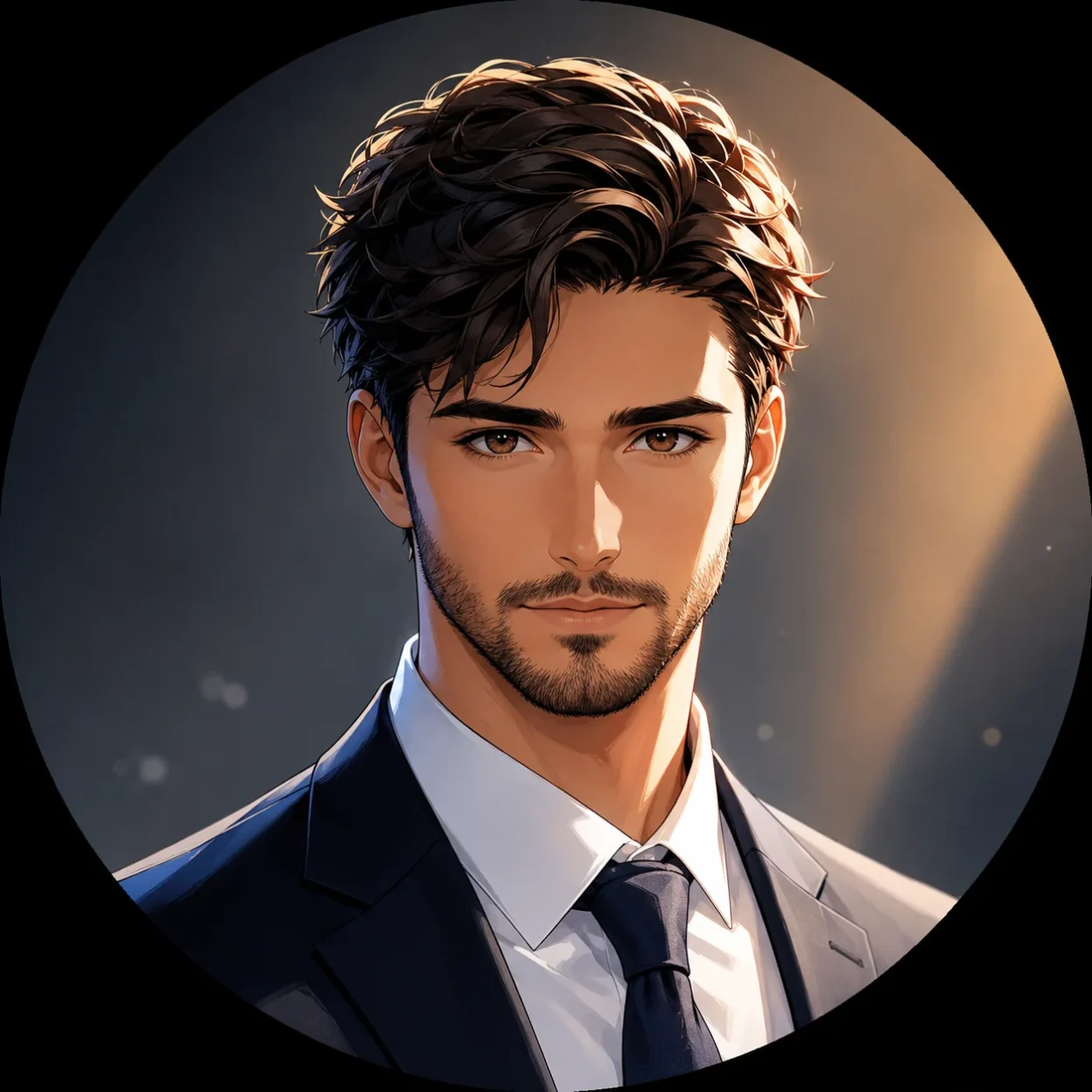
I built this prompt because most AI-generated profile pictures still look either too cartoonish or too plain. I wanted something that sits right in the middle and actually looks premium.
This version forces the AI to keep a strict balance between realistic photography and modern anime style. That balance is what makes the final image feel expensive instead of generic.
Why This Prompt Gives Better Results
Most people just type a simple description like “anime girl profile picture” and hope for the best. The output usually ends up either too flat or too overdone. I ran into this problem many times before I wrote a more structured prompt.
The current version works better because it gives the AI clear rules about style balance, lighting, and composition. It also tells the AI to keep the subject as the only focal point.
I noticed a clear difference once I started using this prompt consistently. The images started looking more intentional and professional.
How I Use This Prompt
I follow a simple process every time I create a new profile picture.
First, I copy the entire prompt. Then I replace the SUBJECT section with a clear description of the person or character. I keep the description short but specific. Something like “a young woman with sharp features, long dark hair, and calm expression” works better than long paragraphs.
After that, I add the platform at the end. This helps the AI adjust the style slightly depending on where the picture will be used.
I usually generate three to four versions of the same prompt. Then I pick the one that feels the strongest.
Best AI Tools for This Prompt
Not every tool handles this hybrid style the same way. Some are better at text accuracy while others create stronger lighting and realism.
Here is the comparison I actually use when deciding which tool to run:
| AI Tool | Style Balance | Text & Detail Accuracy | Best Aspect Ratios | Strengths | Best Used For | Notes |
|---|---|---|---|---|---|---|
| Midjourney | Excellent | Good | 1:1, 4:5, 3:4 | Strong cinematic lighting and depth | Instagram, Twitter, Discord | Use –stylize 200 and –v 6 for cleaner results |
| Flux (Grok / Fal) | Very Good | Very Good | 1:1, 4:5 | Realistic skin and natural lighting | LinkedIn, Instagram, X | Works well with detailed subject descriptions |
| Ideogram | Good | Excellent | 1:1, 3:4 | Best text rendering and clean lines | Any platform needing sharp details | Great when you want precise facial features |
| Leonardo AI | Very Good | Good | 1:1, 4:5 | Good control over anime realism | Gaming profiles, Twitch | Use the Anime Realism model for better results |
| DALL-E 3 | Average | Excellent | 1:1, 9:16 | Very accurate face generation | Quick LinkedIn or Instagram PFPs | Less flexible with heavy anime styling |
| Stable Diffusion XL | Good | Good | 1:1, 4:5 | High customization | Custom branded series | Requires good prompting skills |
I usually start with Midjourney or Flux when I want strong lighting and depth. I switch to Ideogram when the subject has specific features that need to be accurate.
Aspect Ratios I Use for Profile Pictures
Profile pictures need to work well when cropped into a circle or square. This is why I mostly stick to 1:1.
For Instagram and most social platforms, 1:1 gives the best results. Some people prefer 4:5 because it gives a bit more room around the shoulders.
I avoid tall ratios like 9:16 for profile pictures because they get cropped too heavily. Wide ratios like 16:9 also do not work well for avatars.
Small Things That Improve the Output
Being specific about the subject description makes the biggest difference. The more clearly I describe the face, hair, and expression, the better the result usually is.
I also found that adding the platform name at the end helps the AI adjust the overall mood. For example, LinkedIn versions tend to come out slightly more professional while Instagram versions feel more vibrant.
Running the same prompt a few times usually gives better options to choose from. I rarely use the first result.